
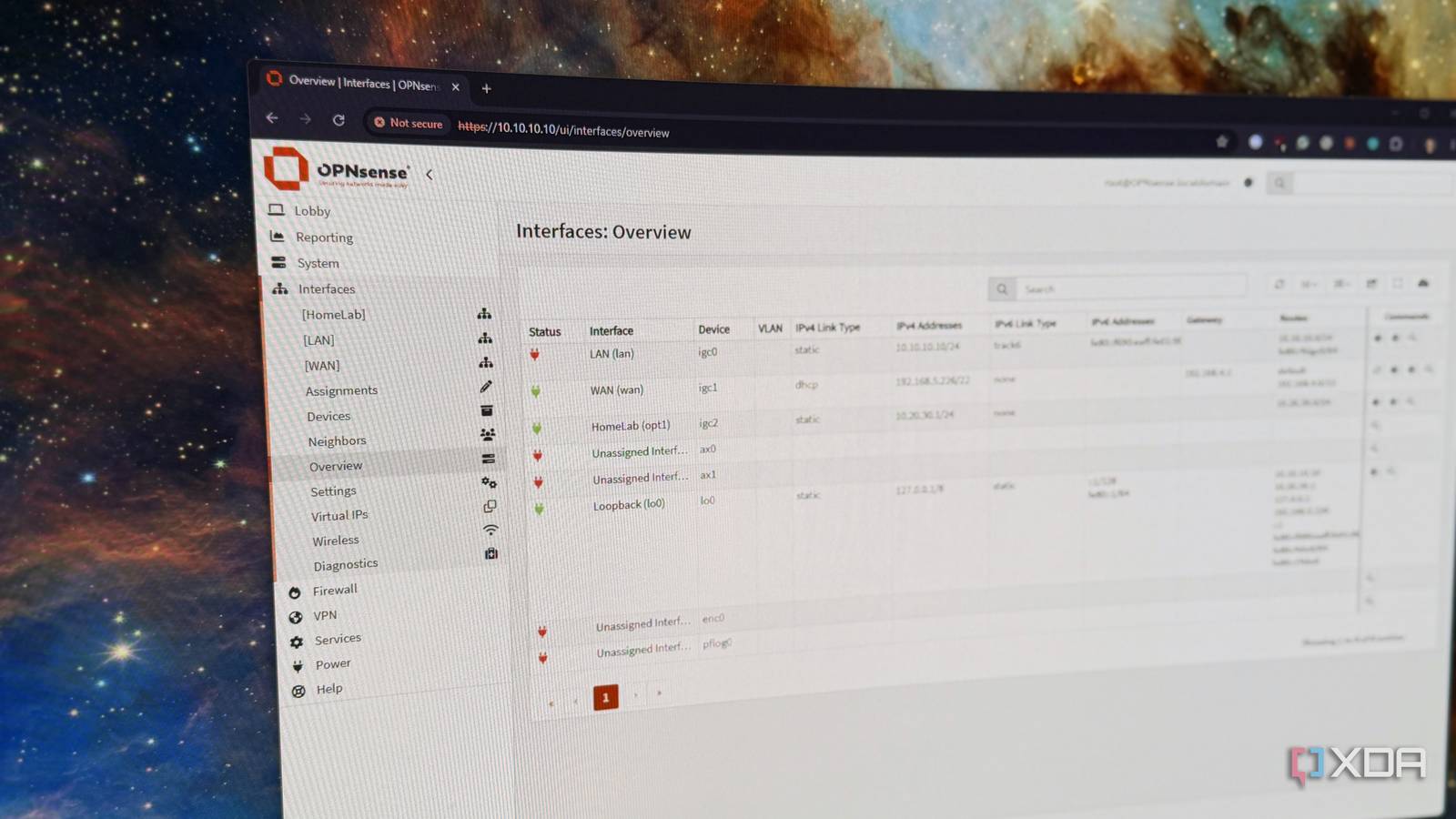
Published Oct 19, 2026, 8:00 AM EDT Maker, meme-r, and unabashed geek, Joe has been writing about technology since starting his career in 2018 at KnowTechie. He's covered everything from Apple to apps and crowdfunding and loves getting to the bottom of complicated topics. In that time, he's also written for SlashGear and numerous corporate clients before finding his home at XDA in the spring of 2023. He was the kid who took apart every toy to see how it worked, even if it didn't exactly go back together afterward. That's given him a solid background for explaining how complex systems work together, and he promises he's gotten better at the putting things back together stage since then. We're told over and over that keeping smart home devices on their own network segment is wise, whether that's for security or stability. But that conversation can be flipped as well, because other device groups can benefit from smart VLAN choices. With the rise of self-hosting and home labs, you can (and should!) apply the same networking principles to your home lab infrastructure. I used to keep both on the same subnet, but after noticing smart home devices dropping out for no apparent reason, I split my network into more segments, and it's much easier to manage. And how VLANs change that picture Think about the types of devices running in your smart home and those in your home lab. On one side, you have lots of mostly wireless devices crowding the 2.4 GHz band, with one initial setup process before being left (mostly) alone for their lifetime. IoT devices rely heavily on IP multicast, broadcast, and unicast for traffic and connectivity, and that's a lot of noise on the network you've got your home lab on. On the home lab side, you have lots of network churn, from VMs, containers, and test equipment popping onto the network, then off, and maybe back on again. Every new MAC address needs an IP address, and when those temporary adapters hit your network, they announce themselves to get a DHCP address from the gateway. It's all unnecessary traffic on both sides of the networked devices. Your IoT devices only really need to see each other, their hub(s), and your smartphone, and your home lab should stay in its own network segment. Separating them into Layer 2 domains routes any cross-domain traffic through your router or firewall, where you can control it. If you've got network issues, start here Your shared network could be the problem We're always told to keep as many devices on wired connections as possible, because it keeps the airwaves free for those devices that can't connect via Ethernet. And that's still true when you've got home lab and IoT devices on the same network, but you have another issue to worry about. Those VMs and containers send lots of packets, from ARP to IPv6 neighbor discovery and other discovery protocols, and your wireless access points send them out. IoT devices are designed to sleep until they receive those packets, which drains batteries faster and adds more chatter as they respond. Putting them on a VLAN won't fix this completely, since SSIDs on the same radio still share the channel, but it will cut down some traffic. And the reverse is also true. IoT devices love using mDNS, SSDP, and Matter/HomeKit discovery protocols, and that traffic volume grows with every Docker host, casting target, and integration announcing itself on the network. The usual fix is VLANs with mDNS reflectors to enable cross-VLAN traffic, but you have to scope this carefully; otherwise, you're just recreating the problem with more steps in between. Then there are DHCP issues to work through. Adding a test router, hardware firewall, or container that can answer DHCP on a shared segment can hand IoT devices the wrong gateway or DNS. And I've got plenty of IoT devices that won't recover without a power cycle, or, in some cases, a full factory reset and adding them back into my ecosystem. At least if a home lab device goes rogue when on a VLAN, the damage is contained to that segment. The constant churn of devices, VMs, and containers in the home lab means lots of IP address reuse, leftover static IPs inside the DHCP pool, and MAC changes that can confuse switch tables. IoT devices with simpler network stacks handle this poorly, while your home lab devices will likely recover on their own. And you have to worry about bridge loops or spanning tree mistakes on any network, but at least if they're on lab-only ports, the loop gets localized. Loops on a trunk carrying both VLANs will still take the network down on both sides, and the fix is enabling Spanning Tree Protocol on the bridge. Segmentation isn't the only fix But it does make it easier to troubleshoot Putting your IoT and home lab devices on their own VLANs is one part of the solution, but there are plenty of other sources of instability it won't fix. You'll still need to worry about RF interference on both 2.4 GHz and 5 GHz bands, weak signal or dead zones, and channel congestion. VLANs stop those devices from talking to other network segments, but they still go through the same gateway, so you can still get a saturated WAN or slowdowns from a router that can't keep up. And then there's the rest of the networking issues that can crop up. Bufferbloat, cloud outages, and physical hardware failures are on that list, and one of my recent issues was from a failing router that gave up completely one night. VLANs don't fix any of these, but they do make it easier to narrow down which devices are the problem. Splitting your network brings other issues to work through While broadcast discovery noise is one reason to segment your network, you end up with another thing to fix. Casting, AirPlay, Matter, and HomeKit devices can stop being discoverable from your phones or Home Assistant. My favorite fix is to turn Home Assistant into its own gateway, with one NIC on the home network and one on the IoT network. That lets me control devices that need mDNS and other discovery methods without letting them into the other VLANs. It's not always practical, and in those situations you can set up an mDNS reflector for the devices that need it. VLANs aren't magic, but they solve a very real problem Segmentation works not because the system has magical properties, but because it puts very different device types into their own domains. That removes shared points of failure, whether that's broadcast traffic crowding out other wireless devices, new home lab devices accidentally becoming a gateway for your IoT collection, or other common networking issues.
I segmented my home lab's network from my smart home, and stability improved overnight
Full Article
Original Source
Read the full article at Xda-developers →KhanList aggregates and links to publicly available news content. We do not host full articles from third-party sources. Always verify important information with original sources.