
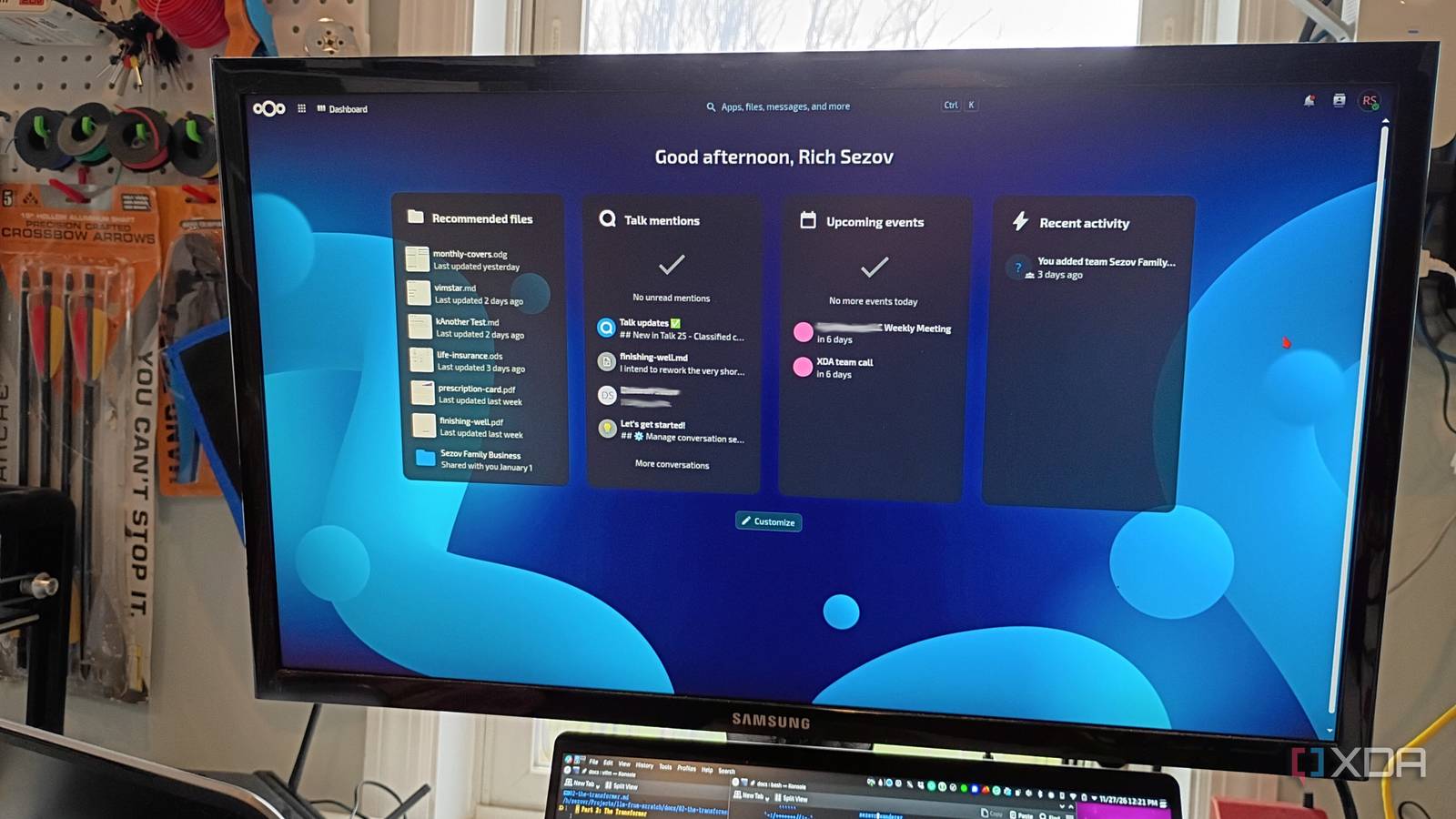
Published Nov 28, 2026, 3:30 PM EST Richard Sezov has worked in IT most of his life, and loves all things Linux, 3D printing, and retro computing. When Rich isn't working, you'll find him spending time with his wife and kids, playing with single board computers, packaging Linux software, 3D printing, reading science fiction, playing games, and hopefully not blowing anything up. Google Drive is a great way to collaborate on documents with people. It has several limitations, though. Collaborators need a Google account, or you have to be too permissive with your documents. The free plan gives you 15GB of storage, and that includes documents, email, and photos. It’s not easy to organize your documents, so it can become hard to find things. And sync only works on Windows and Mac, not Linux, which affects me personally, as a Linux user. Nextcloud is a great alternative to free you from the limitations of Google Drive, Microsoft 365, or any other subscription-based cloud service. You can run it via a provider like Federated Computer or, better yet, you can run it on your own hardware. I run mine on a Libre Computer Renegade, which is currently going for $80 on Amazon. This gives your investment a one-time cost that you can use for years. An alternative to the Raspberry Pi Keeping your costs down makes your home lab hobby manageable Libre Computer’s boards are designed with the same form factor as Raspberry Pis, making them great alternatives. Other single-board manufacturers like the Orange Pi, the Nano Pi, or the Radxa Rock 5B have different layouts, so they don’t fit in the myriad of cases available for the Raspberry Pi, including 3D-printed ones. Instead, cases and/or rack systems must be designed especially for them, making it a challenge to integrate them into your home lab setup without making a mess. You don’t have this problem with the Libre Computer boards; they match the Pi’s form factor. If speed is a priority for you, you may be willing to pay more for your servers, but the point here is this: because the Renegade has 4GB of RAM, it’s powerful enough to run a Nextcloud instance you can use with your family, friends, and even strangers, leaving the limitations of cloud providers behind. You’re limited only by the size of the drive you use with it. Here’s what I did: I bought a used Thinkpad on eBay, which came with a 256GB NVMe. This was too small for my needs, so back when storage was cheap, I bought a 2TB NVMe and swapped out the 256GB one. Now I had an extra NVMe lying around, so I bought a USB adapter for it. I’d always wanted to build a Nextcloud instance, so I got the Libre Computer Renegade, and I had all the hardware I needed. The Renegade has Gigabit Ethernet and plenty of USB ports for drives. Installing an OS You don’t want to use the SD card if you can help it Raspberry Pis and Libre Computers both have a slot to use a MicroSD card for storage. As anyone who has run one of these devices long-term knows, these cards wear out faster than traditional storage does. If you plan to set up a server that you intend to use for years, don’t use a MicroSD card for your storage. Instead, use it as a bootloader. Libre Computer provides a bootloader builder you can use to flash a bootloader to a MicroSD card. When the board boots, this bootloader loads and passes booting on to another device, say, an NVMe inside an adapter plugged into one of the USB ports. This way, the MicroSD card is written to once: when you flash the bootloader to it. After that, it’s only read each time you boot the machine. From then on, all disk activity is passed to your NVMe connected via USB. It was a trial-and-error process to figure out which USB port the bootloader passed processing to, but once I had it, I could place an aarch64 Linux distribution image on a flash drive and get it to boot from that port. I put my NVMe adapter into another port and ran through a regular Linux installation (I use OpenMandriva), using the NVMe as the target drive. After that, all I had to do was take the flash drive out of the USB-bootable port, put the NVMe in, and the system booted. It was ready to be configured. Installing Nextcloud Nextcloud’s All In One makes getting it going pretty easy Nextcloud’s All In One (AIO) installer uses Docker under the hood and orchestrates separate containers for all the components Nextcloud needs: Apache & Caddy, PostgreSQL, Nextcloud, Client Push, Redis, and Nextcloud Office. These are the default services Nextcloud provides; stick with these at first. Once you get Nextcloud running, monitor your memory and CPU situation before choosing to install other components. With that said, however, I’m running three additional containers: Nextcloud Talk, Imaginary, and Nextcloud Whiteboard. These give me Slack/Teams/Google Meet functionality on my own Nextcloud box. To get all this going, though, you must follow the instructions in the GitHub repository referenced above to install what Nextcloud calls the mastercontainer. This is the single Docker container that orchestrates all the others. Once you have it installed and started, it generates a security phrase you must save to access it again later. After you indicate that you’ve saved the key, it installs the other containers. One thing you must choose is which office suite should be installed. The new default is Nextcloud Office, powered by Euro-Office. The old default (and the one I use) is Nextcloud Office, powered by Collabora Online. This is because I moved my family to Linux back around 2006 or so, and we’ve been using LibreOffice or one of its ancestors ever since. If you’re more of a Microsoft Office user, you may want to pick the Euro-Office-powered suite, as it boasts better compatibility with Microsoft’s ooxml format. Nextcloud also ships with a backup container, powered by BorgBackup. This is an excellent de-duplicating and compressing backup manager. Nextcloud gives you an interface for creating a backup manually or on a schedule. You can also restore a backup directly from the AIO interface. Note that when the backup container runs, it shuts down the other containers, so your Nextcloud instance becomes unavailable. There are also community containers. Each one must have a link to documentation to be included. If you’re running Nextcloud on something more powerful than what I’m running it on, there’s nothing stopping you from adding the Local AI or the Gitea container so you can have your private GitHub too. Nextcloud’s components There’s way more to it than office and sync Nextcloud is incredibly powerful. Since it started as an alternative to Dropbox, you may not be aware of how powerful it has become. Yes, you can sync files to and from it, and yes, you get an online office suite akin to Google Docs. But you also get a lot more: A complete task management interface to free you from Microsoft To Do, Google Tasks, Todoist, or TickTick. Nextcloud Deck: Kanban boards for your tasks. Notes that sync with companion iOS and Android applications. Nextcloud Talk: chat and video calls from your own server. Calendaring and scheduling, to keep your schedule private. And that’s if you only stick with what’s installed by default. There are tons of other applications in the store you can install. One of my favorites is a mind mapping plugin that integrates nicely with the office suite (except that it doesn’t yet support dark mode). Running your own server is fun It helps you control what data you give to whom Running your own Nextcloud server is a great home lab project that can benefit everyone in your circles. Nobody has to create an account with one of the tech giants if they don’t want to; they can bring whatever email addresses they have to their account on your Nextcloud box. And if you couple your Nextcloud box with a mail server, you have everything you need to replace your cloud accounts completely. So what’s stopping you? Give it a try!
I run Nextcloud on a single-board computer with 4GB RAM, and I don't need Google Drive anymore
Full Article
Original Source
Read the full article at Xda-developers →KhanList aggregates and links to publicly available news content. We do not host full articles from third-party sources. Always verify important information with original sources.