
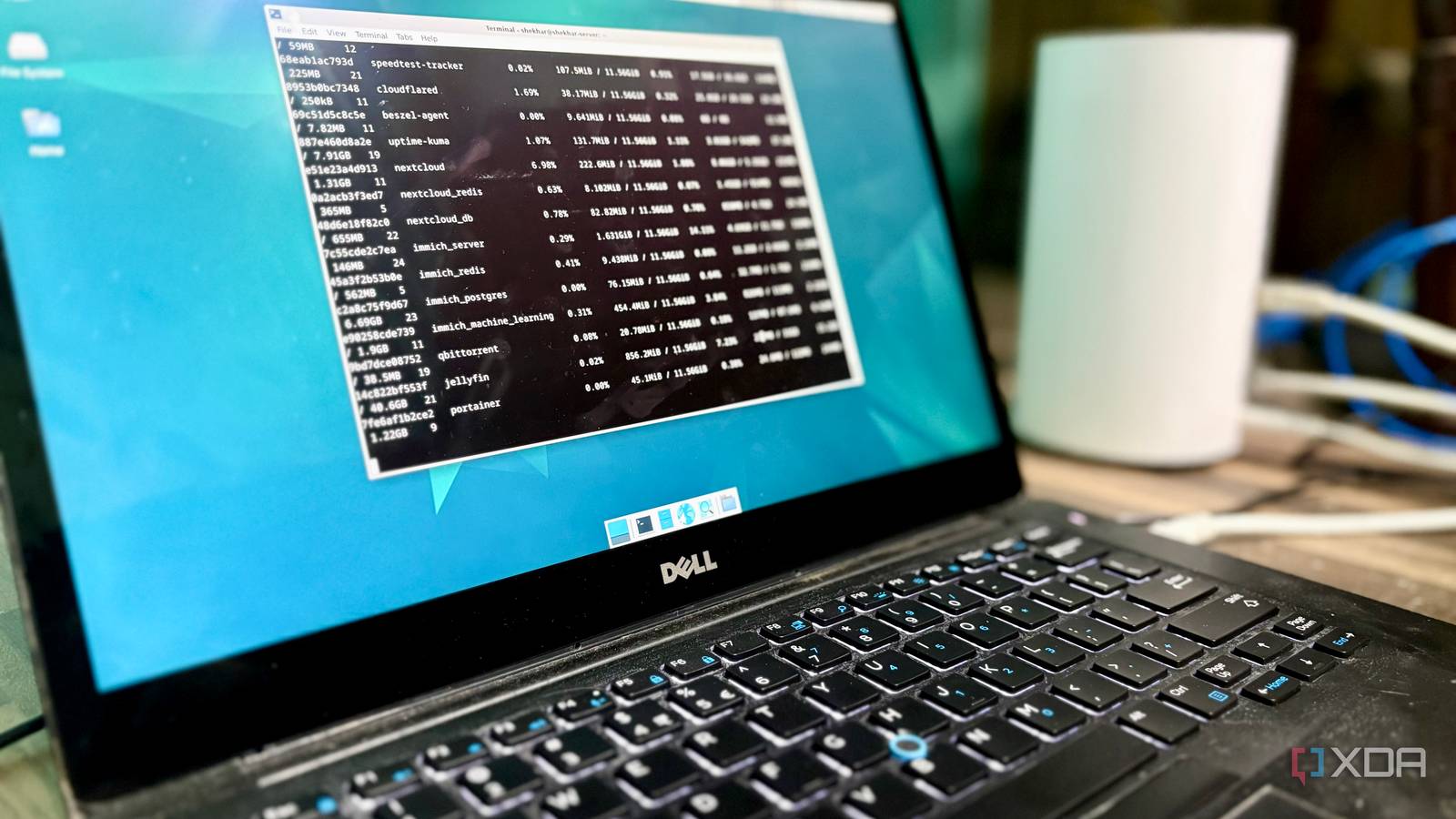
Published Jul 27, 2026, 7:00 PM EDT Shekhar Vaidya is a veteran technology journalist and computer science engineer. He is the founder of TechLatest, where he has spent years providing technical analysis on hardware and Windows ecosystems. Now a Computing Writer at XDA, Shekhar leverages his deep background in NAS, storage solutions, and PC internals to help readers master their tech. Most people think of a mini PC, a recent processor, or even a dedicated graphics card when building a media server or a homelab server. I was in the same boat. I was thinking of building a mini-PC based on Intel’s Twin Lake power-efficient CPUs, upgrading from my old Synology NAS. But before pulling the trigger, I took a detour and decided to use an old laptop that was supposed to be recycled soon. On paper, an 8-year-old business laptop with a 6th-gen i5 and roughly 12GB of memory didn't look like something that would run a media server. But after a year, it is not only my Jellyfin media server but also a homelab running more than 15 stacks, and it still transcodes video without a graphics card anywhere in sight. The server I never meant to build It was only supposed to be a trial run The business laptop as a media server has an interesting story behind it. It was never meant to be my homelab server. Almost a year ago, my old Synology NAS was struggling to keep up. It was a DS218J, featuring a 1.3 GHz Armada 385 processor with 512 MB of RAM. I was almost ready to build a mini-PC, probably with an N100 or N150 CPU, and convert it to a full-fledged home server. Around the same time, one of my relatives got a Surface Pro for his work and was retiring his old Dell Latitude. I thought the laptop already had much better hardware than my NAS, so why not run a trial of the home server on it before I built a new one? There was no downside to this — almost free hardware and no worries about anything going sideways. It was a Dell Latitude 7480, featuring a Core i5-6300U CPU, paired with 8GB RAM and a 256GB SSD with no dedicated GPU, and was around eight years old. Later, I added 4GB to it from another old laptop. A business laptop with almost 8-year-old hardware was going to be recycled anyway. No one would consider it their home server; I even considered it a trial run for my future build. I was already using (I mean, trying to) self-hosted services like Plex, Synology Photos, and Synology Drive on that dying NAS. So, I thought of replicating the setup I'd planned for that future build — bare-metal Linux and mostly open-source alternatives to the services I was using. When I got the Latitude, I went with Debian (not Proxmox, but that is a story for another day), and the first service I chose was a Plex alternative — Jellyfin. The GPU that isn't supposed to exist It's already inside the CPU you ignored Okay, I decided to install Jellyfin on it, but was the laptop designed to run something like that? Well, technically, no, it was a business laptop, designed to do things opposite to that. And I didn’t even want to run Jellyfin on it permanently. I was basically running a mock test on it before I built a new one. I knew "media server" means "transcoding," which means "good GPUs." And it didn’t have a dedicated GPU (dGPU). At that time, I was totally ignoring the integrated GPU (iGPU) it had. While I was installing and setting up Jellyfin, I was also going through the documentation side-by-side. I was on the transcoding page; I saw the Intel GPU section, and I immediately linked it to the new Arc dGPUs without even thinking. I still visited the section later for my knowledge. I saw there were two methods of hardware-accelerated transcoding for Linux — QSV and VA-API. And VA-API was specifically for legacy GPUs. That was when it hit me. I had an old CPU and obviously an iGPU. Maybe I could run it too? A few Google searches and numerous Reddit threads later, I came across Intel Quick Sync Video. From what I found out, it was a dedicated media engine inside Intel's integrated graphics. It handled video encode and decode without asking the CPU to do everything. I decided to give it a try. Even though I always recommended running the instance bare-metal, when I deployed Jellyfin, I had no intention of running it for long, so I just chose the easy method — Docker. So, VAAPI via /dev/dri was the only viable method in my case for Jellyfin to access Intel's media engine. I configured it, and since I already had videos on my NAS, instead of copying them over to the server, I mounted the NAS on the server and used it as the media source. As my first run, I ran a 2K file on my Windows PC. Since I was on Windows with compatible hardware and on a local network, it was Direct Play. I was checking the CPU usage side by side as well; since it was Direct Play, the CPU graph rarely changed. After that, I tried running it on my FireTV Stick; it again didn’t inflate the CPU graph much. Checking the Jellyfin dashboard confirmed it: Direct Stream. Finally, when I tried running it on my iPad, I saw the CPU graph climbing, since it had to transcode the video to a lower resolution. Later, I exposed Jellyfin using Pangolin, and when I tried to run it on my mobile devices and laptop via cellular data and public Wi-Fi, I finally started noticing different scenarios where it actually transcoded, like remote bandwidth, incompatible codecs, and subtitle burn-in. But after using it for a couple of weeks, I realized that during Direct Play and Direct Stream, it rarely used any CPU; I saw CPU spikes only while transcoding large files. But not enough to make the server unusable. The server continued running the rest of my homelab services without feeling overloaded. Where the cracks actually show Every setup has a ceiling Almost a year after that setup, the mock test has become my main homelab server. I have been running around 20 stacks with more than 30 containers in the same machine. There were a few infrastructure changes, like converting the NAS to dumb storage, renting a cheap VPS for the front door of the server, and replacing almost all my paid subscriptions with this old business laptop. Coming back to the topic at hand — Jellyfin. I now manage my library in such a way that most streams are either Direct Play or Direct Stream, like keeping the videos in compatible codecs and 1080p or 1440p videos only, and even when a file is large or an unsupported format, I do the heavy work on my RTX 4070 Ti PC and then move it to Jellyfin. I make sure the laptop spends far more time serving files than converting them. Jellyfin is mostly used by my close family, so remote access is also occasional. Hardware transcoding happens, but it's not constant. The surprising thing is the server isn’t a dedicated media server, and Jellyfin has coexisted comfortably with the rest of my self-hosted services. Even while watching something on Jellyfin, my other containers continue running without noticeable slowdowns. But there are genuine limits as well. Like streaming multiple 4K videos simultaneously is a big no, because HDR transcoding overloads the CPU usage and other services start to lag. And the same for newer codecs like AV1; they are not fully supported by this Intel generation. I have a small set of people using Jellyfin, so it is running smoothly for me, but a household with many concurrent remote users would likely need better hardware and probably a dGPU as well. But the best thing, for me, is that the bottleneck hasn't been graphics performance. It has always been network conditions or a device requesting downscaled video. The upgrade that never had to happen After living with the business laptop as a homelab server for over a year, I have learned that a capable home media server doesn't necessarily need a modern workstation or a dedicated graphics card. For a home media server like mine, where there’s mostly Direct Play with occasional transcoding on Jellyfin or Plex, Intel's integrated graphics with Quick Sync support are often more than enough. And if an 8-year-old business laptop without any dGPU can run a full library while also running the rest of a homelab, it's solid proof that you won’t need a dedicated GPU to run Jellyfin for a typical household. Jellyfin iOS compatible Yes Android compatible Yes Jellyfin is one of the best Plex alternatives you can get, and that's thanks to its open-source nature and powerful set of features. There are apps for basically every platform and it's completely free to run your very own server.
I run my whole media server on a business laptop with no graphics card, and it still transcodes
Full Article
Original Source
Read the full article at Xda-developers →KhanList aggregates and links to publicly available news content. We do not host full articles from third-party sources. Always verify important information with original sources.