
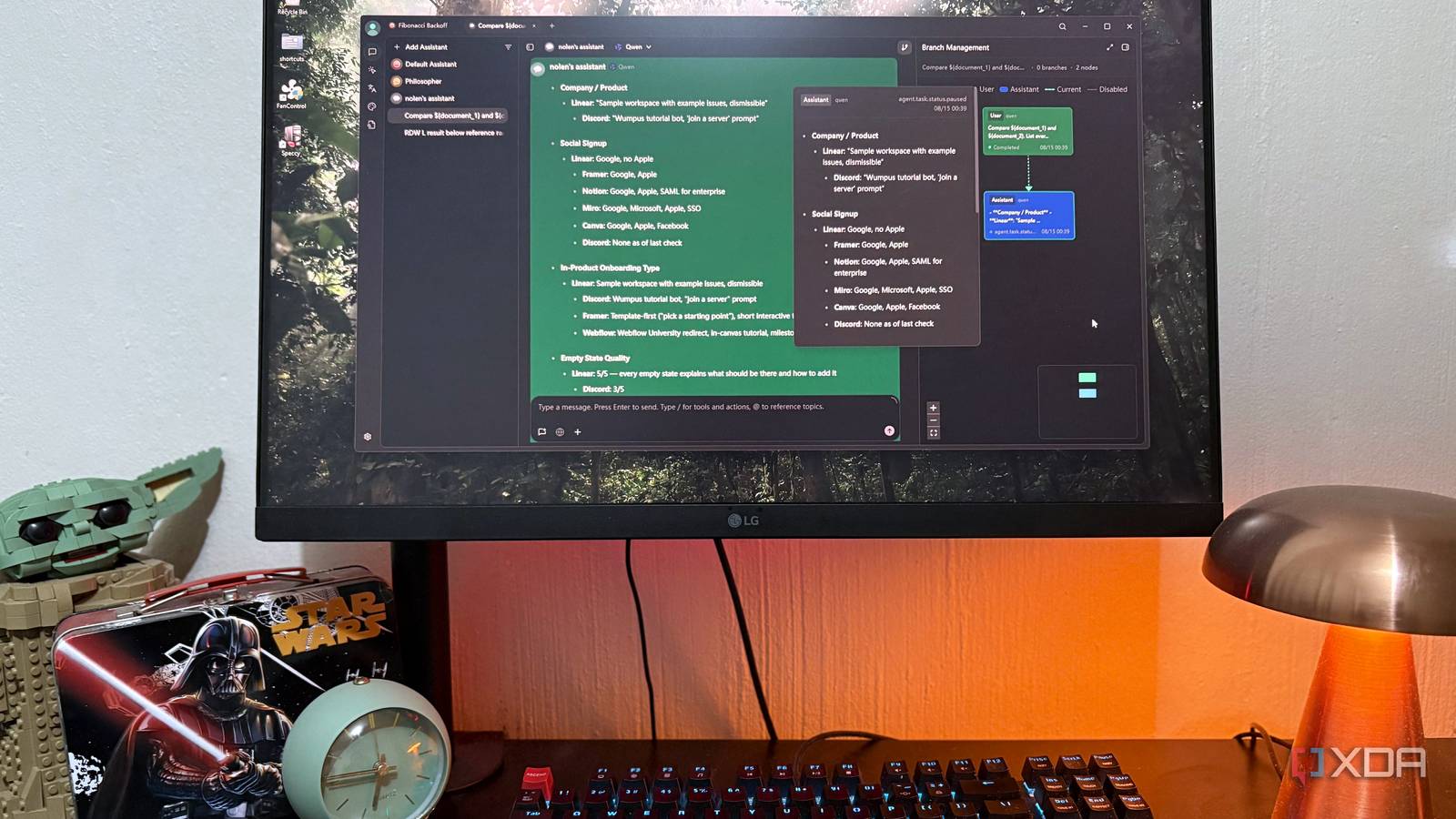
Published Sep 29, 2026, 12:30 PM EDT Nolen began their writing career in 2019, with three years dedicated to editing the Creative section at MakeUseOf. Their expertise lies at the crossroads of technology and creativity, covering areas like photography, video editing, and graphic design. Outside of work, you'll often find Nolen diving into a good book, writing their own stories, or playing video games. Most people who lean on AI don't stick to just one model, which is the right move in the current landscape of a million new models dropping every week. Some models just tend to be better at certain tasks than others, or cheaper to run, or you prefer their tone. The reasons are endless, and so is the model selection. This usually means juggling between multiple interfaces and subscriptions, unfortunately. But there's a way around this - you can get the best of all of them as long as you have the right workspace setup. Here's why and how I consolidate all my favorite models under the same roof… Want to stay in the loop with the latest in AI? The XDA AI Insider newsletter drops weekly with deep dives, tool recommendations, and hands-on coverage you won't find anywhere else on the site. Subscribe by modifying your newsletter preferences! Why keeping every model in one place makes sense Each model is good at something Cost is probably the easier answer to this. A subscription charges the same flat fee no matter how much you use it, though some will charge extra if you exceed their set limits (looking at you, Claude). API, however, bills per token, and for the average user it will almost always end up being the cheaper option. For example, at GPT-5.4's API rates, a typical back-and-forth message works out to roughly a cent, so you'd need to send somewhere around 2,000 of those a month before the API costs more than a $20 plan. That's more than 60 messages a day every day. This can flip on its head if you're running premium models in long conversations all day. It's hard to say exactly where most people land, but API almost always ends up working out cheaper for me. Not every model is the best at everything either, and which one seems to change every few months anyway. With all of your favorites in one place, though, you're not tied to a company and can just pick and choose your tops. This also means that if a provider is having a rough day, you shouldn't have to as well. The API also has a little privacy perk I didn't think about before. Anthropic doesn't train on API inputs and outputs by default. OpenAI takes the same approach with its API unless you opt in to sharing. My local model goes a step further since nothing I send it leaves my PC. APIs also tend to retain chat logs for shorter periods than the apps, if at all. Setting up one workspace for every model All you need is your API keys and a good workspace tool What you need first is an AI workspace that'll accept more than one provider. Ideally it also lets you run several models in the same chat, though that's more of a bonus. LibreChat and Open WebUI both do this well, but they're built to be self-hosted, and the route for both involves Docker. AnythingLLM and Jan are simpler desktop installs if you'd rather skip complex or lengthy self-hosted setups. My pick is Cherry Studio because I love the UI, primarily, and I've already tested it with multiple models this year. It's also open source and runs on Windows, Mac, and Linux. Setup is mostly going to be pasting in your API keys. Under Model Provider in settings, each provider (OpenAI, Anthropic, and so on) has a field for your key, and after that you pull in the model list. Just remember to turn on the toggle in the top right to actually enable the model - I didn't see this at first and struggled for way too long to get them running! LM Studio is already built in as a provider, so once its server was running, Cherry found my local models without needing a key. OpenRouter's in there too, if you'd rather use a single key for 200+ models. What I actually love about Cheery Studio is the multi-select option in the model picker once you're in a chat. Every model you tick gets its own request from the same prompt, and they all answer at the same time. There's a layout switcher under the replies too, so you can actually split the screen VSCode-style. The possibilities of a multi-model setup are endless Some tasks can go to the cloud and others can stay local Comparisons are the obvious use case here, and probably what most people will use this setup for. Sending one prompt to Opus, GPT, and Gemma at the same time makes it pretty clear which one tends to wander off - for me, it ended up being Gemma 4 E4B, showing its less refined nature compared to the other flagships. So it's also handy for putting local models up against cloud ones. It can also help narrow down which model to actually reach for. Opus 4.7 has become my go-to for design work, and GPT-5.2 Thinking ends up with most of my research and synthesis. Tone comes into it as well - some of them just write like how I'd want a chatbot to respond, which can be hard to judge without seeing them directly next to each other. And of course, Gemma 4 is there for anything private I need to hand off to an AI, like helping me track a financial matter. So I'm in complete control of which documents and prompts actually leave my machine. Relying on Gemma for a first pass also keeps the API bill lower because sometimes you don't actually need a heavyweight flagship to save the day. The other thing I do a lot is have one model build something and then ask a different one to critique it, since they tend to miss different things. It doubles as a rough hallucination check too. If one model says something confidently and the other two don't back it up, that's usually my cue to go look it up myself. Models can all be wrong at the same time, so all three agreeing isn't really proof of anything, though a disagreement is usually worth a second look. Cherry Studio also has workspace features that aren't tied to one model. Assistants keep their own system prompt, so I can swap the model running one without rebuilding anything. The Knowledge Base works the same and pairing it with a local model (plus a local embedding model, which is easy to forget) keeps private documents on my PC. And last but not least, Cherry Studio has an image workspace where you can plug in image generation models - cloud-based ones tend to be better than local ones, and my OpenAI API happens to grant access to some of the best ones on the market right now. No more juggling AI tabs The thing I notice most since moving everything into one window is that I use my local LLMs more now. And the pay-per-use setup also fits how I work a little better, since I do use AI tools nearly every day but not heavily, so I actually end up paying less than the subscriptions. Of course, this does mean missing out on some Claude and ChatGPT workspace features, but Cherry Studio has plenty of its own unique features that make up for it. Cherry Studio
I run Claude, ChatGPT, and my local LLM through one interface, and I'm not going back
Full Article
Original Source
Read the full article at Xda-developers →KhanList aggregates and links to publicly available news content. We do not host full articles from third-party sources. Always verify important information with original sources.