
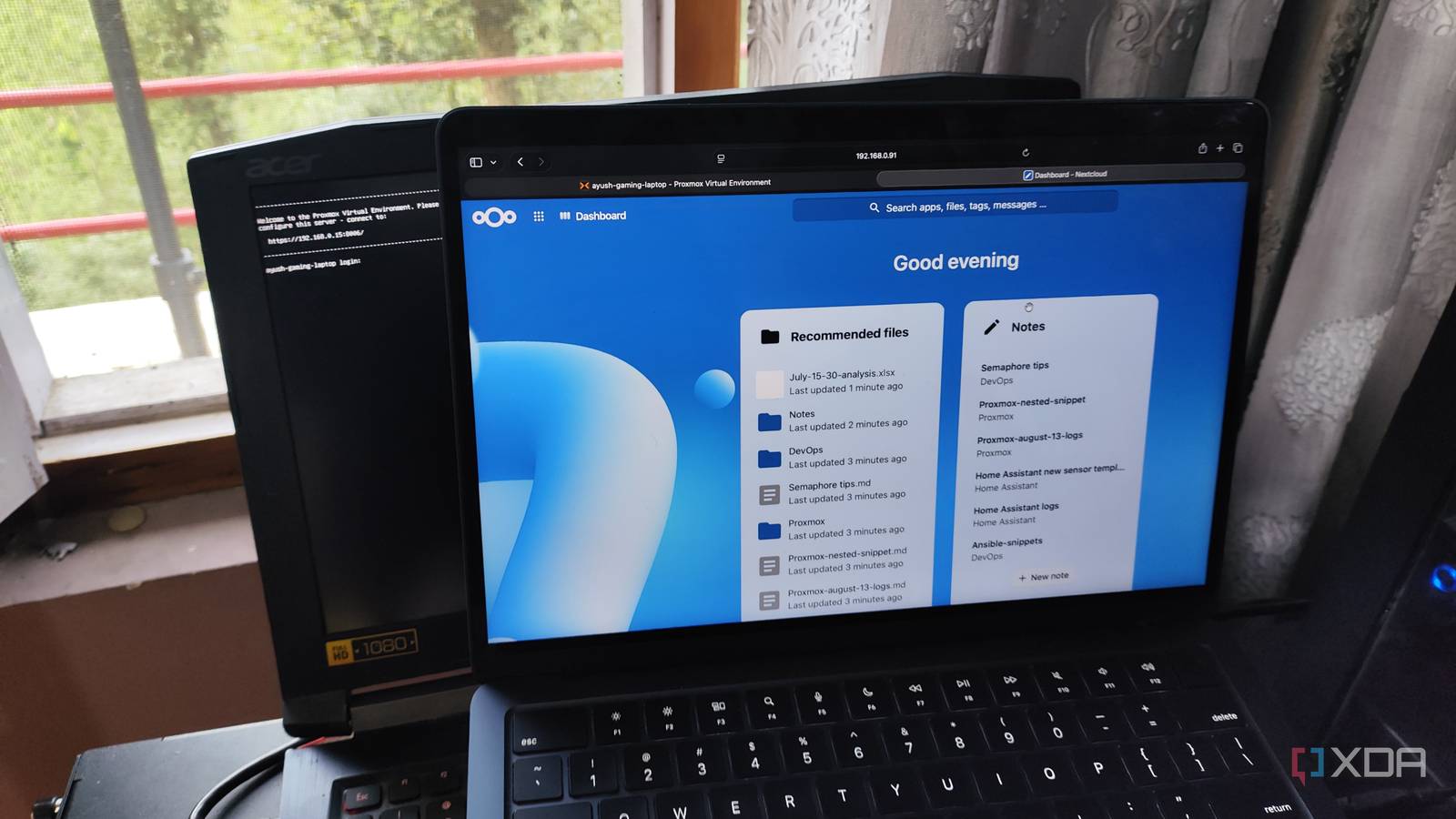
Published Aug 22, 2026, 1:30 PM EDT Ayush Pande is a PC hardware and gaming writer. When he's not working on a new article, you can find him with his head stuck inside a PC or tinkering with a server operating system. Besides computing, his interests include spending hours in long RPGs, yelling at his friends in co-op games, and practicing guitar. When I first hopped down the self-hosting rabbit hole, I did so purely because deploying containers seemed like a fun project. However, this little hobby turned out really well for my wallet (and privacy), as local FOSS apps don’t require me to spend dozens of bucks every month on subscriptions. Better yet, most productivity tools are light enough to run on old machines without running into performance issues, making them pretty neat for repurposing outdated hardware. Take my Acer Predator Helios 300 (G3-571-QK) I bought back in 2017, for example. While this gaming laptop served me faithfully for years, it’s too weak to handle graphically-demanding titles at respectable frame rates anymore. So, I decided to turn it into a Proxmox-based self-hosting node, and it’s now responsible for running FOSS counterparts to Microsoft 365 services. I decided to go with Proxmox when repurposing my old laptop as a home lab node But a simple Linux distro + Docker combo works just as well for this project Before I could get started on my tinkering escapades, I had to choose an operating system for my laptop. By default, I had Windows 10 installed on this machine, and although I could run its successor on this unsupported system via some workarounds, I wanted to avoid using this bloatware-riddled mess of an OS. So, I turned my attention to Linux flavors instead, especially minimal CLI distributions due to their light footprint. But as with most server projects, I ended up pivoting to Proxmox Virtual Environment. For one, PVE is light enough to run on practically any x86 machine, and its web UI makes managing virtual guests a breeze. However, the real reason I wanted to opt for Proxmox was because I’ve previously configured GPU passthrough within LXCs on laptops, and seeing how my Helios 300 has a GTX 1060, I wanted to put this graphics card to good use for llama.cpp projects. That said, I decided to opt for Proxmox 9.0 for the time being, as the newer versions of the platform don’t play nice with Pascal-era cards – and that’s something I have first-hand experience with. Alternatively, Ubuntu Server (which isn’t as bloated as its Desktop counterpart) and DietPi are decent options for the host machine, and you can replicate pretty much every aspect of my productivity setup using Docker environments. Nextcloud handles most of my productivity needs And it’s thanks to all the apps I’ve armed it with Switching to the software side of things, Nextcloud is the application responsible for most of my productivity needs. At first glance, Nextcloud may seem like a file-sharing and collaboration platform, and as much as I hate to admit it, that’s pretty much how I used it during my early self-hosting days. However, Nextcloud’s real utility lies in the diverse set of tools hidden in its App Store. Personally, I consider Collabora Office the most useful application on Nextcloud. Although I can store typical Office-type documents on a barebones Nextcloud instance, the platform can’t edit or create anything other than simple text files and new folders. But by connecting a Collabora Office container with Nextcloud, I can edit typical text documents, spreadsheets, and presentation slides just like I could on Google Drive, Microsoft 365, and other cloud platforms. However, Nextcloud’s App Store also includes dozens of other Microsoft 365-centric tools. I’ve been using its Calendar application a lot these days, as it not only tracks the assignment due dates from the Tasks utility, but its CalDAV design lets me sync events instantly with my Home Assistant instance, making it really handy for time-based smart home automations. Likewise, Tables, Notes, and Passwords are solid tools for any Nextcloud productivity hub, and I really appreciate that the platform includes integrations for other self-hosted (and even cloud) services. But I’ve also got a handful of LXCs configured for other productivity tools Besides Nextcloud, my laptop also houses other apps to bolster my writing, coding, and task management needs. Blinko, for example, is a neat utility for jotting down ideas in a hurry and revisiting them later when I’ve got the time. I’ve also moved my Open Notebook instance to this laptop, and it now holds all the web pages and documentation I need for my DevOps, virtualization, and coding research. The best part? I’ve even deployed the LLMs responsible for powering Blinko and Open Notebook’s AI facility on this very laptop. Although I never had any luck with GPU passthrough on virtual machines, letting an LXC harness the laptop’s GTX 1060 was a breeze. I’ve currently hooked up this graphics card to an LXC with llama.cpp packages, and together with Gemma 4 E4B and Nomic-embed-text, my outdated gaming laptop is quite the beast for RAG tasks. It’s built-in screen and keyboard may be neat perks, but that doesn’t apply to its battery Without proper failsafes, I’d say it’s more of a potential fire hazard Unlike my desktop PCs and thin clients, troubleshooting buggy packages is significantly easier on my laptop, and it’s mostly thanks to the latter’s form factor. Instead of scurrying around to find I/O peripherals as I would on traditional servers, I can just use the keyboard and screen built into my laptop every time I can’t solve a problem via Proxmox’s web UI. That said, I’ve noticed many beginners claim the battery as an advantage of laptop-based setups, and I can’t end this article unless I correct that notion. Sure, being able to keep my laptop running even when there’s an outage without investing in a dedicated UPS makes the battery convenient. Unfortunately, laptop batteries tend to swell up if you leave them plugged in at 100% charge level all the time. Worse still, on laptops such as my Helios 300, getting rid of the battery is no easy feat, and I can’t even disable it from the BIOS. As such, I ended up creating a makeshift safeguard to protect my Proxmox-powered laptop from turning into a fire hazard later down the line. First, I used a smart plug to connect my laptop’s AC adapter to a wall socket. Then, I installed Glances on the PVE node, which can read the battery level and display it within a new web UI. Since I’ve got Home Assistant running on another server, I configured the Glances integration to grab the battery sensor stats and quickly tossed in two automation rules: one that turns the smart plug off when the battery level goes past 80%, and another that turns it back on as soon as the battery dips below 30%. Your old laptop can be a godsend for self-hosting tasks If you’ve got an outdated laptop, turning it into a container-hosting workstation can breathe some new life into it. Barring certain hardcore LLM-hosting environments, LXCs and Docker containers for most productivity applications don’t consume too many system resources, and with a minimal distribution, your old laptop can save hundreds of dollars every year in premium subscriptions for cloud apps. Proxmox
I run a Microsoft 365 killer suite off my laptop, and it's good enough to replace my cloud subscriptions
Full Article
Original Source
Read the full article at Xda-developers →KhanList aggregates and links to publicly available news content. We do not host full articles from third-party sources. Always verify important information with original sources.