
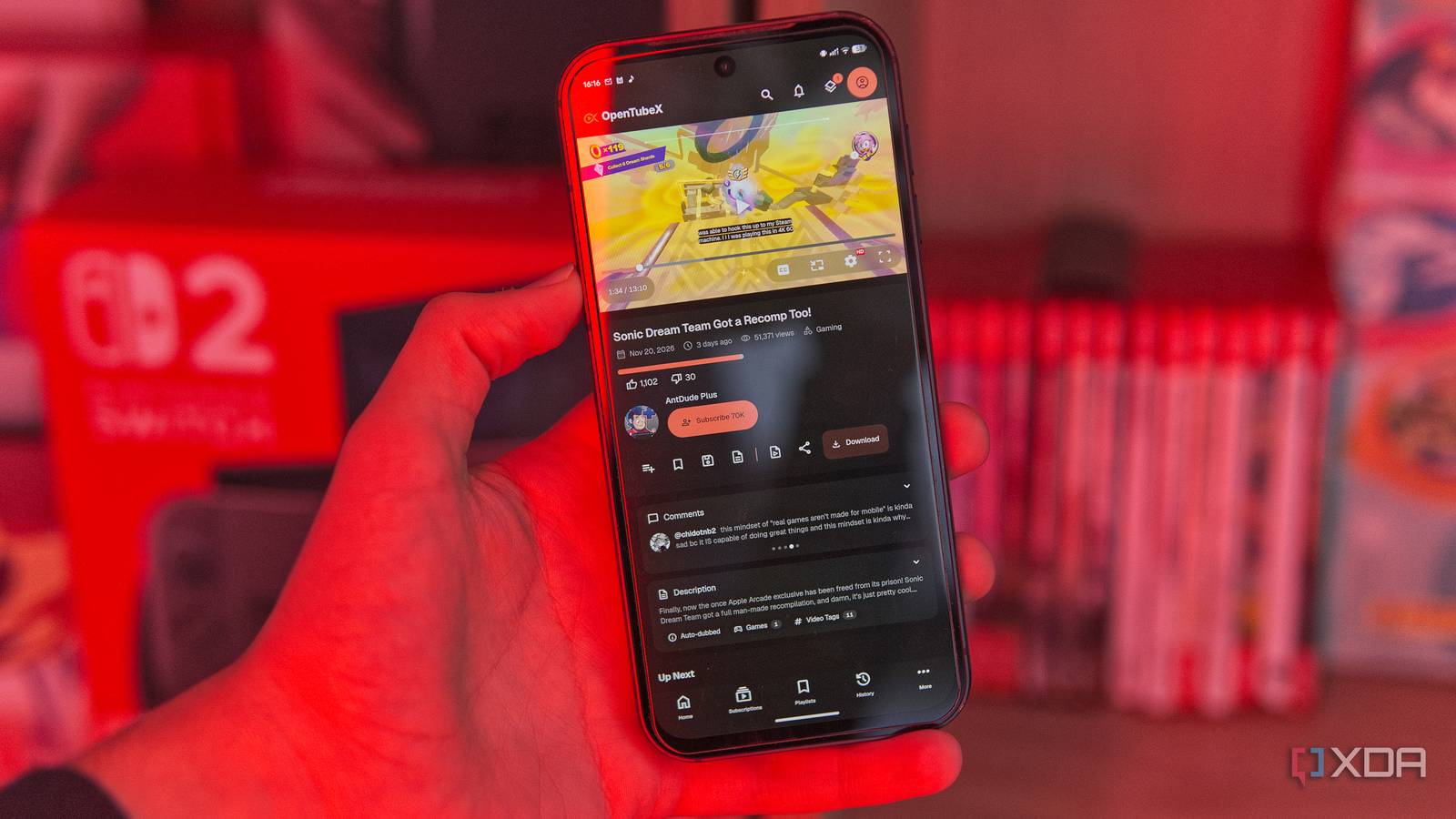
Published Nov 26, 2026, 8:30 AM EST João has been covering the tech world for over 7 years, with a heavy focus on laptops and the Windows ecosystem. I also love all things tech and videogames, especially Nintendo, which he's always happy to talk about. Prior to joining XDA in 2021, he worked at Neowin: https://www.neowin.net/news/poster/jo%C3%A3o-carrasqueira/ As Google's desire to maximize revenue from YouTube grows, the user experience arguably gets worse. Ads are more intrusive than ever, and the service pushes its most popular channels, which are often riddled with low-effort content and so-called "AI slop". So what if you could make YouTube into a more peaceful experience without sacrificing some of the things you love about it? That's where OpenTubeX comes in. I'd heard of a few YouTube clients before this, but OpenTubeX only recently crossed my radar, and I already regret not knowing about it sooner. It may just be the best way to use YouTube if you want a more peaceful experience. A YouTube experience tailored to me It's heavily customizable Right off the bat, OpenTubeX sells itself by just letting you tailor your experience to your specific wants or needs. Instead of making assumptions about what you want to see, the initial setup asks you to choose the default video quality (which it actually sticks to), whether to show captions by default, the default landing page for the app, and which region trending content should be pulled from. On top of that, it asks me if I want to enable SponsorBlock (for skipping sponsored segments in videos) as well as another service I'd never heard of called DeArrow. The idea is that many clickbait-y YouTube videos rely on big red arrows in the thumbnail, so DeArrow is meant to remove the clickbait aspects of these videos. It can also be applied to titles, so misleading or sensationalist titles are replaced with community-provided ones that are (presumably) more honest. In the app's settings, you'll actually find a couple more add-ons, including AiSList, a community-maintained list of videos and channels that rely on AI slop. This filters those videos out of recommendations, searches, and the trending page, and adds warnings to channels flagged by the service. The famed Return YouTube Dislike service is also available, so you can see a video's dislike count. One thing I also like about OpenTubeX is that the Home page is almost entirely based on your watch history. If you want to see trending videos, there's a dedicated tab for it, but your home page includes things such as a Continue Watching section for videos you previously started watching, a section for new videos from your subscriptions, and recommendations based on your watch history. There are no sneaky algorithms at play here, which I love. It's faster than I expected And very fully featured OpenTubeX isn't the first third-party YouTube client I try, and with some of the others I've used in the past, the experience felt more like a compromise. The UI wasn't always as fast as I'd like, and loading a video could be especially problematic. I think back to options like NewPipe on Android or FreeTube on Linux, and I'm not exactly eager to use them again. OpenTubeX is a different story. The UI feels designed much more purposefully, and everything is very smooth. Navigating the app feels great (though the animation for viewing open tabs on Android feels a little off), and it's very responsive. Loading videos, too, seems faster than I expected going in. It is a bit slower than using the official YouTube app on my phone, but it seems to be hardware-dependent. My desktop PC feels no slower than the YouTube website. You still get most of the features you'd want, too, and they look about as good as you could hope for. Closed captions are here, likes and dislikes are visible — though you can't like or dislike a video yourself, since you'd need a YouTube account for that — and comments are visible with comment threads, likes, and creator reactions all working. There are even some features here the official app doesn't offer, like the ability to see a transcript next to the video, including the ability to download it. It's really cool. And if you go into the app's settings, there's a ton to play around with to tailor the app to your liking. From things as simple as UI scaling, to disabling comments and recommended videos on the video page, theming options, seek bar behaviors, tabs, playback settings, and so much more. I couldn't possibly cover it all here, but this app is anything but undercooked. It's not just YouTube, either Other video platforms also work It's not obvious at first glance, but if you look into OpenTubeX's settings, you'll also find the option to follow channels that aren't on YouTube. In fact, the app supports a decent range of other media sites, including Twitch, SoundCloud, and a couple others. For Twitch, you can watch replays from a specific channel, and it even supports live chat replays, so you can see what viewers were saying during a stream. OpenTubeX can also notify you if a channel you follow is live. For platforms that aren't officially supported, you can also add RSS feeds so you can get content from a specific creator or website. OpenTubeX can display RSS feed items from any source, but they won't actually load unless there's a video stream that can be pulled using yt-dlp, so it's still meant for video content. You can stay in sync without Google On most devices, anyway The big drawback with many of the YouTube clients I've tried in the past is that they're not really designed to sync across devices. Options like NewPipe and FreeTube all take pride in storing data locally, but that means you can't really carry your experience across devices. OpenTubeX addresses this with its own self-hosted sync server, based on a similar service called LibreTube but with more capabilities focused on OpenTubeX features. You can deploy the OpenTubeX server relatively easily using a Docker compose file, and then connect to it on the local network or set up a reverse proxy to connect to it remotely. I wish there was a Proxmox community script for the service, but I deployed it using Docker on my Windows laptop (after struggling with Docker for a good while), and it worked about as well as I could have hoped. I did most of my setup on my PC, but this also let me easily bring my content over to my phone. There is also a public sync server if you're okay with syncing data to the cloud. Plus, you can sign in with a proper YouTube account, though the app warns this could result in your account being banned or deleted for using unofficial apps, and I would advise against it. OpenTubeX is amazing While I've been drawn to unofficial YouTube apps before, none of them have ever truly stuck with me because they often have annoying limitations. But with OpenTubeX, I may actually be willing to switch and use the app full-time. Between the great overall feel of the app and the fact that I can finally sync my data, it's the most tempting option yet. I highly recommend checking it out for yourself. OpenTubeX OS Windows, macOS, Linux, Android, iOS
I replaced YouTube's app with OpenTubeX and its self-hosted backend, and I don't want to go back
Full Article
Original Source
Read the full article at Xda-developers →KhanList aggregates and links to publicly available news content. We do not host full articles from third-party sources. Always verify important information with original sources.