
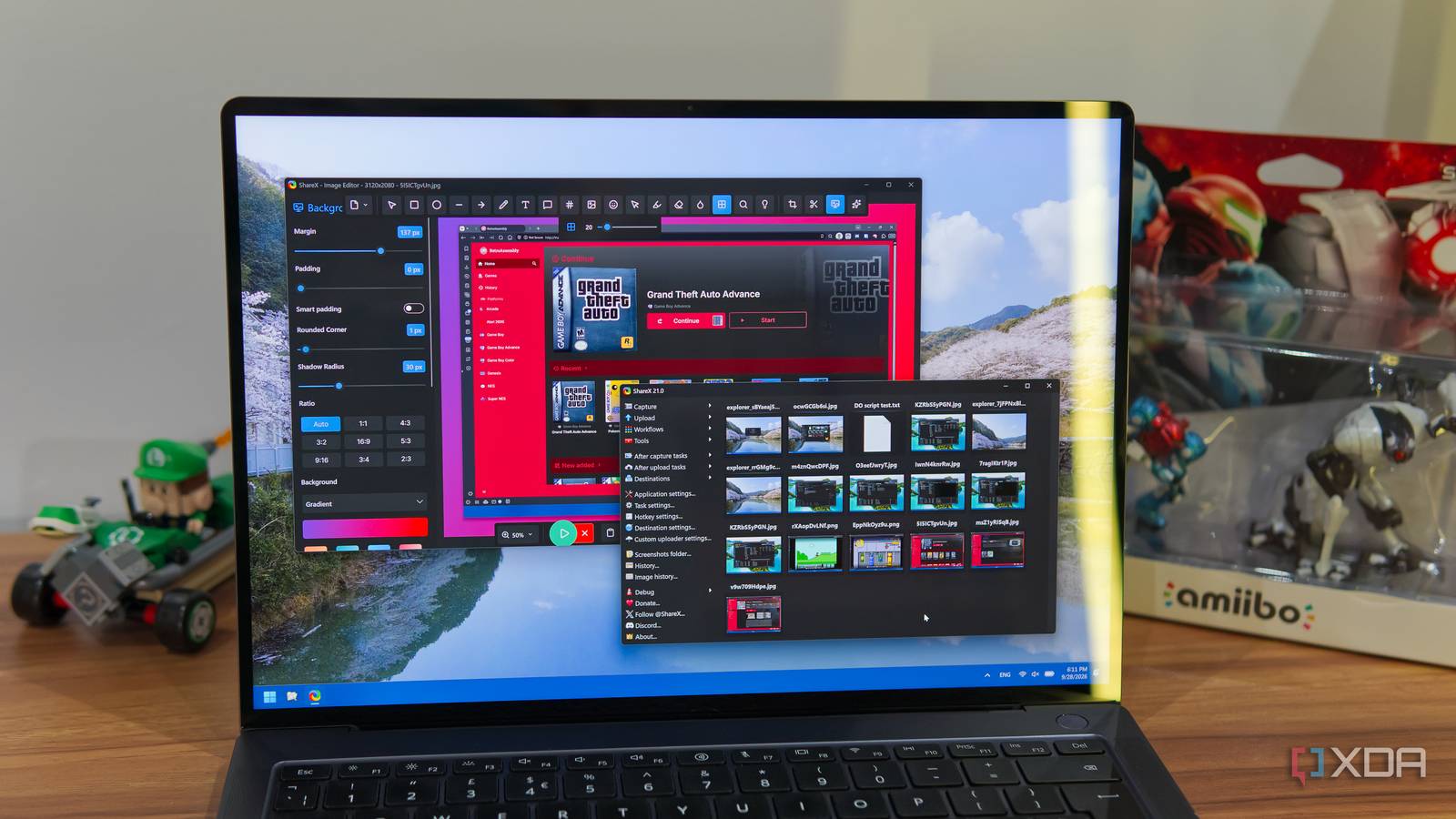
Published Sep 29, 2026, 7:30 AM EDT João has been covering the tech world for over 7 years, with a heavy focus on laptops and the Windows ecosystem. I also love all things tech and videogames, especially Nintendo, which he's always happy to talk about. Prior to joining XDA in 2021, he worked at Neowin: https://www.neowin.net/news/poster/jo%C3%A3o-carrasqueira/ The Snipping Tool on Windows is one of the most useful built-in apps Microsoft makes. I never used to touch it, but since it got modernized in Windows 11, it's become a very solid option for taking screenshots and recording my screen. Occasionally, though, it can become buggy and not work as intended, so I set out to replace it. The best way to do it ended up being ShareX, a free and open-source tool that's not only great for taking screenshots, but it can do a whole lot more than that, too. Even if you think Snipping Tool works well for you, I highly recommend checking it out. It does everything you'd expect Screenshots, videos, and more At its core, taking screenshots is a pretty simple feature, but there's still room for building on top of that, and ShareX goes above and beyond to perfect the act of taking and editing a screenshot. For one thing, the app as a while is very lightweight, and the action of taking a screenshot feels even more responsive than with the built-in Snipping Tool. One notable benefit of using ShareX is the precise selection tool, too. ShareX shows you a very zoomed in view of the pixels around your mouse cursor, so you can crop your screenshot perfectly without editing it later. And speaking of editing, the screenshot UI in ShareX lets you add all kinds of elements even before the screenshot is saved, so you can highlight a specific element, overlay another emoji, add emoji, or even a fake mouse cursor. This can be particularly helpful for making tutorials, for example. Of course, you can also edit screenshot using the same tools after saving the plain screenshot. In fact, the newest version of ShareX has a modernized image editing tool that lets you do all kinds of things, including adding custom frames and backgrounds to your screenshots, giving them rounded corners, and blurring out portions of the image, and more. There's a lot here to make your screenshots pop, and it looks great. That's not all there is to it, either. In addition to screenshots, ShareX can also record video, including either system audio or microphone audio, and you even have the option to save short videos as GIFs, making them easier to embed on online forums and other sites. It's a very complete set of tools for capturing your own screen. It even connects to internet services Sharing is caring, after all Beyond taking and editing screenshots, ShareX also offers sharing tools, and it does a surprisingly great job at that. There are multiple upload targets you can set. By default, it uses Imgur, since you can upload anonymously without an account. But you can also link accounts for places like ImageShack, Flickr, and Photobucket, and upload to those directly. You can set a default uploader of your choice, so once you choose to upload an image, it goes straight there without any more work. You can even set custom file storage destinations, so you can upload images to cloud services like OneDrive, Google Drive, Dropbox, or even enterprise-oriented services like Amazon S3 and Backblaze B2 buckets. And what's crazy is you're not even limited to images. As an upload tool, ShareX supports all kinds of files, and even text. You can drag and drop a .txt file onto ShareX and its content will be saved on Pastebin so you can share it with the world, complete with the ability to customize things such as expiry timers. Between the capturing and editing capabilities and the upload tools, there are so many pages of customization that it can feel overwhelming. But if you giuve yourself some time, it quickly becomes worth it. Somehow, there's more Bonus features make it even more versatile In addition to the core features for capturing and sharing content, ShareX takes yet another step further and includes all sort of small bonus features that make it even more interesting. Not all of these really fit the theme of a screenshot tool, but there's a good chance you'll find some use for them, making ShareX even more invaluable. One example is a video converter, which uses FFmpeg to transcode any video files you have. This may seem odd, but ShareX already uses FFmpeg to encode screen recordings, so this is a pretty natural extension of that. Otherwise, you can use ShareX to compare two images with a slider view, which also gives you a similarity score, you can use a color picker to copy hex values for any given color (either by using a color mixer or picking one from your screen), you can measure distances in pixels on your screen, combine or split images, and more. None of these are big selling points on their own but they're nice additions that make a great tool even better. And because so many of these tools can be assigned to hotkeys, it becomes really easy to get to what you want in a flash without jumping through a million menus. You can customize it to fit your needs, which is wonderful. It's not for everyone Sometimes, the basics are good enough As great as ShareX is, I'm not trying to say it's meant to be for everyone. As I've already mentioned, the seemingly endless customization options and tools available can make it feel overwhelming for new users, and it's a lot if you just want to take screenshots to share. Plus, ShareX has a UI that feels a little outdated, even if it is perfectly functional. If you just want to take screenshots and be done with it, sticking with the Snipping Tool is a valid choice. It has a very modern look, and it can do all the basics, in addition to having some editing features of its own, and some extra capabilities like OCR and QR code recognition. In some ways, Snipping Tool is actually better, because its screen recordings can include both microphone and desktop audio, which ShareX doesn't do out of the box. Still, the feature set in ShareX is immense, and it stands out as a great option for anyone who wants to get a little more out of their screenshots, on top of everything else it can do. It comes highly recommended, and it's such a lightweight app that it doesn't cost much to try. OS Windows Price model Free
I replaced Windows' Snipping Tool with ShareX for screenshots, but the best part is everything else it can do
Full Article
Original Source
Read the full article at Xda-developers →KhanList aggregates and links to publicly available news content. We do not host full articles from third-party sources. Always verify important information with original sources.