
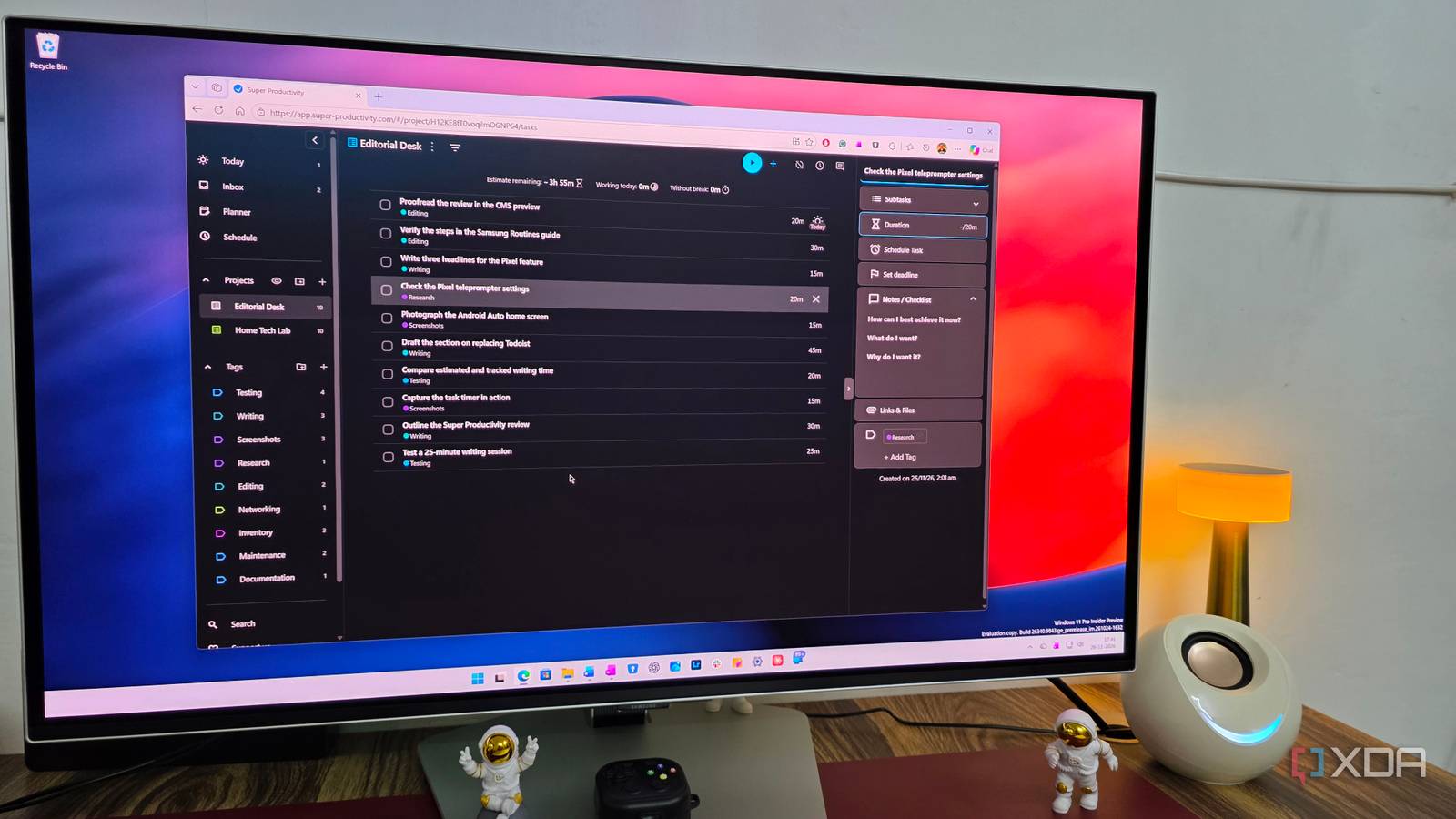
Published Nov 27, 2026, 4:00 PM EST Parth, a seasoned tech writer, wields the keyboard (or pen) with finesse to unravel the intricacies of both Windows and Mac operating systems. He has covered evergreen content on mobile devices and computers for multiple publications over the last six years. You can find his work on AndroidPolice, GuidingTech and TechWiser. Whether it’s demystifying system updates, deciphering error codes, or exploring hidden features, Parth’s prose guides readers through the binary maze. When not immersed in tech jargon, you’ll find him sipping chai, pondering the next software review, and occasionally indulging in a friendly debate about mechanical keyboards. My productivity setup had become unnecessarily complicated. I relied on Todoist to manage my daily tasks, Toggl to track how much time I spent on individual projects, and a separate Pomodoro timer to maintain focus throughout the day. That’s when I came across Super Productivity, a free, open-source app that combines task management, time tracking, and focus sessions into a single workspace. Super Productivity caught my attention I don’t miss Todoist’s task management One of the first things that caught my attention about Super Productivity was its interface. It used to look dated with generic icons and buggy animations. The app has received a neat UI makeover with a beautiful gradient theme, and it now looks and feels just as polished as its expensive rivals. From the neatly organized sidebar and modern iconography to the thoughtful use of colors and spacing, Super Productivity doesn’t carry the usual visual compromises I find in open-source apps. However, it's the flexibility underneath that polished interface that impressed me the most. Just like Todoist, I can create dedicated projects for different areas of my life, divide complex projects into sections, and break down overwhelming tasks into manageable subtasks. Tags help me organize related tasks across multiple projects, while filters allow me to narrow down my task list without manually digging through everything. The Today hub has become my favorite destination, though. Instead of jumping between individual projects, I have a centralized workspace where I can see what requires my attention, rearrange tasks, and plan my working hours. Whether I am creating a simple grocery list, managing my editorial calendar, or working on a large project with multiple moving parts, Super Productivity adapts to my requirements well. At no point did I feel like I was using an inferior alternative to Todoist. Time tracking finally felt effortless My pomodoro timer became redundant One of the biggest frustrations with using Todoist and Toggl together was that task management and time tracking felt like two separate activities. With Super Productivity, the latter is integrated into my task management workflow. Whenever I create a new task, I can assign a time estimate and start tracking time with a single click. I don’t need to open another app, create an entry, or manually associate it with a project. For instance, when I am working on an article, I can break it down into research, writing, editing, and image preparation, assign time estimates, and track how much time I actually spend on each activity. It helps me understand where my working hours go and whether my initial estimates are realistic. At the end of the day, I can review my completed tasks, working hours, and project-specific time entries. Super Productivity also comes with a dedicated Focus Mode that removes the need for a separate Pomodoro timer. I can select a task, configure my focus and break durations, and get straight to work. And just like Todoist, it even supports natural language, where I can write something like 'Doctor's appointment on Friday 6 PM,' and it creates the task in no time. I can enable the Scheduler to access a Calendar view, visualize my upcoming commitments, and allocate dedicated time blocks to important tasks. I can even open the Metrics menu to check the detailed data about the specific project. If you are coming from Todoist, you will find yourself right at home with it. There is also a dedicated Habits feature that allows me to build and maintain consistent daily routines. Whether it’s reading, writing 2000 words, exercising, or having seven hours of sleep, I can keep track of everything from the same workspace. Super Productivity feels more like a complete personal productivity hub than a traditional to-do app. Free, private, and independent It isn’t without its shortcomings One of the biggest reasons I see myself sticking with Super Productivity is its open-source nature. I don’t have to worry about recurring subscription fees, essential features being locked behind a paywall, or an internet connection to access my tasks. Its local-first approach gives me greater control over my productivity data, and I don’t even need to create an account to get started. That said, Super Productivity isn’t without its shortcomings. It took me some time to familiarize myself with its menus, configure different modules, and create a workflow that suited my requirements. I also found that setting up synchronization with Dropbox isn’t quite as straightforward as signing in to a Todoist account. Less tech-savvy users may find the initial configuration challenging. Once I configured everything to my liking, Super Productivity became a capable productivity champion. The productivity Swiss Army Knife Super Productivity didn’t just help me replace three apps; it changed how I approach my workday. I appreciate how little manual effort is involved once everything is set up. Granted, Super Productivity has a learning curve, but those are minor compromises considering everything it offers for free. Of course, it doesn't have all the features and integrations of Todoist and Toggl, and that's not the point here. It has all the core features of these apps and some extra add-ons without asking for a monthly fee. If you are juggling multiple productivity apps and paying for subscriptions along the way, Super Productivity deserves a spot on your desktop. I can’t see myself going back to my old setup anytime soon. Super Productivity Super Productivity is an all-in-one productivity tool.
I replaced Todoist, Toggl, and my Pomodoro timer with one free app that does it all
Full Article
Original Source
Read the full article at Xda-developers →KhanList aggregates and links to publicly available news content. We do not host full articles from third-party sources. Always verify important information with original sources.