
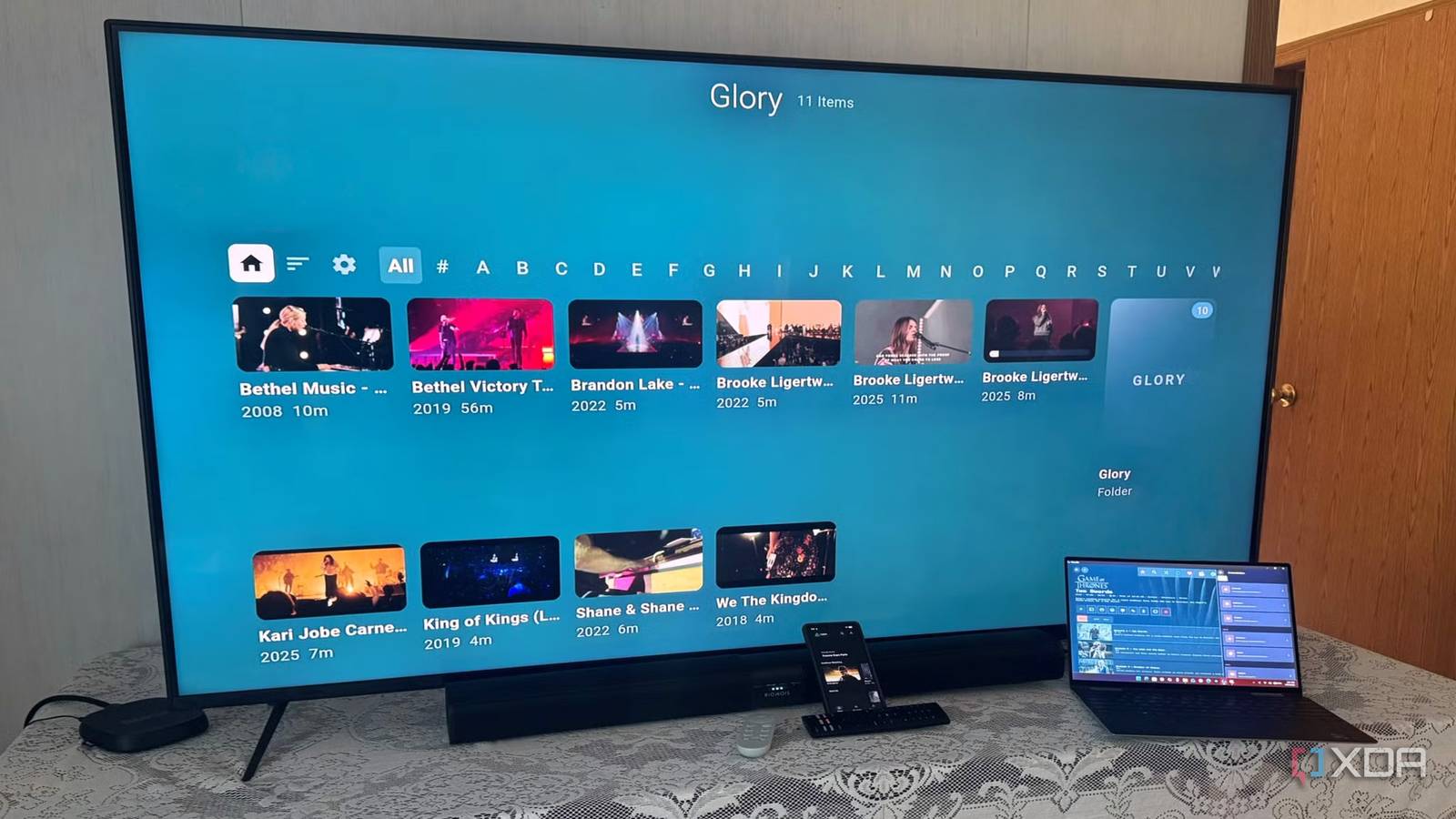
Published Aug 17, 2026, 3:00 PM EDT Based in rural Minnesota, Brian Burgess worked in IT for 10 years before finding his passion for writing about consumer technology. Brian earned his degree in computer and network technology in 2000. He held various IT positions, including help desk support, router installations for IBM, database administration, and other associate network administration roles. He's been a personal technology journalist for 18 years and has written thousands of articles about Microsoft products and services, Android, iOS, streaming, and more. He has written for notable tech sites including XDA, InformationWeek, How-To Geek, Byte, groovyPost, and others. When he is away from the keyboard, you will hear him playing guitar, working outdoors, and watching Star Trek. Users in the self-hosted media streaming community know all about Jellyfin. It is a straightforward, free, and open-source alternative to other server/client software like Plex. You can set it up in minutes and start enjoying content hosted on your computer or server on the big screen or mobile in no time. While many users start with the official Jellyfin client on their devices, there are many alternative clients available. Each has its own pros and cons, but I decided to put the Moonfin client on all of my devices, and it has been my "go-to" ever since. Not only because its themes are cool, but it includes a lot of functionality. Get the look you want from Moonfin More theming and customization Compared to the stock Jellyfin client, Moonfin is an alternative that provides additional personalization abilities through a dedicated theme store. It also has artwork customization for folders and UI scaling. The default UI configuration is polished, and I can go further by theming other aspects of the client based on the device, content, or whatever else. The default built-in themes look better than the official Jellyfin client, and it has themes you can select that mimic major streaming services. For instance, "Bluesney Plus" is Disney-like, and "Redflix" is a Netflix-like theme. Switching between themes is also easily done with a few clicks or taps on the screen. I also like that with the 2026 update, new sidebar customization options were added to the TV and desktop clients. Once I started playing around with everything, I went down a rabbit hole of tweaking the UI, and I still haven't settled on one. I like to put a different theme on each device as they act as a "label" of sorts for certain devices. For instance, I might use the Hulu-style theme on a Fire TV and the Netflix-like theme on my Pixel. Cross-server playback Moonfin also supports Emby In addition to the enhanced theming capabilities compared to the official Jellyfin client, Moonfin can connect to my Emby server. The Jellyfin client supports Jellyfin servers only. This allows me to browse content from either server from a unified library without the hassle of switching accounts. I can connect it to each server and play back my media from a unified client experience—and make it look good with different themes. Since I am currently enjoying the Moonfin client more than others right now, it's nice to be able to watch my media content from different servers through it. I don't have to reconfigure folder shares or copy large media files between Emby or Jellyfin to play it from a specific device easily. Moonfin's other benefits Change more than themes In addition to the cool built-in themes, adding more from the theme store, and working with Emby, there are other advantages to using it over other clients. I can also change how aspects of the client behave, like the media bar, home screen display, displayed libraries, enabling Jellyseerr/Seerr integration, and more. It also includes support for unique media types, including retro game libraries, and comics, audiobooks, and eBook readers are built into Moonfin. I haven't gotten around to testing retro ROMs yet, but it's nice to know the support is there if I ever want to use it. With that, including live TV and DVR browsing support, it turns a self-hosted server into a full-fledged entertainment option. Moonfin performance It can lag on older devices I've installed it on my smart TVs, streaming boxes, including Apple TV 4K, Roku, Fire TV, Google TV, Windows PC, Mac, Pixel, and iPhone—every device I own. I like to add a different theme type to each one, and when I do, the client looks great on every device. However, on older devices, the client's performance may vary. It's also important to mention the theme store isn't available via the Moonfin client on Roku. To get it, the Moonfin web server plugin needs to be installed on the Jellyfin server and managed there. However, it is possible to manage colors, the look and feel of the navigation screen and home screen, and other appearance tweaks. The plugin also provides theme syncing across devices with the client. For instance, the home screen can lag due to a blurred background effect, and folder images take longer to load than on modern devices. I also noticed that the app takes longer to close on an older Roku Ultra box and an extra Fire OS-powered smart TV I have in the guest room that is getting long in the tooth. So, while I can run it on virtually everything, I have the best viewing results on new or high-powered devices. More themes keep this Jellyfin client installed on my devices Since I got around to setting up a Jellyfin server, I have been trying as many clients as I can. After trying Moonfin a few times, it became my top choice because of customization, performance, and server compatibility. There have been some performance issues on older devices, but so far it hasn't been a deal-breaker. The developers are on point, fixing legacy device issues, too. So, in the end, since I can theme Moonfin more than the official Jellyfin client, I have decided to keep it installed.
I replaced the Jellyfin client with Moonfin on all my devices, and the themes sold me
Full Article
Original Source
Read the full article at Xda-developers →KhanList aggregates and links to publicly available news content. We do not host full articles from third-party sources. Always verify important information with original sources.