
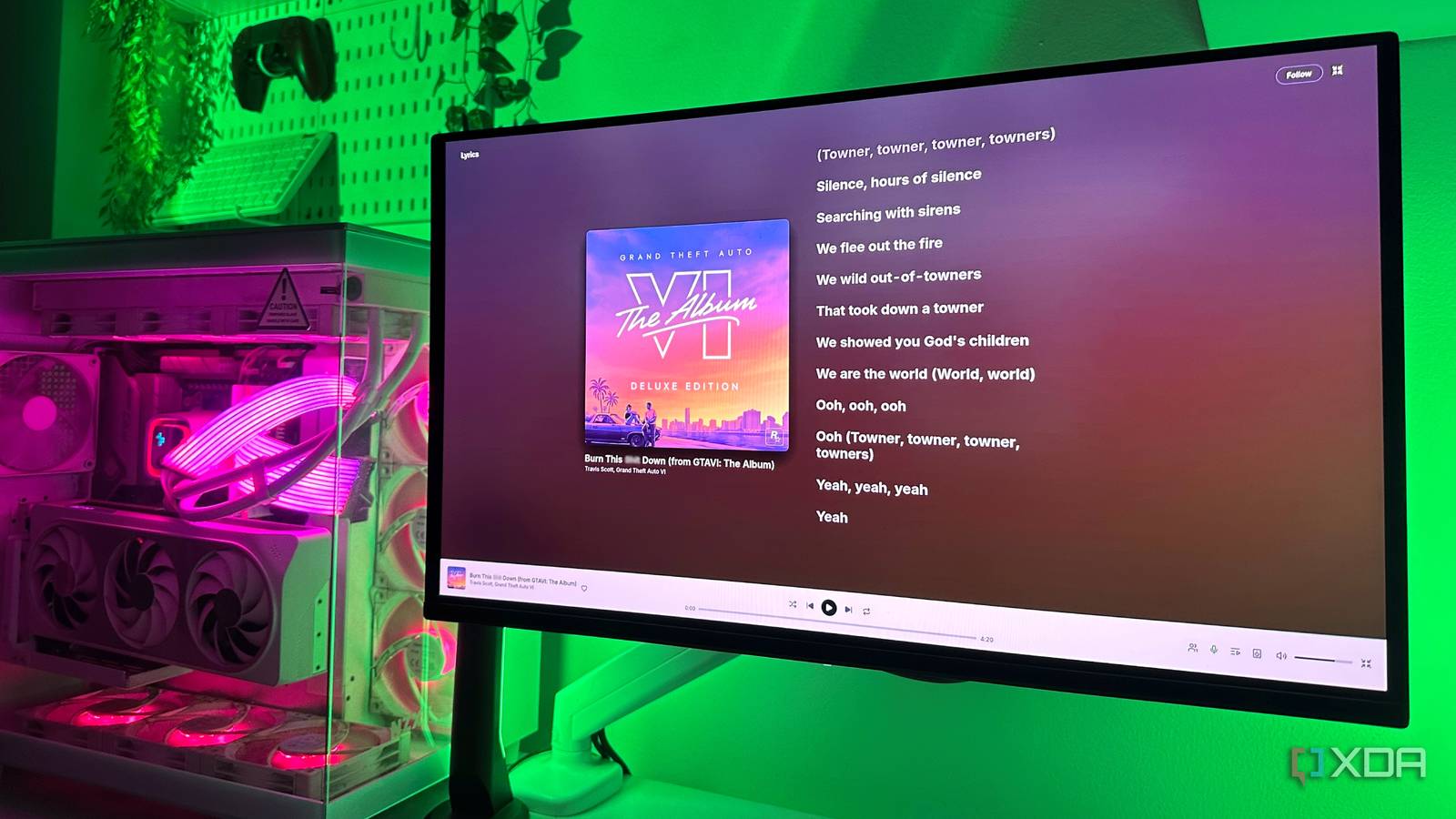
Published Nov 28, 2026, 8:30 AM EST Gaming has been Samarveer’s greatest passion, and the Literature graduate in him takes immense joy in dissecting games for their themes, messages, and impact. Samarveer holds a deep appreciation of gaming, and considers the platform to be the most immersive and impactful across all media. He can be found engaging with gaming communities online, always ready to debate the finer points of ray tracing or itching to write an 8-page collegiate thesis on any game that impacts him emotionally. I've spent enough time with Spotify's desktop app to know exactly what I want from it—play my music, get out of the way, and stop making me feel like I'm running a web browser just to listen to a playlist. Unfortunately, Spotify's official client has accumulated enough baggage over the years that I started looking elsewhere. I wasn't looking for another bloated wrapper pretending to be a native app. I wanted something that actually felt like software built for my PC. That's what led me to Spotifast. It's an open-source Spotify client that takes a surprisingly different approach to the desktop experience, and after using it for a while, I started wondering why I hadn't switched sooner. But the biggest surprise wasn't how it handled Spotify itself. Spotify doesn't need to be this heavy A native client shouldn't feel like a web app The Spotify desktop app feels oddly overqualified for the job. I want to search, hit play, manage a queue, and move on. Instead, it feels like a website living in its own window. For something whose job is playing music, that has seemed backwards to me for the longest time. Spotifast takes a different route altogether. It is built in Rust with egui and fastframe, rather than wrapping Spotify's web experience inside a browser engine. The difference is immediately noticeable, and very welcome, too. Spotifast's interface feels snappy and starts up near-instantly; the project claims memory usage of roughly 100-250mb. Spotify, on the other hand, consumes between 600 and 700 MB of RAM while it's open and playing music. There is one catch, however. Spotifast requires Spotify Premium for playback. Free accounts can browse and search, but they can't use Spotifast as a player. Setting it up requires registering a Spotify app and authenticating, which takes a little more effort than downloading the Spotify app from the Windows Store. That is extra friction, but it is upfront. Once that's done, I get the Spotify library I use without a miniature browser on my desktop. But the fun didn't stop after installing a new, lighter Spotify client. Things got considerably better once Spotifast began behaving like the music player I remember enjoying, and now it's an app I spend a lot of time on, daily. Spotifast has brought back the desktop music player for me Spotify forgot that people like making things their own Even though I downloaded Spotifast with the sole intent of having a lighter, different Spotify experience, I was genuinely taken aback by how much it feels like an old-school desktop music player. I can change its appearance with themes, and it goes far beyond a handful of dark-mode variations. In "the big 2026," Spotifast still supports Windows Media Player's .WMZ skins, and even Winamp skins. It's about as gloriously unnecessarily as it sounds, and that's exactly why I love it. My favorite feature, though, is Spotifast's MilkDrop integration. It supports more than 10,000 visualizer presets, which have turned my Spotify playlist into something that can actually occupy the screen instead of leaving me staring at the album artwork. Plus, these visualizations work with the lyrics, too, so it's not like I'm trading lyrics for the visualizations. After not thinking about MilkDrop in years, going through hundreds of visualizations on my new local music player felt like I'd been transported back to the 2000s. The rest of the interface follows the same philosophy. There is proper queue management, lyrics, media-key support, system-tray controls, and the ability to control playback on other devices through Spotify Connect. Google Cast and Sonos support are there too, so this isn't merely a local replacement for Spotify's player. Throughout my time using Spotifast, none of the features felt bolted on as afterthoughts. The player, library, queue, visualizers, and customization all exist within the same native application, and the app itself feels thoughtfully designed around them. Spotifast seems to care that I actually own a PC and might want to personalize what runs on it. Then I discovered I could put my own music in it My Spotify library and local collection finally live together The feature that actually made Spotifast stick on my PC was local-file playback. I have accumulated enough music over the years that Spotify will never contain everything I want to listen to, which usually means keeping a second player around for the stuff that isn't in its catalog. Spotifast makes that separation rather pointless. I've been holding on to an MP3 folder of my favorite songs ever since I got my first music player back in 2005. Despite spending double-digit hours on my PC every day for the past decade, I refuse to spend a minute manually adding each song to my Spotify playlists one by one. As such, I may not have listened to a single song in one of the five hundred songs I've been carrying, but seeing them populate on my PC's default music player, right alongside my Spotify playlists, was certainly an experience. Yes, Spotify itself supports local files, but that misses why I care about them here. Spotifast is designed as a desktop music player rather than a window into Spotify's service, so my own collection doesn't feel like a secondary feature buried in the settings. It fits the entire experience. That is ultimately what changed my mind about this being merely a lighter Spotify client. I started using it because I wanted something less cumbersome, but I kept it because it behaves like the desktop music player I wanted Spotify to be. And somehow, it also swallowed the job of my local player. I didn't realize how much I missed owning my music player The funny thing is, I wasn't trying to replace Spotify. I just wanted the desktop experience to stop feeling obligatory. After years of using apps, it was refreshing to use something that treats the PC as a platform worth using, rather than as a place to park a web interface. I still use Spotify because its catalog is hard to beat, but I no longer feel like I have to accept everything that comes with its official client. If an open-source project can make a music player feel this personal, the bar for companies building them should be much higher. Spotifast
I replaced Spotify's bloated desktop app with a native open-source client, and it plays my local files too
Full Article
Original Source
Read the full article at Xda-developers →KhanList aggregates and links to publicly available news content. We do not host full articles from third-party sources. Always verify important information with original sources.