
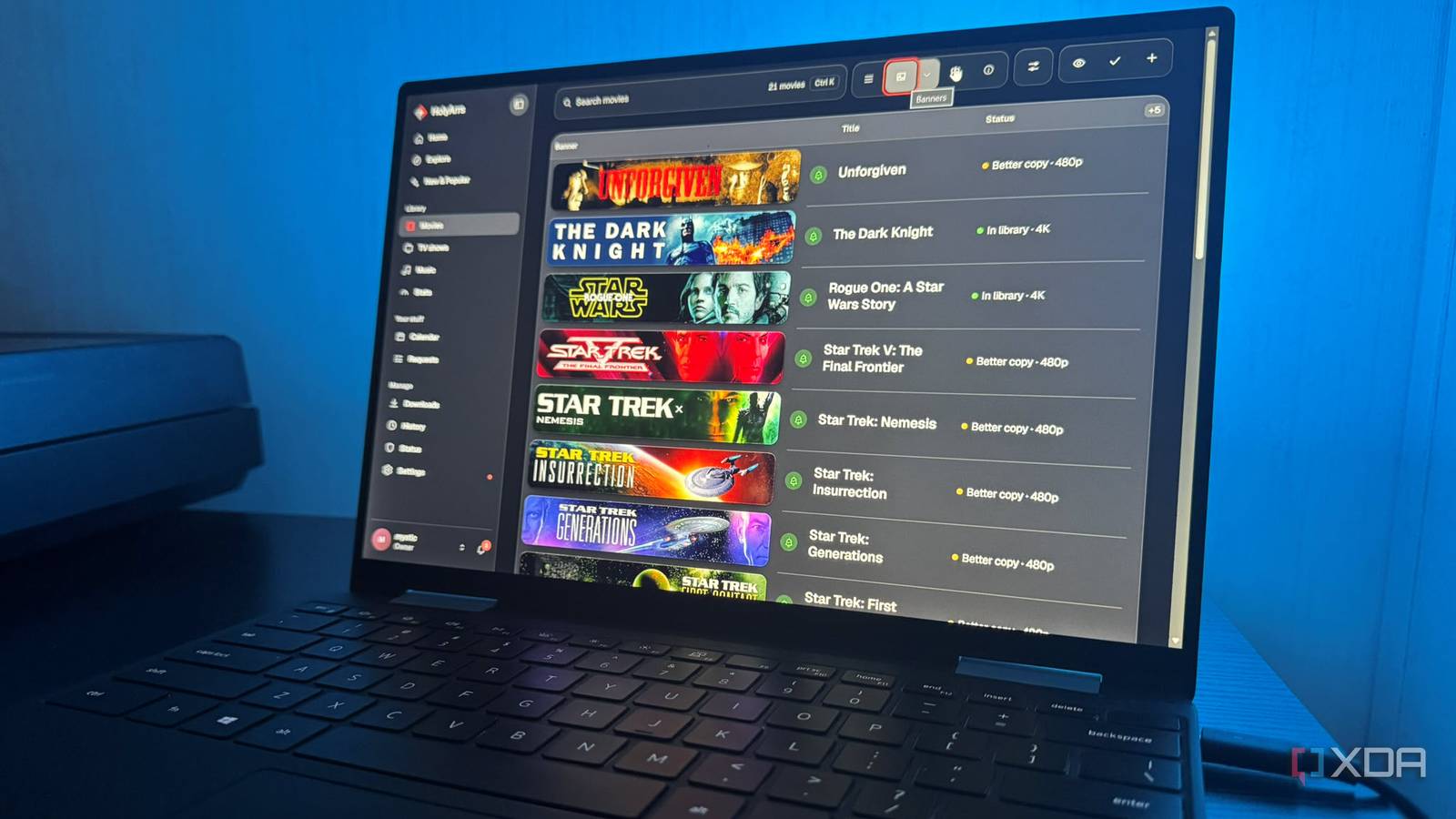
Published Nov 19, 2026, 11:30 AM EST Based in rural Minnesota, Brian Burgess worked in IT for 10 years before finding his passion for writing about consumer technology. Brian earned his degree in computer and network technology in 2000. He held various IT positions, including help desk support, router installations for IBM, database administration, and other associate network administration roles. He's been a personal technology journalist for 18 years and has written thousands of articles about Microsoft products and services, Android, iOS, streaming, and more. He has written for notable tech sites including XDA, InformationWeek, How-To Geek, Byte, groovyPost, and others. When he is away from the keyboard, you will hear him playing guitar, working outdoors, and watching Star Trek. Using individual media management tools for different media types can get tedious. Between Sonarr for TV shows, Lidarr for music, and Radarr for movies, and others, there's a lot to manage. A new tool built with the help of Claude aims to consolidate all those media management roles into a single app. It's intended to make managing my library easier. I wanted to see whether this all-in-one approach, with a tool called HolyArrs, could simplify my self-hosted media collection and find. Like the developer, I wanted a centralized location. It's cumbersome switching between multiple apps, each with a separate interface. I wanted a better way to scan content, find titles, and more. It just takes a few commands I got HolyArrs up and running on my Windows PC using Docker Desktop. I used a compose config file to define the app, configure storage, and set the port for the web interface. I started the container using PowerShell, launched HolyArrs in a web browser, and created a local owner. Once it was running, the setup wizard was straightforward, but my media library on my NAS needed additional configuration. I added an authenticated network-share connection to Docker to make the NAS accessible in HolyArrs. I then added the folder paths for my music, movies, and TV shows via the HolyArrs setup wizard. I initially kept the connection read-only, so the tool could access my collection without changing files. Once the folders were configured, I still had to import my collection. Also, download automation and clients require separate installation and setup, but you can save it for later if you use it. Search integrations include Prowlarr or Jackett, which you can connect using their address and API key. These integrate with HolyArrs and aren't apps to bundle. I skipped the connections since I started with my NAS media and went straight to the main interface with my library folders configured. It's also possible to configure a self-hosted media platform like Plex, Jellyfin, or Emby, but I also waited to set those up later with server IPs and API keys. It scanned my media library, and it suggested new content I combined the other tool functionality into one Once installed, I scanned my movie library and found it to be overly cautious. It flagged several that had correct suggested matches. The files and folders were already set to a naming convention that Jellyfin and Plex recognized. I had to go through the scanned results, and some titles were missing or marked as uncertain matches. The extra review of an established library felt unnecessary. Still, it did let me look up and verify movies, shows, and music albums easily enough and choose the correct ones. I initially gave the app read-only access to my NAS as a precaution while testing it. Later, I changed the NAS connection's read/write settings and successfully let HolyArrs adopt four movies to start with. I was also cautious since I've never worked with this media-management tool before, and I wanted to test a small batch before going all in and letting it manage my entire collection. When I scanned my self-hosted library, it made incorrect matches. Its discovery pages display titles to add or requests. I scanned my movies, TV shows, and music libraries and was greeted with a lot of information about my existing media. I could also discover and explore titles to help track what I want to check out later. It separates my collection from finding things to add to it. Instead of three or more The all-in-one media management aspect of HolyArrs delivers on its pitch. The library combines all media instead of relying on individual tools for each type. I can sort content with details like file size, quality, series progress, and more. It has a calendar to track release dates for titles and items I follow, and it lets household members suggest content for the admin to approve. It includes media collection browsing, release tracking, and title requests in one interface. While keeping an eye on my media, the tool can also notify servers like Plex, Emby, or Jellyfin after it imports, deletes, or renames files, so the server can update the library. Setting it up only requires the server address, token or API key, and media paths. It works alongside the playback server rather than replacing it. Services like Prowlarr can deliver releases to a downloader like qBittorrent to import the files, which is helpful if you use those to obtain media. Media content management from a single app beats multiple ones that need to be periodically checked The appeal of HolyArrs is cutting three or more media management apps down to a single UI for all self-hosted media. So far, I've been happy with consolidating media management. The trouble isn't learning another dashboard, but trusting a single app for all my media. I will keep the other tools running for now while I work with them more. That lets me keep more granular control while I migrate off others. HolyArrs
I replaced Sonarr, Radarr, and Lidarr with a single Claude-built app, and it changed how I manage my media server
Full Article
Original Source
Read the full article at Xda-developers →KhanList aggregates and links to publicly available news content. We do not host full articles from third-party sources. Always verify important information with original sources.