
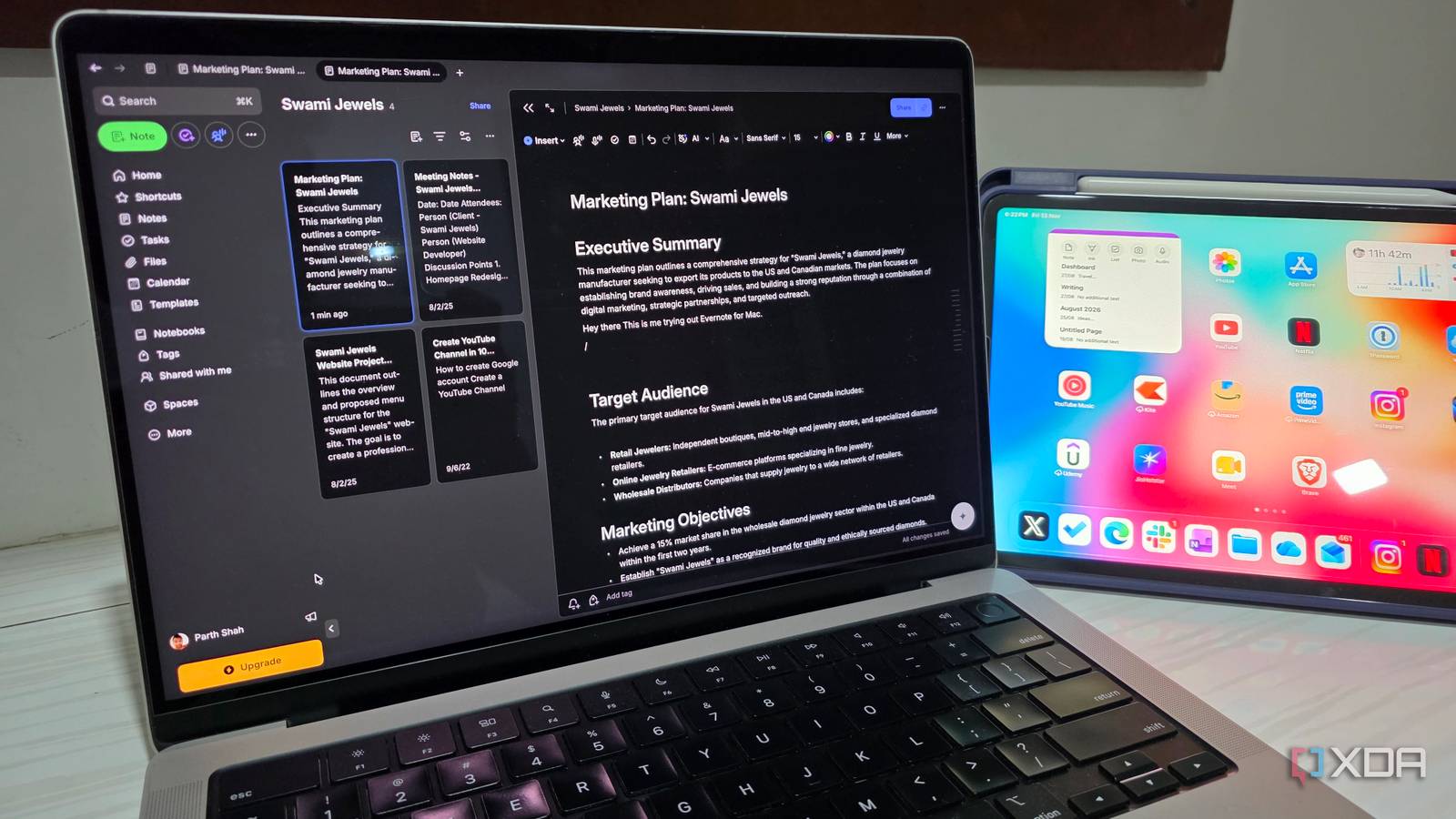
Published Nov 13, 2026, 5:30 PM EST Parth, a seasoned tech writer, wields the keyboard (or pen) with finesse to unravel the intricacies of both Windows and Mac operating systems. He has covered evergreen content on mobile devices and computers for multiple publications over the last six years. You can find his work on AndroidPolice, GuidingTech and TechWiser. Whether it’s demystifying system updates, deciphering error codes, or exploring hidden features, Parth’s prose guides readers through the binary maze. When not immersed in tech jargon, you’ll find him sipping chai, pondering the next software review, and occasionally indulging in a friendly debate about mechanical keyboards. I have always had a soft spot for powerful note-taking apps. Obsidian impressed me with its flexibility, plugins, and local-first approach, while OneNote offered a familiar digital notebook experience. However, both had their shortcomings, so I decided to revisit an old favorite I had almost forgotten about: Evernote. Evernote’s recent transformation caught my attention. After spending a month with its latest version, I replaced both Obsidian and OneNote, and I haven’t looked back. Why I decided to revisit Evernote Evernote’s new updates caught my attention I had almost forgotten about Evernote. After moving to Obsidian and OneNote, I rarely felt the need to look back. However, Evernote’s recent pace of development started catching my attention. Every few weeks, I would come across another meaningful update that made me wonder whether I had written off the app too soon. Take the recently redesigned Tags view, for example. Evernote now lets me assign 48 different colors to tags, organize them into nested hierarchies, switch between table and grouped views, and use advanced filtering options. And this is just one example. Between the refreshed interface, improved editor (more on that in a minute), AI capabilities, and other productivity enhancements, Evernote suddenly feels like a serious contender again. I decided to give it another chance, and I am glad I did. Evernote feels like a different app It’s a productivity powerhouse now The moment I launched Evernote, I could tell this wasn’t the same app I had ditched years ago. The refreshed interface looks modern with rounded corners and buttons, navigation feels more intuitive, and the editor has become more capable. My favorite addition is the multi-tab interface. I can open several notes, notebooks, tasks, and even calendar views in separate tabs, just like a web browser. For example, when working on an article, I keep my research notes, outline, and reference material open in different tabs. I can even pin frequently used tabs for quick access. It’s a massive convenience that makes multitasking feel effortless. Organization is another area where Evernote has won me over Obsidian. I use separate notebooks for work, personal projects, and research, while notebook stacks keep related collections together. Tags add another layer of flexibility over OneNote, especially with the redesigned Tags view, color coding, and nested hierarchies. I can categorize notes across different notebooks without duplicating anything. Combined with the Home menu and customizable widgets, Evernote is now the central hub for my entire digital workspace. The new editor won me over AI features are actually useful now Evernote’s revamped editor is easily one of my favorite parts of the entire experience. The basics are so well-executed that I actually prefer it over both Obsidian and OneNote. Everything feels intuitive, polished, and thoughtfully designed. I don’t need to install plugins or dig through endless menus to get things done. I love collapsible sections. I can organize lengthy research notes under different headings and collapse sections I am not working on. The slash command is another productivity booster. A simple ‘/’ lets me insert tables, checklists, callouts, tasks, code blocks, attachments, and more without interrupting my writing flow. I can also link related notes and generate a table of contents to navigate lengthy documents. Then there are voice notes and meeting recordings, which take things to another level. I can record a quick idea, transcribe audio, or capture an entire editorial meeting with speaker recognition and AI-generated summaries. Obsidian may offer more customization, and OneNote excels at free-form note-taking, but Evernote has nailed the fundamentals while offering plenty of advanced features when I need them. It does much more than note-taking Tasks, reminders, and calendar This is where Evernote truly leaves Obsidian and OneNote behind for my workflow. Instead of functioning as just another digital notebook, Evernote doubles as a complete productivity suite. I can create tasks directly inside my notes, assign due dates, set reminders, and manage everything from a dedicated Tasks view. Its built-in calendar integration is equally impressive. It lets me connect my Google Calendar, link notes to meetings, and keep track of upcoming appointments. Then there is the customizable Home dashboard, which gives me a quick overview of my important notes, tasks, and schedule. The Web Clipper makes saving online research effortless, while document scanning and PDF annotation eliminate the need for additional utilities. Sure, I can recreate some of these capabilities in Obsidian with plugins or use separate Microsoft apps alongside OneNote. But Evernote delivers a more cohesive experience without all that extra effort. It’s a genuine all-in-one tool now. Seventeen years later, it still delivers I never expected Evernote to become my favorite productivity app again, but its recent transformation has won me over. What impressed me most wasn’t a single groundbreaking feature, but how effortlessly everything works together. Obsidian still offers unmatched customization, and OneNote remains a solid free alternative, but neither delivers the same all-in-one experience for my workflow. Evernote’s pricing is still a concern, but if you haven’t tried it in years, this might be the perfect time to give it another chance. Evernote Evernote is a note-taking app that riavls Apple Notes and OneNote.
I replaced Obsidian and OneNote with a 17-year-old app and I couldn't be happier
Full Article
Original Source
Read the full article at Xda-developers →KhanList aggregates and links to publicly available news content. We do not host full articles from third-party sources. Always verify important information with original sources.