
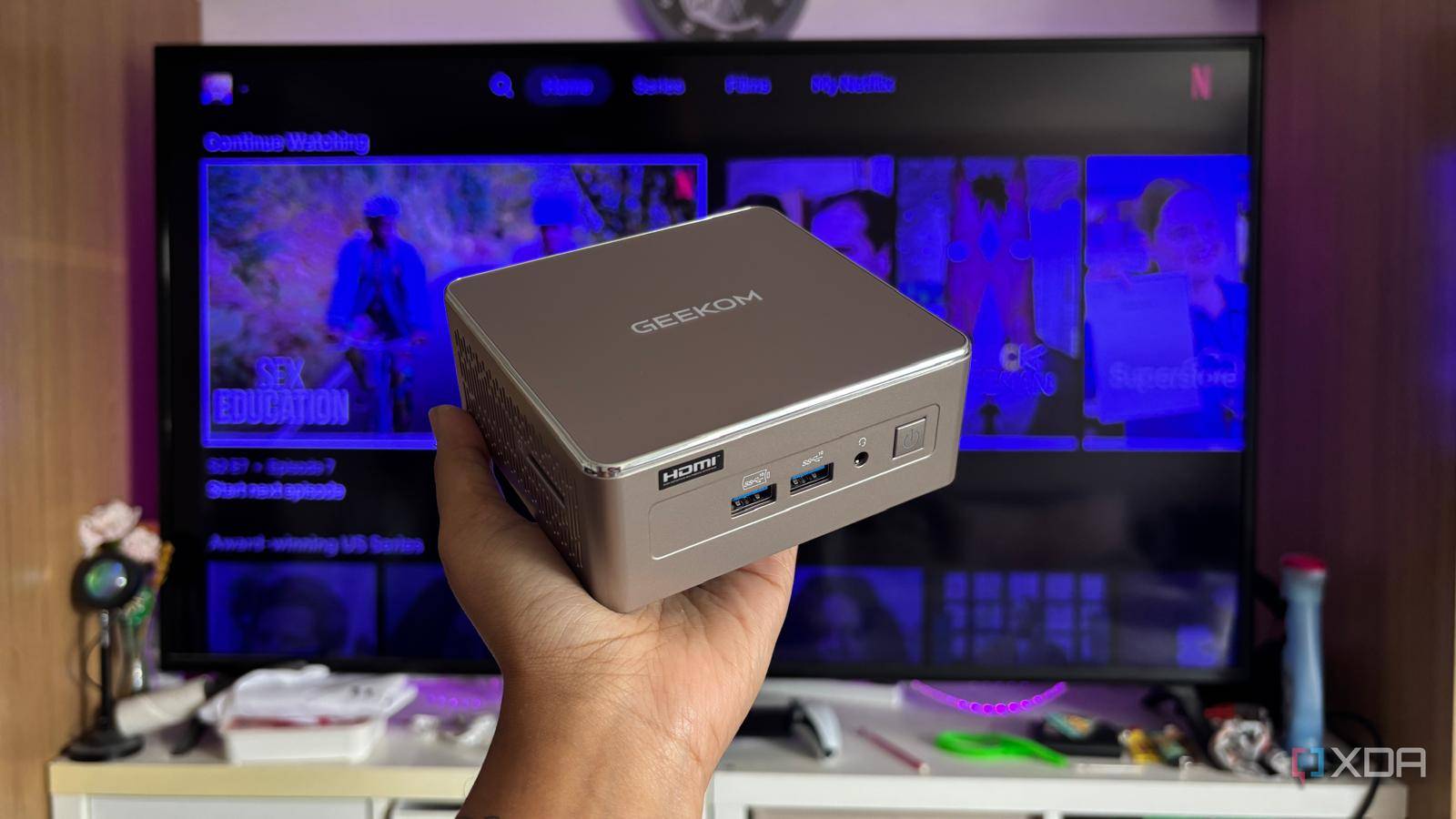
Published Sep 25, 2026, 11:30 AM EDT Jasmine is Software and PC Hardware Author at XDA with years of tech reporting experience ranging from AI chatbots right down to gaming hardware, she's covered just about everything. Whether it's breaking news about the latest AMD NPUs or creating video tutorials on social media platforms, Jasmine has contributed to the world of AI and tech in a variety of ways including interviewing the CEO of Razer, AMD's Director of Product Marketing and the VP of Lenovo. Passionate about gaming and PC technology, she has built countless computers, keyboards and other peripherals - knowing them inside and out. Modern streaming hardware like a Fire TV, a Roku, or a Google TV has become frustrating. You turn them on to watch a movie, only to be greeted by giant sponsored banner ads, autoplaying movie trailers you didn't ask for, and a sluggish UI choked by third-party app telemetry. Beyond the ads, streaming sticks hit a wall when you throw real media at them. High-bitrate 4K HDR remuxes say it all; lossless audio pass-through or heavy local server streaming via Plex and Jellyfin often causes buffering or audio sync crashes. I decided to pull the streaming stick from my TV and replace it with a mini PC so I could take complete control of my media playback. It feels like commercial streaming sticks have devolved from simple media players into ad delivery mechanisms. By replacing them with a capable, low-wattage mini PC like the Geekom A5 2027 edition, I eliminated software bloat, unlocked desktop-grade codec support, and achieved truly seamless 4K home theater playback. Streaming sticks just don't stack up anymore The hardware is outdated and underperforms Commercial streaming sticks fall short because of the hardware's architectural limitations. They use weak ARM silicon and have tight memory constraints. Most streaming sticks run on entry-level quad-core ARM chips paired with just 2GB of RAM or sometimes even less for older models. They essentially lack the horsepower to handle complex subtitle rendering, aggressive local caching, or fast UI navigation. Especially as they age, they feel constantly sluggish and bloated. And because manufacturers typically sell streaming sticks at or below cost, their primary revenue model comes down to software monetization. This means they fill your home screen with sponsored carousels, algorithmic recommendations, and unskippable promotional videos. This is the compromise you make when purchasing a streaming stick. For it to be so cheap, they have to subsidize the cost somehow. On top of that, you get audio and container bottlenecks, as proprietary operating systems frequently struggle with advanced audio bitstreaming like DTS HD Master Audio or Dolby Atmos TrueHD, and they often downmix or transcode streams unnecessarily. A mini PC is the clear winner But you have to ensure you have the right specifications I decided to use a mini PC in place of my streaming stick. Whilst it was a larger initial investment, I feel like it's the best decision I've made for the longevity of my home media center. When you are picking a mini PC, the specifications matter because you need something that's actually going to make an elite living room client, not replace a sluggish device with another sluggish device. I chose the GEEKOM A5 2027 edition because it has Zen 3 compute and Radeon graphics. It's powered by the AMD Ryzen 5 7430U, which has 6 cores and 12 threads, plus integrated Radeon Vega graphics. The A5 decodes massive 4K video bitrates effortlessly while drawing minimal power and staying relatively quiet. Sometimes you can hear it when you're not playing anything on the TV, but when you've actually got a movie or show on, you're never going to hear the PC over your speakers. You also get modern hardware decoding, like AV1 and HEVC, for hardware acceleration. Acceleration for modern codecs like AV1 and HEVC means smooth playback on streaming platforms and local files alike without taxing the CPU or generating any loud fan noise. On top of the quiet, you also get a compact footprint. It's so small that it can easily fit behind a wall-mounted TV or on any media console. It does all of this while still remaining relatively cool and giving you zero acoustic distraction during quiet movie scenes. Geekom A5 2027 If you're looking for a mini PC to use as a media centre in your living room then the Geekom A5 2027 is a great option thanks to its quiet performance and small footprint. Grab yourself a remote, trust me You have a few hurdles to overcome when first setting up a mini PC for frictionless media consumption. Of course, when you turn on your mini PC, you don't want to be met with a Windows desktop, so the first thing that I needed to sort out was setting up a stripped-down operating system environment. I bypassed heavy desktop overhead by launching directly into a dedicated media frontend. I chose Plex Desktop, but you can also set up an automated boot pipeline into a clean Windows/Linux environment if that is more your style. You want to eliminate distractions, so you can mute notifications and keep antivirus software from popping up in the middle of a movie. One of the great benefits of using a mini PC is that you have complete control over features like this. On top of that, you can control the exact layout and behavior of your media hub, instead of relying on an algorithm that shifts your favorite apps around. At first, I assumed a mouse would replace a remote, but I quickly found that frustrating and clunky. Instead, I opted for a Bluetooth remote, or you can go for an HDMI-CEC setup, so the mini PC behaves just like a standard consumer appliance from the couch. And, of course, configure your sleep and wake state so the Mini PC wakes instantly when you select its HDMI input on your AV receiver or TV. This saves you from having to physically get up and switch on the Mini PC each time you want to use it, which creates more friction. You don't need to watch countless ads A mini PC could rid of the sluggish UI So many users have accepted that watching TV means enduring a barrage of targeted ads and sluggish interfaces, but moving to a compact, powerful Mini PC proves that home theater playback can be fast, private, and entirely seamless. Unplug the ad-bloated streaming stick, mount a capable Mini PC behind your display, and enjoy a home theater setup built for performance, not advertising.
I replaced my streaming stick with a mini PC, and my TV finally stopped trying to sell me things
Full Article
Original Source
Read the full article at Xda-developers →KhanList aggregates and links to publicly available news content. We do not host full articles from third-party sources. Always verify important information with original sources.