
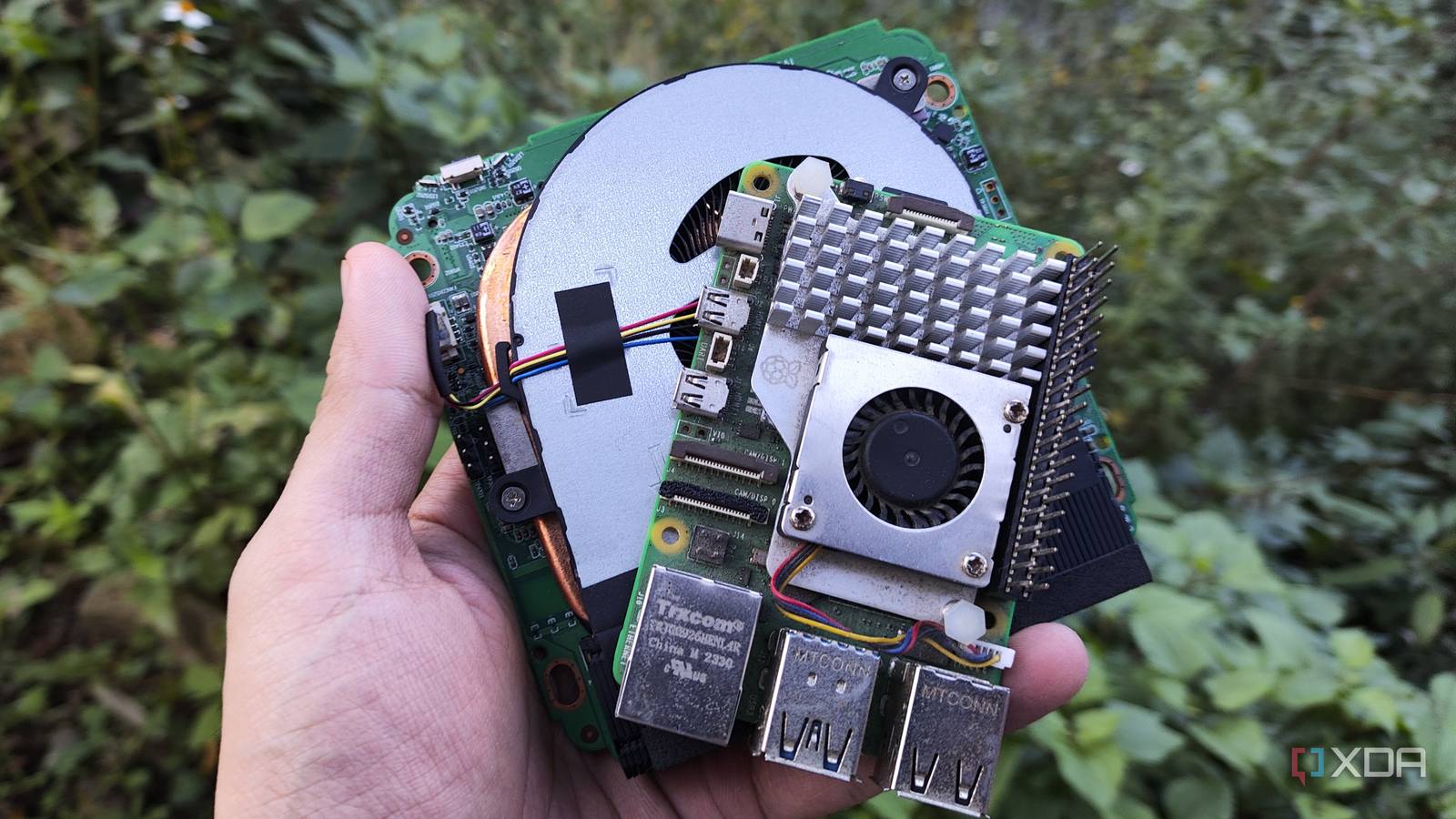
Published Nov 4, 2026, 11:00 AM EST Ayush Pande is a PC hardware and gaming writer. When he's not working on a new article, you can find him with his head stuck inside a PC or tinkering with a server operating system. Besides computing, his interests include spending hours in long RPGs, yelling at his friends in co-op games, and practicing guitar. Between its solid community support and versatile nature, the Raspberry Pi used to be my primary tinkering companion back in the day. But as things stand, I can't say the same in 2026. With the Raspberry Pi prices hitting the red zone, their lackluster hardware became even more noticeable, while rival x86 machines started becoming a lot more mainstream. Mini-PCs, specifically those powered by N100 and similar processors, are among the many devices I’d label Raspberry Pi killers. In fact, I’ve replaced quite a lot of my Raspberry Pi projects with mini-PCs, as their superior performance and lack of compatibility issues make them better for demanding experiments. In fact, if not for the GPIO pins and the low power draw of certain lightweight Raspberry Pi boards, I’d probably stop recommending RPi units altogether. Mini-PCs blow the Raspberry Pi out of the water in sheer firepower And they support more operating systems, too Let me make this clear: when it comes to simple self-hosted setups, retro-gaming projects, or light media servers, the high-end Raspberry Pi models can pull their own weight. But seeing as the “affordable,” low-RAM Raspberry Pi 5 variants are often out of stock and the 8GB RAM models cost upwards of $200, they’re far from ideal for anything even remotely demanding. For example, if I attempted to turn my Raspberry Pi 5 into a Jellyfin hub, I’d have to deal with lackluster transcoding performance. Meanwhile, even the cheapest Intel-powered mini-PCs out there possess Quick Sync cores, making them rock-solid for my local streaming tasks. The same holds true for emulation, as even the expensive RPi 5 variants tend to fall flat when it comes to PlayStation 2, Wii U, and even GameCube ROMs. Then you’ve got all the workarounds I’d have to put up with if I tried using different operating systems on the RPi. Proxmox, for one, is still not officially supported on these modules, while even a cheap mini-PC bearing a 4-core, 4-thread x86 processor can easily handle a couple of virtual guests and serve as a reliable secondary monitoring hub for my home lab rigs. Likewise, if I were to try turning my Raspberry Pi into a firewall, I’d have to deal with flimsy USB controllers or invest in expensive PCIe HATs for a second Ethernet port. And even then, OpenWRT is the only router distro that works right out of the box on a Raspberry Pi. Contrast that with all the cheap dual NIC x86 mini-PCs out there, and you’ll see why I prefer the latter for my home lab’s firewall, even though I started my networking journey with an RPi 5-based OpenWRT instance. The same holds true for NAS setups requiring a few HDDs and hardcore Home Assistant instances with dozens of integrations and automation pipelines. Heck, even for general-purpose office work, an N100 delivers a smoother experience than a Raspberry Pi, and it’s even better for folks whose workloads require the bloatware-riddled mess called Windows 11. GPIO connectivity is where the Raspberry Pi is clearly superior for sensor projects Sadly, USB-to-GPIO bridge boards aren’t very reliable for mini-PCs Although the Raspberry Pi loses on the performance and compatibility fronts, it still has an ace up its sleeve: the General Purpose Input/Output pins, which let you connect all sorts of cool sensors, circuit components, motors, and HATs to the SBC. Technically, other ARM boards also tend to ship with GPIO pinouts, but thanks to the Raspberry Pi community creating heavily-document projects involving these pins, the RPi family has the most user-friendly GPIO configuration on the SBC front. In fact, I began my descent down the sensor rabbit hole with my Raspberry Pi Zero, and it’s what taught me about I2C, SPI, and UART connections. Sure, I may have moved on to ESP32 microcontrollers for most DIY smart home devices, HASS sensors, and robotics projects, but the cheap Raspberry Pi Zero lineup is pretty useful if I want to work on GPIO experiments that need an underlying OS. As for mini-PCs, I could technically use USB-to-GPIO bridge boards to hook sensor modules up to my tiny companion. But I’ve seen my fair share of compatibility issues with these boards, which is why I’d always opt for Raspberry Pi Zero boards if I want the OS + sensor combo for my projects. Raspberry Pi boards also win on the efficiency front I may favor my mini-PCs for their performance, but there’s no denying that RPi boards have better energy efficiency. If I use it to self-host simple containers, my Raspberry Pi 5 idles at 3–4W, while the cheapest mini-PCs in my arsenal siphon almost three times as much power in the idle state. And if I ditch these N100 systems for cheaper, refurbished mini-PCs from the 2020 era, they’d easily consume 18W of energy when left idle. Meanwhile, the Raspberry Pi Zero boards hog even less energy, even though they can run simple VPN, ad-blocking, and other projects. My first-gen RPi Zero, for example, idles at less than 1W if I use it as a Tailscale exit node and Pi-hole server, which is pretty darn impressive compared to the dozens of watts my mini-PCs can guzzle. The Raspberry Pi still has some utility in 2026 Honestly, I’ve been on the fence about building projects with Raspberry Pi systems ever since their prices started going up like crazy last year. Sure, they could handle simple experiments, but high-end RPi modules are hard to justify when I need to buy additional accessories after the SBC, only to end up with lackluster performance in most projects. Not to mention, I could still switch to ESP32 modules for sensors, circuit devices, and other direct-level hardware connections. With the way things are going, the RPi Zero family is the only one I’d recommend grabbing, as it’s not as overpriced as its mainline cousins. But even then, the first-gen board has an outdated CPU architecture, so you might have some compatibility issues if you try using it to run the latest applications.
I replaced my Pis with mini PCs everywhere except one place, because x86 boxes don't have GPIO pins
Full Article
Original Source
Read the full article at Xda-developers →KhanList aggregates and links to publicly available news content. We do not host full articles from third-party sources. Always verify important information with original sources.