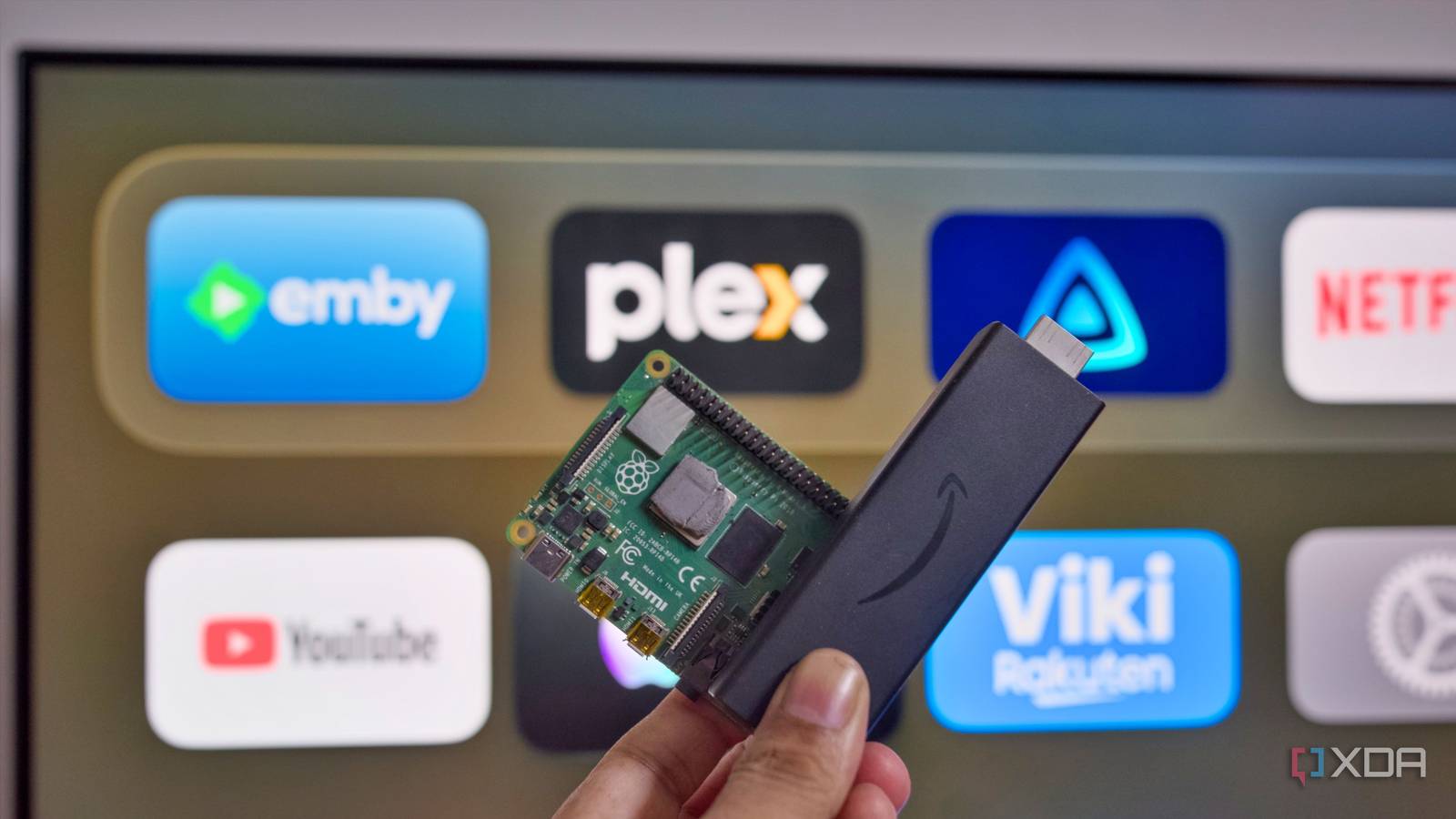
Published Jul 26, 2026, 3:00 PM EDT Samir Makwana is a technology journalist and editor from India since past 18 years and his work appears on MakeUseOf, HowToGeek, GSMArena, BGR, GuidingTech, The Inquisitr, TechInAsia, TechWiser, and others. He has written news, features, and gadget reviews for national technology media publications. His passion is to help people with their technology problems and gadget purchases. For that, he has worked for some of the biggest international technology publications, covering news, explainers, how-to guides, listicles, and product-buying guides. He has worked as an editor and managed teams since 2015. His expertise broadly covers computers, smartphones, game consoles, headphones, smart home products, browsers, and apps. My Fire TV Stick 4K (1st-gen) took almost 15 seconds to boot and a couple of more to load the home screen. Immediately, a full-scale banner of some Amazon Original, which I'd ignored a dozen times already, pops open. Half of the rows on that screen weren't the shows I'd watched. Instead, there were digital goods that Amazon wanted me to buy, subscribe to, or rent on top of what I already paid for. I hit my breaking point a few months ago when I was watching the new Jack Ryan movie, and ads kept showing up every ten minutes. Instead of letting unwanted content take up my TV's screen space, I decided to take matters into my own hands. I turned my spare Raspberry Pi 4 into a dedicated Jellyfin server. I hooked up an Apple TV 4K with my LG TV, installed the Infuse app on it, and pointed it to the Jellyfin server share. I haven't touched the Fire TV Stick 4K since. The Fire TV Stick's home screen was busy working against me Ads dressed up as recommendations, not discoveries While Fire OS calls it a content recommendation, to me, it's just an ad. Amazon loves shoving sponsored content into personalized rows. With the past few updates, those recommendations keep finding new spots to appear. Lately, an Amazon Original show promo takes up the whole screen without showing the close button. None of it felt like an isolated incident, and I couldn't turn it off. In fact, it's all baked into Fire OS. Prime Video now runs ads by default, even with an active Prime subscription. Amazon now asks me to pay $5 (up from $3) for the new Prime Video Ultra to remove ads. Gradually, Fire OS has transformed into the tip of the iceberg, not the whole problem. With every firmware update, my first-generation Fire TV Stick 4K feels slower even with a handful of apps installed. The Fire TV Stick now takes about 15 seconds to boot instead of 12 seconds when it was brand new. In the end, the trade-off of running a skinned Android fork on hardware has become apparent over the years. Loading Jellyfin onto a Pi and syncing libraries took an afternoon Jellyfin client apps found the server before libraries synced With a spare Raspberry Pi 4 (8GB) available, I didn't need to buy anything new. I flashed the Pi OS Lite onto a microSD card and installed the Jellyfin server directly. Next, I mounted the external drives and pointed the Jellyfin Server to the respective folder holding my library. The first scan took hours to fetch and sync the metadata. On my Apple TV 4K, I installed the Infuse app, added Jellyfin running on Pi as a media server, and logged in with my server account's credentials. Infuse did the rest of the setup of syncing all the metadata from the libraries. Every video file loaded through Direct Play with no transcoding involved. Even while streaming 4K remuxes, the Pi's CPU wasn't handling any heavy workloads. The Fire TV Stick's out-of-the-box experience isn't actually more convenient. It just moves the friction. I still have to sign in to each individual streaming app before I can watch anything. My Jellyfin server shows the content I own instead of renting from Amazon Only media library without ads or promotional content Jellyfin handles the library organization behind the scenes and Infuse displays all that on its home screen. Together, they commit to showing me content that's mine. There's no sponsored content row, no trailers autoplaying on the screen, and no prodding about shows I am not interested in watching. Most importantly, there's no banner pushing me to rent content or subscribe to other streaming services. Hosting my own media library also makes the navigation faster since there's no clutter to scroll past. The tiniest features, like Skip Intro, work reliably, and I can resume a paused movie or show an episode in a second instead of waiting for it to catch up. Within the first week, I wondered why I had put up with a cluttered and promotion-riddled interface on the Fire TV Stick for so long. In the end, simplifying my media streaming library is the upgrade I didn't know I needed. All things considered, the Fire TV Stick still has the edge Single remote to access a subscription bouquet Credit: AmazonCredit: Amazon The real edge of the Fire TV Stick isn't technical. It's the coverage. Every major streaming subscription app runs natively on it. Those apps include Netflix, Disney+, Hulu, Paramount+, Max, Apple TV+, and Peacock. Once set up, all those services are accessible with a single remote. Widevine L1 DRM support is baked into each of those apps. That's what makes the bundle possible, and it's not replicable on a Raspberry Pi. If your favorite shows and movies live inside those subscription apps rather than a personal library, that bouquet of services alone is worth keeping a Fire TV Stick around for. In fact, even Infuse can't close that gap. My current setup handles Direct Play beautifully for anything in my Jellyfin library, including 4K remuxes. But that's a personal library win, not a subscription-app one. The Stick still stitches every major paid streaming service into a single screen better than anything I built. I am not plugging the Fire TV Stick back in What changed goes beyond the hardware spec difference between the Pi 4 and the Fire TV Stick. It's about who is in control of the screen. I don't expect a Jellyfin update to quietly include a new ad slot anytime soon. It doesn't place any sponsored content on my Jellyfin server's home screen. All I see is the content that I own, which is organized the way I set it up. This isn't an attempt to replace every streaming subscription with a Pi. But I've grown tired of constant sponsored content being pushed and taking over the home screen. That's why I want to check what's actually mine and run a server off the hardware in my home. I stopped settling for the Fire TV Stick's convenience for accessing major streaming services in one place. I'm happy to pay $75 for a Raspberry Pi 4 and free software instead of grabbing a $60 streaming stick loaded with ads that I can't shut off. Jellyfin iOS compatible Yes Android compatible Yes Desktop compatible Yes
I replaced my Fire TV Stick with a Raspberry Pi, and now Amazon's home screen feels unbearably cluttered
Full Article
Original Source
Read the full article at Xda-developers →KhanList aggregates and links to publicly available news content. We do not host full articles from third-party sources. Always verify important information with original sources.