
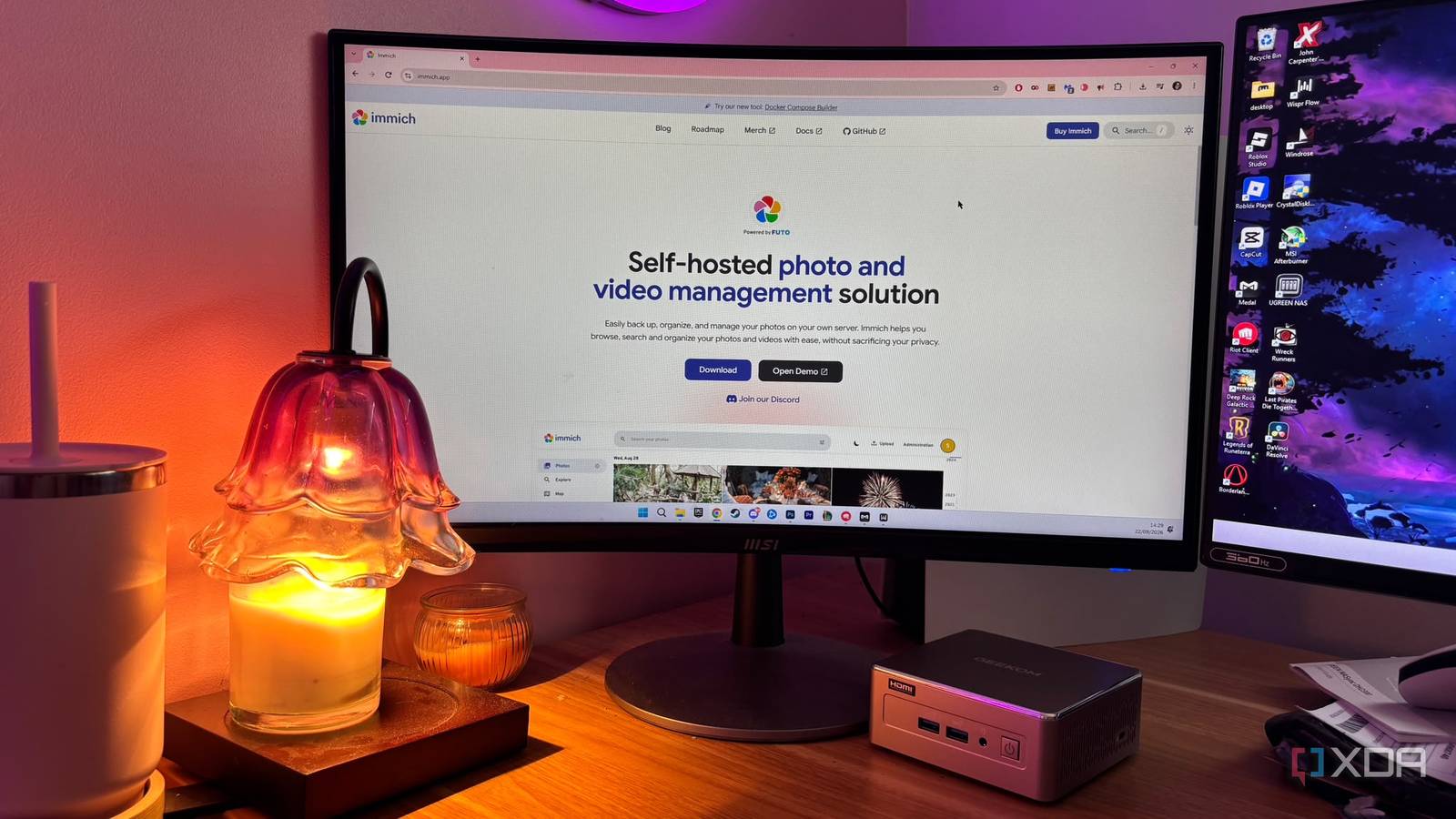
Published Nov 26, 2026, 7:00 PM EST Jasmine is Software and PC Hardware Author at XDA with years of tech reporting experience ranging from AI chatbots right down to gaming hardware, she's covered just about everything. Whether it's breaking news about the latest AMD NPUs or creating video tutorials on social media platforms, Jasmine has contributed to the world of AI and tech in a variety of ways including interviewing the CEO of Razer, AMD's Director of Product Marketing and the VP of Lenovo. Passionate about gaming and PC technology, she has built countless computers, keyboards and other peripherals - knowing them inside and out. Monthly subscriptions can start to add up. With a 2TB Google One plan at $9.99 per month paired with a 2TB iCloud Plus tier at $9.99 per month, you're already spending $20 a month (or $240 a year) just to keep photos synced and credentials accessible across devices without even considering optional Bitwarden Premium subscriptions. I got fed up and was experiencing a lot of subscription fatigue. So I decided to switch over to a self-hosted Vaultwarden and Immich stack. Immich handles mobile camera roll backups, media indexing, and shared albums, so I could replace Google Photos and iCloud Photos. Vaultwarden handled credential management, TOTP 2FA codes, and secure file attachments, replacing iCloud Keychain, Google Password Manager, and Bitwarden Premium. I implemented these tools by running them as containerized services via Docker Compose on my local NAS. Immich's UI is fantastic I found the transition pretty seamless Immich is a self-hosted open-source photo and video management platform. For me, it felt like a more privacy-focused alternative to my Google Photos and iCloud subscriptions because you run the server on your own hardware. You can use the mobile app or even the web interface to back up, browse, and organize your media. The UI is fantastic, and for me personally, it felt pretty indistinguishable from Google Photos. It syncs photos automatically from my iPhone, including live photos, and you get AI features like local facial recognition, object detection, and semantic search without sending your library to a third-party cloud. When replacing Google Photos and iCloud Photos with Immich, the first thing to note is hardware sizing and resource consumption. Idle RAM usage is completely manageable, but the initial library ingestion (when it's generating thumbnails, transcoding videos, and running ML indexing across likely tens of thousands of assets) can spike CPU and memory usage. However, once you're past this, it runs pretty smoothly. Once I had the container set up on my NAS, it was time to actually migrate everything. It was simple enough to export via Google Takeout and Apple's Privacy Portal and upload using Immich-Go, which preserved all of my timestamps, GPS coordinates, and album structures without creating any duplicate uploads. One thing I do want to note is that there was occasional friction with background sync throttling on iOS due to Apple's background task limit. Password management was next on my list And Vaultwarden was a great alternative The next container installed was Vaultwarden for password management. It's an unofficial open-source server implementation of the Bitwarden API, written in Rust. It has a minimal footprint, easily running in a single container on less than 100MB of RAM with an embedded SQLite database, compared with the official Bitwarden self-hosted stack (which historically required a much heavier multi-container setup). By self-hosting Vaultwarden while still using the official Bitwarden mobile apps, desktop clients, and browser extensions, you're able to access features that are typically locked behind Bitwarden's almost $20/year premium, such as built-in TOTP authenticator code generation, encrypted file attachments, emergency access, vault health reports, and multi-user organizations for household password sharing. These are all features that are available straight out of the box. When you're trusting a self-hosted vault with primary credentials, there are some non-negotiable setup steps that you should undergo. HTTPS/TLS should be mandatory. Bitwarden clients rely on the Web Crypto API and refuse to authenticate over plain HTTP, so a reverse proxy with valid TLS certificates is mandatory, even on a local network. You should never expose the admin panel or registration endpoints to the public internet. For an extra level of security, you can even keep the entire instance behind a split-horizon DNS and WireGuard/Tailscale mesh VPN so zero ports are forwarded to WAN altogether. There are some caveats Remote access requires some workarounds There is a way to have remote access without implementing port forwarding, since the biggest practical hurdle of leaving iCloud and Google Drive is seamless syncing when you're away from your home Wi-Fi. There are two options here. The first is a reverse proxy and public domain, which is what I opted for because it felt the most seamless for me. You can expose Vaultwarden and Immich over HTTPS (port 443) via Caddy or Nginx with Cloudflare DNS, which lets you share links with family members who aren't on your VPN. You can overlay a VPN like Tailscale or WireGuard and keep your services strictly LAN-only. You'd have to route mobile traffic over a private WireGuard tunnel, eliminating the external attack surface at the cost of keeping a VPN client active on mobile devices. Outside of this, I would also recommend the 3-2-1 backup method. Meaning you have three total copies of your data on two different media types, including one off-site copy. By eliminating Google and Apple, you're removing their geo-redundant data centers from your safety net. If a single NVMe drive or RAID array fails without an off-site backup, every photo and password is permanently lost. For me personally, I don't rely heavily on collaborative Google Docs or Sheets or even just general cloud file syncing. Immich was perfect for me since it's strictly a photo/video platform. If you do use your Google Drive for alternative files too, then you'd likely require a companion tool like Nextcloud, OwnCloud, or Syncthing. Luckily, all of these are also free options. The upfront costs can be high But the payoff was worth it It's worth keeping in mind that the initial home lab hardware you need for this setup is quite expensive. A mini PC or NAS can cost hundreds of dollars, not including hard drive costs, and ongoing electricity can add up too, depending on where you are. For me, my break-even point was 14 months, which made it worth it in the long term. Self-hosting Vaultwarden and Immich is an unambiguous upgrade in data ownership, privacy, and long-term cost control if you already maintain a home server and respect backup discipline. However, if you want absolutely zero maintenance and rely on Apple's or Google's ecosystem-locking features (like iCloud device state backups or Google Workspace collaboration), and you aren't prepared to test database restores, then paying that $20/month might remain a rational convenience fee for you. Immich OS iOS, Android, web Key highlights Self-hosted iOS compatible Yes Android compatible Yes Immich is a self-hosted video and photo backup solution with a fantastic UI.
I replaced Google Drive and iCloud with a self-hosted Vaultwarden and Immich stack, and my monthly SaaS bill dropped to zero
Full Article
Original Source
Read the full article at Xda-developers →KhanList aggregates and links to publicly available news content. We do not host full articles from third-party sources. Always verify important information with original sources.