
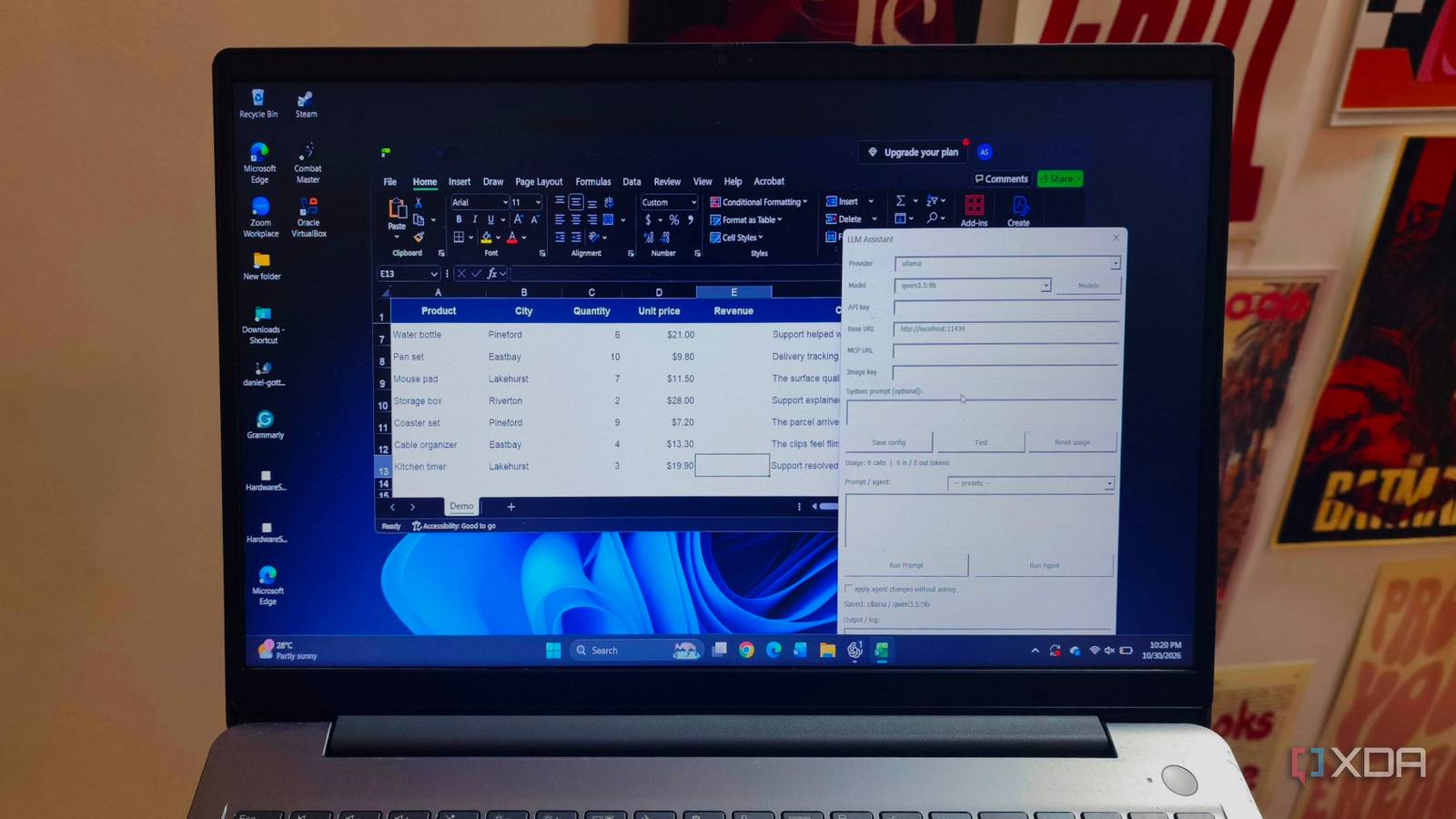
Published Nov 1, 2026, 12:30 PM EST Anurag is an experienced journalist and author who’s been covering tech for the past 5 years, with a focus on Windows, Android, and Apple. He’s written for sites like Android Police, Neowin, Dexerto, and MakeTechEasier. Anurag’s always pumped about tech and loves getting his hands on the latest gadgets. When he's not procrastinating, you’ll probably find him catching the newest movies in theaters or scrolling through Twitter from his bed. I keep my spreadsheets saved locally, and I don’t want to upload them to an AI service every time I need help with a formula or a column of messy data. There’s plenty of useful work an AI assistant can do inside Excel, especially when you know what you want but don’t remember the function or steps to get there. I want that help without sending the contents of my workbook elsewhere. So I’m connecting Excel to Qwen3.5-9B running on my computer through Ollama. An add-in gives the model access to the spreadsheet, letting me ask for help from inside Excel. It gives a local model another practical job in an app I already use, with privacy as the reason for choosing it. I connected Qwen to Excel through an add-in Ollama runs the model behind Excel I’m using Qwen3.5-9B through Ollama for this setup. It supports tool calling, which lets it request actions such as reading cells or inserting a formula instead of only describing what you should do. Ollama runs the model and provides the local connection that the Excel add-in uses. The other component is Excel LLM Add-in, an open-source project that connects models to Excel. It has two editions, but the VBA version is the relevant one here because it runs inside desktop Excel without needing a hosted web interface. You download the .xlam add-in and load it into Excel. On a Mac, go to Tools -> Excel Add-ins -> Browse, select the file, and enable it. With the add-in loaded, select Ollama as the provider and set the model to qwen3.5:9b. The server address is http://localhost:11434, which points to Ollama running on the same computer. Ollama needs to remain running whenever you use the AI features, but you don’t need to keep a separate conversation open in its chat interface. The add-in handles getting information between the workbook and the model. A worksheet function can pass cell contents to Qwen and return its response to the sheet. For workbook changes, the add-in also provides an agent that can read ranges, write formulas, apply formatting, and create charts, with approval before applying changes. It covers the Copilot features I actually use The everyday features are still here Most of what I want from an Excel assistant involves formulas, cleaning up text, and turning data into something easier to read. Copilot handles those tasks, and there’s considerable overlap with what this local setup offers. Having a smaller model running on my computer doesn’t mean I’m limited to asking questions and copying answers into cells. Formula assistance is probably the most useful part. You can describe a calculation in plain English and have the agent insert a formula into the workbook. For example, you could ask it to calculate revenue from quantities and prices, account for a discount, or total orders that match a particular status. Excel performs the calculation once the formula is in place. Qwen handles translating the request into the appropriate function and cell references. The add-in also includes functions to explain formulas, extract information, summarize text, and assign categories. That gives you useful options for columns containing customer comments, product descriptions, or other text that needs organizing. You can provide the categories you want rather than asking the model to invent a classification system. The agent can even apply currency formats, change headers, and create a chart from a specified range. These remain ordinary Excel cells and charts that you can edit yourself afterward. Copilot has a broader feature set, including PivotTable creation and access to external information. But those features aren’t necessary for every spreadsheet. The appeal here is how much everyday assistance remains available through a local model, especially when your requests concern the workbook already open in front of you. My workbook and its AI processing stay local The file stays off cloud storage My spreadsheets already live in a local folder outside OneDrive, Google Drive, and other synced storage. That’s worth checking on your own computer, especially if you save everything to Desktop or Documents. Those folders can be backed up automatically, so a file appearing in Finder or File Explorer doesn’t necessarily mean it stays on that machine. Turning off Excel’s AutoSave also doesn’t remove a copy that’s already stored online. Using Qwen locally lets me keep AI processing on the same computer. The add-in passes spreadsheet context to Ollama through the localhost address configured earlier, and the downloaded model processes the request. There’s no need to upload the workbook to an AI provider to get help with its contents. Ollama also has cloud features, so selecting Ollama as the provider isn’t the only setting to check. You can disable those features by setting disable_ollama_cloud to true in ~/.ollama/server.json and restarting Ollama. Keep the add-in configured for the downloaded Qwen model, without connecting remote tools or switching to a cloud provider. You also need to pay attention to Excel’s own connected experiences. Its privacy settings let you disable experiences that analyze your content. Essential services, including licensing, can still communicate with Microsoft, but the spreadsheet assistance described here runs locally. Local models deserve more practical jobs I think local LLMs get overlooked because we spend so much time comparing their answers with ChatGPT or Claude. I’m more interested in what I can connect them to and which jobs they can take over. You don’t need a model that’s brilliant at everything to get something useful out of the hardware you already own.
I replaced Excel's Copilot with a local LLM, and spreadsheet work finally feels private
Full Article
Original Source
Read the full article at Xda-developers →KhanList aggregates and links to publicly available news content. We do not host full articles from third-party sources. Always verify important information with original sources.