
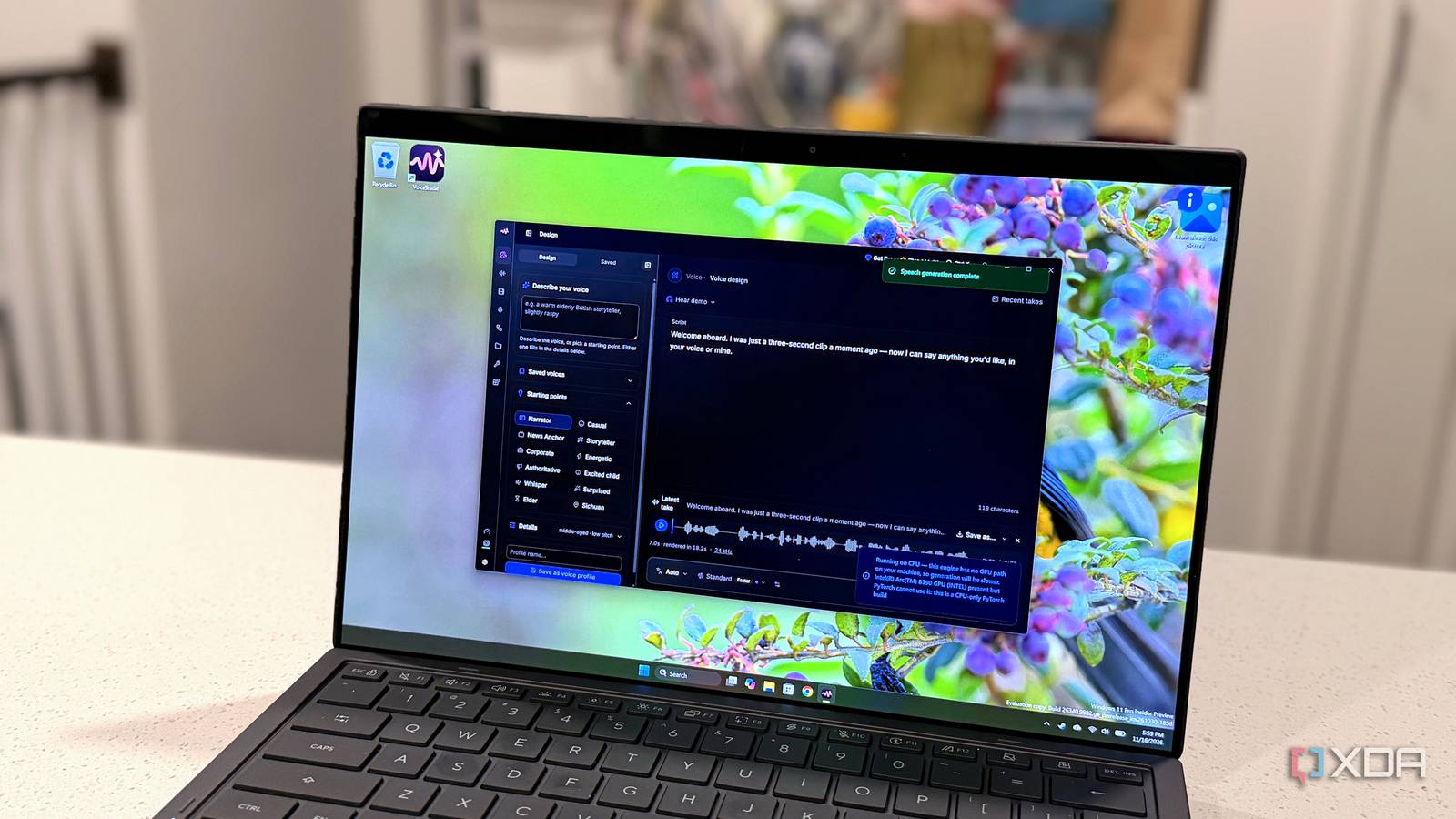
Published Nov 17, 2026, 5:30 PM EST Maker, meme-r, and unabashed geek, Joe has been writing about technology since starting his career in 2018 at KnowTechie. He's covered everything from Apple to apps and crowdfunding and loves getting to the bottom of complicated topics. In that time, he's also written for SlashGear and numerous corporate clients before finding his home at XDA in the spring of 2023. He was the kid who took apart every toy to see how it worked, even if it didn't exactly go back together afterward. That's given him a solid background for explaining how complex systems work together, and he promises he's gotten better at the putting things back together stage since then. I already pay for enough AI subscriptions, so when a project widely described as the open-source ElevenLabs alternative passed 110,000 stars on GitHub, I wanted to know whether it could replace one. VoiceStudio promises voice cloning, video dubbing, and transcription that all run on your own machine, with no account. That's a big claim for a free app, even after Voicebox cloned a voice from a few seconds of audio, showing what local tools can do. So I installed it on my desktop, nestled inside WSL2, and paired it with AMD's Lemonade. I cloned my own voice and dubbed a German documentary clip into English. Then I took the PC offline and ran it again from a clean start. It worked, mostly, and the parts that didn't are worth knowing about before you try it. VoiceStudio and a local LLM both fit inside one WSL2 distro The Windows installer is unsigned, so I went straight to Linux My test machine is a Ryzen 7 9850X3D desktop with an Nvidia GeForce RTX 5090 and its 32GB of VRAM. VoiceStudio has a Windows installer, but the project's code-signing policy says Windows installers are unsigned while its signing application is pending, and I'd rather not argue with Windows about that. The Linux build supports CUDA, and WSL2 exposes the Nvidia GPU to Linux, so VoiceStudio 0.5.8 went into Ubuntu 24.04 LTS on WSL2 with one command. My first attempt looked finished, but it wasn't. The setup was still pulling its Python environment, and nothing answered on the app's local port until it finished. Give it time, and don't assume it's ready just because you got your prompt back. VoiceStudio handles speech on its own, but its smarter dubbing modes need an LLM to refine the translation. I installed Lemonade Server from its PPA on the same distro, added the CUDA backend, and pulled Qwen3.5-9B, a 6.4GB download at Q4. Having both services share one loopback address meant I didn't have to bridge anything between Windows and Linux. The model needed one tweak. Asked to translate a German greeting, it used 281 tokens, nearly all of them thinking, to produce a five-word answer, which took about two seconds. Reloading it with reasoning switched off fixed that. lemonade load Qwen3.5-9B-GGUF --llamacpp cuda --llamacpp-args "--reasoning-budget 0" --save-options The same prompt then came back in 10 tokens and 87 milliseconds. That's already a win, and it adds up. Lemonade had logged more than a hundred requests by the time I'd translated a 15-line clip, including a handful of my own test prompts. A settings page connects the two. Under Settings -> System -> LLM Providers, I picked the Custom provider, set the base URL to http://127.0.0.1:13305/api/v1, and typed in the model name. I also pasted the URL into the model field the first time and earned myself a 404, so check your clipboard before you blame the software. Thirty seconds of Alice in Wonderland was enough to clone my voice It copied my pacing, pitch, accent, and even my breathing For a sample, I read the opening of Alice's Adventures in Wonderland, which is public domain and felt appropriate for the rabbit hole I was heading down. I trimmed the recording to 30 seconds, imported it, and asked the clone to read something else. It was spooky. It had my pacing, my pitch, and my accent, and it even reproduced my breath sounds. That last one is what sells it, because it stops sounding like a voice reading and starts sounding like a person talking. And I don't entirely like how easy that was. It's quick, too. I used a small script that sends a 58-word paragraph to VoiceStudio's local API and times the result. The RTX 5090 produced about 20 seconds of my voice in 2.3 seconds, which is roughly 8.6 times faster than real time. The clone isn't flawless on words I never recorded. In my first session, "mini PC" came out as "mini psss", and words ending in an "s" sound dragged on, the same way across three runs. One of the built-in voices got "PC" right but sounded metallic and obviously synthetic. On a later clean start, my clone got it right too, so the glitch isn't permanent. Regenerating didn't clear it for me, but a fresh start of the app did. Dubbing took more hand-holding than I expected For the dub, I used a 1-minute 45-second explainer about how the Alps formedfrom ZDF's Terra X series, which publishes clips under Creative Commons licenses; this one is CC BY 4.0. VoiceStudio transcribed it into 15 segments. Generating the English audio took about 15 seconds, with about 10GB of VRAM in use across the whole GPU, including the LLM. My first dub sounded like a German speaker reading English, with stray consonant sounds before lines. On my next import, a popup I nearly missed said automatic voice cloning had been skipped because, it said, its speaker labels were only estimates based on gaps in the audio, and it pointed me to a diarization model. I made a voice profile from the narrator's own audio and assigned it by hand. The result was much clearer, though a faint hiss before some words remained. The translation needs proofreading. Across my passes, the 9B model handled most lines well, but one pass mistranslated a sentence and left another in German, reworded but never translated. VoiceStudio read that German line aloud without complaint, and its built-in checker only flagged one line as a tight fit for its time slot. The app could also do with some progress indicators. Importing a video shows nothing on screen until the transcript appears, and I assumed it had failed more than once when it was simply working. A progress bar would have saved me a few detours. It kept working after I took the PC offline My cloned voice and the dub both ran with no internet connection For the real test, I turned off the PC's Wi-Fi card and confirmed it couldn't reach GitHub. Then I restarted VoiceStudio and ran the whole chain from a clean start: a fresh import of a local copy of the clip, transcription, translation through Lemonade, my voice clone, and the dub. Everything was completed without an error. It was also my cleanest pass, with no translation problems and no dubbing problems I could hear. Generation was a little slower, at 3.1 seconds for the same 20 seconds of audio, or about 6.3 times real time. I can't tell you why, and being offline shouldn't affect it, but it's still comfortably faster than listening to the result. That's the test I cared about. You need a connection to download the models, obviously, but the question with any voice tool is where your recordings go while it works. Here, my cloned voice, the video, the transcript, and the translation were all handled without a network connection. The one wrinkle in the no-account promise is diarization. The popup pointed me to pyannote, and pyannote's model page asks you to sign in to Hugging Face and accept its conditions, so I skipped it and assigned voices manually. VoiceStudio gave me impressive results I didn't run this side by side with ElevenLabs, so I won't tell you it's as good. What I can say is that a free app on hardware I already own cloned my voice from 30 seconds of audio, dubbed a video, and kept doing both while disconnected from the network. Others have managed voice cloning with 5 seconds of audio and no GPU, so the barrier is gone, which is why you should only clone voices you have permission to use. If you have a GPU with VRAM to spare and a voice subscription you'd like to cancel, VoiceStudio is worth an evening. Just read every translated line before you hit generate. VoiceStudio VoiceStudio is a local, open-source AI voice studio to create voices with ease.
I replaced ElevenLabs with a free open-source tool that runs entirely on my machine, without sending anything to the cloud
Full Article
Original Source
Read the full article at Xda-developers →KhanList aggregates and links to publicly available news content. We do not host full articles from third-party sources. Always verify important information with original sources.