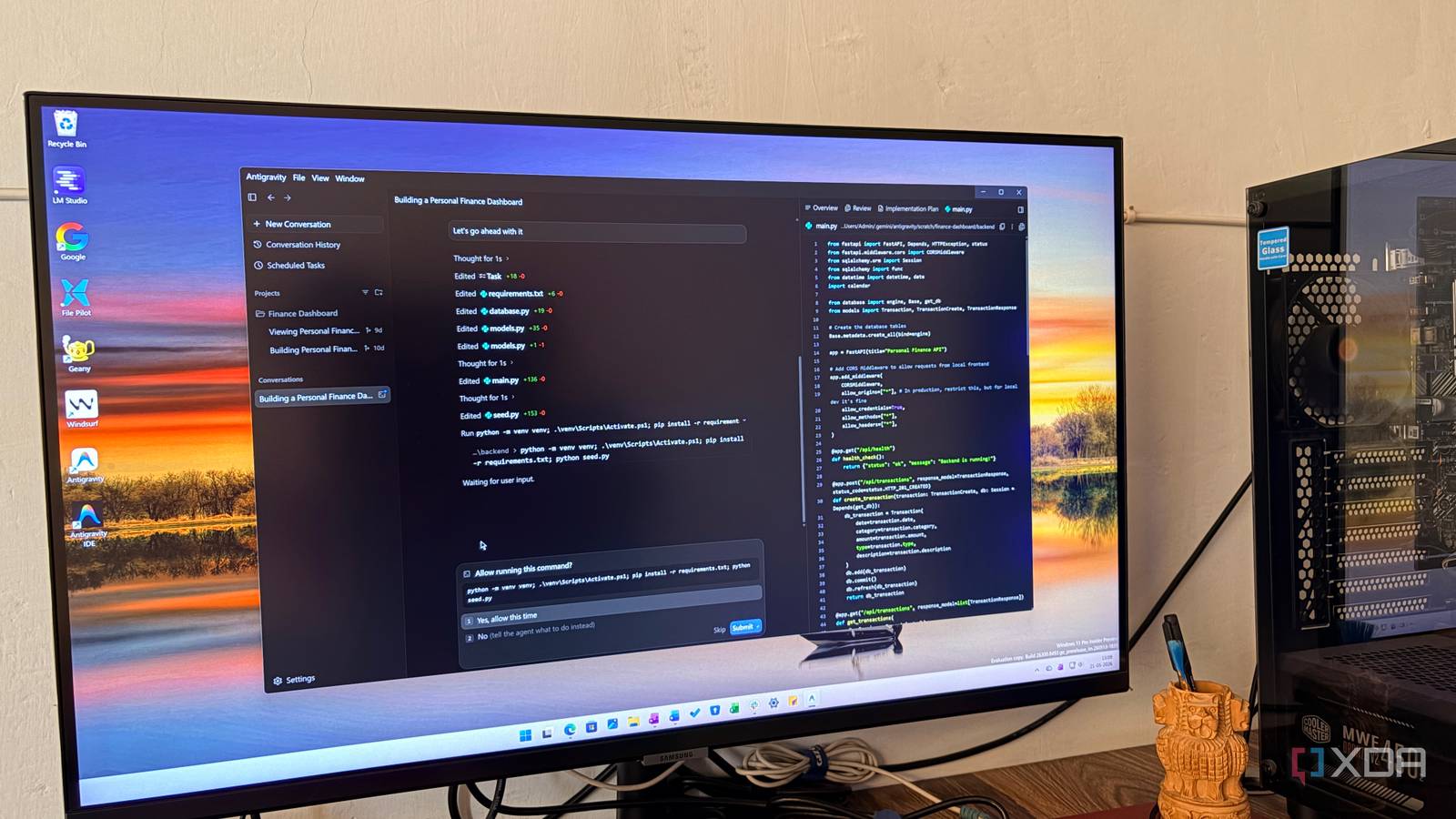
Published Jul 22, 2026, 1:00 PM EDT Parth, a seasoned tech writer, wields the keyboard (or pen) with finesse to unravel the intricacies of both Windows and Mac operating systems. He has covered evergreen content on mobile devices and computers for multiple publications over the last six years. You can find his work on AndroidPolice, GuidingTech and TechWiser. Whether it’s demystifying system updates, deciphering error codes, or exploring hidden features, Parth’s prose guides readers through the binary maze. When not immersed in tech jargon, you’ll find him sipping chai, pondering the next software review, and occasionally indulging in a friendly debate about mechanical keyboards. Claude Code had become my default whenever I wanted an AI agent to handle a serious coding task, so replacing it for an entire week felt like a risky experiment. I forced myself to use Google Antigravity instead and expected to run into weaker reasoning, unfinished workflows, and plenty of moments where I would miss Claude. Some of that happened, but the bigger surprise was how quickly Antigravity started feeling like a different, and sometimes better way to work. This comparison is about the apps Let’s clear the confusion first Yes, I know Antigravity lets me use Claude models, but that is not what I wanted to test. My goal was to compare Google’s complete Antigravity experience with Gemini 3.5 against Claude Code running Fable 5. The model matters, but so do the interface, agent workflow, planning system, browser tools, permissions, and overall usability. Antigravity gave me a better view of the entire task Excellent planning Claude Code is excellent at getting work done, whether you are using it in the terminal or through its desktop app. However, long sessions can still feel like a continuous stream of commands, edits, and explanations. Antigravity gave me a much clearer view of the entire task. I could see the implementation plan, follow the agent’s progress, review file changes, and understand which parts were still pending without digging through a lengthy conversation. This became useful when I asked it to build a complete feature rather than fix a small bug. Antigravity made the work feel structured into stages instead of one long coding session. I still needed to review its decisions, but I rarely felt lost about what it was doing or why. That extra visibility made it easier for me to step away, return later, and quickly understand the state of the project. Gemini 3.5 moved faster, while Fable 5 thought deeper Although Gemini 3.5 Pro can change the game The difference became obvious when I asked both tools to build a complex web app with dashboards, forms, analytics, user settings, and multiple data-entry flows. Gemini 3.5 moved through the project at an impressive pace. Antigravity created the structure, connected the main screens, added the required features, and gave me a working app much faster than I expected. It was particularly good at maintaining momentum and completing the broader product without stopping for guidance. Claude Code took longer, but Fable 5 paid more attention to the finer details. It noticed inconsistent spacing, improved button states, refined typography, and added smoother transitions between panels. It also handled small animations, hover effects, loading states, and empty screens with more care. Gemini 3.5 was better at getting me from a prompt to a functional product quickly, while Fable 5 was better at making that product feel polished. Of course, this comparison wasn’t that fair since Gemini 3.5 Pro is yet to be released. Antigravity was better at building complete apps Antigravity IDE comes into play Antigravity felt more capable when I wanted to build an entire app instead of making a few isolated code changes. I could begin with the agent, review its implementation plan, let it create the broader structure, and follow its progress as it worked through the frontend and backend. Once the main build was complete, I was not locked into an agent-only workflow either. I could switch to Antigravity IDE, inspect the project myself, and make smaller manual changes whenever that was faster. The flexibility mattered because Antigravity is based on VS Code. Most of the interface already felt familiar, and I could continue using the extensions and development tools I preferred. Claude Code remained excellent as a coding agent, but Antigravity gave me a more complete workspace. It handled the heavy lifting while still letting me take direct control when the project needed my judgment or a final round of polish. Claude Code remained better for precise changes Fable 5 flexes the muscle here Antigravity impressed me when I gave it a large feature or an entire app to build, but Claude Code still felt better for smaller, tightly scoped changes. When I needed to fix a specific bug, refactor one component, update an API call, or change a piece of logic without disturbing the rest of the project, Fable 5 was usually more deliberate. I noticed this most when working on an existing codebase with specific patterns. Claude Code was better at understanding my requests. Antigravity sometimes approached a small task like part of a larger project, which added unnecessary planning and led to changes in files I had not expected it to touch. For careful debugging and surgical edits, Claude Code remained the tool I trusted more. Google finally built a serious rival After a week, Antigravity earned a slight advantage for the way I work. It was faster at turning a detailed prompt into a complete app, gave me a clearer view of the entire task, and made it easier to move between agentic work and manual coding inside a familiar VS Code-style environment. That does not make Claude Code irrelevant. Fable 5 still felt more dependable when I needed deeper reasoning, precise debugging, or a carefully targeted change in an existing codebase. I would switch my default, but I would keep both installed because they solve different parts of the coding process quite well.
I replaced Claude Code with Google Antigravity for a week, and I didn’t expect this result
Full Article
Original Source
Read the full article at Xda-developers →KhanList aggregates and links to publicly available news content. We do not host full articles from third-party sources. Always verify important information with original sources.