
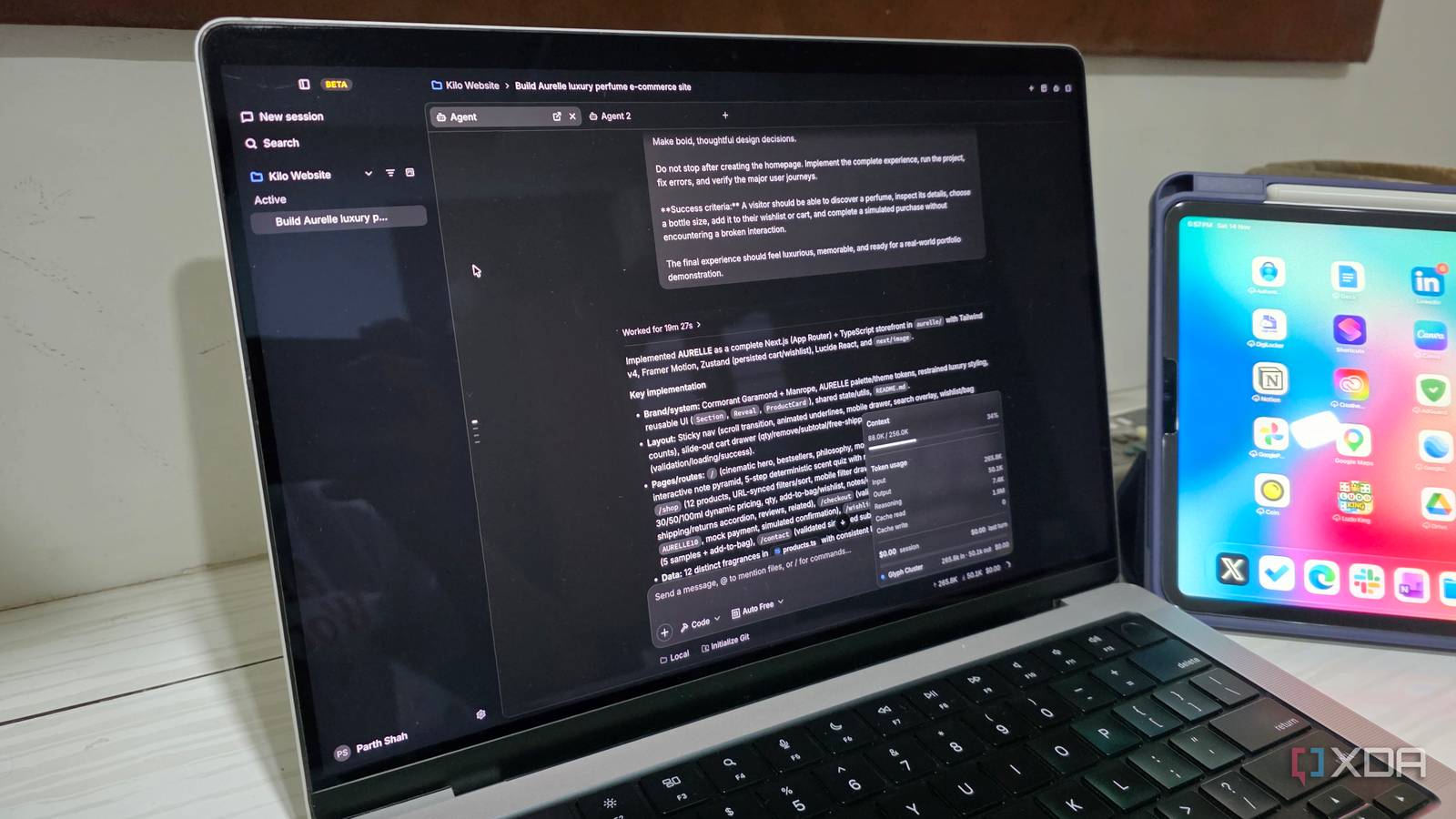
Published Nov 15, 2026, 12:30 PM EST Parth, a seasoned tech writer, wields the keyboard (or pen) with finesse to unravel the intricacies of both Windows and Mac operating systems. He has covered evergreen content on mobile devices and computers for multiple publications over the last six years. You can find his work on AndroidPolice, GuidingTech and TechWiser. Whether it’s demystifying system updates, deciphering error codes, or exploring hidden features, Parth’s prose guides readers through the binary maze. When not immersed in tech jargon, you’ll find him sipping chai, pondering the next software review, and occasionally indulging in a friendly debate about mechanical keyboards. AI coding tools have come a long way, and I have spent plenty of time experimenting with some of the biggest names in the industry. However, after exploring the giants like Claude Code, Codex, and Antigravity, I wanted something that could bring the best of these tools under one roof without compromising on flexibility or control. That’s when I came across a coding tool that changed my perspective. It offers access to hundreds of AI models, powerful agent capabilities, and a flexible development environment. That tool is Kilo Code. What is Kilo Code, anyway? Let’s go over the basics first If you have been following the AI coding space, you have probably come across Kilo Code as a popular open-source extension for Visual Studio Code. It started as an AI coding assistant that could help developers write, explain, debug, and refactor code without leaving their favorite editor. However, Kilo Code has evolved into something much more ambitious. It’s now a full-fledged AI coding platform with support for VS Code, JetBrains IDEs, the terminal, and cloud-based workflows. There are even dedicated apps for Windows, Mac, and Linux. Now, you no longer need to rely on VS Code to use Kilo Code. The desktop app offers a standalone environment where you can manage projects, interact with AI models, and run multiple coding agents side by side. On paper, it sounds like another ambitious AI coding tool, but there is much more to it once you start exploring its capabilities. I finally have complete model freedom Why settle for just one provider? One of my biggest frustrations with AI coding tools is being tied to a particular company’s ecosystem. Claude Code, Codex, and Gemini have their strengths, but I don’t necessarily want to rely on the same AI model for every project. This is where Kilo Code feels like a breath of fresh air. It gives me access to over 500 models from different providers, including Anthropic, OpenAI, Google, DeepSeek, and more, all from one interface. I can use a powerful Claude model to plan a complex application, switch to Gemini for development, and pick a cheaper model for smaller fixes without moving to another coding environment. I also appreciate the option to bring my own API keys or connect local models through Ollama and LM Studio. My favorite part is the Auto model. Instead of manually picking a model every time, I can let Kilo Code route requests based on my preferred balance of performance and cost. There is even an Auto Free tier for supported free models. Agent Managed changed how I code I tested Kilo Code on a real project This is where Kilo Code started feeling like a serious upgrade over my previous coding setup. Instead of relying on a single AI agent to handle everything sequentially, I can use Agent Manager to run multiple agents in parallel. It’s available within the VS Code extension, and the standalone desktop app also supports separate coding sessions with Git worktrees. The concept is simple but useful. I can assign one agent to build a feature, another to investigate bugs, and a third to experiment with an alternative implementation. Each agent can work in an isolated Git worktree, so I don’t have to worry about them constantly overwriting each other’s changes. I can reserve a powerful model for complicated development work and use a more affordable alternative for smaller adjustments. Of course, running multiple agents doesn’t automatically guarantee better results. I still need to review their output and resolve occasional conflicts. I didn’t want to judge Kilo Code based on a basic calculator or another generic to-do app. So I decided to build a premium e-commerce website for a fictional perfume brand. Instead of asking one AI model to handle the entire project, I divided the workload into smaller tasks. I used separate coding sessions to work on the homepage, product browsing experience, and shopping cart functionality. I also experimented with different models for design adjustments and debugging. This was one of my favorite parts of the experience because I wasn’t restricted to a single AI provider. The project gave me a much better understanding of Kilo Code’s strengths. There are still some compromises But I am sticking with Kilo Code Kilo Code isn’t without its shortcomings. The desktop app is still in beta, so there are some bugs here and there. The large number of AI models can also overwhelm first-time users. While the platform is open-source, using premium models can quickly increase your expenses. Managing multiple agents also requires supervision, and I still need to review their output carefully. Despite these limitations, Kilo Code has earned its place in my workflow. The coding tool nobody saw coming I wasn’t expecting Kilo Code to shake up my workflow this much. The freedom to switch between AI models, manage multiple agents, and handle complex projects from a single environment. It’s not perfect, and premium models can still increase your expenses, but the flexibility is hard to ignore. I am not suggesting that Claude Code, Codex, or Antigravity have suddenly become incapable. It’s just that Kilo Code brings together so many capabilities that I no longer feel the need to juggle all three. Kilo Kilo is an open-source coding tool that supports all the major AI providers.
I replaced Claude Code, Codex, and Google Antigravity with a coding tool that makes all three feel outdated
Full Article
Original Source
Read the full article at Xda-developers →KhanList aggregates and links to publicly available news content. We do not host full articles from third-party sources. Always verify important information with original sources.