
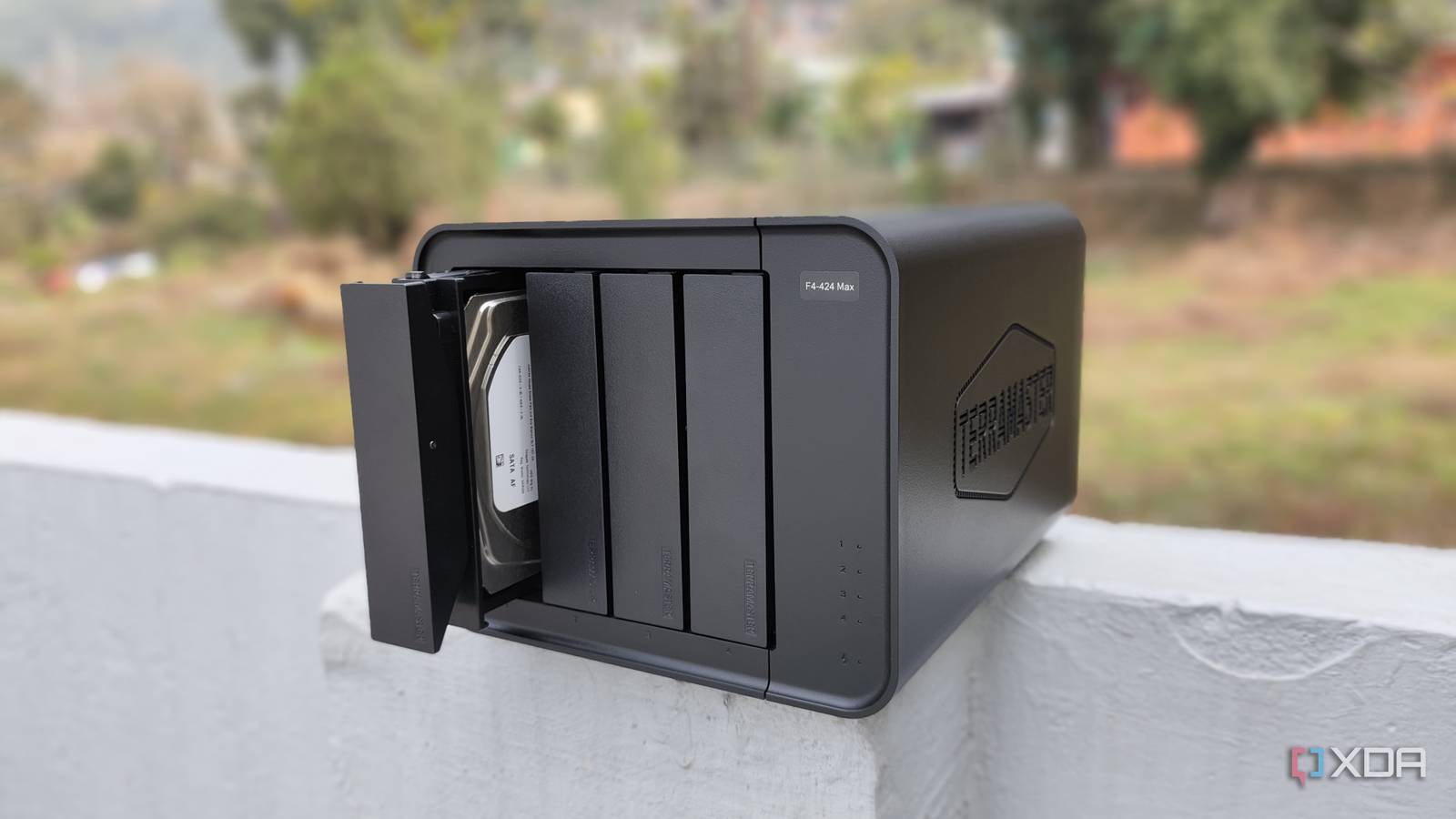
Published Aug 7, 2026, 8:00 AM EDT Ayush Pande is a PC hardware and gaming writer. When he's not working on a new article, you can find him with his head stuck inside a PC or tinkering with a server operating system. Besides computing, his interests include spending hours in long RPGs, yelling at his friends in co-op games, and practicing guitar. Ever since I got into hosting my own large language models, I’ve tinkered with AI inference engines across multiple devices. So far, my RTX 3080 Ti remains my primary choice for deploying the Qwen3.6-35B-A3B for coding-heavy tasks using MoE offloading, though I’ve also had decent experience using Gemma-4-26B-A4B and GPT-OSS-20B on old Pascal-era graphics cards. However, it wasn’t until I began looking into single-board computer-powered setups that I realized how useful certain edge models can be for everyday productivity tasks. In fact, I recently decided to deploy a couple of AI models on my main Network-Attached Storage server, and this experiment went so well that I’ve started using my backup server for simple LLM inference tasks. It’s extremely easy to deploy on the king of ZFS NAS distros Before I discuss the LLMs I use with my NAS, let me go over its specs and the inference engine real quick. I primarily use a TerraMaster F4-424 Max that I’ve armed with TrueNAS for my backup, archival, and file-sharing tasks, though I’ve upgraded its RAM capacity to 32GB. But with ZFS requiring a hefty memory investment and my self-hosted app stack requiring its own provisions, I could only spare at most 8GB of RAM for this experiment. As for the inference engine, I had a couple of options. My first instinct was to go for llama.cpp, but since it’s not available as an app template, I’d either have to set it up as a custom Docker container or configure it within an LXC. I tried deploying the Intel variants of llama.cpp using YAML code, but the container would fail after failing to detect my processor. To keep things simple, I decided to pivot to vLLM, as it’s another lightweight AI inference engine. But the container would freeze once I'd hit the Start button and remain in the Deploying status. Finally, I decided to try out LocalAI, and to my surprise, its container deployed instantly once I’d allocated 8GB of RAM and 4 CPU cores to it. Of course, it’s not as optimized as running llama.cpp, but I can use its neat web UI to sift through hundreds of models instead of scrambling around trying to run different terminal commands. It also supports agent creation, can pull vision MMPROJ files for LLMs capable of accepting image inputs, and lets me set up MCP servers, all of which are a win in my book. Plus, I appreciate that it not only supports different variants of popular models but also detects what LLMs will fit on my system. Gemma-4-E2B works well for light LLM tasks All while possessing a tiny footprint Switching gears to the LLM I host on my NAS, I’ve got a Gemma-4-E2B instance running on this storage server 24/7, and it’s all due to its unique architecture. You see, per-layer embedding tables make up a large chunk of this LLM’s parameters, and only the ones needed for inference operations get fed into the memory. As such, the LLM has a knowledge base consisting of 5.1B worth of active parameters, but its effective parameters lie in the 2.5B range. This makes Gemma-4-E2B light enough to run on my NAS’ i5‐1235U CPU, and the LLM + LocalAI combo consumes about 6.2GB of memory when I actively prompt it. Performance-wise, Gemma-4-E2B delivers a token generation rate of 10.5 t/s for text prompts and simple document inference tasks, almost double what my Raspberry Pi is capable of. Gemma-4-E2B also supports image detection capabilities, and although its performance drops a little when I load its MMPROJ file, it’s still very much usable for scanning images and performing quick OCR scans. I’ve also deployed nomic-embed-text-v1.5 on this NAS It caters to apps that need RAG capabilities Although Gemma-4-E2B is a terrific LLM, it’s not the only model running on my hybrid storage and AI-hosting workstation. To be more specific, I run nomic-embed-text-v1.5 alongside Gemma-4-E2B, and the two are responsible for completely different tasks. Since nomic-embed-text-v1.5 is an embedding model and not a conventional LLM, its only objective is to convert text, images, and pretty much every other data I throw at it into vectors and map them on a vector database, with similar-sounding data being placed close. Then, once I prompt self-hosted apps that support retrieval-augmented generation capabilities, they use the vector database generated by nomic-embed-text-v1.5 to find matching text chunks, which are finally fed into Gemma-4-E2B to increase its accuracy. I’ve deployed Paperless AI, Open Notebook, Blinko, and other utilities on my NAS, so pairing Gemma-4-E2B and nomic-embed-text-v1.5 with them helped me avoid the extra watts I’d waste by running a separate GPU-laden workstation just for light AI-powered productivity needs.
I ran a local LLM entirely off a NAS, and it turned my storage box into an AI-hosting workstation
Full Article
Original Source
Read the full article at Xda-developers →KhanList aggregates and links to publicly available news content. We do not host full articles from third-party sources. Always verify important information with original sources.