
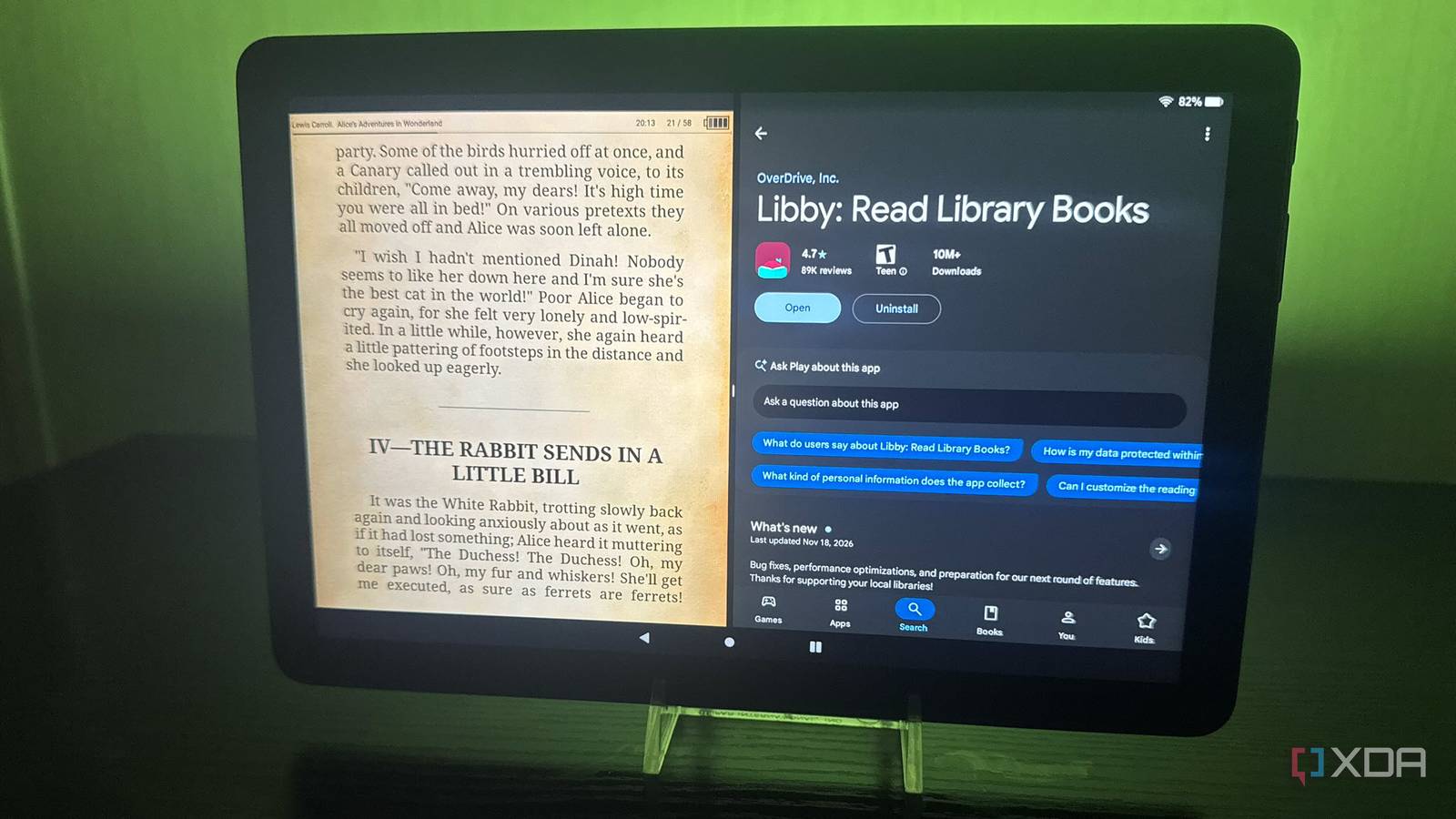
Published Nov 23, 2026, 8:31 AM EST Based in rural Minnesota, Brian Burgess worked in IT for 10 years before finding his passion for writing about consumer technology. Brian earned his degree in computer and network technology in 2000. He held various IT positions, including help desk support, router installations for IBM, database administration, and other associate network administration roles. He's been a personal technology journalist for 18 years and has written thousands of articles about Microsoft products and services, Android, iOS, streaming, and more. He has written for notable tech sites including XDA, InformationWeek, How-To Geek, Byte, groovyPost, and others. When he is away from the keyboard, you will hear him playing guitar, working outdoors, and watching Star Trek. I've had a few Fire HD tablets over time, and they are good for entertainment. They're good for watching streaming video, playing games, or even listening to music. But even though it's a successor to the Kindle and audiobooks are fine, it's not ideal for reading. My Fire tablet's large display is meant for media consumption and games, but the default eBook library management isn't as good as on my Pixel. Being confined to the Amazon App Store doesn't help, and I don't like being limited by the reading apps I can use. By installing the Google Play Store, I get more choice in apps for books, magazines, and comics. Now, it has become my favorite way to read eBooks. You don't need to enable developer options to put the store on your tablet either. Installing Google Play on my Fire tablet had a purpose for reading It wasn't so it could do everything Android can I didn't install the Google Play Store on my Fire tablet to have a bunch of Android apps I'd install on my Pixel phone. I wanted some of the better reading apps and their functionality to make it a good eBook reader. Still, being able to install some apps not available from Amazon's store without sideloading is a bonus. I can install open-source eBook reader apps like LxReader for a nicer ink-on-paper effect. Installing the Play Store on the Fire tablet is straightforward, but each APK needs to be installed in a specific order. Our sister site, How-To Geek, has a 2026 step-by-step guide. It's also important to install the app version that's right for your tablet model. I have the 13th gen Fire HD 10, and after installing the three latest APKs and then the app store, it worked smoothly. Some models have minor hurdles to get it working, like giving app permissions, but nothing major. It's also annoying when a Fire OS tablet update breaks the Play Store installation. Then you may need to reinstall the Play Store. It isn't easy to turn off OS updates unless you use Fire Toolbox and configure them on your computer. The tablet became the reader I kept picking up I have more content to read from more apps Now I have more to read because I can get unrestricted EPUBs and view them in LxReader, ReadEra, or Lithium. With the Play Store installed, I have a lot more choice in how I read my eBooks and other documents. I can choose an app that best fits my files and preferences. I used to reach for my mom's old Kindle Paperwhite to read books, review documents, and flip through magazines on my phone. Another big advantage is having access to Google Play books. Now, I can find the eBooks and documents in my personal library. I've built a collection over the years on my Pixel and other devices. Since I can read that content on my tablet now, I reach for it more often. The app lets me upload EPUBs and PDFs for access on other devices, which is convenient and a time-saver. I don't need to manually copy my personal library to the tablet and phone. Overall, having more options lets me build the reading setup I want. I no longer need to settle for what might or might not be available in the Amazon App Store. I don't need to sideload my favorite eBook readers — unless I find one not in Google's store that I want to use. Overall, I have a better handle on my eBooks, magazines, and comic library and can read them how I like. I didn't think I'd like reading on a large display But the form factor has grown on me My tablet's 10-inch display seemed like more screen real estate than I needed. However, it has become one of my favorite things for reading books that I didn't know I needed. I appreciate that apps like LxReader give me a better experience on a larger display. It's easy to flip through books or magazines with a two-page layout and paper background. It's also a benefit to put a book in split-screen mode and check other apps when I need to. With more app options, I've been able to experiment with different fonts, layouts, and eBook reader effects. The apps don't improve screen quality, but the different reading setups make it feel worthwhile. I've been able to craft a reading experience I appreciate whether I hold the tablet in portrait or landscape. Installing the Play Store on my Fire tablet gave it new life as an eReader I have been reaching for my Fire tablet more since installing the Play Store. With an abundance of apps and Play Books, I now have an eBook experience that fills out the screen. I don't want to go back to a smaller screen anymore. The tablet stays next to me on the couch because the reading experience has improved so much. The Play Store brings convenience and choice to any Fire tablet.
I put Google Play on a cheap Fire tablet, and it became my favorite tablet for reading
Full Article
Original Source
Read the full article at Xda-developers →KhanList aggregates and links to publicly available news content. We do not host full articles from third-party sources. Always verify important information with original sources.