
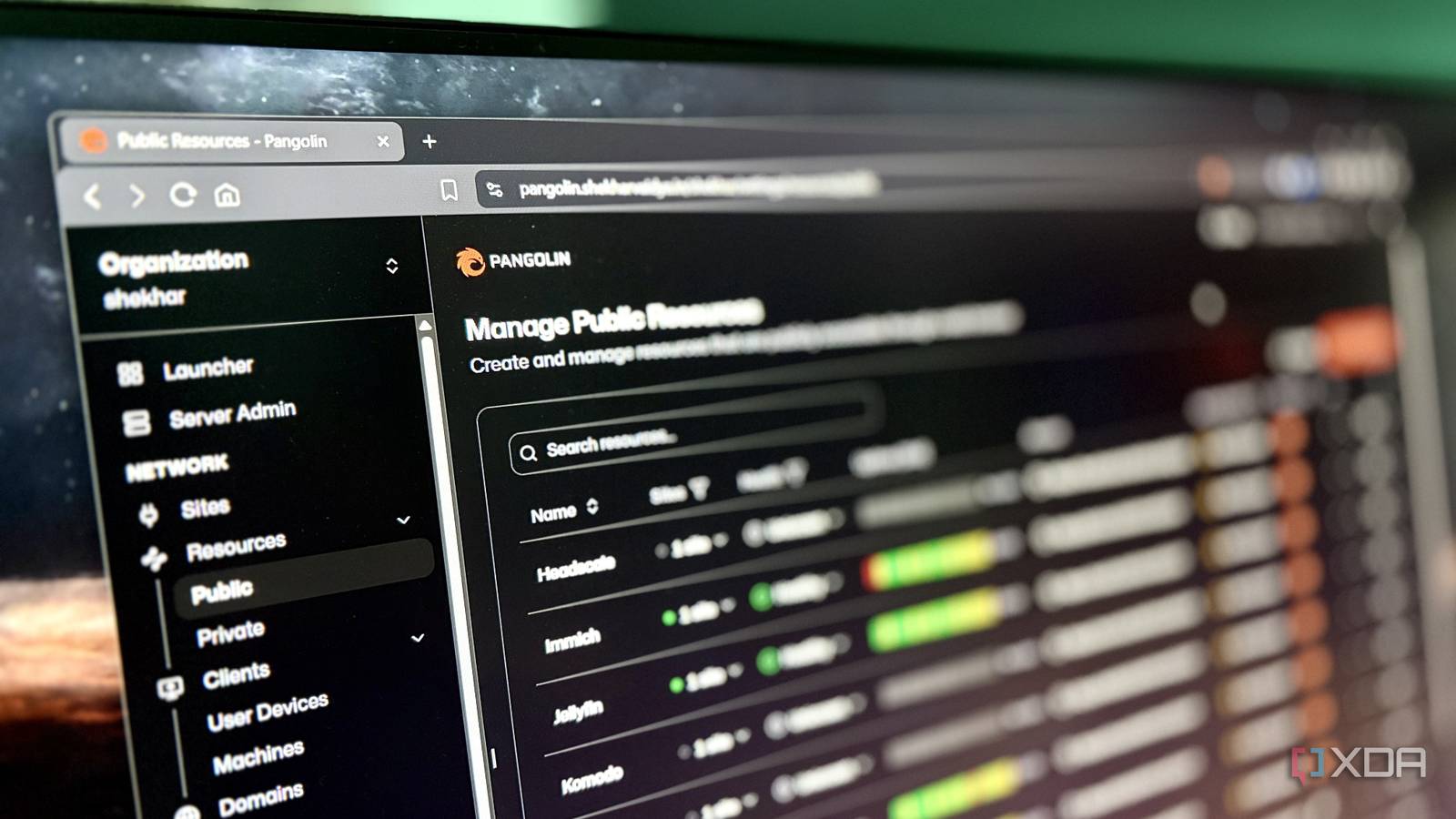
Published Sep 3, 2026, 2:01 PM EDT Shekhar Vaidya is a veteran technology journalist and computer science engineer. He is the founder of TechLatest, where he has spent years providing technical analysis on hardware and Windows ecosystems. Now a Computing Writer at XDA, Shekhar leverages his deep background in NAS, storage solutions, and PC internals to help readers master their tech. A few days ago, I was deploying something on my homelab, and I noticed that deploying that application took much more time than exposing it. The exposure step was already done before I deployed the application. It was just waiting for me to deploy the app so it had something to route to. Then I started thinking about my previous setup. I adopted Cloudflare Tunnel because my ISPs were behind CGNAT. Then CF Tunnel’s one-hostname/one-service model kept me from expanding to more complex services with multiple backends. And now, the Pangolin-Newt-Traefik setup made the whole routing decision centralized and reusable. I can add a new service in just under 30 seconds. Every Docker service used to need its own answer to "how does this get out" One reverse proxy, not twenty different plans I started my homelab journey with a nightmare. I had two ISPs, and both of them were behind CGNAT. So traditional punching a hole in the router wasn't an option for me. Like everyone, I started with Cloudflare Tunnel. It was easy, free, and low-overhead to watch. Cloudflare Tunnel solved my remote-access problem without opening any ports, but it only provided a path to my infrastructure from the outside; it never became a routing layer. After some time with the homelab, it got complex; I needed routing, not just a path. I will explain this with an example later. One hostname for one service worked as long as my services were isolated, but as my homelab grew, Tunnel could become restrictive. Tunnel isn’t the right fit for services with multiple backends, path-based routing, and different protocols handled by a single stack. I moved from CF Tunnel to Pangolin before it became a bottleneck for my homelab. I initially switched because I wanted to own the ingress path, and I was becoming too dependent on Cloudflare —Tunnel, Mesh, DoH, DNS, Pages, Workers, Domains, and more. But when my homelab expanded, I learned the real need for a full routing setup. I realized I needed something that could make routing decisions even after an outbound request reached my home network. Pangolin uses three components. Gerbil handles the WireGuard server, Traefik handles the reverse proxy, and Newt works as a tunnel client. Newt replaced Cloudflare Tunnel, and Traefik, as a reverse proxy, sat behind Newt and routed traffic to the right backend. The distinction from Cloudflare Tunnel? My previous setup could only handle one tunnel entry to one service, but after adding Pangolin to the picture, it became one tunnel to one reverse-proxy layer to many backends. Pangolin Self-hosted, open-source for exposing your own services under your own domain. Adding a route stopped, meaning editing Traefik directly The config file isn't the interface anymore Pangolin, alongside Traefik, has both perks and quirks. Let's start with the quirk and talk about the perks later. With standalone Traefik, you would assume a full Ingress Controller, Reverse Proxy, and Load Balancer setup, and you'd expect to configure it through YAML files, Docker labels, routers, and more. But since Pangolin deploys it, you don't interact with Traefik at that level. Most of that configuration is controlled by Pangolin. Before settling on this, I tried writing a router/service block into the dynamic_config.yml file as well since auto-discovery via Docker labels wasn’t available for me. One service was fine, and two were manageable, but as I added more services, it became stressful to maintain. Now, the perk: Traefik inside Pangolin works well. Pangolin's Site/Resource model made the whole handwritten router/service block obsolete. The site is where the backend lives. In my case, it is the home Debian server connected through the Newt client. The Resource is the public-facing route, usually via a domain name, that connects to a particular service on that Site. If I simplified it, the Site answered the “Where is it?" and Resource answered the “What public route should point there?” questions. Now, the easier part: with Pangolin, there is no manual Traefik YAML, router definition, or container-label config. So, in the end, Pangolin handled the configuration, and Traefik performed the actual reverse-proxy work behind the scenes. I am not saying that the complex part just magically disappeared, but Pangolin provided a simpler interface to handle it. A new service now takes about 30 seconds Fill the form, and it's live At this point, you might be thinking, I replaced an easier CF Tunnel with Pangolin; I also said it made the complex Traefik simpler with an interface. But how does it actually look? And what about the 30-second claim I made? Well, this is the payoff. The 30-second claim is 100% correct. I am assuming that the container is healthy and accessible on the local network. Now, the Pangolin magic. I open the Pangolin dashboard and go to the public resources page. I add the new resource name, public-facing hostname, and pick the appropriate Site (yes, it can handle multiple Sites, the home server, or something local to the VPS itself), and set the local IP address and port. Done. The result? The Resource becomes publicly available without touching any Traefik configuration. I don’t need to restart anything, and I don't have to maintain a separate reverse-proxy configuration. DNS was already configured when I set up Pangolin, so I don't need to worry about adding a new DNS entry or SSL. Now, back to my previous claim about Pangolin handling multiple backends under a single host. When I deployed NetBird as a Tailscale alternative, I learned the control plane helped me manage this smoothly. NetBird alone splits traffic across seven different routes via two backends. A couple of routes use paths over h2c for gRPC, and the rest use plain HTTP. Pangolin made it simple with just dropdowns and text fields. To be clear, the 30 seconds I'm claiming is for the exposure and routing setup, not the total time to deploy and configure each service. Zooming out, what changed is that the networking portion of my setup is no longer a bottleneck. Now, I only think about whether the service I am deploying would work on my 8-year-old business laptop turned homelab server and not about the exposure part. Good homelab infrastructure should make the next service boring to add. Routing became boring, and that's the win The important change wasn’t swapping one tool for another, but how that one new tool changed my whole homelab architecture. Previously, every time I added a new Docker service, I had to think about how public traffic would reach it. But Pangolin pushed that repetitive decision down to the infrastructure level, so it only needed to be set up once. In the end, the 30-second workflow isn’t a trick but the result of standardizing the interface to the reverse proxy. Everything from the tunnel and HTTPS to Traefik and routing mechanisms is already there, just waiting for a new resource to be added.
I put every Docker container behind one reverse proxy, and adding a new service takes 30 seconds
Full Article
Original Source
Read the full article at Xda-developers →KhanList aggregates and links to publicly available news content. We do not host full articles from third-party sources. Always verify important information with original sources.