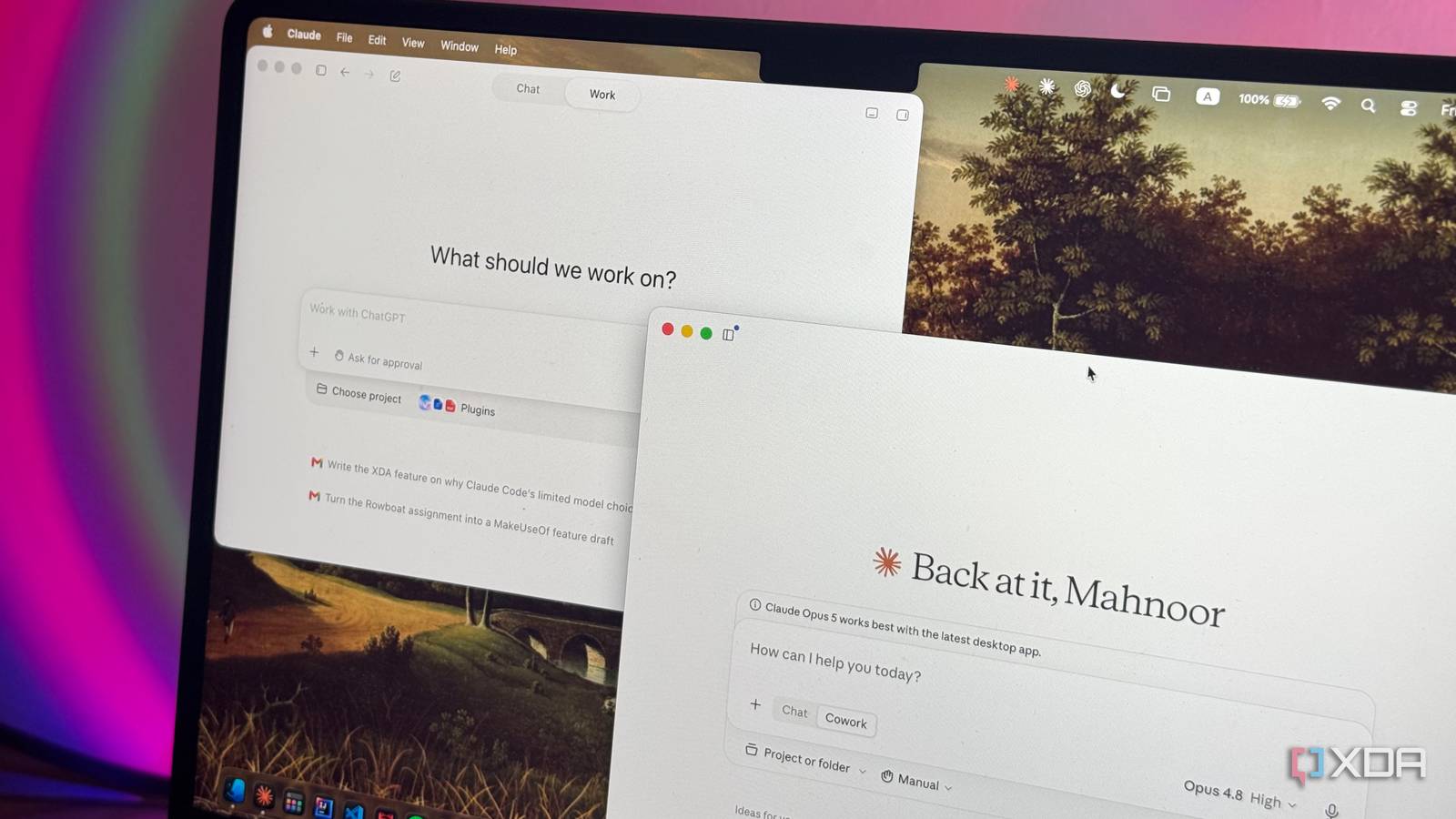
Published Jul 31, 2026, 8:00 AM EDT Mahnoor Faisal is a tech journalist covering AI and productivity tools with bylines at XDA, SlashGear, MakeUseOf, Laptop Mag, and Android Police. She's been writing professionally since she was sixteen, and has since penned hundreds of articles. This includes in-depth coverage of AI tools like NotebookLM to breaking news across the AI space. Her passion for technology started when she received her first iPod Touch (4th generation) on her 8th birthday, and she's been deep in the tech world ever since. Currently pursuing a degree in computer science, Mahnoor brings both a journalist's eye and a technical foundation to her coverage of how AI is reshaping the way we work and learn. In 2026, the Samsung vs. Apple wars have officially been replaced by a completely new one dominated by the two top names in AI right now: ChatGPT and Claude. While the former is the one that began the AI boom as we know it and was clearly the frontrunner for the longest time, Claude ended up winning over the exact users who swore by ChatGPT. A lot of factors played into that shift, including the messy OpenAI x Anthropic x Department of War saga and the fact that Anthropic was shipping features at a pace nobody else could match. It was leaning hard into the agentic stuff like Claude Code, computer use, and Cowork. Anthropic was clearly directing its efforts toward turning Claude from a chatbot into something that could actually do the work for you, and that jelled well with users. OpenAI, though it took a while, finally caught up with Codex and then ChatGPT Work, the agent it built to go head-to-head with Cowork. I decided to go hands-on with both to see which one actually deserves a spot in my workflow, and the winner wasn't who I expected... ChatGPT Work is OpenAI's answer to Claude Cowork Anthropic asked, OpenAI answered For a good while, the only "AI" the majority of users used was a chatbot you typed a question into and got an answer back from. If you wanted an email drafted, you would first head to your inbox, copy the thread, paste it into ChatGPT, ask for a reply, then copy that back into your inbox and hit send. While the LLM was technically doing the heavy lifting of the actual task here, you were still the one doing all the running around from one app to the next. As time passed, agentic AI stepped in to close that gap. If you aren't all that familiar with agentic AI, the simplest way to think about it is an assistant that goes beyond answering you and does the task for you. It enables a tool to click through apps and move files the way you otherwise would yourself. The best application of this so far has arguably been in coding, with Claude Code being one of the very first tools that let LLMs actually make changes across an entire codebase instead of just spitting out snippets to copy in yourself. As Claude Code grew, Anthropic began to notice that developers were using it for far more than just code. The AI lab found that the agentic capabilities were being used for spreadsheets, research, file wrangling, and other everyday work that had nothing to do with programming. However, the terminal-based interface did mean it was still out of reach for most non-technical users. That's when Claude Cowork came into the picture. It took Claude Code's underlying agentic architecture and wrapped it in a friendlier, no-terminal-required interface, so anyone could hand off multi-step work and let Claude carry it out across their apps and files. ChatGPT Work is OpenAI's answer to exactly that. Announced on July 9, 2026, it's pitched as an agent that can gather information across your apps and workflows to create finished materials like sheets, slides, docs, and even web apps, sticking with a complex project for hours by breaking it into smaller steps and completing them on its own. It runs on OpenAI's latest model, GPT-5.6, and has Codex technology built in. Cowork and ChatGPT Work overlap more than they differ Turns out they answered the same question On the surface, both Cowork and ChatGPT Work do the exact same thing. You give each a goal, connect them to the apps and files where your work already lives, and the agent takes it from there. Both can work for hours on their own, both run scheduled tasks in the background, and both keep going after you close your laptop. While Cowork was initially locked to the desktop app for months after its January debut, it slipped onto the web and mobile on July 7 (just two days before ChatGPT Work arrived). Ultimately, both the products ended up in the same place: usable just about everywhere, but still leaning on their desktop apps for the heavy local-file work they were built around. You can use both to do any general-purpose knowledge work you can think of, from drafting reports to building slide decks, from raw notes to data cleanup to organizing your messy desktop for you. The differences only really show up at the edges, and they mostly fall in ChatGPT Work's favor. The biggest is that Work can actually make things Cowork can't. With GPT-5.6's built-in image generation, it can produce visuals on the spot, while Claude still has no image model of its own, so anything with a visual component is ChatGPT's by default. Then there's Sites, a new feature that lets Work turn a task into a live, shareable web app that you can send around by URL and have update itself as the underlying data changes. Finally, in all my testing, I found that ChatGPT Work's overall experience is a lot smoother and more intuitive. Not only does the interface seem simpler to navigate (though nothing outright superior to Cowork's), but the agent itself just feels quicker to get moving. I noticed that the whole thing needed less hand-holding, with fewer check-ins and noticeably less time between asking and it actually starting the task. Whether it's cleaning up my messy desktop for me, doing some grunt admin work, or creating a slide deck, I've gone from concept to finished product faster with Work than I ever did with Cowork. Another thing I've noticed in my testing is that I hit ChatGPT Work's limits far less often than Claude Cowork's. This is something I've pointed out before when talking about Claude Code vs Codex, but Anthropic's habit of pooling your usage across the chat app and its agents means a heavy Cowork session can quietly eat into everything else, and I'd run into Claude's walls far sooner than anything on the OpenAI side. With ChatGPT Work, the usage is shared across Codex, Work, Workspace Agents, and ChatGPT for Excel. Chat conversations are exclusively counted separately, so burning through an hours-long Work task doesn't touch the allowance you rely on for everyday questions! One more point worth mentioning is that OpenAI has currently temporarily lifted the 5-hour session limit on Work and Codex for Plus, Pro, and Business plans, leaving just the weekly cap in place. This means, at least for now, there's even more runway before you hit a wall. You don't need to subscribe to anything to try it The biggest complaint I've had with anything new Anthropic launches has always been that it's locked behind a paywall, and often a steep one at that. You almost always need to be subscribed to the Max plan to try out the new features, so there's no way to test the waters before committing a hefty chunk of change every month. At the very least, the features end up trickling down to the $20 Pro tier, but the free plan is typically left out in the cold entirely. OpenAI thankfully takes a more generous approach here, putting a limited version of ChatGPT Work in front of free users through the desktop app. So, you can actually try the thing before deciding whether it's worth paying for!
I put ChatGPT Work up against Claude Cowork, and the winner wasn't who I expected
Full Article
Original Source
Read the full article at Xda-developers →KhanList aggregates and links to publicly available news content. We do not host full articles from third-party sources. Always verify important information with original sources.