
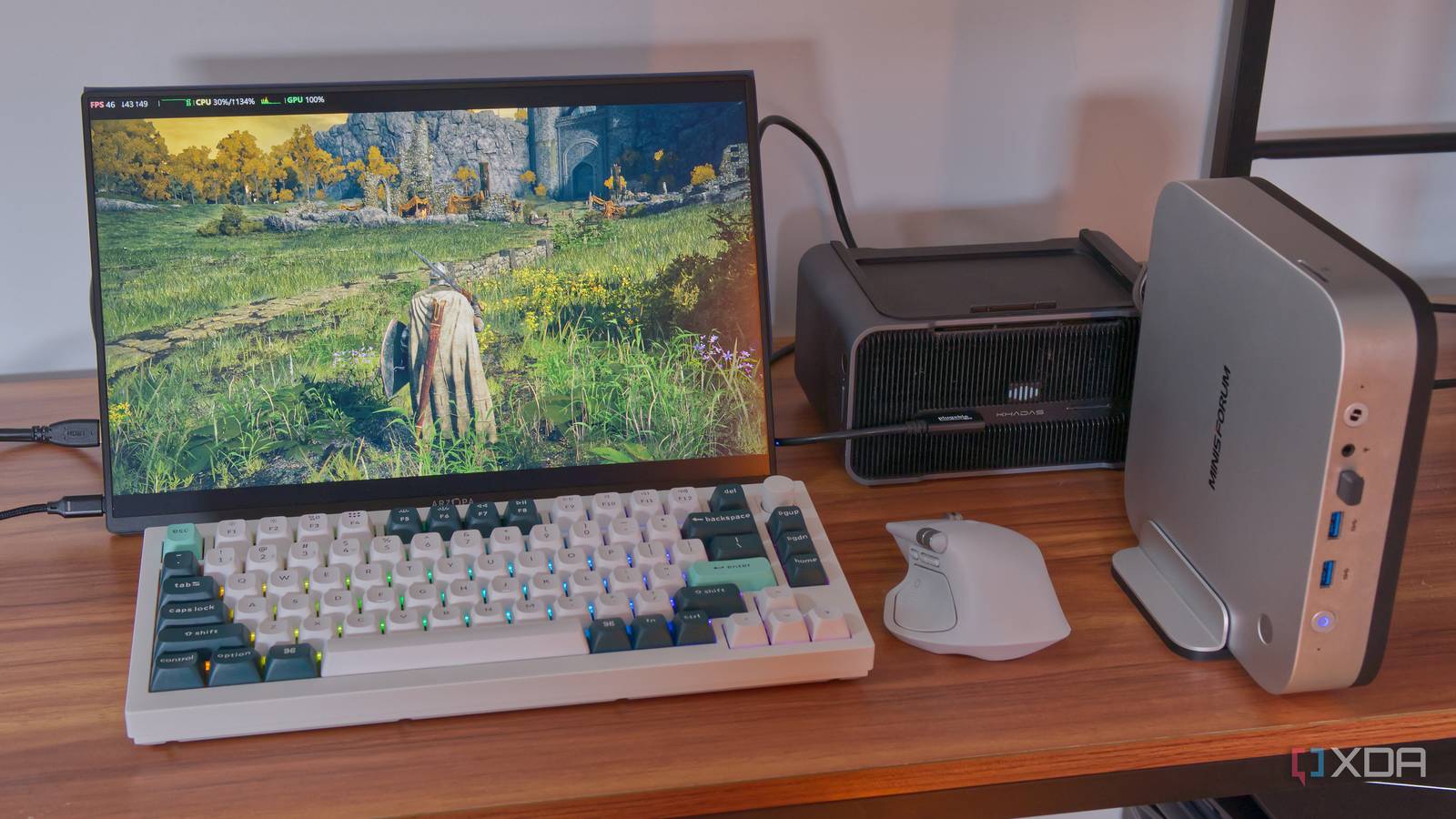
Published Aug 27, 2026, 12:00 PM EDT João has been covering the tech world for over 7 years, with a heavy focus on laptops and the Windows ecosystem. I also love all things tech and videogames, especially Nintendo, which he's always happy to talk about. Prior to joining XDA in 2021, he worked at Neowin: https://www.neowin.net/news/poster/jo%C3%A3o-carrasqueira/ When you think of a graphics card, you assume it's a (usually) big block that goes inside your PC tower, and that's how it's typically been. So when you have a mini PC, you accept that you're stuck with the integrated graphics inside the main processor. But that's not really the case anymore. External GPU enclosures and Thunderbolt have made it possible to use a graphics card that lives outside your PC, and that can be great for laptops or, in my case, mini PCs. And it can turn a tiny machine into a gaming powerhouse whenever I need it. All it takes is one cable Well, plus power, of course Connecting an external GPU to a mini PC is incredibly easy. Most of these tiny computers are already made with this scenario in mind, so they come with USB4 or Thunderbolt ports. In my case, I'm using a Minisforum X1 AI Pro and connecting a Khadas Mind Graphics external GPU enclosure, which packs an Nvidia GeForce RTX 4060 Ti graphics card, but there are plenty of options out there. Both of these devices come with USB4/Thunderbolt ports, so aside from supplying power to them, all I need to do is use a single Thunderbolt cable to connect them to each other. Because the GPU is seen as just another PCIe device, it's quickly recognized by the mini PC, and all I have to do is install the appropriate drivers, just as if the GPU was inside my computer. I'm doing this on Windows, but Linux supports external GPUs, too, so that shouldn't be a barrier, either. Any mini PC becomes a gaming rig Taking gaming to another level We live in an age where integrated graphics have become far more competent and you can enjoy a lot of games with a mini PC on its own, but an external GPU can still make a very big difference. I tried a few games in my Steam library with and without the external GPU, and the results don't lie. First, though, I did run 3DMark just to compare the scores between the integrated GPU and an external GPU. On its own, the Ryzen AI 9 HX 370 chip and its integrated GPU, scored 3,081 in Steel Nomad Light and 551 in the standard Steel Nomad. With the GPU, that Steel Nomad Light score went up to 13,127 and the standard Steel Nomad score to 2,921. That's a huge upgrade. Moving on to games, I first tested Elden Ring. I set the game to run at 2560x1600 resolution with the graphics preset set to Maximum, but with ray tracing disabled. On the integrated hardware, I achieved around 20-22FPS with GPU utilization constantly maxed out. Switching to the external GPU, framerates were somewhere between 50FPS and 60FPS. In Hellblade: Senua's Sacrifice, I played at the same resolution and highest settings, but again, with ray tracing and AMD FSR both disabled. The integrated GPU achieved around 17-20FPS, which made the game pretty hard to play at these settings. Much like with Elden Ring, using the external GPU took the frame rates to anywhere between 50FPS and 60FPS, which helped the game feel far smoother. I also noticed that the initial load for the game was significantly faster and smoother. Finally, I tried No Man's Sky, played using the Ultra preset and once again at the maximum resolution of the screen, but using the AMD FSR Balanced preset. This produced the most varying results depending on the intensity of the scene, but on integrated graphics, it mostly hovered between 20-30FPS with 100% GPU usage, though there were noticeable spikes that caused the game to stutter every now and then. This game behaved very weirdly with the GPU plugged in, though. After first launching it, it ran incredibly poorly, even worse than with just the integrated GPU. I tested another launch with the same result, but then, after changing the graphics settings to a lower setting and then changing them back to the original settings, it ran smoothly at around 60FPS. The behavior is strange and I don't fully understand it, so I can't make claims based on this one. But of course, it's not just gaming. I didn't try this for myself, but if you're interested in local AI workloads, an external GPU can be just as helpful. There are limitations But you also have options As great as this idea is, it's also worth remembering that there are some inherent limitations that come with using Thunderbolt or USB4 over a full PCIe x16 connection like what you can get on a desktop tower. Thunderbolt 4 and USB4 (version 1) only support up to 32Gbps bandwidth for PCIe devices, which is a massive step down from a native PCIe connection. Thunderbolt 5, USB4 version 2, and OCuLink can double that, but it's still not the same. There's also some latency added by the Thunderbolt controller in your PC and the GPU enclosure (this is less of a problem with OCuLink), which can affect the frame times in some instances, even when the average frame rate seems good. Still, the fact that this is possible with a single USB-C port, the same kind of connector you use to charge your phone, is very impressive. And for a computer with lower-end integrated graphics, it's still a massive performance upgrade. And for AI, things like latency are not as big of a concern since you don't need to be generating frames in fractions of a second. Plus, depending on your setup, there's some room for upgrades in different ways. If you buy a standalone desktop GPU and an enclosure that lets you swap cards easily, then you don't have to upgrade everything all at once. You can upgrade your Thunderbolt 4 GPU enclosure to a Thunderbolt 5 one for much less than a new GPU, and still get some big performance benefits out of it. You can still have that sort of modular approach desktops typically offer, just with external components. Mini PCs can be more powerful than you think Buying a mini PC can feel like a sentence, committing to a device that just won't let you play games at reasonable settings. But external GPUs and a single Thunderbolt cable can completely change that narrative. Yes, there are some limitations, and yes, the cost in the end may end up being higher than a tower PC, but it gives you flexibility to have a clearer desk when you want it, and more power when you need it. And since you can upgrade your PC, enclosure, and GPU itself separately, there's still some modularity that enables you to keep your hardware current in the long term. It's not for everyone, but it's amazing on a technological level, and it's completely viable for the right person.
I put a desktop graphics card in a mini PC with one cable, and I still don't quite believe it works
Full Article
Original Source
Read the full article at Xda-developers →KhanList aggregates and links to publicly available news content. We do not host full articles from third-party sources. Always verify important information with original sources.