
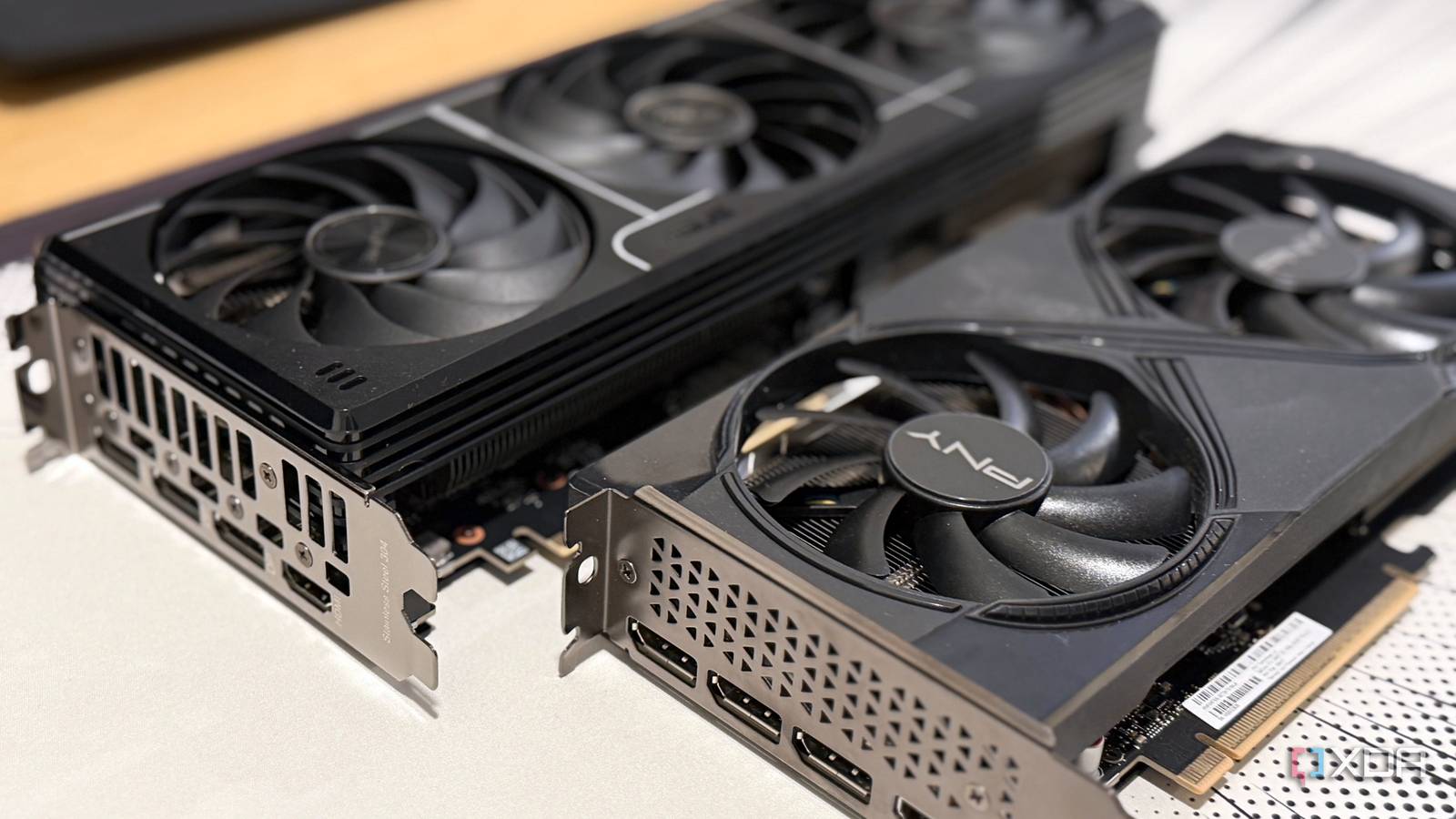
Published Nov 17, 2026, 12:00 PM EST Maker, meme-r, and unabashed geek, Joe has been writing about technology since starting his career in 2018 at KnowTechie. He's covered everything from Apple to apps and crowdfunding and loves getting to the bottom of complicated topics. In that time, he's also written for SlashGear and numerous corporate clients before finding his home at XDA in the spring of 2023. He was the kid who took apart every toy to see how it worked, even if it didn't exactly go back together afterward. That's given him a solid background for explaining how complex systems work together, and he promises he's gotten better at the putting things back together stage since then. Let's face it, the standard advice for running local LLMs is to buy the biggest single graphics card you can afford. Local AI is more accessible than ever, but it comes with one major GPU-sized caveat: video memory decides which models you can load at all. One card with plenty of it also avoids the hassle of splitting a model across two, and that's how I ended up with an RTX 5090 in my main PC. But you don't need an expensive GPU to run a local LLM that actually works, and two 16GB cards add up to 32GB for a lot less than one 32GB card. So, I built a test bench around an Asus Prime GeForce RTX 5060 Ti and a PNY GeForce RTX 5060 Ti OC Dual 16GB, for $1,680 in total. Then I put it up against the 5090 to see what adding a second GPU just for local AI buys you, and what it doesn't. Two 16GB cards run models that one card can't load at all A 32B model won't load on one RTX 5060 Ti, and a 70B model won't fit on a 24GB card either I tested three models in llama.cpp: Qwen3-14B and Qwen3-32B at Q4_K_M, and Llama 3.3 70B Instruct at IQ3_XXS. Every machine got the same prompts, settings, and pinned llama.cpp build. The pair ran on an Asus ROG Maximus Z890 Apex with a Core Ultra 7 270K Plus, running Ubuntu 26.04. The first version of the test bench had an Aorus Master, but the PCIe lane split for the second GPU wasn't working out, so I had to hastily swap motherboards after I'd already taken photos. The 14B runs on one card. The other two don't. On a single RTX 5060 Ti, the 32B tried to load 18,424MiB of weights onto a 16GB card and failed with a cudaMalloc out-of-memory error; vLLM said the same thing in its own words. Split across both cards, everything ran. Model File size One card Two cards, layer split Two cards, tensor split Qwen3-14B Q4_K_M 9GB 46.31 tokens/s 46.37 tokens/s 79.64 tokens/s Qwen3-32B Q4_K_M 19.8GB Out of memory 20.82 tokens/s 37.16 tokens/s Llama 3.3 70B IQ3_XXS 27.5GB Out of memory 14.95 tokens/s 26.57 tokens/s I don't have a 24GB card like a used RTX 3090 or AMD RX 7900XTX on hand, but I measured what each model used on the pair as I raised the context length. The 32B needed 23,631MiB at 16,384 tokens of context and 27,855MiB at 32,768. A 24GB card gives you roughly 24,500MiB, so it would top out around 16,000 tokens. The 70B needed 28,219MiB at just 4,096 tokens, so no 24GB card is loading it at all. Those figures flatter the pair, if anything, since each card carries some overhead a single card wouldn't. Smaller models get more room, not a longer memory Sometimes, what you think is a conclusion is really a red herring. My first sweep showed the 14B loading 131,072 tokens of context on the pair, against 32,768 on one card, and I happily thought I could use four times the context. It didn't have it. Qwen3 is trained for 40,960 tokens, and llama-server quietly caps a session there. For a model that already fits on one card, the second card adds spare room, not a longer conversation. Asus Prime GeForce RTX 5060 Ti Memory Clock Speed 1750MHz Architecture Blackwell Process 5nm Shader Units 4608 Ray Accelerators/Cores 36 AI Accelerators/Cores 144 The Asus Prime GeForce RTX 5060 Ti 16GB might not be a good value for gaming, but it's pretty decent for local LLMs. PNY GeForce RTX 5060 Ti OC Dual 16GB PNY's GeForce RTX 5060 Ti has 16GB of GDDR7 VRAM and all the advanced Nvidia tech you want in your PC. Splitting a model only gets faster once both cards work at the same time The default split leaves one card waiting on the other By default, llama.cpp splits a model by layers. Card one runs the first half, hands its work over, and waits while card two runs the second half. It's a relay race, not two people carrying a sofa together. You get the memory of two cards and the speed of one, and the 14B proved it: 46.31 tokens per second on one card, 46.37 split across two. The fix is tensor split, which divides each layer between both cards so they work at the same time. On my first attempt, it crashed on every model with CUDA error: unhandled cuda error (run with NCCL_DEBUG=INFO for details) I lost most of a day to that. Sharing memory between processes didn't help, and disabling peer-to-peer transfers didn't either. The culprit was the container. llama.cpp's standard CUDA image ships NCCL, the library the two cards use to talk, built for CUDA 12.8, while my driver is CUDA 13. Switching to the project's CUDA 13 image, and changing nothing else, fixed it. One container tag stood between a crash and nearly double the speed Tensor split is 1.7 to 1.8 times faster than layer split, and uses about the same memory. vLLM told the same story. The 14B ran 1.7 times faster on two cards than on one for a single user, and twice as fast when serving 32 requests at once. An Nvidia GeForce RTX 5090 is about twice as fast, but it doesn't fit much more The single card wins every speed test and ties on how much fits My comparison card is a Gigabyte GeForce RTX 5090 Windforce OC 32G in my main PC, with 96GB of RAM and an AMD Ryzen 7 9850X3D, running the same llama.cpp build under WSL2. Model Two RTX 5060 Ti (tensor split) RTX 5090 Qwen3-14B Q4_K_M 79.64 tokens/s 148.2 tokens/s Qwen3-32B Q4_K_M 37.16 tokens/s 72.0 tokens/s Llama 3.3 70B IQ3_XXS 26.57 tokens/s 45.3 tokens/s Price $1,680 $3,200 paid, $6,760 now The 5090 wins by 1.7 to 1.9 times on every model. It has 1,792GB/s of memory bandwidth to each RTX 5060 Ti's 448GB/s, and generating text is mostly a race to read the model's weights. What it doesn't do is fit much more. The 32B fit 32,768 tokens of context on both setups. The 70B fit 8,192 on both, and 16,384 sat right at the 5090's limit, where the pair couldn't load it at all. The 5090 also drives my Windows desktop, which held 2GB to 3.2GB of it at idle, while the pair's Linux desktop used about 110MiB. That's the cost of one card doing everything, so I counted it. Under WSL2, the 5090 also spilled into system RAM instead of failing when a model ran out of room, so I judged its limits by memory use and speed. Half the price, half the speed, and almost the same ceiling I paid $3,200 for the 5090, which you can't buy anymore, and the closest comparison I could find, Gigabyte's Aorus GeForce RTX 5090 Master, is $6,760 at Newegg as I write this. At the price I paid, the pair costs about 52% as much and runs at 52 to 59% of the speed, with nearly the same memory ceiling. At today's prices, it costs about a quarter as much. The second PCIe slot on your motherboard matters as much as the second GPU A one-lane slot knocked my second card offline mid-load The pair didn't start on the Apex. I first built it on a Gigabyte Z890 Aorus Master, and I was hoping to get away with it. Its second full-length slot looks like the first one, but it's wired to a single PCIe lane from the chipset. My own checking script even passed it, because it read the card's width, not the slot's. Then I loaded the 70B. The link logged 154 receiver errors, and the second card dropped off the bus mid-load. I swapped to the Apex, where both slots run at x8 from the CPU, and logged zero PCIe errors across every benchmark that followed. Speed barely changed on the one-lane slot: the 32B ran at 20.38 tokens per second there with layer split, against 20.53 on the Apex, though the CPU changed too. On that board, the narrow slot was a stability problem, not a speed one. Check the lane count before you buy the second card Find your motherboard manual's lane-sharing table before you buy, because "x16" printed on a slot doesn't mean much. On the Apex, both slots only run at x8 with two specific M.2 slots left empty; filling them drops the second slot to x4 or turns it off. Once the cards are in, nvidia-smi --query-gpu=pcie.link.width.current --format=csv shows what each one actually negotiated. Two GPUs buy you room, and one big GPU buys you speed Two RTX 5060 Ti cards don't turn into a 5090. They run at roughly half its speed and need a motherboard that can feed both. But they load the same models, hit nearly the same context limits, and run models that a single 16GB or 24GB card can't touch, for about half of what I paid for my 5090. If you already own one 16GB card and keep running into out-of-memory errors, a second one is the most practical upgrade I've tested for local AI. Just check that second slot first.
I paired two cheap 16GB GPUs instead of buying one expensive 24GB card, and the math completely changed how I run local models
Full Article
Original Source
Read the full article at Xda-developers →KhanList aggregates and links to publicly available news content. We do not host full articles from third-party sources. Always verify important information with original sources.