
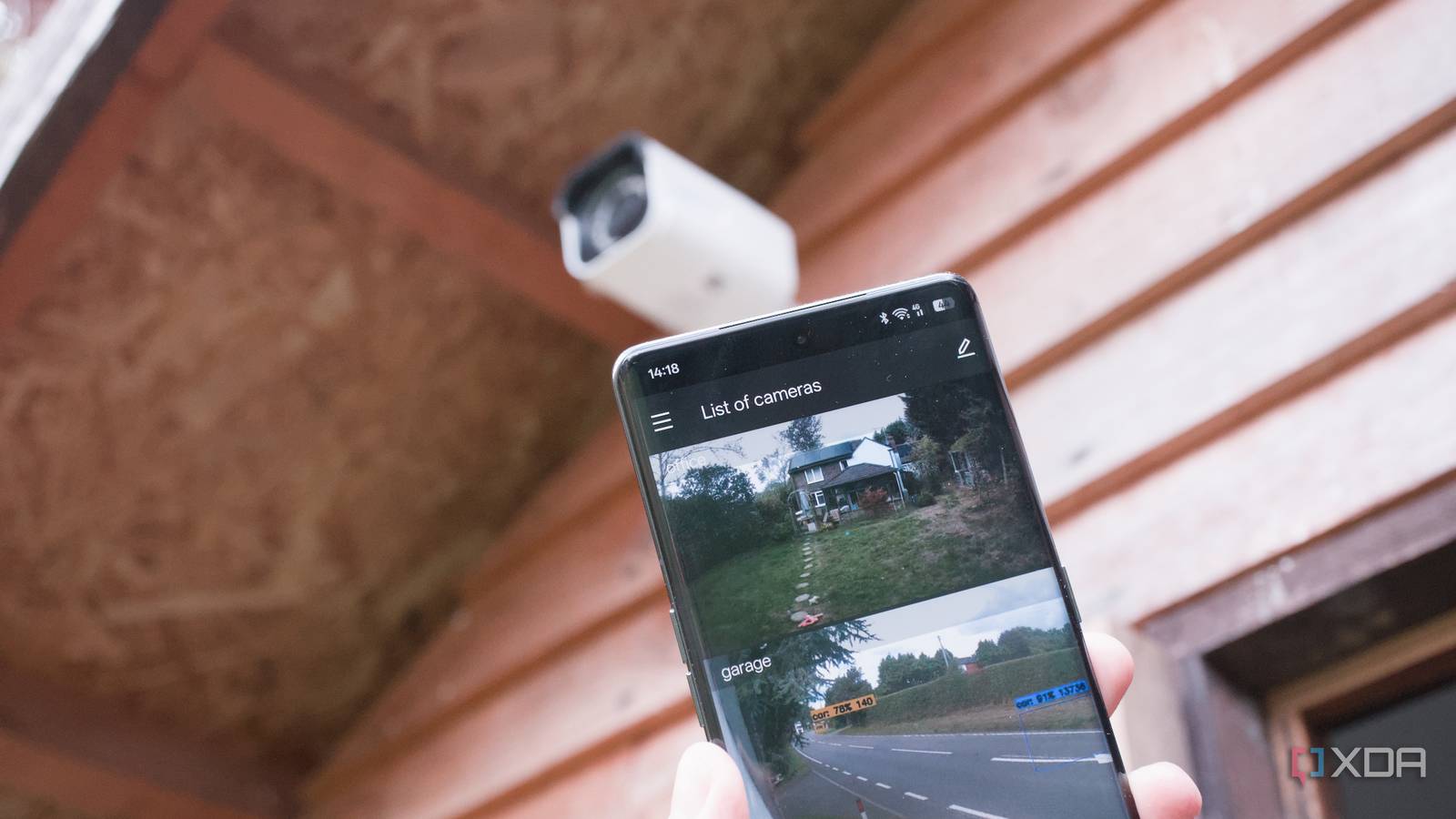
Published Sep 24, 2026, 2:30 PM EDT Jasmine is Software and PC Hardware Author at XDA with years of tech reporting experience ranging from AI chatbots right down to gaming hardware, she's covered just about everything. Whether it's breaking news about the latest AMD NPUs or creating video tutorials on social media platforms, Jasmine has contributed to the world of AI and tech in a variety of ways including interviewing the CEO of Razer, AMD's Director of Product Marketing and the VP of Lenovo. Passionate about gaming and PC technology, she has built countless computers, keyboards and other peripherals - knowing them inside and out. With mainstream subscription cameras like Ring, Nest, or Arlo, you're buying hardware in order to protect your home, but your video feeds are perpetually streamed to third-party cloud servers, compressed, and held hostage behind monthly subscription paywalls. Ditching cloud subscriptions and pulling RTSP streams directly from local PoE cameras and piping them into a self-hosted pipeline running Frigate NVR, Home Assistant, and local vision-capable AI models feels like a breakthrough. Cloud-connected security cameras trade your privacy for generic alerts. By combining local camera hardware with Home Assistant and open-source local AI, you can build a lightning-fast context-aware surveillance system that processes everything on your own network and sends rich human-like summaries straight to your phone. The open-source stack you need And they're all free There's a range of open-source architecture that you have to implement in order to replace AWS cloud servers with local compute. The first thing you need is local ingestion and object detection, and this can be done via Frigate NVR. You can bypass vendor apps entirely by capturing raw RTSP streams from local POE cameras, then use Frigate running on a local server to perform real-time bounding box object detection. This all happens locally, so your video feed never has to leave the four walls of your home. The object detection is specific enough to be able to tell the difference between people, cars, packages, and pets. The next step is having a context layer in the form of local vision models. This allows you to move beyond basic bounding boxes by integrating Home Assistant with open-source vision tools like LLM Vision or local models via Ollama. You can actually analyze snapshot frames and video clips. Essentially, this means that you can get so much more information about what's going on in your footage instead of a simple "person detected." Once you have this context layer, you can send an actionable smart notification via Home Assistant. That way, you can swap out those noisy, repetitive alerts that you get from Ring for intelligent event summaries. For example, you might get a notification that states, "A person wearing a dark jacket just dropped a package by the front pillar and walked away. Delivered straight to your mobile device by your home system automation blueprints." There are so many other benefits to local AI It can do more than just identify a person Local AI can do a lot more than motion detection. There are specific intelligence gains when you're running vision models locally. One of the first benefits is granular package and delivery detection. You can automatically distinguish between a neighbor walking their dog past your driveway and a delivery driver actually placing a box on your top step. Instead of a generic blanket notification, you can understand what's happening outside your front door so you don't waste time going to the door and opening it when you don't need to. You also get rich event summarization by leveraging local vision models to generate concise text descriptions of security events. This allows you to read a quick notification summary instead of scrubbing through 10 minutes of empty timeline footage. And lastly, you get tailored privacy masking too, as you can set up local privacy zones and object exclusion filters directly in Frigate so your cameras ignore things like public sidewalks or street traffic while strictly monitoring your property boundaries. You no longer need to be alerted every time a car drives past even though it's not on your property anyway. There are some deployment hurdles But here's how to get set up There are a lot of practical hurdles when you're tuning a local vision pipeline. Deployment comes with real-world challenges you need to overcome to make everything run smoothly. The first thing to know is that hardware acceleration demands are high. Running vision language models locally requires adequate compute, while basic object detection will run smoothly on low-power hardware using a Coral TPU. If you actually want to run a full local vision LLM, this requires a very capable mini PC, potentially with a GPU or iGPU, or a dedicated desktop graphics card. In order to keep inference latency low, you essentially need quite a powerful device to run all the software on. Another requirement is enough network bandwidth to handle all the camera streams. Managing dual-stream RTSP setups can be extremely demanding. A better setup might use substreams for continuous 24/7 motion detection to save CPU cycles, then switch to high-res mainstreams, which are saved only when an event triggers. This way you can keep your network overhead optimized. In order to get started, you need to invest in an open RTSP-compatible PoE camera that doesn't require cloud check-ins. Once you have this, deploy Frigate NVR on your local mini PC or home server, configure camera stream paths, and enable local object detection. Next, you can just hook this into Home Assistant by installing the official Frigate HACS integration and then link your local Vision AI backend like Ollama or LLM Vision. Within Home Assistant itself, you can build intelligent notification automations using blueprints to evaluate events and push rich AI-summarized notifications to your phone. You don't need to pay monthly for Ring Cloud-tethered doorbells are flawed It felt like paying a monthly subscription for a Ring doorbell was just inevitable if you wanted to ensure security for your home. But by pairing local RTSP cameras with Frigate and Home Assistant's open-source AI ecosystem, you can actually build a surveillance system that outperforms commercial alternatives when it comes to speed, intelligence, and privacy. It's not all peachy, with a lot of deployment issues to overcome, but once you're set and ready to go, you can actually cancel your camera subscription and pull the plug on cloud-tethered lenses. That way, your home footage stays strictly where it belongs: in your home.
I paired local cameras with Home Assistant's AI, and my footage finally stays off the cloud
Full Article
Original Source
Read the full article at Xda-developers →KhanList aggregates and links to publicly available news content. We do not host full articles from third-party sources. Always verify important information with original sources.