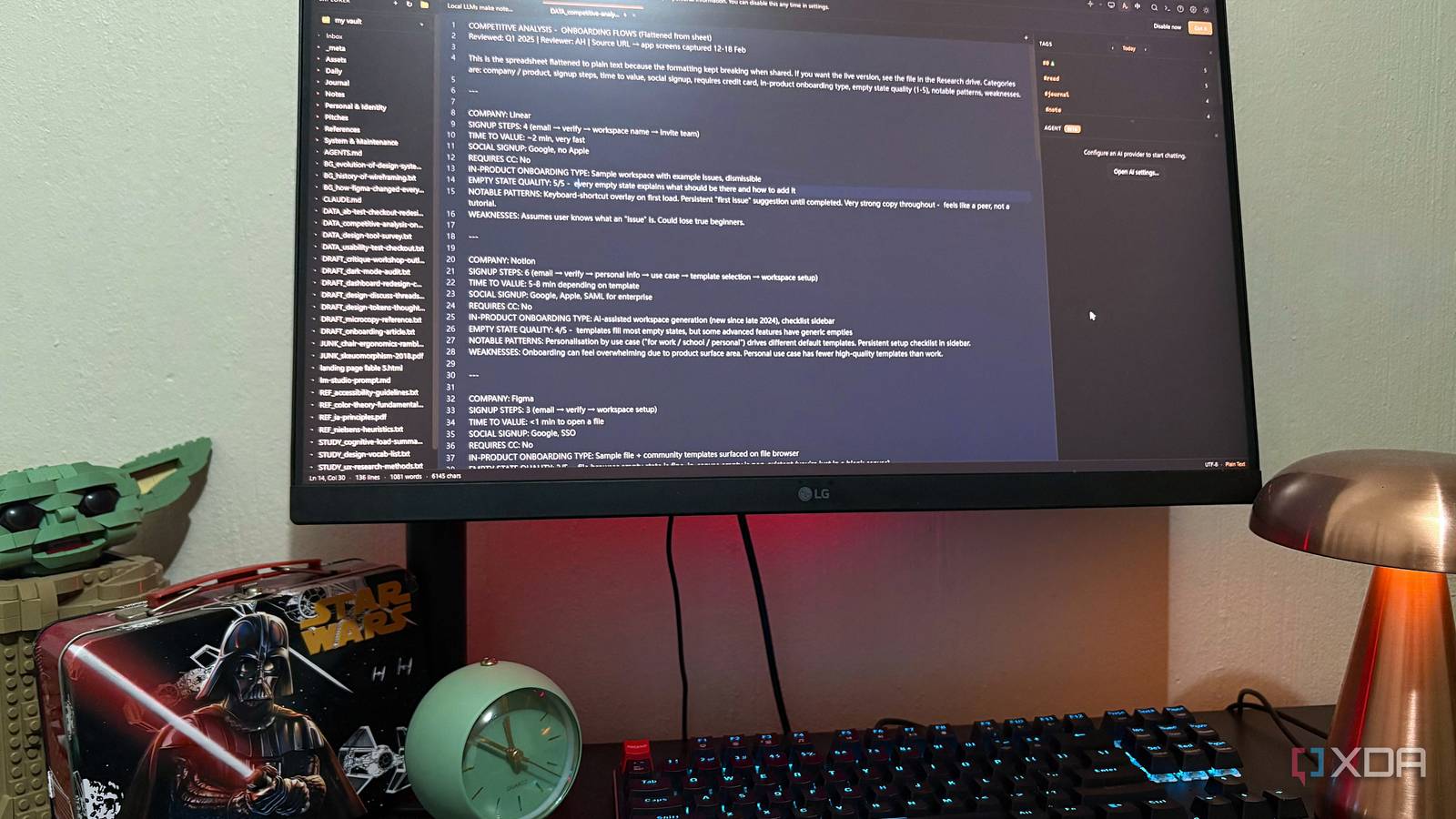
Published Aug 7, 2026, 7:00 PM EDT Nolen began their writing career in 2019, with three years dedicated to editing the Creative section at MakeUseOf. Their expertise lies at the crossroads of technology and creativity, covering areas like photography, video editing, and graphic design. Outside of work, you'll often find Nolen diving into a good book, writing their own stories, or playing video games. Obsidian is probably one of the best note-taking apps out there, but it's not open-source, which is fine, there are perfectly good reasons for that. But a part of the Obsidian user base has always wanted a properly open-source alternative, one that isn't half-finished or abandoned. So when SoloMD popped up as MIT-licensed and Markdown-native with a built-in AI panel, it seemed worth a look. What it turned out to be was a Markdown editor that opens an Obsidian vault as-is without an import setup, and then it also handles a bunch of functions you'd only assume Obsidian can. If you're one of the Obsidian users who've been looking for an open-source alternative but keep being disappointed, this might just be the one… SoloMD opens my whole Obsidian vault without an import step Everything's still there I installed SoloMD via winget in about ten seconds. It was just one command and there was no signup wizard trying to sell me something. The welcome screen offered to set up an AI on first launch, which I skipped at first because I wanted to jump into the editor first. Then it asked me to open a folder, and instead of making a new one, I pointed it directly at my Obsidian vault. The whole folder tree loaded into the side panel and looked identical to how it does in Obsidian with the exact same nesting, files names, formats, and everything. My daily notes even opened with their frontmatter intact and the study notes rendered wikilinks properly. What actually matters here is that the .obsidian config folder was left alone. That folder is where Obsidian stores your entire setup - workspace layout, enabled plugins, hotkeys, themes, graph settings, etc. So if SoloMD had touched it, my Obsidian install could have come back reset or missing plugins but it didn't. Switching back was just closing one app and opening the other. Nothing about the folder itself changed. Practically, that means any Obsidian user can install SoloMD, point it at their real vault, and try it on actual notes they already care about. If it doesn't work out, uninstalling SoloMD leaves Obsidian exactly how it was. Keep in mind that changes made to your .md notes themselves will change them in the vault too, but here I'm just talking about the Obsidian config. The features you have to build or install in Obsidian are already in SoloMD The stuff I actually use is part of the app Backlinks, Outgoing Links, Tags, and Properties are Obsidian core plugins, not community ones. So they do ship with Obsidian and you toggle them on in Settings. But they're still plugins that can be disabled, reordered, swapped out, or glitch. In SoloMD, all that stuff is just part of the app. Opening any note showed me the backlinks pane on the right, populated from my existing wikilinks without any extra setup step or reindexing prompt. The tags pane read my YAML frontmatter tags and grouped notes under them automatically. The Properties inspector opened with a keyboard shortcut and let me edit YAML fields with proper type pickers, which I actually think is nicer than the way Obsidian handles it; the pickers are more opinionated and the writes are line-surgical, so my inline comments and array formatting don't get reshuffled. Wikilinks also resolve on the first load. Split view is a button in the toolbar instead of a hotkey to remember. The command palette also has everything you'd need like search, view, and every file action in one place. The whole interface feels very considered rather than assembled. There are two things I couldn't find: Bases and Canvas. These are things SoloMD intentionally doesn't ship with. So if you're querying your notes as a database, that's still Obsidian's turf. SoloMD has typed relationships and saved filtered views, which cover some of the ground though. The AI is the bonus It even works with local models SoloMD's AI panel is BYOK with 14 providers listed, and because the OpenAI option lets you swap the base URL, I pointed it at my local LM Studio server. Setup was one URL change and a fake API key. LM Studio doesn't check the key, and SoloMD only checks that the field isn't empty. And it was hooked up to my local Qwen model in seconds. There are a couple of ways to utilize the AI in SoloMD. Rewrite is an interesting one - you select the text and it opens a diff view with the original on the left, the proposed rewrite on the right, and Accept, Reject, and Re-roll buttons at the bottom. That's a UI pattern every AI writing tool should have if it's going to be in a notes editor. Then there's also the agent, which is just the AI in the sidebar panel that lets you interact with your notes and files. It's nothing special but neither is Obsidian's Copilot plugin, just a regular chat-with-your-notes feature. One small hitch worth mentioning - the model picker only shows the provider's official catalog, so when I pointed it at LM Studio, the dropdown listed OpenAI models like gpt-5.5 and I couldn't type in my local model name. LM Studio routes to whatever's currently loaded, so it still works, but you have no in-app confirmation of which model actually answered. Using an Obsidian alternative with the same vault There are things SoloMD doesn't replace. Bases and Canvas are probably the big ones for me. The community themes ecosystem is thin too, and mobile is iPad-only right now. But I came out of this having not moved my vault, and having realized how much of my Obsidian setup was constant passive work I'd forgotten I did. SoloMD ships the whole version of that setup where someone thought about it upfront. SoloMD
I opened my Obsidian vault in this open-source alternative, and it does what Obsidian needs three plugins for
Full Article
Original Source
Read the full article at Xda-developers →KhanList aggregates and links to publicly available news content. We do not host full articles from third-party sources. Always verify important information with original sources.