
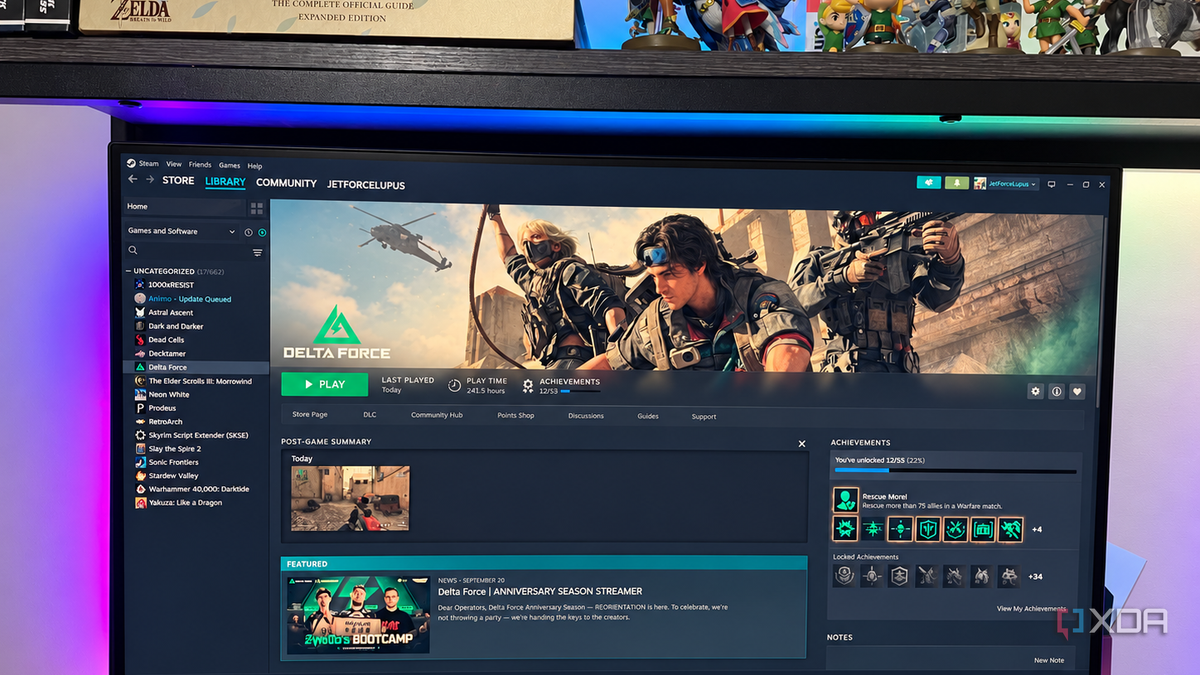
Published Oct 5, 2026, 6:00 AM EDT Patrick is a seasoned writer with more than a decade of experience, specializing in any and all things tech. His work has been featured on platforms like CNET, Yahoo, Xfinity, and many other outlets. When not typing away, he can be found with his nose in a book. When I built my PC, I figured a 500GB SSD would be enough. After all, how many games was I actually going to have installed at once? That was a mistake. 500GB is nowhere near enough storage, especially when some games take as much as 226GB on their own (I'm looking at you, Delta Force). I could get my hands on a cheap SSD with a lot more space than an internal SSD, and for a lot less money, too. I gave it a try, and the results surprised me. I freed up my internal SSD and didn't sacrifice performance Moving a few games gave me hundreds of GB back Modern games require a huge amount of storage. Players of The Sims know this, especially if they have all the expansions installed. Of course, most players want to maximize performance, and there's an idea that playing games from an external SSD will result in poor performance. I believed that, too, especially for games that need fast performance times like FPS or fighters. But I've been playing the majority of my games off the external drive, and I haven't noticed any dip in performance. Right now, I have 13 games installed on that external drive, and they are all just as responsive as anything on my internal drive. Even games that demand fast reaction speeds like Dead Cells are snappy. As much as I'd like to, I can't blame my repeated defeats on anything except my own lack of skill. Best of all, I could easily transfer my games from one drive to another. Steam makes that easy with internal tools, and it was significantly faster than if I'd tried to redownload the games. I now have a portable game library An external Steam library is surprisingly convenient With 99% of my games installed on this external drive, I can easily move them to another PC. It's as simple as logging into my Steam account, pointing it at the SSD, and I'm off to the races. That's great for going to LAN events, or just for testing things on another machine in your home. I've used my SSD to test a game my wife wanted to play on her PC against my own when the technical requirements didn't give me a clear answer. It also makes my game library easier to organize. The most commonly played titles (or any that demand the fastest possible speeds) remain on my internal SSD, while everything else goes on the external drive. And if it's a title where longer load times don't bother me, like a turn-based RPG, then I don't hesitate to download it to the external. An external SSD is a cheap way to expand your storage Don't pay NVMe prices for games that don't need them Internal drives cost quite a bit more than external drives, but not without reason. Many internal NVMe drives offer speeds far beyond what an external drive can provide, but I haven't run into any bottlenecks as long as it's connected via USB 3. USB 2.0 ports are too slow to be effective. With that in mind, it's a much more budget-friendly option to invest in a 5TB SSD rather than dropping $250+ for a 1TB internal drive. For many of the games I play, I don't need optimized speed. While a game might technically load faster from an NVMe drive, most of the titles I play don't demand that level of performance. Those few seconds wouldn't make a difference. With an external drive installed, I treat my internal SSD like premium storage. My most important apps and most-played games go there, but anything I don't use regularly gets relegated to my external drive. But even a great external SSD isn't a total replacement for an internal drive Some games can still expose the difference Using an external SSD has several downsides. The most obvious in many cases is speed, but one that's often overlooked is connection reliability. If the cable is pulled free, you lose access to everything on the drive. And if that happens in the middle of a game, you lose progress or risk corrupting data. It's a lot more likely I'll accidentally tug out a cable on the outside of my PC than it is that I'd disconnect an internal drive. There's also something else I should be transparent about: my PC is dated. I'm still using a GTX 1070 and a six-year-old CPU and motherboard. Someone playing Cyberpunk 2077 with the settings cranked all the way up might see performance differences from an external drive that I can't. The real-world difference matters to me more than the benchmarks I know the math supports using a larger internal SSD, but the fact is, I can't tell a functional difference. I'd rather have the money in my pocket and use it towards a more meaningful upgrade (like putting this GPU out of its misery) that will have a more immediate impact on my experience.
I moved my Steam library to a cheap external SSD, and load times barely changed
Full Article
Original Source
Read the full article at Xda-developers →KhanList aggregates and links to publicly available news content. We do not host full articles from third-party sources. Always verify important information with original sources.