
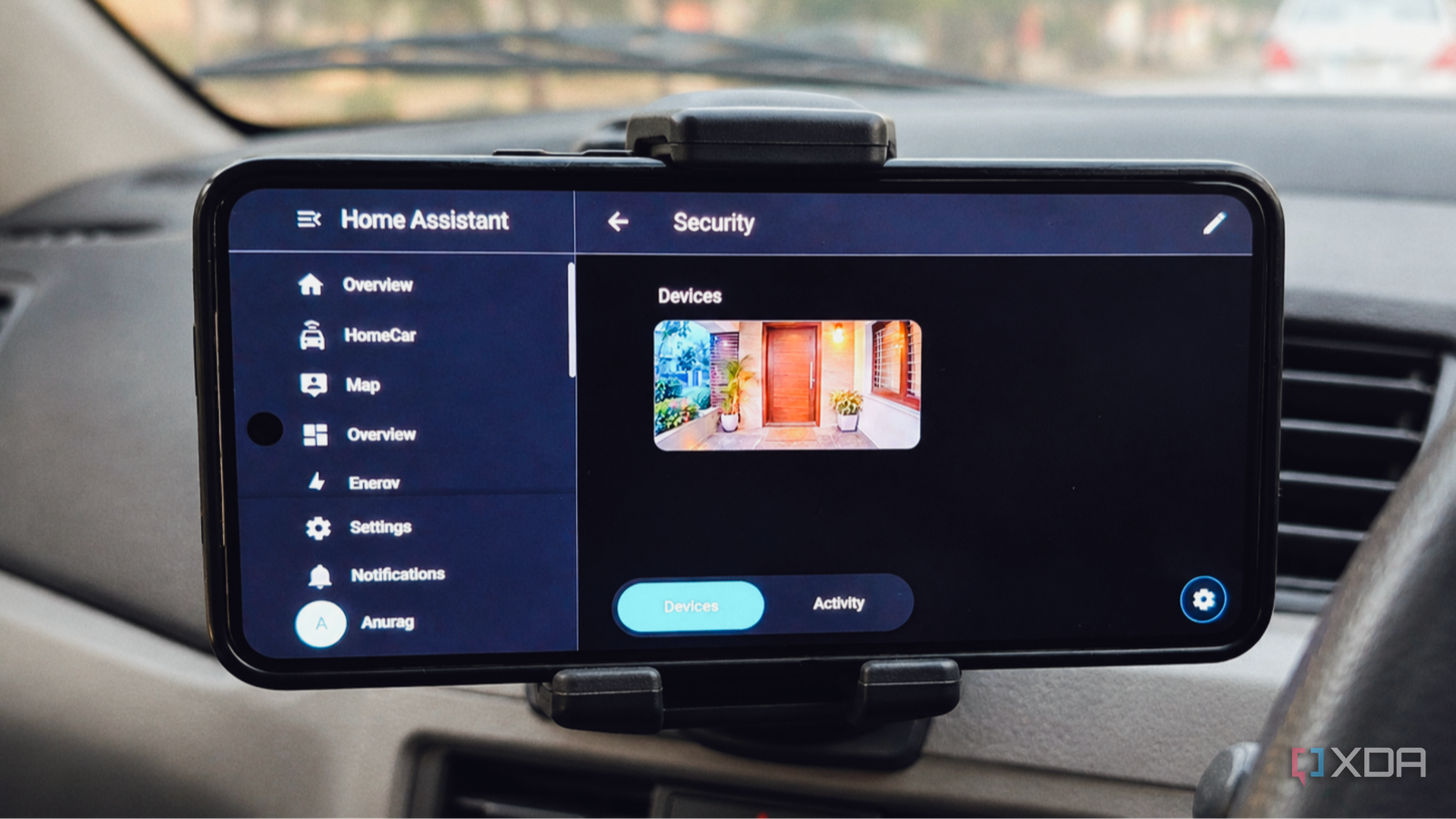
Published Nov 15, 2026, 12:00 PM EST Anurag is an experienced journalist and author who’s been covering tech for the past 5 years, with a focus on Windows, Android, and Apple. He’s written for sites like Android Police, Neowin, Dexerto, and MakeTechEasier. Anurag’s always pumped about tech and loves getting his hands on the latest gadgets. When he's not procrastinating, you’ll probably find him catching the newest movies in theaters or scrolling through Twitter from his bed. I've been using Android Auto for years, and although it's great for navigation, music, and a few other things, there's still a lot it won't let me do. Google has strict restrictions on which apps can run on Android Auto, and even supported apps often have limited functionality compared to their regular Android versions. I’ve been wondering whether I could get around some of these limitations without modifying Android Auto itself. I had an old Android phone lying around, so I mounted it next to my car's infotainment screen and turned it into a dedicated second display. Now, Android Auto handles navigation and music as usual, and the second phone gives me access to things like live vehicle diagnostics, detailed weather information, and a custom dashboard. Android Auto still can't show me everything I want A second screen fills the gaps One of my biggest frustrations with Android Auto is that you're limited to the apps Google allows on the platform. Even if you have an app installed on your phone, that doesn't mean you can use it on your car's infotainment screen. Developers need to build an Android Auto-compatible interface, and Google restricts the types of applications and features that can be made available. These restrictions make sense from a safety perspective, but they also mean you can't use your infotainment screen like a regular Android device. For example, I wanted access to more detailed information about my car, a proper weather radar, and a few custom dashboards that I could leave running without interfering with navigation. Android Auto doesn't offer the same flexibility as a regular Android phone, and constantly switching between supported apps isn't a particularly good solution either. That's where the idea of having a second screen came from. I had purchased a used Samsung Galaxy S21 FE from a friend, and I figured it would make a pretty good companion display for my car. The phone is still plenty powerful, has a great AMOLED screen, and can run practically any Android app I need. Rather than trying to get unsupported applications working on Android Auto, I could simply run them on the S21 FE. Setting up the second screen was surprisingly easy A phone mount and a few tweaks Credit: I mounted the Galaxy S21 FE next to my car's infotainment display, positioning it so that it wouldn't obstruct the windshield or any of the controls. There's no complicated software setup involved since the phone runs regular Android apps and doesn't need to communicate with the head unit. The phone needs a consistent power source, especially if you're keeping the display on for longer drives. Android has a Stay awake option under Developer options that prevents the screen from turning off when the device is charging. For internet connectivity, you can use your primary phone's hotspot or install a separate SIM card. I'd recommend the latter if you plan to use the phone regularly, since it also means you won't have to keep your primary phone's hotspot running. Samsung's Modes and Routines is useful here as well. You can configure routines based on Bluetooth connections and charging status to adjust settings automatically when you get into the car. I also recommend keeping the home screen simple, with shortcuts or widgets for the apps you'll actually use. One thing worth considering is heat. Most smartphones have an AMOLED display, and keeping it running at high brightness under direct sunlight isn't ideal. I use adaptive brightness and avoid leaving the phone exposed when the car is parked. A static dashboard can also cause uneven OLED wear over time, so it's worth occasionally turning the display off rather than leaving it running unnecessarily. There's quite a lot I can do with the second screen From vehicle diagnostics to weather radar One of the more interesting apps I've been experimenting with is Car Scanner ELM OBD2. With a compatible Bluetooth OBD-II adapter plugged into your car's diagnostic port, the app can display live information from the vehicle's sensors. This includes engine RPM, coolant temperature, fuel consumption data, and other readings depending on what your car supports. You can also create a custom dashboard with gauges for the parameters you want to monitor. I've also been using Windy for weather information. Unlike the simple weather forecasts you get through most Android Auto apps, Windy provides detailed precipitation radar, satellite imagery, wind maps, and forecasts from multiple weather models. I find this especially useful on longer journeys, when I can check how the weather is developing along my route during a stop. Another application I've added is Home Assistant. Since I already use it to manage my smart home, I can pull up a custom dashboard showing my security cameras, whether my front door is locked, and the status of various devices. I can also control my lights or trigger automations before getting out of the car. Two screens are better than one For most everyday drives, I keep things simple with a few useful widgets and shortcuts, but having the option to run practically any Android app makes the setup more useful.
I mounted an old phone in my car as a second screen, and it shows everything Android Auto won't
Full Article
Original Source
Read the full article at Xda-developers →KhanList aggregates and links to publicly available news content. We do not host full articles from third-party sources. Always verify important information with original sources.