
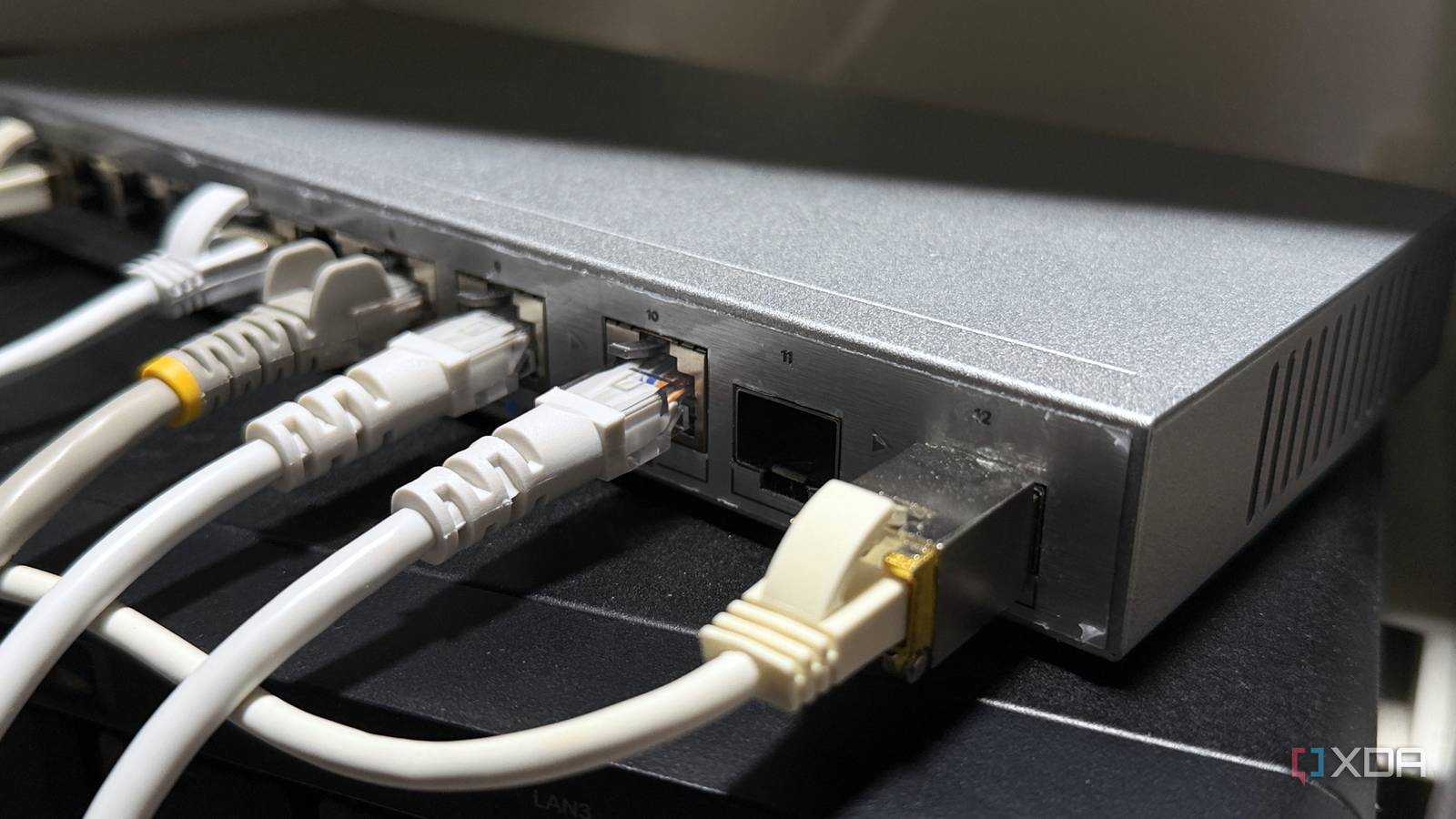
Published Nov 16, 2026, 1:00 PM EST Maker, meme-r, and unabashed geek, Joe has been writing about technology since starting his career in 2018 at KnowTechie. He's covered everything from Apple to apps and crowdfunding and loves getting to the bottom of complicated topics. In that time, he's also written for SlashGear and numerous corporate clients before finding his home at XDA in the spring of 2023. He was the kid who took apart every toy to see how it worked, even if it didn't exactly go back together afterward. That's given him a solid background for explaining how complex systems work together, and he promises he's gotten better at the putting things back together stage since then. I like to think I know what's on my network. I've got a Proxmox home lab running a pile of LXCs, a Synology NAS that holds everything I care about, and a two-node Technitium DNS cluster. The thing is, DNS logs only tell you what a device asks for. They don't tell you what it does next. So I pointed a cheap managed switch at the problem, mirrored its traffic to my PC, and left Wireshark running for half an hour. A million packets later, I know which of my devices never shut up. One of them is mine. Port mirroring is a wiretap you're allowed to use And a cheap managed switch already has one Port mirroring (Cisco calls it SPAN) tells a switch to copy every frame on one port and send the duplicate out another. Plug a PC into that second port, open Wireshark, and you're watching the traffic without sitting in its path. The devices have no idea. My switch is a Zyxel XGS1210-12, a $120 web-managed box with two SFP+ ports. My desktop PC, Proxmox node, NAS, TCL TV, and Eufy HomeBase are all wired into it. I mirrored the link to my router to the link going to my desktop PC, and started up Wireshark. Anything crossing between my wired gear and the router gets copied to the PC. My first attempt lasted 161 seconds. In that time, 1.32GB of the capture was a single MacBook backing up to the Time Machine container on my Proxmox node. Great news for my backups, useless for this. Once it finished, I started again and let it run for 30 minutes. What Result Duration 30 minutes (1,799 seconds) Frames captured 1,028,250 (including duplicates, more on that later) Data captured 943MB Devices on the LAN (pre-capture ARP sweep) 42 IP addresses, 38 unique MAC addresses TV state TCL TV on, wired Desktop PC Untouched, with browser windows, Discord, and idle game launchers open One warning before the numbers. My desktop PC was on the mirror port and also using the network, so much of what it sent showed up twice: once as itself, and again about 30 microseconds later as the switch's copy of the uplink. Most broadcasts doubled the same way. My first pass at the numbers counted a lot of the PC's traffic twice. Wireshark's duplicate stripper, editcap, removed 174,736 copies but missed the PC's outgoing packets entirely. Windows hands Wireshark those before the network card fills in their checksums, so they never match the switch's finished copy. The clean fix is a capture machine that's doing nothing else. The PC was the loudest thing on the network And I wasn't even touching it I expected the TV to top the chart. Instead, my desktop PC made about 2,000 DNS lookups for 309 different domains in half an hour. I wasn't using it. A few browser windows, Discord, and some game launchers sat idle the whole time, and that was enough. Four separate Microsoft telemetry endpoints showed up, alongside Grammarly's logging hosts, 1Password's telemetry service, and Sentry error reporting. The weird one was GOG Galaxy. Its background service sent 19 messages to GOG's log servers in a 37-second burst, over UDP port 514. That's plain syslog, with no encryption at all, so Wireshark shows every line as readable text. Each message carried my PC's hostname, the Galaxy client version, and a numeric ID tied to my GOG account. The log lines themselves covered the service restarting after a missed heartbeat, an OpenID sign-in, and subscriptions to my chat, presence, gameplay, and library feeds. Three times, it logged "Found refresh token" followed by the first five characters of that token. There's no password or full token, so I'd call it sloppy rather than dangerous. But it's account-linked data crossing the internet in the clear, from a launcher I wasn't even using. My TV was still noisy The TCL TV came second. It moved 80MB, mostly streaming. The interesting bit was where else it went. It looked up 44 different domains, and the single most contacted TV-side host was on-hweudc-o.api.leiniao.com, with 25 separate TLS sessions in 30 minutes. Leiniao (also sold as FFalcon) is TCL's internet-TV, content, and ads subsidiary, according to an independent teardown of TCL's Android TV software. I counted 11 different leiniao.com subdomains, plus TCL account, launcher, and registration hosts. The same teardown describes those registration hosts as new-user stats, and Leiniao's config hosts as phoning home with the TV's device number. On top of that, the TV broadcasts a packet on UDP port 6537 to every device on my network about 690 times, roughly every 2.6 seconds. Nothing on my network answers it. It just keeps asking. I've already written about how my smart TV's outbound traffic worried me enough to give it its own rules, and this capture is the reason I'm glad I did. I expected to see some devices bypassing my DNS As for DNS, I went in expecting to catch at least one device with Google's DNS hardcoded. I filtered for DNS traffic going anywhere other than my router: dns && !(ip.dst == 192.168.4.1) && !(ipv6.dst == fd6f:bf7e:7e73:1::1) The only devices talking to outside DNS servers were my two Technitium nodes, which is their job as recursive resolvers. Everything else, including my TCL TV, asked the eero. Not one device tried to go around me. The less flattering part is that my eero answers those lookups from its own resolver, not Technitium. I tried pointing it at my cluster earlier this month, and it broke the network badly enough that I took it straight back off. So every lookup here skipped my filtering, not because a device dodged it, but because I haven't put it in their way yet. At least I know it'll work when I do. The rest of the network was quieter Nearly everything else outbound was TLS-encrypted, and the only other cleartext was boring stuff like certificate checks. But before encryption kicks in, the handshake announces the host name the device wants in the Server Name Indication field, and Wireshark shows it with one filter: tls.handshake.extensions_server_name Synology NAS: api.insight.synology.com (Active Insight, 12 lookups) and Plex's servers Home Assistant: GitHub, Nabu Casa, Airthings, and Sentry, which turned out to be crash reporting. I'd switched on the Diagnostics toggle in Home Assistant's analytics settings, so that one's on me Hue Bridge: diag.meethue.com Eufy HomeBase: P2P-VIR and P2P-CAL.anker-in.com, 56 lookups in total The HomeBase is the hub for my video doorbell, and it pinged three Amazon Web Services addresses on UDP port 32100 about once every 13 seconds each. That's a peer-to-peer relay held open around the clock so the Eufy app can reach the doorbell from anywhere. Convenient, sure, but my front door has a permanent line to someone else's servers. Not all the chatter went to the internet. The Hue Bridge sent 390 SSDP announcements in 30 minutes. My Sonos speakers advertised their model numbers and firmware build. Another Anker device sent 756 mDNS packets advertising an _anker_power service, which lines up with my Anker SOLIX home battery. And the NAS sent 2,151 Plex discovery broadcasts, more than one a second. Then there's my standalone Strix Halo box. It sent about 900 broadcasts on UDP port 13305 to the whole network, one every two seconds. That's Lemonade Server's discovery beacon, on by default, telling the whole network where to find my local LLMs. I'm not immune to this, it turns out. Setting "broadcast" to false in Lemonade's config.json shuts it up. Thirty minutes changed how I see my network Nothing went around my DNS. But the TCL TV checked in with TCL far more than I'd expect, and GOG Galaxy is sending account-linked logs in plain text. And my own Lemonade box was shouting into the void every two seconds. This capture has blind spots, too. I only see what crossed the Zyxel. Wi-Fi devices appear when they talk to something wired or broadcast, and traffic between Proxmox containers never leaves the host. It's also all metadata, so I know who my devices talked to, not what they said. And 30 minutes is a snapshot. A device that phones home once a day could easily have slipped past. If your managed switch has a mirroring option, try this yourself. It costs half an hour, and you'll never look at an idle network the same way again. Next, I want to see what my Wi-Fi devices get up to, which means capturing on the other side of the router.
I mirrored my network traffic and discovered what my devices hide from me
Full Article
Original Source
Read the full article at Xda-developers →KhanList aggregates and links to publicly available news content. We do not host full articles from third-party sources. Always verify important information with original sources.