
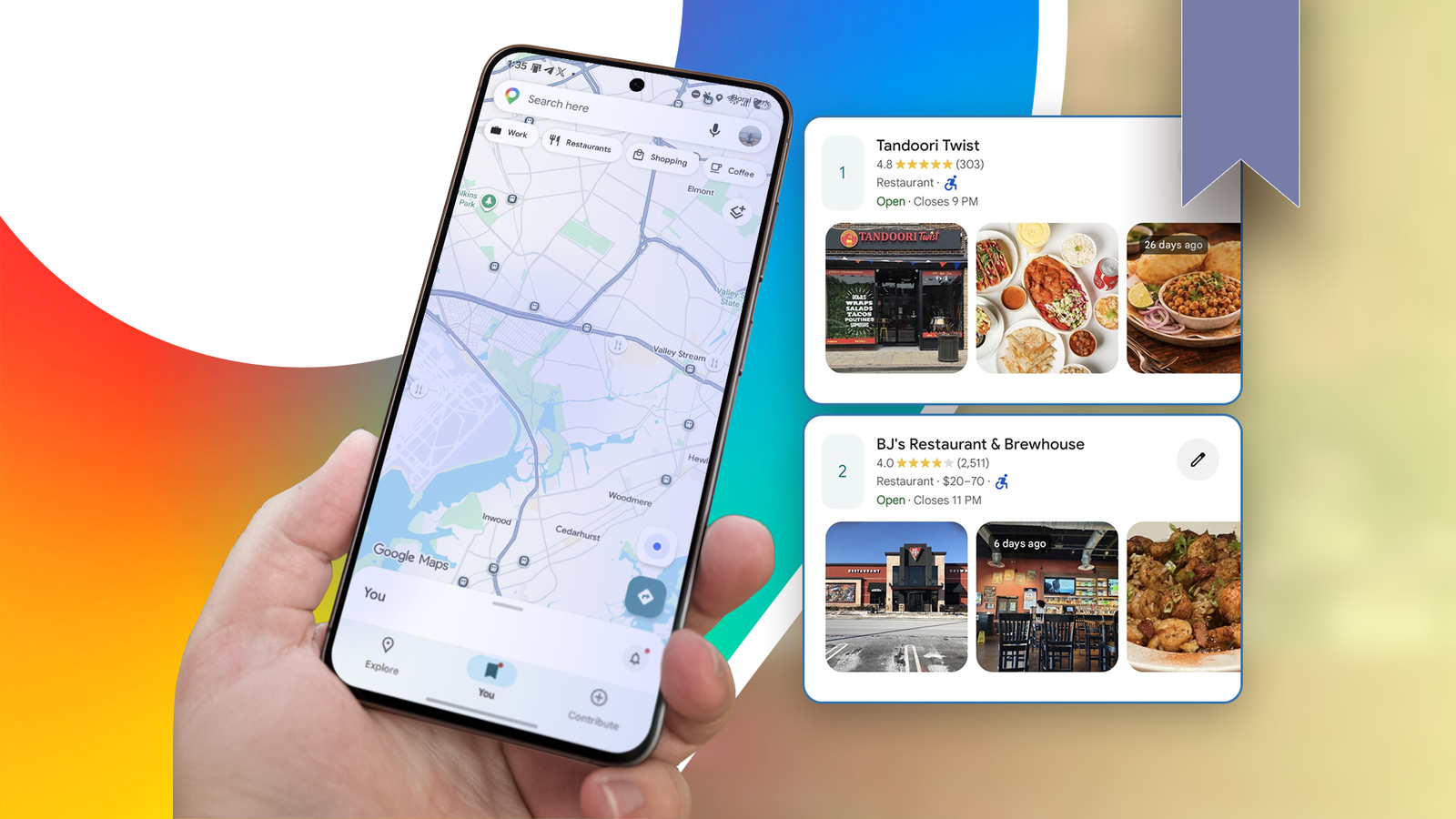
Published Sep 5, 2026, 7:00 AM EDT I cover Android with a focus on productivity, automation, and Google’s ecosystem, including Gemini and everyday apps. With a background in engineering and software development, I tend to go beyond surface-level tips and focus on how features fit into real workflows. Before joining AP, I wrote for tech publications such as Gizbot in 2023 and iJunkie (formerly known as iPhoneHacks) from 2021 to 2022. I have a terrible memory for restaurants. I can remember liking a place, but a few months later, I'll see it on Google Maps and struggle to remember what made it worth going back to. I used to save restaurants whenever I found one I liked, thinking I'd remember why I saved it later. That didn't work very well. I ended up with a growing collection of places that all looked equally good, even though my experiences with them were very different. I've since found a better way to save them in Maps, and it's made it surprisingly easy to remember which places I enjoyed and which ones I don't need to revisit. Google Maps already had everything I needed I didn't need another app to keep track of restaurants This might sound like I'm overcomplicating something that's supposed to be simple, but I used to keep a spreadsheet for places I wanted to visit. I'd add the name of the restaurant or place, whatever details I wanted to remember, a link to its Google Maps listing, and eventually my rating and thoughts after I'd visited. It worked, but it also meant jumping between my spreadsheet and Google Maps whenever I wanted to look something up. The more places I saved, the more annoying it became. The spreadsheet had my notes and ratings, while Google Maps had the actual location, reviews, photos, opening hours, directions, and everything else I needed. At some point, I realized I was maintaining a separate database for places that already had a good home in Google Maps. So, instead of keeping all that information somewhere else, I started using Google Maps' saved lists and organizing it better. Maps lets me create my own lists, save places in them, and keep a list private if I don't want anyone else to see it. This has made tracking places much easier. Everything is now attached to the place itself, rather than in a spreadsheet that I have to cross-reference. When you find a place you want to remember, open it in Google Maps and tap Save. You'll see your existing lists in the You tab in Maps. I stopped using saved places just as a wishlist I gave my saved places a purpose I used to think of my saved restaurants as one big list of places I might want to try someday. The problem was that after I visited them, they just stayed there. After a while, I had no easy way to tell which restaurants I'd already tried or whether I even liked them. I now have a list titled Want to visit, where I add restaurants I haven't tried yet. After I've been to one, I remove it from that list and add it to one of my personal categories: Visit again, Just okay, or Not worth it. That makes the list much more useful over time. Instead of having hundreds of saved restaurants staring back at me, I can separate the places I'm still curious about from the ones I've already experienced. Maps became my database After I started using separate lists for restaurants I wanted to visit and restaurants I'd already tried, I wanted an easier way to remember what I thought of each place. That's where the tags became useful. Instead of using them only as ratings, I can create tags that describe something specific about a place: Pizza, Good coffee, Brunch, Date night, Great service, Worth the drive, or Expensive. To set this up, open a saved list in Google Maps and tap Add a tag. If the Tags feature is available on your account, you can tap New tag and give it a name. Then open the list, tap the pencil icon next to a restaurant, choose Edit place, and assign the appropriate tag. When I open that list again, my tags appear at the top. If I tap Brunch, for example, Google Maps filters the list down to only the restaurants I've given that tag. I don't have to scroll through everything I've saved to find the places I liked. My notes fill in the details that a rating can't I can add details at any time A rating can tell me that I liked a restaurant, but it can't remind me why. Maybe I loved the tiramisu but wouldn't go back for a full meal. Or maybe it was expensive, but the atmosphere made it worth it for a date night. Six months later, a simple "Good" rating won't bring any of that back. That's why I also add a short note to places I've visited. It could be a note like, "Great for brunch," "Parking is difficult," or "Worth the drive." Sometimes I'll note what I ordered or something I want to try next time. To add one, open the saved place from the list, tap the pencil icon, and type your note. This way, I'm leaving myself a few breadcrumbs so that when I come across the place again months later, I don't have to rely on my memory. I started using the same idea for places that aren't restaurants The same trick works for almost any place Although I initially used this system in restaurants, I found it to be just as effective for other places I want to remember. If I visit a hotel, shop, attraction, or somewhere I discover while planning a trip, I can save it to my list and add my own reminders about the experience. I prefer doing this to leaving a Google review. Google reviews are public, and sometimes I don't want to publish an opinion because I want to remember something for myself. If I had a mediocre experience somewhere, I don't necessarily need to tell the internet about it. It also keeps everything tied to the place itself. If I want to go back, I don't have to find an old review I wrote or remember where I stored my notes. The place is already in Google Maps, along with its location and all the other information I might need. My Google Maps saved list finally became useful I started this system because I kept forgetting which restaurants I'd enjoyed. Google Maps has become my personal database for tracking locations I want to visit, recalling my thoughts about them afterward, and noting details I might otherwise forget. I've started using it for more than restaurants. And because everything is attached to the place in Maps, I don't need another app or system to keep track of it all.
I made one small change to Google Maps; now I never forget a restaurant
Full Article
Original Source
Read the full article at Androidpolice →KhanList aggregates and links to publicly available news content. We do not host full articles from third-party sources. Always verify important information with original sources.