
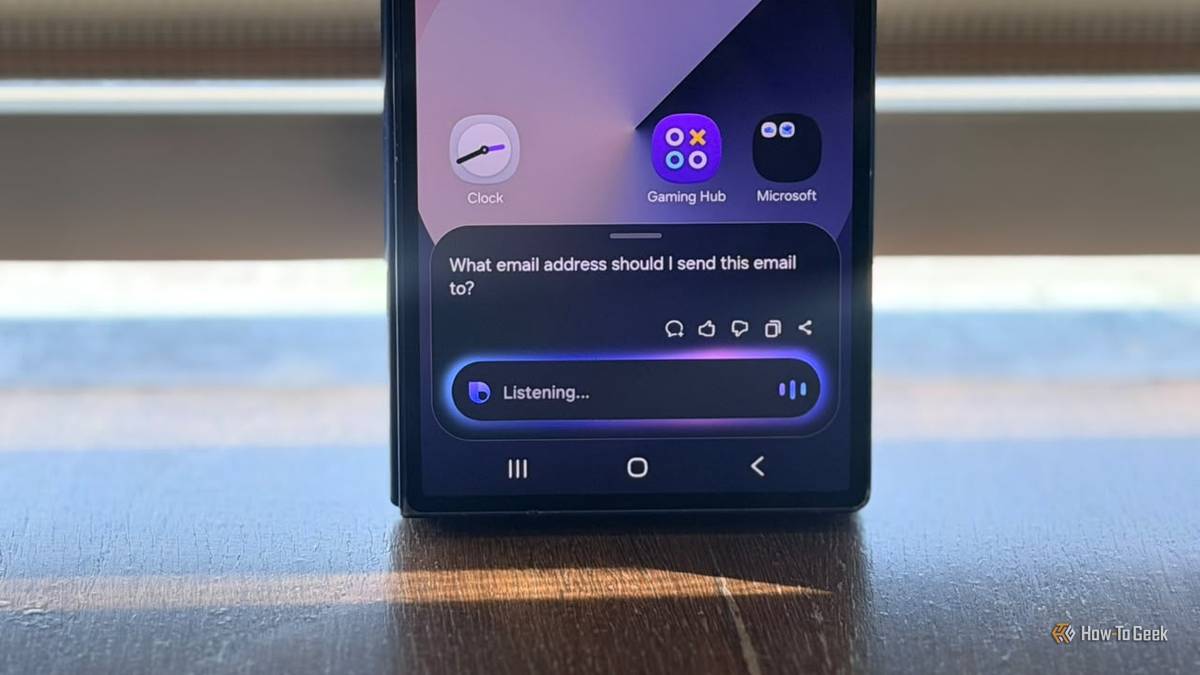
Published Nov 2, 2026, 3:00 PM EST A Computer Engineer turned tech-savvy. Sanya is part of the How to Geek team, and she covers Android, Samsung, Google, apps, and everyday technology, combining hands-on experience with thorough research. She helps readers understand technology without getting lost in technical jargon. Samsung is my baby, but I don’t feel the same way about every app that comes preinstalled on it. Bixby, Samsung Shop, Samsung News, and a few others rarely make it into my daily routine. I already have alternatives that do their jobs better, so keeping both versions feels unnecessary. Getting rid of these apps isn’t always straightforward, either. Samsung doesn’t make it easy to remove some preinstalled apps, leaving you to rely on ADB (Android Debug Bridge) commands to uninstall them. I’d rather clear out the apps I don’t use and make room for the ones I actually enjoy. Here are five replacements worth considering. Bixby never made the cut, so I switched to Gemini Google Gemini handles my everyday requests better Bixby never really became my go-to assistant. I’d ask it to do something simple, and it often struggled to understand what I meant. When I asked it to find information about a place I wanted to visit, it returned a web search instead of giving me a useful answer. Gemini handles these requests more naturally. I can explain what I need in everyday language instead of trying to remember specific commands. I also like that Gemini works with other Google services. I can ask it to create grocery lists in Google Keep or find places and get directions using Google Maps. That makes it more useful in my everyday routine. To remove Bixby, connect your phone to a computer with USB debugging enabled and run this ADB command: adb shell pm uninstall -k --user 0 com.samsung.android.bixby.agent Samsung Shop takes up space I could use better Amazon is where I actually shop Samsung Shop I don’t see much reason to keep Samsung Shop on my phone when Amazon already handles most of my online shopping. Why open another shopping app when I can compare prices, read customer reviews, and find almost anything I need on Amazon? US users also have plenty of alternatives, including Walmart and Best Buy, so Samsung Shop isn’t exactly essential. I’d rather use the shopping apps I already trust than keep another one around just because Samsung preinstalled it. Removing it is simple. Open Settings > Apps > Samsung Shop > Uninstall. Confirm your choice, and you’re done. Samsung News isn’t where I get my daily updates Google News gives me a better mix of stories Samsung News I rarely opened Samsung News because its feed never gave me enough reasons to stick around. I’d scroll through a few headlines, find nothing interesting, and switch to Google anyway. Google News gets straight to what I want. It pulls stories from multiple publishers into one feed, so I can compare coverage instead of relying on Samsung’s selection. I also get better recommendations based on the topics I follow, whether that’s Android, technology, or current events. I’d rather have one app that keeps me curious than another one collecting dust in my app drawer. To remove it, find Samsung News in the Apps section and choose Uninstall. If you want to remove the package through ADB, that’s another option. Samsung Members isn’t my first stop for help Reddit gives me answers from people who actually use these devices Credit: Bertel King / How-To Geek I rarely open Samsung Members unless I need to check something specific about my phone. When I run into a problem with my Galaxy device, Reddit is usually my first stop. I’d rather read how other Samsung users fixed the same issue than dig through support pages and generic troubleshooting steps. I also get honest opinions about One UI updates, annoying bugs, and features that don’t work as expected. That’s the kind of information I find more useful when deciding what to change on my phone. Samsung Members still has its place for official diagnostics and support, but I don’t need it sitting on my phone. You can simply uninstall the app or use ADB instead. Samsung Internet lost me to Google Chrome Chrome keeps my browsing synced across devices Samsung Internet Samsung Internet isn’t a bad browser, but I don’t see a reason to use it when Chrome already fits my workflow. I use my Google account across multiple devices, and Chrome keeps my bookmarks, passwords, browsing history, and open tabs synced without extra effort. If I look up something on my Galaxy, I can pick up where I left off on my desktop. I also prefer having my Google services and browser under one roof rather than splitting my browsing between two ecosystems. Google Chrome is just easier to use than Samsung Internet. You can simply remove it from your settings. I don’t need two apps doing the same job I don’t expect Samsung to stop bundling its own apps with Galaxy phones, but I wish it gave users more control over what stays installed. Not everyone wants the same browser, assistant, shopping service, or news feed, and there’s nothing wrong with preferring other apps. I’d rather spend some time cleaning up my phone than keep apps out of habit. Just be careful when using ADB to remove preinstalled packages, as removing the wrong one can affect features you rely on.
I love my Samsung Galaxy, but I replace these 5 preinstalled apps immediately
Full Article
Original Source
Read the full article at Howtogeek →KhanList aggregates and links to publicly available news content. We do not host full articles from third-party sources. Always verify important information with original sources.