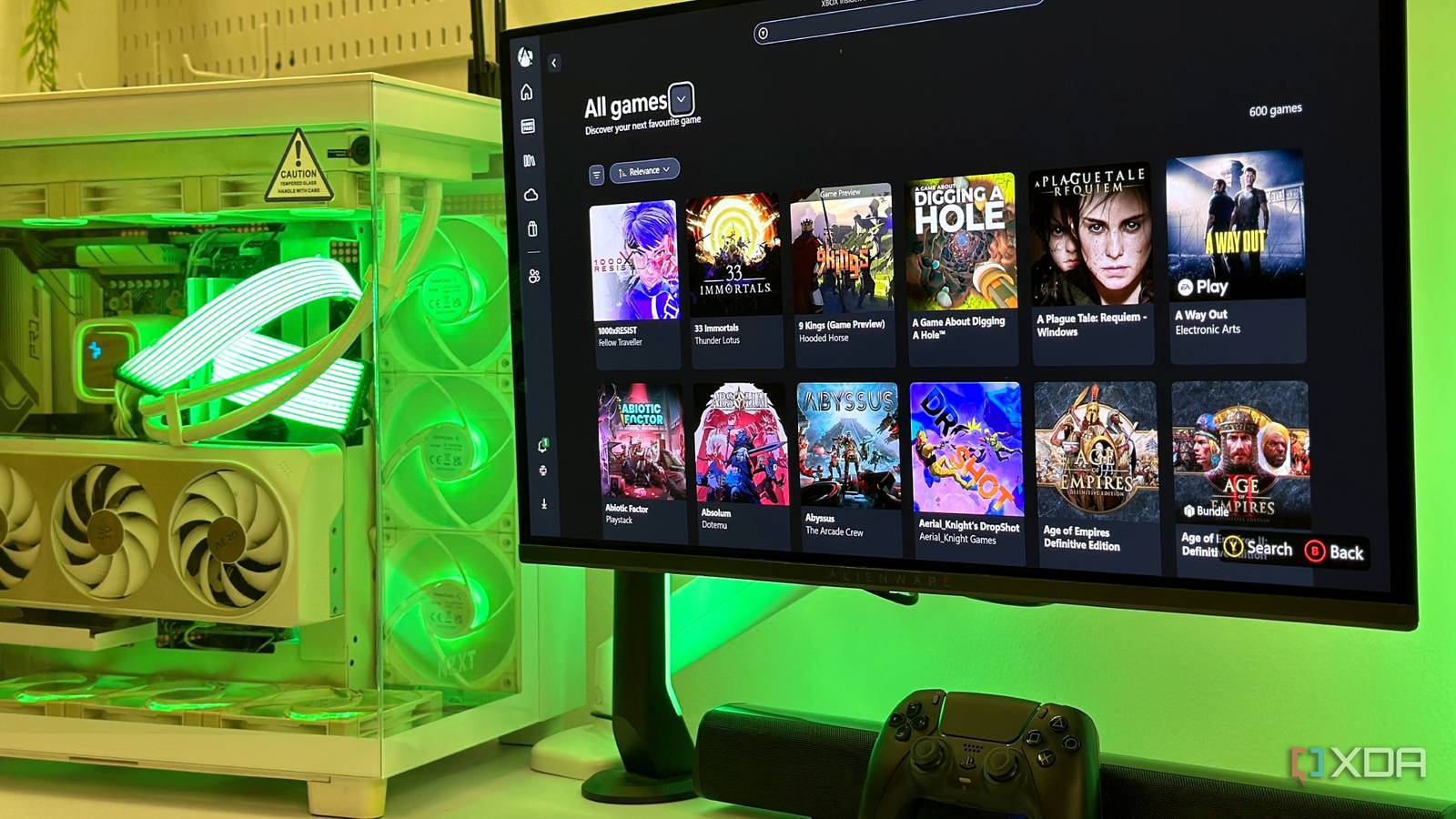
Published Aug 11, 2026, 9:00 AM EDT Gaming has been Samarveer’s greatest passion, and the Literature graduate in him takes immense joy in dissecting games for their themes, messages, and impact. Samarveer holds a deep appreciation of gaming, and considers the platform to be the most immersive and impactful across all media. He can be found engaging with gaming communities online, always ready to debate the finer points of ray tracing or itching to write an 8-page collegiate thesis on any game that impacts him emotionally. Summary I force-installed Xbox Mode to boot into a clean, controller-friendly full-screen game library. It doesn't boost FPS for an already-optimized PC, but declutters my headspace and weekend boot ritual. Rough edges—controller quirks, missing games, and second-monitor limits—yet still a promising gaming-first start. In all my years of using Windows 11, I've always tried to make Windows feel less like Windows. Microsoft's desktop OS throws enough small problems and hindrances my way that every weekend, I still press the power button only to land on the same familiar desktop, complete with pinned work apps, unread notifications, and subtle reminders that I owned a computer before I owned a gaming machine. Microsoft has been steadily rolling out the Xbox App's Full Screen Experience, crowned "Xbox Mode," and after finding a way to force-install it, I made it the default program my PC boots into. My $2000 gaming PC hasn't been moonlighting as an Xbox, but Xbox Mode has genuinely cleaned up much of the visual and sensory noise that comes with Windows 11, even if it still has a long way to go. Installing it was quick, and using it feels pretty nifty Xbox Mode cuts through the usual Windows 11 noise For anyone who hasn't yet received the official rollout for the Xbox Mode, it's pretty easy to use regardless. Just head to the Windows Store and search for "Xiyi ViveTool" in the store. This isn't the official app, but it gets the job done regardless. Opt for the free trial of the app, install it, and type 59765208 into the Feature ID input field. You can also use an elevated Command Prompt to do the same. Enable the feature, and restart your PC to find Xbox Mode available in Settings > Gaming as well as in the Xbox App. Once installed, it's pretty easy to start using the Xbox Mode. It's a simple toggle pinned on the top of the Xbox App, and clicking it immediately throws you into the Full Screen Experience, where Windows 11 cuts down all the background clutter and telemetry services, giving you something akin to Steam's Big Picture Mode. What's left then is a full-screen interface that gives you access to all your launchers, inside the Xbox App, with every control, setting, and slider being controller-friendly... on paper. Windows can boot directly into Xbox Mode I wouldn't recommend it to everyone, though Getting Xbox Mode to launch automatically was surprisingly straightforward. I used the netplwiz command to configure Windows 11 to automatically sign in to my local account. This effectively eliminated the extra step between pressing the power button and reaching the desktop. This turned out to be a pretty impressive quality-of-life tweak that makes the whole experience feel far more console-like. The next step was to head into Settings > Gaming > Xbox Mode. From there, I enabled the Enter Xbox mode on startup option, and that was it. Now, every boot lands me directly in the Full Screen Experience, skipping the desktop almost entirely and putting my game library front and center. Setting Windows 11 to auto-login is generally not safe for public, shared, or portable devices like laptops. Only do this if you are the only user on your PC at all times. Of course, since I have been using a DualSense Controller instead of an Xbox controller, I did have the added step of adding DS4Windows. It's a portable utility that tricks my PC into thinking I've connected an Xbox controller instead of the Sony device. I added it to the Task Scheduler so that it would instantly start up right alongside Xbox Mode at startup, giving me control of the Xbox Mode easily through my DualSense. Despite its own problems, Xbox Mode has fixed mine "Booting" into Xbox Mode has genuinely simplified my weekends The biggest change Xbox Mode brought to my gaming PC had absolutely nothing to do with frame rates or performance. Instead, it's changed the headspace I boot into. On weekdays, my desktop is a workspace first, and barely a gaming machine second. Even on the rare occasion that I find free time before the day ends, there are always browser tabs and Slack messages that demand attention. Booting into Xbox Mode helps my PC present me with every game I own, asking me to pick one. Come Friday, booting into Xbox Mode interrupts that entire routine. I never have to look at the traditional Windows 11 desktop which asks me what I want to do. Instead, my PC just presents me with every game I own and just asks me to pick one. That is one genuinely meaningful distinction. There isn't even a taskbar begging for a quick glance or reminding me of all the non-gaming apps that I could open. All there is, is a controller-friendly interface that makes gaming feel like the only reason I turned the PC on in the first place. That said, I still had to manually re-add a handful of my non-Steam games, which feels like unnecessary housekeeping for something that's supposed to simplify the experience. It's easy to do, but I can easily envision the day I'll boot straight into Xbox Mode, reach for a game I know is installed, and realize it never made it into the library. Xbox Mode does not help run my games faster My PC is already devoid of the usual Windows 11 clutter I've spent years stripping Windows 11 down to the essentials. Between O&O ShutUp10++, disabling unnecessary background services, cutting back telemetry, and manually tweaking startup behavior, my gaming PC was already running lean long before Xbox Mode showed up. I'd even documented many of those changes previously, so I wasn't expecting Microsoft's new interface to suddenly unlock performance I'd already squeezed out of the operating system. GeForce RTX 4070 Ti + Ryzen 5 7600X + 32GB DDR5 6000MHz | 1440p Title Windows 11 Desktop Xbox Mode Halo: Campaign Evolved 130 fps 133 fps Forza Horizon 6 154 fps 153 fps The benchmarks reflected exactly that. Across Forza Horizon 6 and Halo: Campaign Evolved, I didn't see the kind of uplift that would justify enabling Xbox Mode for performance alone. If your Windows installation is already well optimized, chances are your results will look similar. Of course, that didn't quite matter, considering the real victory here for me was the philosophical shift that the Xbox Mode gave me. I have finally stopped fighting Windows Xbox Mode has done a lot in clearing up the chaos Xbox Mode still isn't the polished, console-like experience I ultimately want it to become. I still run into problems with controller navigation, some launchers require a ton of patience to work with, and I do wish I still retained control over my second monitor instead of staring at a blank screen. By contrast, Steam's Big Picture Mode still feels a little more mature in several areas. And yet, none of those shortcomings have stopped me from keeping Xbox Mode as my default startup experience. For years now, I've been trying to solve the same problem by attacking Windows 11 one annoyance at a time. I've been manually turning off Windows background services and processes while removing other distractions to make my own desktop feel more like it's mine. Windows 11 Pro A USB installation drive and license key for Windows 11 Pro, with additional features like Hyper-V and Windows Sandbox support. The first screen matters more than you think PC gaming's biggest strength has also been its biggest weakness. The same openness that lets us customize every setting, launcher, and peripheral also makes it difficult to switch off from everything else our computers are capable of doing. If Microsoft's long-term vision is to make Windows feel more like a dedicated gaming platform without taking away the flexibility that makes PCs special, Xbox Mode is a surprisingly convincing first step. It most certainly isn't finished yet – not by a long shot – but it's got me excited for where Windows is headed.
I let Xbox Mode take over my gaming PC's startup, and it solved the Windows 11 problem I never could
Full Article
Original Source
Read the full article at Xda-developers →KhanList aggregates and links to publicly available news content. We do not host full articles from third-party sources. Always verify important information with original sources.