
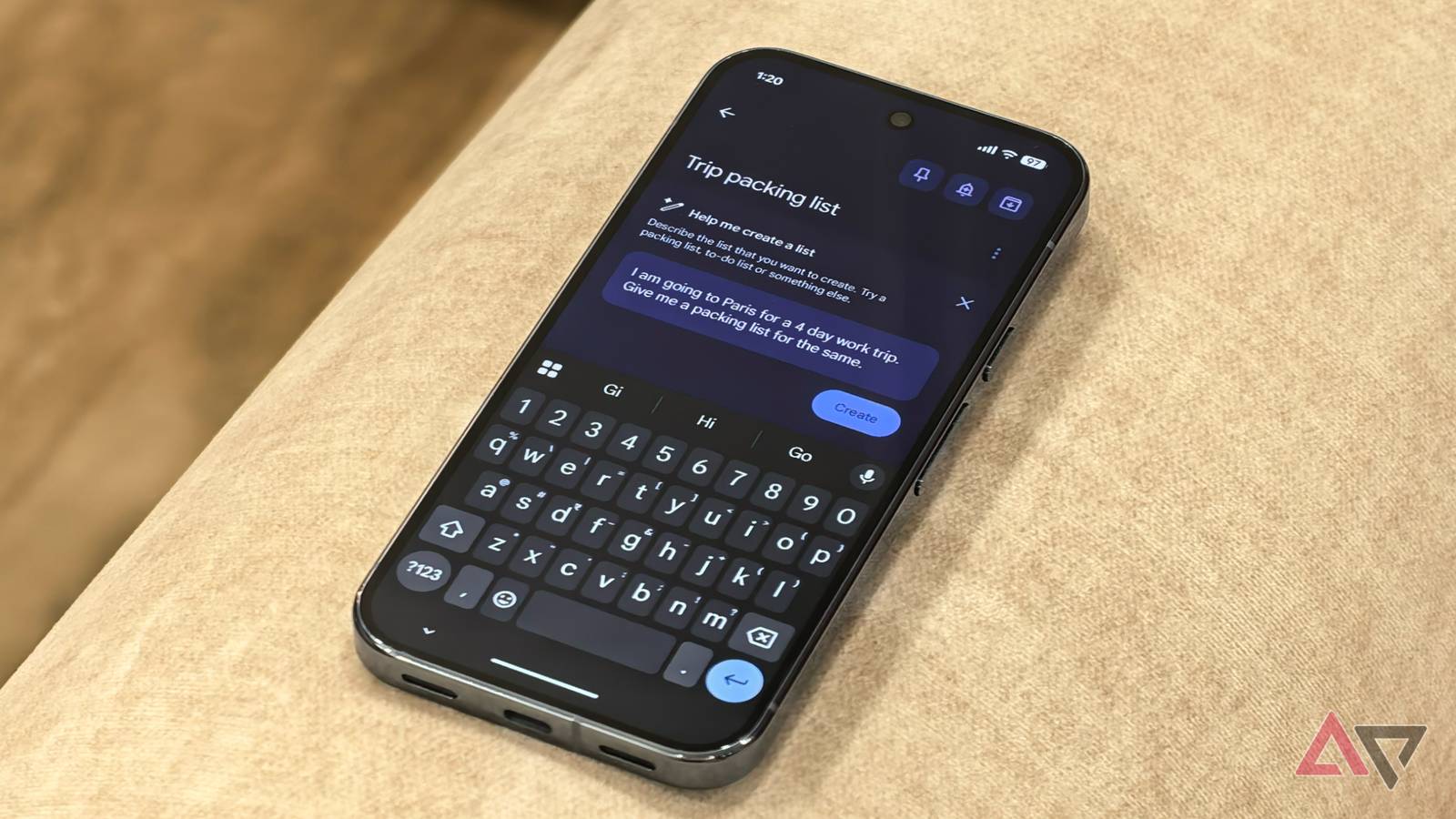
Published Aug 25, 2026, 11:00 AM EDT Parth is a technology analyst and writer specializing in the comprehensive review and feature exploration of the Android ecosystem. His work focus on productivity apps and flagship devices, particularly Google Pixel and Samsung mobile hardware and software. He provides expert guidance on productivity software, system optimization, and the advanced functionalities that allow users to maximize their device's potential. His analyses are crucial resources for readers seeking to master complex operating system features and streamline their digital workflows. When he is not busy with technical analysis and software evaluation, Parth dedicates his time to watching K-dramas, studying mobile technology trends and the role of artificial intelligence. I used to think Google Keep was a simple tool for grocery lists and quick reminders. I was wrong. By integrating Gemini into my note-taking workflow, I turned a basic app into a high-powered personal assistant. From turning chaotic brain dumps into structured outlines to creating a quick travel checklist for a summer trip to Europe, this combination has been the biggest productivity game-changer I discovered this year. Avoiding a blank page in Google Keep Gemini gives me a place to start We have all been there: Staring at a cursor in a fresh Google Keep note, knowing we need to plan a project or organize a trip. For me, that "blank page syndrome" used to be where my productivity went to die. I would open a note, get overwhelmed by the details I needed to track, and close the app to deal with it later. I don't start from scratch anymore. Since I started using Gemini, I have been treating my notes like a conversation. If I'm planning a backyard renovation, I don't try to remember every tool and material I might need. Instead, I tap the Gemini icon and type, "Create a checklist for a DIY paver patio project, including prep materials and safety gear." Within three seconds, I have a 15-point list that would have taken me 20 minutes of Googling and second-guessing to build manually. It's not only about the speed. It's about momentum. Having that initial structure, even if I edit half of it, removes the hardest part of any task: the beginning. I don't hate planning; I dislike the empty space where the plan should be. Creating notes using Gemini in Google Keep A single chatbot prompt starts my brainstorming session Creating lists with Gemini in Google Keep has completely shifted how I handle my "to-do" anxiety. I used to spend too much time typing every sub-task for a project. Now I let the AI handle the heavy lifting. I open a new note, tap the Help me create a list button, and give it a specific prompt. For example, last week I was staring at a mounting pile of home repairs. Instead of becoming overwhelmed, I typed "Create a home maintenance checklist for seasonal upkeep." Within seconds, it generated a structured list with items like Replace air filters, Check smoke detector batteries, and Clean gutters. I tapped Insert, and my plan was ready. It saves me an incredible amount of time because it does the brainstorming for me. Whether it's a grocery list for a specific recipe or a step-by-step packing list for a flight, I no longer waste 15 minutes trying to remember if I forgot something. I created a Home Maintenance Checklist today to get ahead of the curve. It's a shame that there isn't a way to generate a random note. It's limited to creating lists only. Also, you have to know what you are looking for to get the best out of it. I quit searching through my notes and files Gemini integration in Google Keep works in both ways. Go to Gemini settings and enable the Google Workspace integration. It asked for permission to connect to my Gmail, Drive, and Keep, and just like that, the walls between my apps disappeared. Whether I'm at my desk or standing in the middle of a grocery store, my favorite move is using Gemini as a specialized search engine for my brain. If I'm working on a project and need that specific "Productivity Hack" list I wrote six months ago, I don't dig through the Keep archive. Instead, I type into Gemini: "Show me my notes about productivity habits." It pulls the card into the chat window. I can then ask it to summarize the note or turn it into a draft for a Google Docs document. Mobile is where it feels like magic. When I'm on the go, I open the Gemini app and say "Find my home maintenance list." It doesn't only show me a link; it displays the checkboxes. The possibilities are endless with this integration. From brain dump to brilliant The best productivity tool isn't the one with the most features. It's the one that gets the job done with minimal effort. By pairing Gemini's intelligence with Google Keep's simplicity, I found a system that works for me, not against me. If your notes feel like a digital junk drawer, give this workflow a shot. It's the first time a productivity hack has stuck for me. I can't imagine going back to the old way. If you are fully invested in the Gemini ecosystem, change this setting to get the best out of it.
I let Gemini manage my Google Keep notes; it saved me hours of planning
Full Article
Original Source
Read the full article at Androidpolice →KhanList aggregates and links to publicly available news content. We do not host full articles from third-party sources. Always verify important information with original sources.