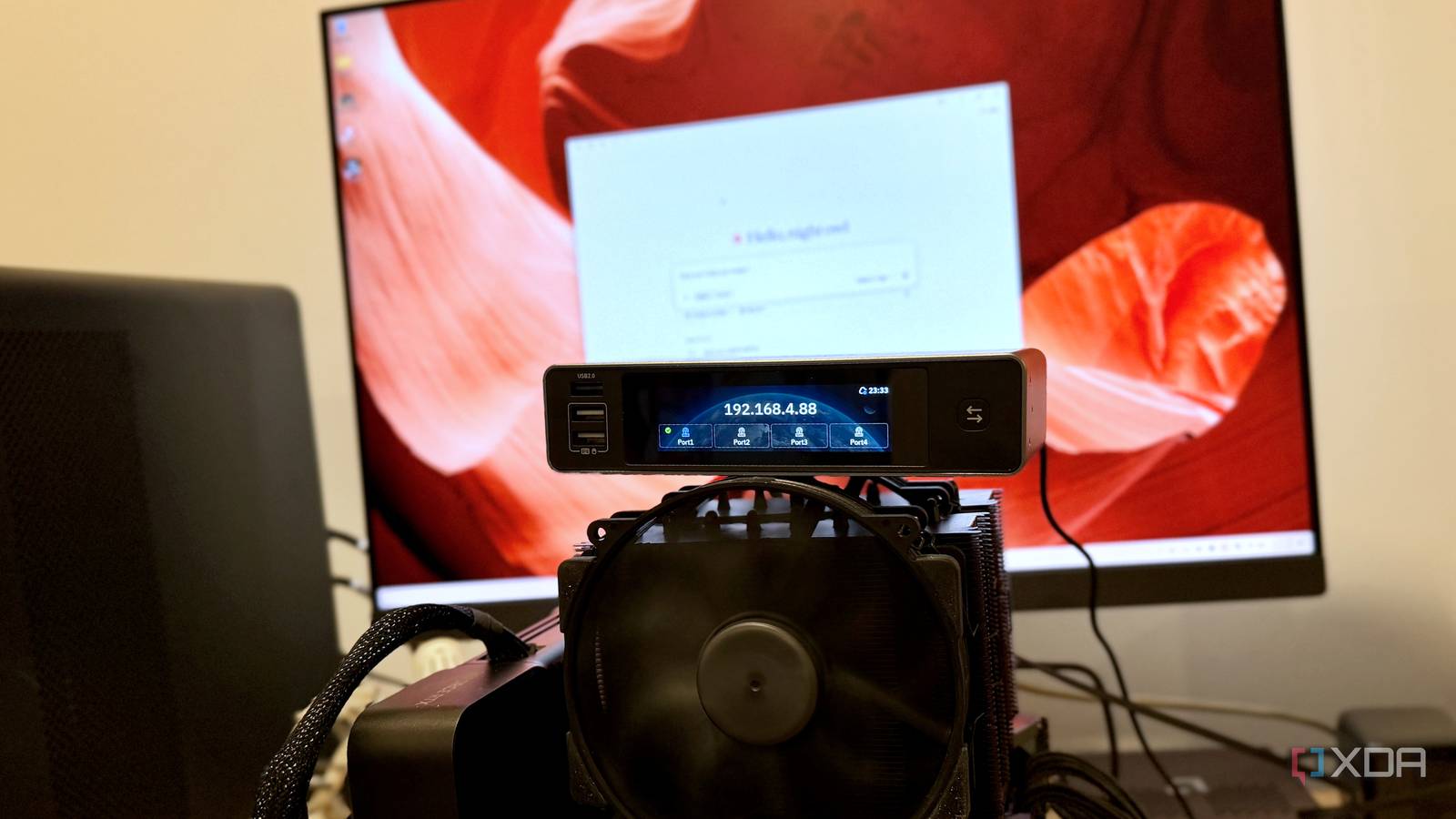
Published Jul 25, 2026, 7:30 AM EDT Maker, meme-r, and unabashed geek, Joe has been writing about technology since starting his career in 2018 at KnowTechie. He's covered everything from Apple to apps and crowdfunding and loves getting to the bottom of complicated topics. In that time, he's also written for SlashGear and numerous corporate clients before finding his home at XDA in the spring of 2023. He was the kid who took apart every toy to see how it worked, even if it didn't exactly go back together afterward. That's given him a solid background for explaining how complex systems work together, and he promises he's gotten better at the putting things back together stage since then. Overclocking is one of those hobbies where the tinkering is the point, so handing the whole thing to an AI felt a little like paying someone to eat my dessert. But I've been going deeper down the agentic rabbit hole lately, ever since I asked Claude to improve my home lab and it was wild, and after giving Claude Cowork access to my Home Assistant config, I had one question left: could it handle actual hardware, with actual consequences? So I gave it eyes and hands on my Z890 test bench through a GL.iNet Comet X KVM-over-IP, pointed it at the UEFI on my Gigabyte Z890 AORUS board with an Intel Core Ultra 5 250K Plus in the socket, and told it to go fast. To be clear, I did not expect this to work. The plan called for an AI to navigate a BIOS it could only see as JPEG screenshots, one keystroke at a time, over a network HID connection. My money was on a soft-bricked boot loop by lunchtime. Instead, I got a stable overclock, a 100 mV undervolt, and — this is the part that stings — a machine that politely proved the biggest performance problem on the bench was me. The setup: one AI, one KVM, and a break-glass smart plug Screenshots for eyes, a virtual keyboard for hands, and a lot of nervous hovering on my part The control loop is stupidly simple on paper. The Comet X exposes a kvmd API, so a small Python harness gives Claude two primitives: grab a frame of whatever the bench is displaying, and send keystrokes as a USB keyboard. That's it. No agent running on the target machine, no special BIOS firmware — the AI reads the same setup screens I would, from 1080p captures, and mashes Delete during POST like the rest of us. The bench itself is only reachable because of the same remote-access plumbing that runs the rest of my lab, where I switched over to KVM-over-IP a while back. Benchmarks run on the Windows side over SSH: a PowerShell gate script fires 7-Zip, PYPrime, y-cruncher, and Cinebench 2024 in sequence, sweeps the event log for WHEA hardware errors, logs package temps and power from HWiNFO, and drops the results as JSON into OneDrive where the AI reads them and plans the next BIOS change. One change set per iteration, benchmarked and stress-gated before the next. Safety rails were non-negotiable: a known-good BIOS profile saved before the first change, and a smart plug on the bench PSU as the break-glass recovery if a bad setting ever hung the board past its own CMOS auto-retry. GPU Nvidia GeForce RTX 5070 Founder's Edition Motherboard Gigabyte Aorus Master Z890 RAM 48GB Kingston Fury DDR5-8800 CL42 SSD Samsung 9100 Pro 1TB Cooler Noctua NH-D15 G2 Chromax I want to be honest about my confidence level here, because the whole scheme lives or dies on one question: can a language model reliably drive a UEFI it perceives as a stack of screenshots? The first session was mapping only — no changes allowed, just navigate and document. I sat there watching the cursor step through my Tweaker menu on its own, waiting for it to wander into a voltage field and start typing. It didn't. It came back with a complete navigation map, confirmed my recovery settings, and touched nothing. That's already a win. But I kept my hand near the plug for the whole first tuning session anyway. Intel Core Ultra 5 250K Plus Cores 18 (6 P-cores, 12 E-cores) Threads 18 Architecture Arrow Lake Process TSMC N3B Socket FCLGA1851 Base Clock Speed P-core: 4.2 GHz, E-core: 3.3 GHz The Intel Core Ultra 5 250K Plus is the budget refresh for Arrow Lake. GL.iNet Comet X The GL.iNet is a four-device KVM-over-IP device, perfect for managing home lab racks. The findings: six blue screens, one golden config The chip that refused one overclock and swallowed another Okay, let's start at the end and work backwards, because the surprising thing for me wasn't that I could overclock the Intel Core 5 250K Plus. It was that an agent harness could do it. Nothing changed hardware-wise through all the runs, same Noctua cooler, stock BIOS config compared to the tuned profile we ended up on. Benchmark Stock Final tuned config Gain Cinebench 2024 multi-core 1,722.95 1,808.36 +5.0% y-cruncher 1b Pi 21.784 s 20.165 s 7.4% faster 7-Zip 140,026 MIPS 150,744 MIPS +7.7% PYPrime 2B 11.290 s 10.943 s 3.1% faster The final config: power limits unlocked to 250 W, Intel's Performance power-delivery profile, the NGU (uncore) multiplier raised from 26x to 34x, and a −100 mV undervolt — at a peak of 197 W and 77°C. Modest? Sure. But that's the silicon lottery in action, and this chip is disappointing in one area and good in another. The classic core-multiplier overclock face planted first. A static 54x all-core looked great on paper and benched slower than stock auto — y-cruncher lost 7.9% while the cores ran at higher clocks, which is the signature of the ring bus starving the compute. Arrow Lake's own turbo management, it turns out, is better at this game than a flat multiplier unless you tune the fabric underneath it first. So we went after the fabric, following the numbers from SkatterBencher's 250K Plus guide, and that's where my chip revealed its personality. The die-to-die (D2D) interconnect on my specific sample refuses to run even one step above its stock 30x ratio. Not at auto voltage, not at SkatterBencher's proven 1.0 V, not with memory slowed from DDR5-8800 to 8000 — six crashes with six different Windows stop codes, including one before the OS could even load. Same SKU as the chip in his guide, which ran 36x happily. The silicon lottery is real, and it's per-domain: the NGU on this same die took its 26x-to-34x bump without a single complaint and set project-best scores doing it. And then the undervolt, which is where this chip decided to show off. With Intel's CEP and undervolt protection disabled (leave those on and your undervolt either does nothing or silently clamps performance — ask me how I know), Claude walked the DVID offset down in steps: −50 mV, −75 mV, −100 mV. Every gate passed at every step. Better: the sustained Cinebench score went up at each step, because every shaved millivolt freed thermal and current budget that turned straight into held clocks. We never found the bottom. A chip that can't overclock its fabric in one bin and undervolts 100 mV like it's nothing — I don't make the rules. The real lesson: the boring fixes embarrassed the clever ones An AI diagnosed my heatsink mount from a benchmark table Here's my favorite finding, and it has nothing to do with multipliers. The first tuning result of the session was a disaster — unlocking power limits made everything slower, with Cinebench down 12%. Claude flagged the shape of the regression: single-core results flat, all-core results collapsed, and the sustained thermal gate hit hardest. That pattern means heat isn't leaving the die. I went and checked the physical world, and, well. The heatsink wasn't seated properly. I'd remounted it before the session and flubbed the assignment. The remount alone was worth 19.7% in Cinebench at bone-stock settings. Read that against the table above: the entire tuning campaign added 5 to 7.7%. The mundane fix beat the exotic ones by a factor of about four, and it wasn't even close. A benchmark table diagnosed a mechanical problem before anyone opened the case, and I find that genuinely more impressive than the overclock. The other two session-changing catches were human, and I think that split matters. Deep into the crash forensics, I noticed my board had been running Intel's "Baseline" power-delivery profile the whole time — the conservative preset meant for boards with weak VRMs, quietly capping current at 203 A on a flagship motherboard. Switching to the Performance profile was worth an extra ~30 W of sustained package power and unlocked the NGU win. The AI had mapped that exact BIOS screen on day one and sailed past it; it took a human reading a SkatterBencher footnote to realize it mattered. Same with Intel's own 200S Boost profile, which we tried as a bonus round: it refused to engage on two counts. Intel caps the profile at 8,000 MT/s with module VDD and VDDQ at or below 1.4 V, and my DDR5-8800 kit is both faster than that and running 1.45 V. The sanctioned overclock excludes exactly the memory an enthusiast would pair with this board. So no, the AI didn't replace me. It ran a tighter experimental loop than I ever would have — it never skipped a stress gate at 3 a.m., never YOLO'd two changes at once, logged every stop code — and I caught the things that weren't in its frame. That division of labor is the whole point here. An AI overclocker works best with a human doing the overthinking I went into this expecting a party trick and came out with my daily bench config. The final profile is faster, cooler, and quieter than stock, every step of it is documented and reproducible, and the whole campaign cost one weekend and zero permanently damaged hardware — my two great fears going in. Sure, 5-8% won't change anyone's life, and a 250K Plus on air was never going to threaten any records. But the process found a bad heatsink mount, a sandbagging motherboard default, and a memory-voltage lockout on Intel's own boost profile, and any one of those is worth more to a real system than the multiplier ever was. The next thing I need is a chip that wins the silicon lottery in more than one domain — because now I know exactly how fast the loop can find out.
I let Claude manage my PC overclocking remotely, and it actually worked
Full Article
Original Source
Read the full article at Xda-developers →KhanList aggregates and links to publicly available news content. We do not host full articles from third-party sources. Always verify important information with original sources.