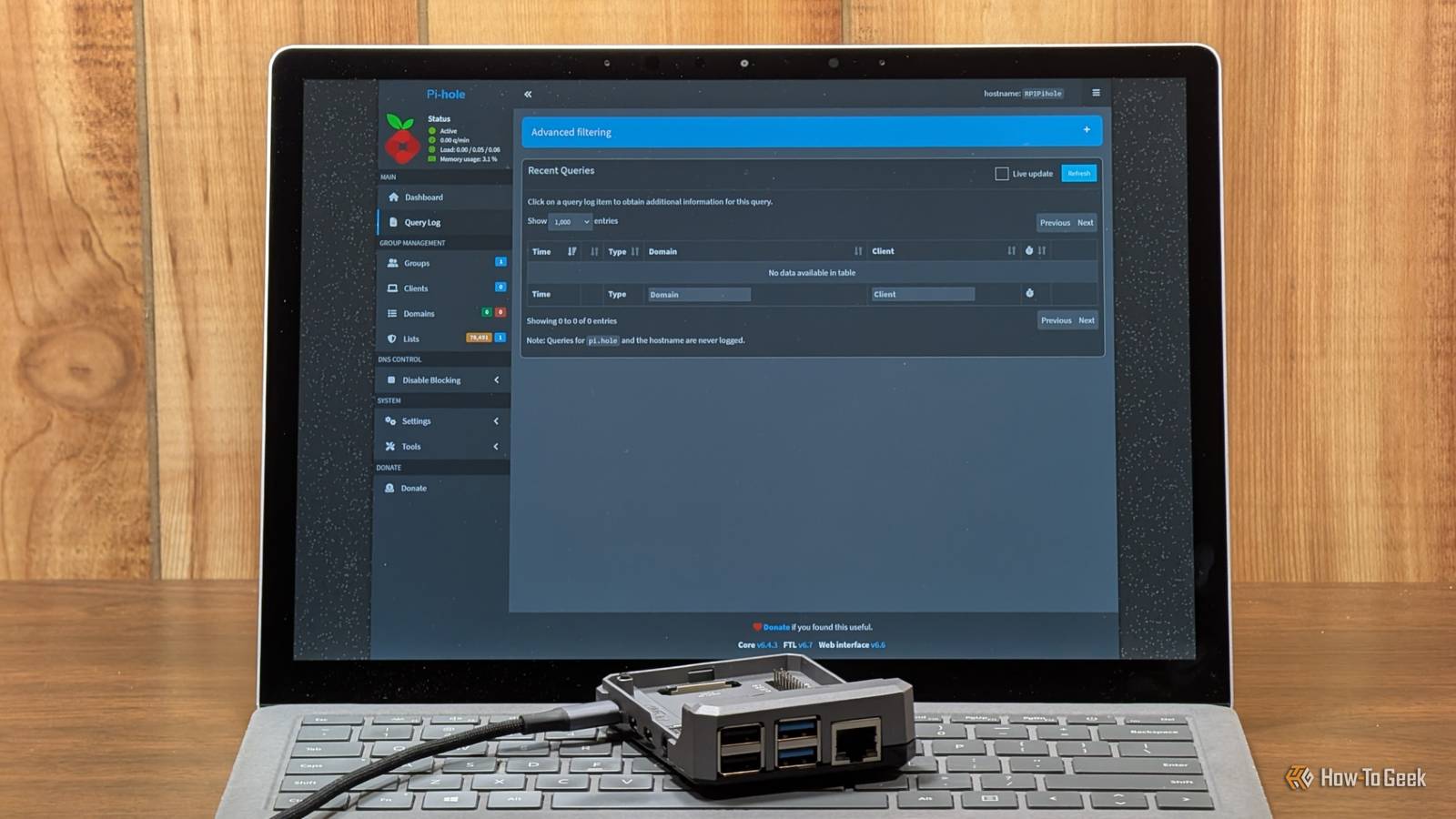
Published Jul 21, 2026, 9:00 AM EDT Adam has a degree in Engineering and has a life-long interest in technology. He has been writing for over a decade for various print and online publications, with a focus on consumer tech. He joined How-To Geek in 2024 while working at Pocket-lint. As well as being a long-term fan of Apple products, he also has a strong interest in smart home tech, running a Home Assistant server at home to automate all his smart home devices. He believes that the ideal smart home should work with minimal interaction from the user, with automations running as if by magic rather than requiring you to push buttons on a control panel. You can find more of his work on Muck Rack. Pi-hole is one of the simplest and most useful things you can set up on your home network. It acts as a DNS sinkhole that blocks requests to domains associated with known ad servers or trackers. This gives you a far better browsing experience, but if you're only running a single instance of Pi-hole, things can go wrong. Your Pi-hole is a single point of failure If Pi-hole goes down, most of your internet access goes with it I discovered the main problem with running a single instance of Pi-hole very soon after installing it. I set it up and pointed my router at the Pi-hole, so that DNS requests from every device on my home network would be routed through it. Then Pi-hole went offline. It didn't take me long to discover the problem, because the screams of "the internet isn't working!" could be heard throughout the house. The problem is that when Pi-hole is in charge of all your DNS requests, if it stops working, most internet services on your connected devices become inaccessible. Browsers can no longer get the IP addresses of the sites they've been asked to open, and everything breaks. I do a lot of tinkering with my smart home and home lab, and when I break something, I get an earful from my family, who have had to deal with many such catastrophes over the years. They were never going to let me keep running Pi-hole if it meant that they couldn't get online. Setting up a second Pi-hole is easy You can run a failover on almost anything Credit: Corbin Davenport / How-To Geek It seems like the solution would be simple: just add a secondary DNS in your router settings that can be used if Pi-hole fails. The trouble is that this isn’t a reliable solution. Many devices don’t treat the secondary DNS server as a true failover and may send requests to it even when your primary Pi-hole is available. That means blocked domains can sometimes be passed through the secondary DNS server, defeating the purpose of setting up Pi-hole in the first place. The best solution isn't a secondary DNS; it's a second Pi-hole. If you set up another instance of Pi-hole, you can add that as the secondary DNS. If the first instance fails, the second will still be available, and you'll still be able to access the internet with your ad-blocking in place. The beauty of Pi-hole is that it is very lightweight, so you don't need powerful hardware to run it. You could have one instance running on a mini PC alongside your other self-hosted services, and another running on a Raspberry Pi that sips power. By keeping them on separate devices, you know that one instance should still be available even if the other device is powered off. Beelink S13 PRO CPU Celeron FCBGA1264 3.6GHz Graphics Integrated Intel Graphics 24EUs 1000MHz The Beelink Mini S13 Pro desktop PC is a ultra-compact computer powered by the Intel N150 processor. Shipping with 16GB of DDR4 RAM and a 500GB SSD, this micro desktop is perfect for a variety of workloads. From running simple server programs to replacing your old PC, the Beelink S13 Pro is up to the task. Memory 16 GB DDR4 Storage 500GB Operating System Windows 11 Home Dimension 4.52 x 4 x 1.54 inches USB Ports 4 Keeping two Pi-hole instances in sync You don't have to do twice the work Credit: Adam Davidson / How-To Geek Running two instances of Pi-hole makes it far less likely that you'll lose access to the internet. It does come with its own problems, however. The main issue is that you have twice the work. For the best experience, you want both instances of Pi-hole to be set up exactly the same, with the same blocklists and other settings. If you have two instances of Pi-hole running, then to keep them in sync, any changes you make on one instance you then need to repeat on the other. This can quickly become tiresome, or you can simply forget to make changes to one of the instances and only notice when your blocklists aren't working like you expect them to. Thankfully, there are some useful open-source solutions to this problem. One popular option is Nebula-Sync, an open-source tool designed to synchronize Pi-hole configurations. You set one instance as your primary Pi-hole, and the software regularly looks at the configuration for that instance and updates the secondary Pi-hole's configuration to match. If you make a change on your primary Pi-hole, you don't need to worry about making the same change on your other instance. Your sync software handles it for you, so that both instances keep the same configuration. Pi-hole can go down for all sorts of reasons Redundancy matters This may all sound like a lot of effort. Surely Pi-hole can't go down often enough to make it worthwhile to run two instances? The reality is that Pi-hole can go down often enough to be extremely annoying. If you're running it on a homelab server, for example, and you need to reboot that device, Pi-hole will go down, however briefly, and internet access will be lost. My first Pi-hole failure was when my mini PC overheated and shut down. It took some time to cool down enough to restart, so it wasn't like I could just spin Pi-hole back up again. There are plenty of other reasons it can fail, such as running out of RAM, port conflicts, or IP changes. Setting up another instance of Pi-hole isn't an arduous task, and installing and configuring a sync tool can be done in a matter of minutes. Building redundancy into your home network is more than worth the effort just to stop your family from getting annoyed with your tinkering. Pi-hole is a great entry to the world of self-hosting If you've wondered about trying Pi-hole, but haven't done so yet, it's definitely worth giving it a go. It's not too painful to set up, and the results are almost instant; you should start seeing far fewer ads. If you change your mind, it's quick and easy to disable, so there's really nothing to lose.
I learned the hard way why a single Pi-hole is never enough
Full Article
Original Source
Read the full article at Howtogeek →KhanList aggregates and links to publicly available news content. We do not host full articles from third-party sources. Always verify important information with original sources.