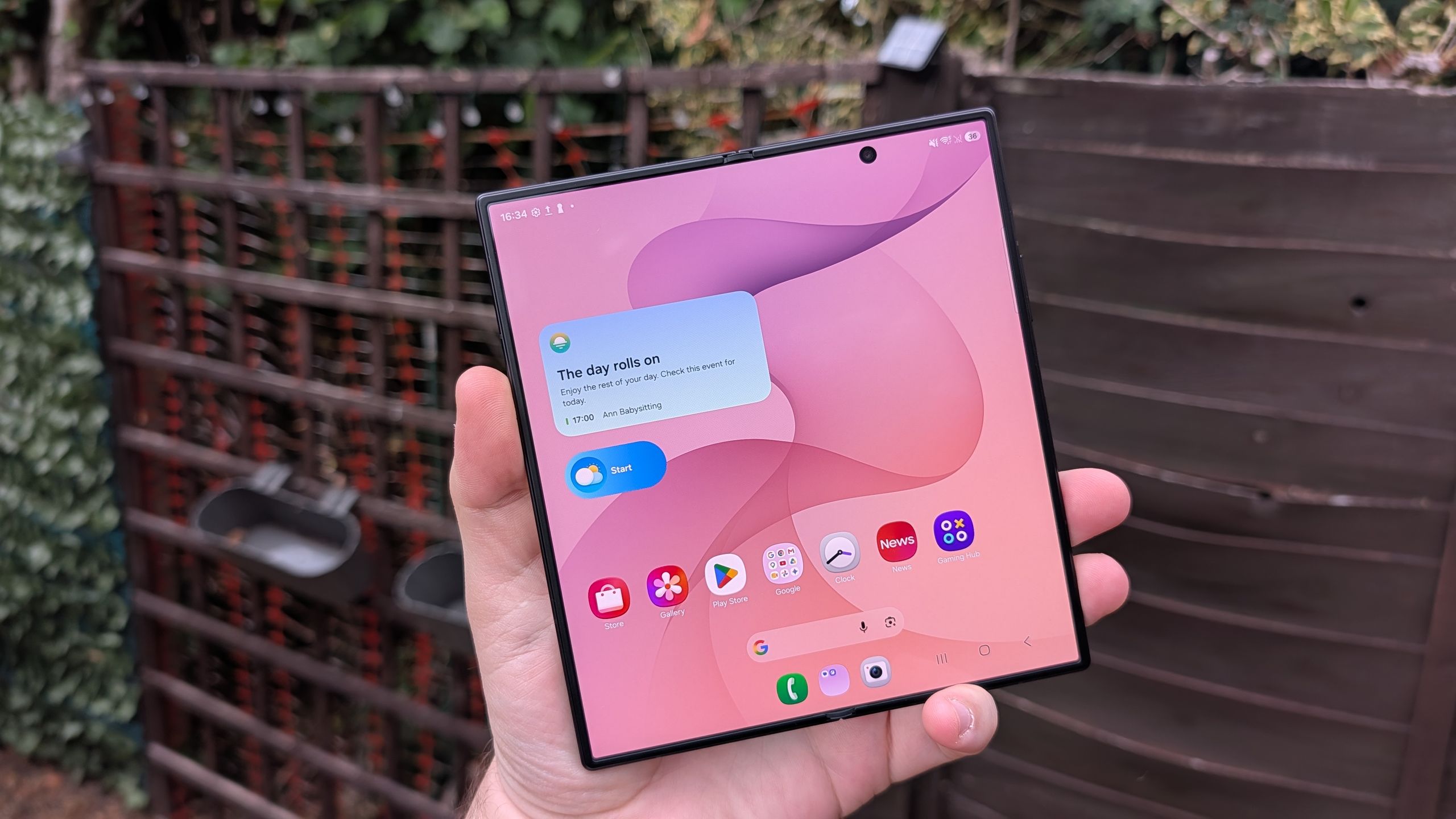
(Image credit: Future) It's always exciting to try a brand new phone, and those first 24 hours can be pretty telling. That's especially true when you're making the jump from a regular phone to a foldable, because the fold-out large screen design opens a whole new world of possibilities.That's certainly how I felt while unpackaging the Samsung Galaxy Z Fold 8 Ultra — a phone that has so far been living up to its new designation. But a brief hands-on can only tell you so much about a phone, and it's only after spending several hours (or days) with your device that you can get a much clearer idea of what it has to offer. Samsung Galaxy Z Fold 8 & Z Fold 8 Ultra Hands-On: Dual Foldables! - YouTube Watch On The Galaxy Z Fold 8 Ultra could be one of the best foldable phones, pending our full review, thanks to the sheer amount of upgrades Samsung has added this year. But is it really all that? Let's go through my first day with this Ultra foldable, so you can experience the highs (and lows) of picking one up for yourself.Setting up (Image credit: Future)The great thing about modern phones is that they've made the set up process an absolute breeze compared to what it used to be like. Samsung is easily one of the best I've used, especially if you're copying data over from another Samsung phone.In fact my Galaxy S26 Ultra detected the Z Fold 8 Ultra right away, and brought up the QR code scanner to link these two devices together. The most troublesome part of the whole experience was flicking through the many menus asking you to confirm various permissions, and which search engine you'd like set as your default.The actual transfer process happens in the background, beaming over apps, accounts, default settings and everything else you had sitting on your own phone. Since my S26 Ultra doesn't get a ton of use, that process was pretty quick, and your experience will differ depending on how much you actually need to beam to your new phone.I also find myself pretty impressed with the way Galaxy foldables set up fingerprint recognition. Samsung phones are usually some of the easiest and fastest devices for setting up biometric security, but with the physical fingerprint scanner all you need to do is wiggle your chosen digit around during the mapping process. None of the tedious lifting and replacing motions that you get with under-display fingerprint scanners.Get instant access to breaking news, the hottest reviews, great deals and helpful tips.Adapting to new displays (Image credit: Future)Switching to a foldable phone means adapting to a brand new set of displays. The 6.5-inch cover display offers a 21:9 aspect ratio, which is noticeably narrower than the 19:5:9 aspect ratio you'd find on most phones.Having been used to using 6.3-inch non-folding phones for so long, the narrower form factor is taking some getting used to. To the point where I gravitate towards the 8-inch foldable display instead. It seems like a paradox, but I find the larger screen is a lot more comfortable to use — especially considering the doubled-screen is the perfect size for two-handed use.As Samsung says, it's like having two 6.5-inch phones in a single phone.One thing I noticed was that the Samsung web browser defaulted to the desktop view on both screens, and to my surprise I actually found it more comfortable to read that way. (Image credit: Future)Admittedly the text was rather small on the cover display, but the mobile option was too large and squashed together for me to read comfortably. It was almost like I had an accessibility feature that blew up the print for users with visual impairments. That said vertical videos looked perfect on the narrower cover display, with next to no wasted space.That was not entirely true for horizontal video, but that just gave the foldable screen even more chance to shine. Especially since Flex Mode let me partially fold up the screen and use the Z Fold 8 Ultra as its own stand.I'll admit, though, it does still feel as though something is missing with the larger screen, and I feel like having some kind of S Pen support would help complete the puzzle. I'm not entirely sure I would be using the stylus all that much, but it would be nice to have the option.Not quite crease-free (Image credit: Future)One of the most anticipated upgrades on the Z fold 8 Ultra is the flex titanium display, which was heavily rumored to eliminate the crease down the display. It doesn't take long to spot that this is not really the case, and the crease is still visible in certain conditions.That being said, the crease is a lot harder to see when compared to the Galaxy Z Fold 7. It mostly shows up when the screen is switched off, or you find yourself in particularly bright conditions. The fact you have to go out of your way to see the crease means Samsung should be commended for what it's managed by adding the Flex Titanium display.That said, you can still feel the crease when you're scrolling along the large display. It feels almost identical to the Z Fold 7's crease, and I have to admit the more I use the phone the more distracting it is to come across the dip in the middle of the screen. That's definitely something Samsung needs to work on for the Z Fold 9 Ultra.Galaxy-class performance? (Image credit: Future)While I haven't done any benchmarking with the Galaxy Z Fold 8 Ultra yet, I have done some gaming to try and take the new Snapdragon 8 Elite Gen 5 for Galaxy chipset for a spin. Loading up PUBG Mobile and I found that the settings automatically set the frame rate to the highest level, though it was being a little bit stingy with the graphics until I told it to up the ante.The performance at the highest possible settings was excellent, as I'd hoped. I didn't notice any frame rate issues while I played, and the graphics were exactly what I expected from PUBG after dabbling with the game over the past few years. Better still I didn't even feel the phone get warm throughout an hour of playthrough, which is always best for the long-term health of the phone.As for the battery, I found that this play session ate up around 5% of my battery, including the time it took to download the more advanced graphics.Similarly, I forgot to charge the Z Fold 8 Ultra overnight, but still managed to get to around 3.45 p.m. before it flashed up a battery warning. That bodes well for the actual battery life, but since we haven't tested it I can't say whether Samsung's 27 hour battery life claim is accurate or not.Cameras are so-far so-Samsung (Image credit: Future)I haven't had much need to take photos with the Z Fold 8 Ultra so far, but it's not like I need an excuse to snap photos of my dogs — especially when they make such adorable models. Needless to say, I'm impressed with the photos I've taken with the Galaxy Z Fold 8 Ultra so far. Image 1 of 6 (Image credit: Future) The photos of my dogs and my plants came out looking pretty well, though I will admit that the main lens struggled with close-ups of my Lego minifigures. For some reason it just would not focus on what I wanted, meaning I had to resort to the lower-resolution Ultrawide angle lens to actually get this shot of Captain Jean-Luc Brickard.You can kind of tell that the resolution isn't really there, though the photo itself still looks rather good. Sadly, the telephoto lens doesn't quite match up, and the quality feels more akin to the 10MP selfie cameras rather than the other two rear lenses. I wouldn't say it's taking bad photos, but they're not quite the caliber I would expect from a $2,100 phone. Image 1 of 2 200MP main lens (Image credit: Future) As for the selfie camera, I won't say that I dislike the photos it takes, but it falters compared to that main 200MP camera. The selfies feel a little grainier and washed out, and I feel like you'd be better off taking advantage of the rear cameras instead. The very nature of foldables, and the fact you can use the cover display as a viewfinder, means that's a very real option for you.If anyone is interested in how I got my tomatoes looking so nice after the immense heat and drought we've been having in the U.K., the answer is coffee grounds. Those leftovers mean I haven't had to feed my tomato plant all summer. Sadly, the same can't be said for my pepper plant, which hasn't even flowered yet.The AI isn't ready this soon (Image credit: Future)As much as Samsung (and other phone companies) love to hype up AI capabilities, you can't really take full advantage of them on day one. The fact that Galaxy AI already has information on me, transferred over from my Galaxy S26 Ultra, meant that they weren't completely useless. So Now Brief had some basic information from places like my calendar to get me started.However, I did need to go through a bunch of setup processes, like updating Samsung's Personal Data Intelligence and creating my own custom cards, to start making the most of the feature. On a similar note, the fact that Now Nudge hadn't had time to burrow into the depths of my phone hasn't been able to surface any useful information so far.I have attempted to utilize MyFanCam, which lets you edit videos in a way that focuses on a single subject rather than an entire group.I had hoped I would be able to use the feature to video my dogs playing, and help keep the focus on one of the two, instead of having to try and keep their crazy antics in frame all the time. But apparently the AI that powers MyFanCam doesn't recognize dogs, only people. Stay tuned for more.What a difference a day makes (Image credit: Future)24 hours is not a lot of time when it comes to getting to grips with a new phone, especially when there are AI features that need time and resources to get themselves working at anything close to operating capacity. Still, it's a good amount of time to start getting to grips with a new device, and for all its potential flaws I am rather happy with the Galaxy Z Fold 8 Ultra so far.I am not a huge fan of the narrow cover display, and feel like the wider Z Fold 8 might offer a better experience in that regard. I do like the main 8-inch display, though, especially since it makes viewing and scrolling a more comfortable experience than you'd normally get. Though I would have liked the option to use an S Pen, and hope Samsung brings it back sooner rather than later.Of course, there's still plenty of testing that needs doing before we can publish our full review. While I hope this shapes up to be one of the best foldable phones, 24 hours just isn't enough to make that happen. That means it's time to get testing and see what this phone can really do. Follow Tom's Guide on Google News and add us as a preferred source to get our up-to-date news, analysis, and reviews in your feeds. More from Tom's GuideI just ditched my iPhone for the Z Fold 8 — Android 17’s new migration tool is pure magic, but there is one painful catch‘We're pretty confident': How Samsung plans to fight the first foldable iPhoneI'd buy a Galaxy Z Fold 8 over the Z Fold 8 Ultra — and it's all because it steals this Z TriFold feature Tom is the Tom's Guide's UK Phones Editor, tackling the latest smartphone news and vocally expressing his opinions about upcoming features or changes. It's long way from his days as editor of Gizmodo UK, when pretty much everything was on the table. He’s usually found trying to squeeze another giant Lego set onto the shelf, draining very large cups of coffee, or complaining about how terrible his Smart TV is.
I just spent 24 hours with the Galaxy Z fold 8 Ultra — here's what I liked and what I didn't
Full Article
Original Source
Read the full article at Tomsguide →KhanList aggregates and links to publicly available news content. We do not host full articles from third-party sources. Always verify important information with original sources.