
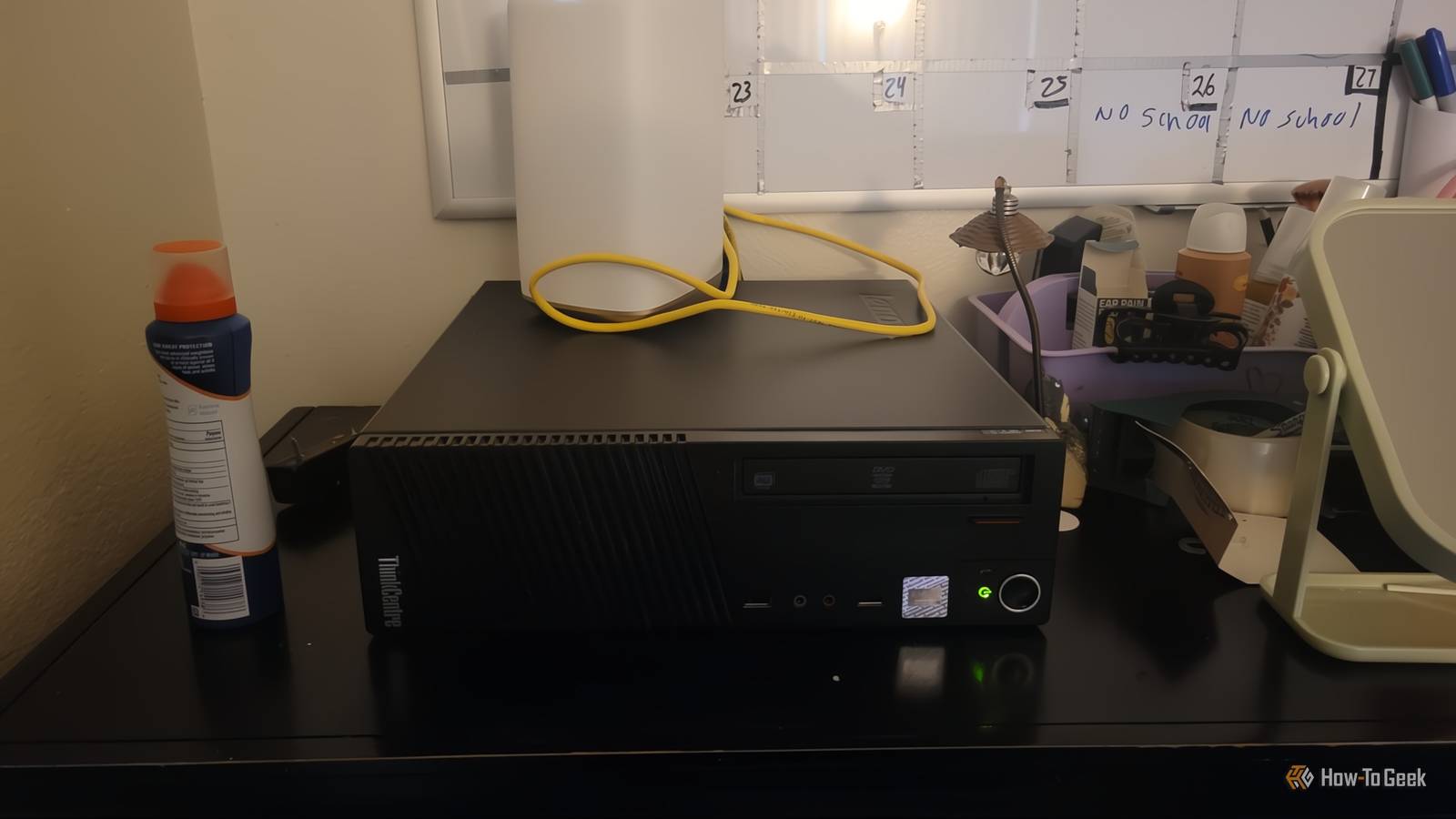
Published Nov 16, 2026, 11:30 AM EST Aggy is a veteran writer and editor in the technology and gaming space. Having served as a Managing Editor for high-traffic digital publications, alongside being an editor and consultant for over a dozen sites. Aggy's published work spans a wide and respected array of tech and gaming outlets, including WePC, Screen Rant, How-To Geek, Android Police, PC Invasion, and Try Hard Guides. Beyond editorial work, Aggy's direct experience in the tech sphere extends to app development. Aggy has published two games under Tales and is always eager to learn and do more. He also likes working on computers and researching in his spare time. He knows about Windows, Linux, Audio, Video, and much more. I had an old PC collecting dust and a pile of photos scattered across dead phones, random hard drives, and cloud accounts. Finally, I turned that PC into a server that cost me nothing, and it worked. Still, a few decisions I made early on caused problems later, and if I ever did this again, I'd skip a lot of mistakes. A desktop isn't built to run all the time Your motherboard has limits Making that PC into a small server that runs all the time seemed pretty smart, but it didn't go the way I expected. It worked, but the more I tinkered with it, the more I realized a regular desktop isn't really built to be turned on and left alone forever. Desktop parts are made for people who use their computer for a few hours and then shut it down. A real server is built to run for months without a break, and it has extra protections that normal PCs don't bother with. One reason is that server memory can catch and fix tiny random errors on its own, and the memory in a regular desktop can't. These errors are rare, and most people will never notice them. But I'm trusting this machine with years of family photos. A small mistake could quietly get saved, and I'd never know until I tried to open the file. So I keep spare copies on flash drives. The other thing that caught me off guard was how limited desktop motherboards are when you try to add more to them. I assumed I could just plug in as many hard drives as I wanted, but there are only so many ports, and the cheap tricks for adding more tend to slow everything down. I'd still do it again. For a home photo server, you probably won't run into most of this. But if I started over, I'd spend a little time checking what my motherboard could actually support before I began. I'd plan how many drives I wanted, and I'd decide ahead of time where the backup copy would live. I actually turn off my server at night and when I am away from home, and know I won't need it. So it's only on for a few hours in a day at most. This is much better for the PC, and it's better for my electric bill. Your storage setup needs a plan Buy matching drives and keep the OS separate Once the hardware was sorted out, the next question was how to actually set up the storage, and this is where I'd change the most. My first instinct was to grab every spare USB I owned, throw them all together, and call it done after I plugged them in. Mixing drives like that works, but it's a mess. If I did it again, I'd buy a bunch of matching USB drives at once and use those for the important stuff instead of forcing the leftovers to work. I bought USBs just to hold the OS, and I'd do that again because you may need to reinstall it. I forgot my password early on and had to reinstall the OS just to make a new one. Luckily, it happened right at the start, so it wasn't a big deal. Leaving it on has costs you'll notice Heat matters more than you'd think What I didn't think about until the server was already running was everything that comes with leaving a computer on all day and night. A desktop can use very little power when it's idle, but only if every part inside lets it, and older add-in cards don't always. One badly behaved card can keep the whole machine from settling down, so it ends up burning extra power around the clock for no reason. I never would have guessed that, and it's something I'd check right away if I were starting over. Once I did the math, the cost was smaller than I expected. A desktop sitting mostly idle costs somewhere around $60 to $90 a year in electricity, according to Appliance Run Cost, and the little chips in store-bought storage boxes use far less. It's not a big deal, and since I turn mine off, it costs me less than that, but I still think about it. Heat and noise are the other big ones. A normal computer case is made for a gaming session or a work day, not for a bunch of hard drives packed side by side and running all the time. Drives that stay hot wear out faster. I had a fan for this, but it ran off USB power, and that was a mistake. If you do what I did but keep the server on, use a fan that plugs into the wall. If I made another server and had a budget, I'd go straight to a real NAS. They're quiet, easy on power, and ready to go out of the box, and they come with support when something goes wrong. For a lot of people, that's the better choice, but I still don't regret using the old PC. It cost me nothing up front, and if you go in knowing its quirks and plan around them, an old desktop works really well as a home photo server. Get a NAS if you want to spend money Using what I had taught me more than a store-bought box would have. If you've got a spare PC and a pile of photos you can't replace, go for it.
I just built my own server and here are a few things I would do differently
Full Article
Original Source
Read the full article at Howtogeek →KhanList aggregates and links to publicly available news content. We do not host full articles from third-party sources. Always verify important information with original sources.