
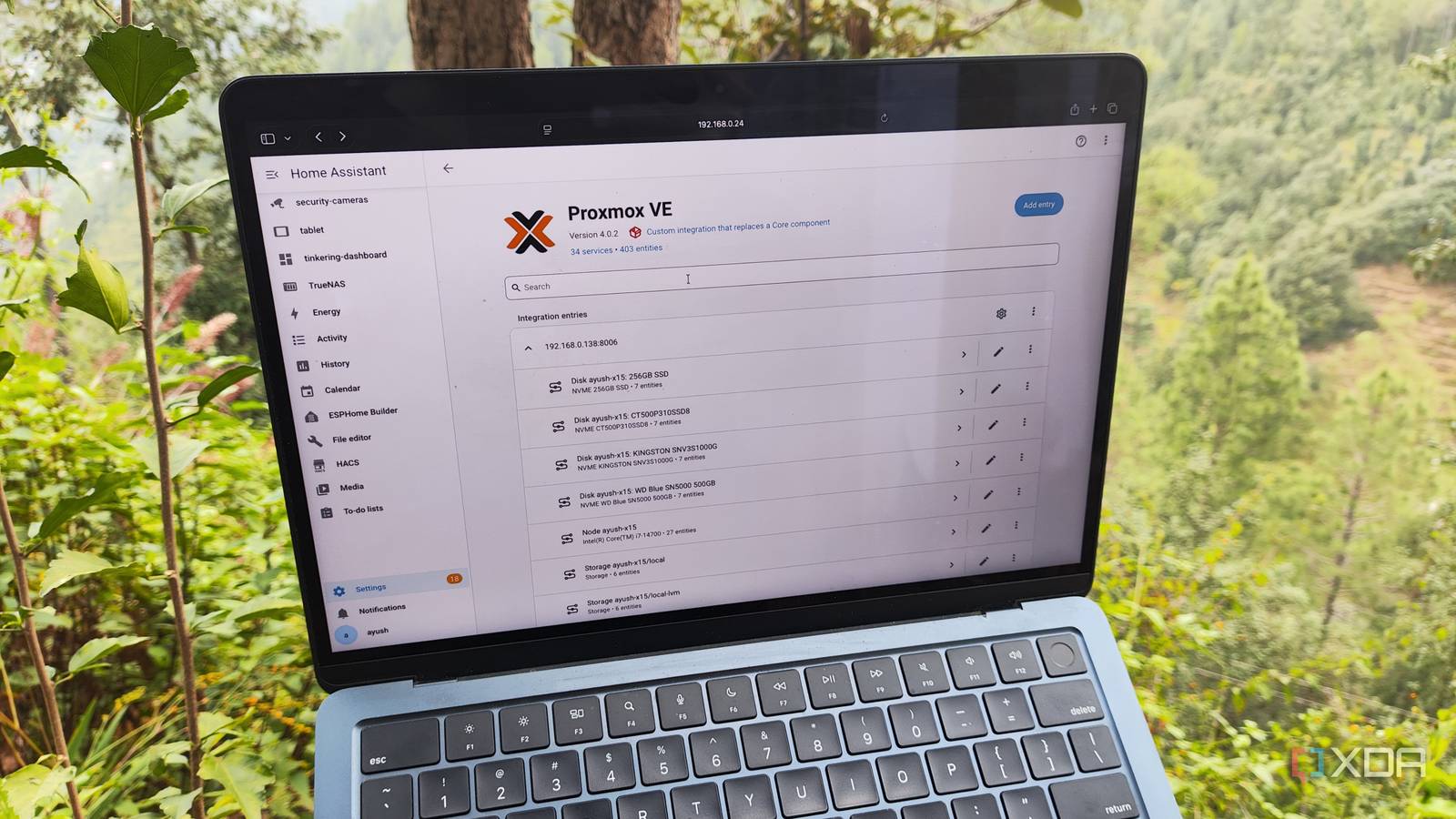
Published Oct 9, 2026, 8:00 AM EDT Ayush Pande is a PC hardware and gaming writer. When he's not working on a new article, you can find him with his head stuck inside a PC or tinkering with a server operating system. Besides computing, his interests include spending hours in long RPGs, yelling at his friends in co-op games, and practicing guitar. If you’re as fond of Proxmox as I am, you’re probably aware that there are several ways to control your workstations besides its powerful web UI. For example, the shell interface on the host is pretty effective for tackling hardcore PCI passthrough, file transfer, ZFS pool manipulation, and other advanced tasks, while the Proxmox Datacenter Manager offers a more unified control UI when you’ve got multiple standalone and clustered PVE nodes in your arsenal. And that’s before you include third-party management utilities like ProxMenuX that you can configure directly on your Proxmox server. However, the most unhinged management tool I use for my Proxmox-heavy home lab is Home Assistant. Of course, HASS is primarily a smart home platform, but thanks to the talented Home Assistant community, you can pair it with just about any non-IoT product, including the likes of Proxmox. The unofficial PVE integration lets me pair Proxmox nodes with Home Assistant This integration lets Home Assistant pull practically every Proxmox stat as an entity Although Home Assistant has tons of useful integrations baked in, the one I used for this project doesn’t ship with the platform and needs to be configured manually. Specifically, I’m talking about the ProxmoxVE integration by genius developer dougiteixeira, which can read practically every aspect of my home servers. And I’m not just talking about the resource consumption metrics, uptime, or other monitoring-centric stats that the likes of Pulse can grab, either. Rather, Home Assistant pulls the controls for every virtual guest, storage pool, and even the underlying host as entities, essentially recognizing my Proxmox infrastructure as any ol’ smart gizmo. As such, I can toss my Proxmox LXCs into a dashboard and power them on, schedule backups, and turn them off using simple actions without so much as heading to the PVE web UI. My home lab includes a couple of independent Proxmox workstations alongside a 2-node (+1 Raspberry Pi Q-device) in a ZFS replication environment, and this integration works with every single system. I’ve got a smartphone and a tablet configured as smart panels for different rooms, and with a little bit of dashboard beautification via the Bubble Card integration, I can easily control my essential VMs and LXCs using a single tap. I’ve even exposed a handful of virtual guests to my Home Agent-powered conversation model, and as long as I don’t butcher the pronunciation of my LXCs or VMs, I can use voice commands to manage them. Of course, the ProxmoxVE integration disables many of the power cycle, backup, and failover management actions to prevent misconfigured HASS setups from breaking home servers. But since I manage everything in a controlled environment, I’ve enabled most of these controls. Toss in some smart devices, and you can build wild Proxmox automation pipelines My trigger-action rules involve both smart gizmos and Proxmox systems Automations are a crucial part of Home Assistant’s smart home management prowess, but since my PVE nodes add more entities to HASS, I can freely use them for my trigger-action chains. I’ve got a couple of LXCs that rely on each other, and I’ve created automation workflows that automatically boot the closely-knit containers whenever I power on one of them. My Paperless-ngx setup involving Paperless AI and Paperless-GPT is one such example, and I’ve also got a few VM backup snapshot tasks configured for simple triggers. The best part? My entire smart home arsenal is connected to Home Assistant, and this includes the smart plugs powering my Proxmox nodes. So, I can not only monitor their power consumption, but also use these statistics to control their virtual guests. For example, my backwater town has blackouts every once in a while. Rather than constantly scurrying around the house trying to manually power down everything when the power goes out, I’ve created a simple automation pipeline where HASS gracefully shuts down my PVE nodes when the UPS backup sinks below the 40% mark. Likewise, if my UPS reports excessive power consumption on a PVE node, Home Assistant notifies me about the virtual guest that’s hogging a lot of system resources. Heck, there’s even room for some wacky automation chains. A smart toothbrush that sends shutdown signals to non-essential LXCs and VMs every time I brush my teeth at night is just as fun (and practical) as it sounds. I’m also tempted to pair a vibration sensor with my ESP32 and have it power on certain Proxmox virtual guests every time I hit my desk. The possibilities are endless. I’ve even added my NAS to Home Assistant Besides my Proxmox workstations, I’ve also added TrueNAS metrics to Home Assistant using a different integration. That way, I can monitor my storage servers and virtualization workstations from their own dashboards, and even build cool PVE automations involving stats from my NAS. That said, I’ll admit that I’ve disabled a lot of entities for my NAS on Home Assistant. Unlike my easy-to-restore virtual guests, I wouldn’t want to disrupt the backup tasks for my NAS. Or worse, accidentally render it offline in the middle of a transfer task. Home Assistant OS Windows, macOS, Linux iOS compatible Yes Android compatible Yes
I integrated Proxmox with Home Assistant, and my home lab manages itself now
Full Article
Original Source
Read the full article at Xda-developers →KhanList aggregates and links to publicly available news content. We do not host full articles from third-party sources. Always verify important information with original sources.