
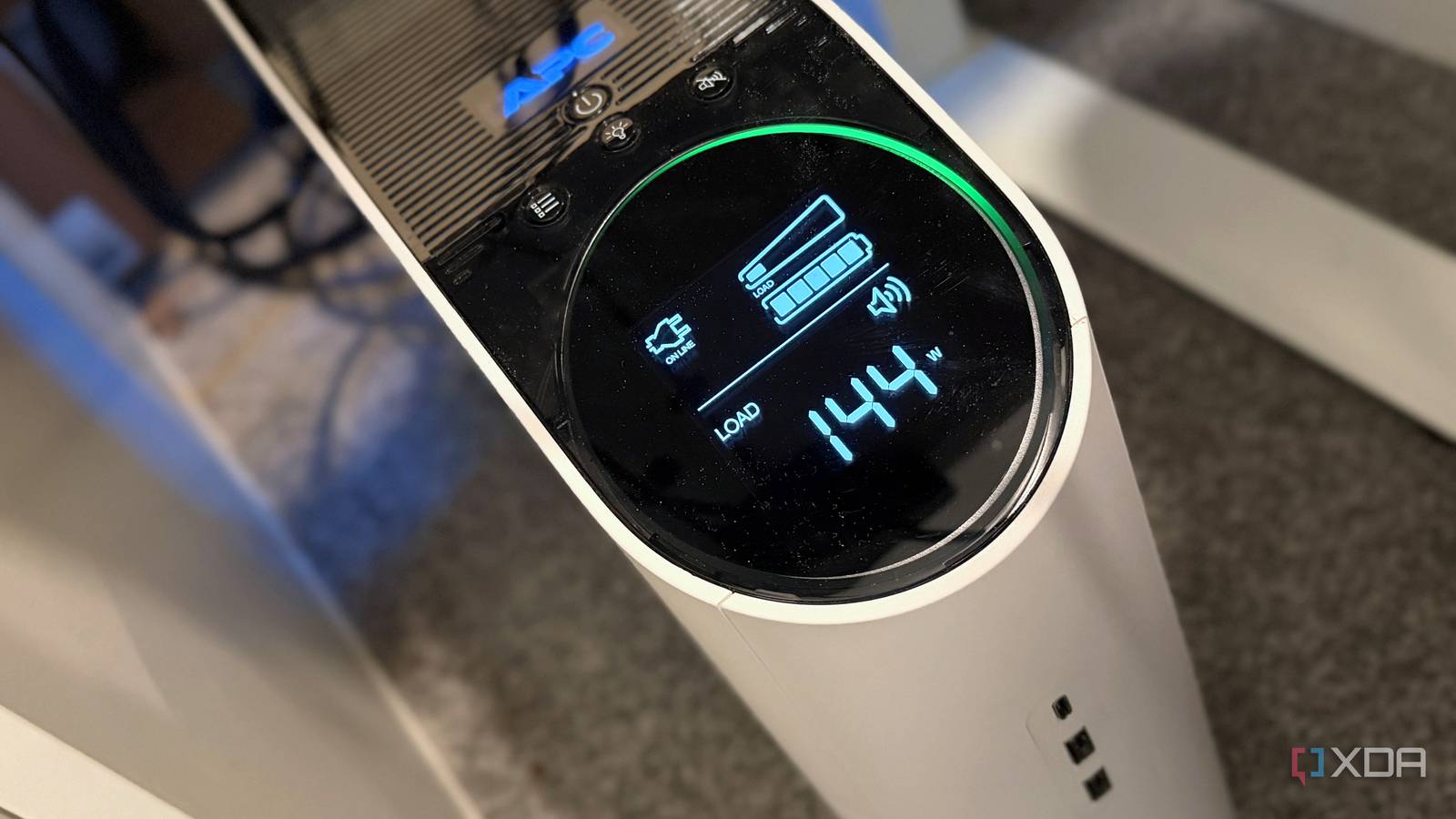
Published Sep 19, 2026, 8:00 AM EDT Maker, meme-r, and unabashed geek, Joe has been writing about technology since starting his career in 2018 at KnowTechie. He's covered everything from Apple to apps and crowdfunding and loves getting to the bottom of complicated topics. In that time, he's also written for SlashGear and numerous corporate clients before finding his home at XDA in the spring of 2023. He was the kid who took apart every toy to see how it worked, even if it didn't exactly go back together afterward. That's given him a solid background for explaining how complex systems work together, and he promises he's gotten better at the putting things back together stage since then. I bought an APC Back-UPS Pro Gaming BGM1500B for one reason: I didn't want a two-second brownout to take my smart home down with it. My Home Assistant install runs as a VM on my Proxmox box, and one of the best things about running Home Assistant on Proxmox is also the scariest: it all lives on one machine. The thought of a power blip corrupting it, or leaving the house dumb until I noticed, was enough to justify 1500VA of pure sine wave insurance. That Proxmox box shares the battery side with my network stack. And it does its job. Home Assistant and the network stay up. The catch is that Home Assistant staying up turned out to be the smallest part of the problem, because the plugs, bulbs, and hubs it controls aren't on the battery. When power comes back, your automations don't pick up where they left off. They just... don't. Want to know how I know this? I staged a power cut on one of my own devices, checked what Home Assistant actually did, and rebuilt the automation so it recovers on its own. A UPS only keeps Home Assistant alive Unless you buy a whole house system, that is Most automations are written like alarm clocks. At 9 p.m., turn on the lamp. When the door opens, turn on the hall light. The trigger fires once, Home Assistant sends one command, and it assumes the job's done. That works right up until the device on the other end isn't listening. A UPS doesn't change that. It keeps the brain awake, but a smart plug on a wall outlet loses power just the same, and Home Assistant has no built-in memory of what it *meant* to do while that plug was gone. Time triggers that pass during an outage don't catch up afterward. Actions sent to a dead device fail, and nothing retries them. Restarts make it worse. Home Assistant's own documentation says the for: option on triggers "will not survive Home Assistant restart or the reload of automations," and running delay and wait_for_trigger steps get cut off the same way. A community request to persist that state is still open, and a bug report about an irrigation automation that ran for two hours and flooded a patio after a restart was closed as not planned. Updates mean regular restarts, so don't write automations that need to remember things. Cloud devices add one more layer. If your modem isn't on the UPS, Home Assistant can boot before the internet does, and integrations that fail setup back off exponentially, retrying after 5 seconds, then 10, then 20, up to a 10-minute cap. Until a fix landed, more than 20 integrations that link accounts through Home Assistant Cloud would fail outright and remain broken until you reloaded them manually. Home Assistant OS Windows, macOS, Linux iOS compatible Yes Home Assistant is the most popular way to make your smart home work for you, and not for the manufacturers. I pulled the plug on my own smart home to see what would happen I noticed before Home Assistant did My test rig was deliberately boring: a lamp on an Eve Energy Smart Plug & Power Meter running over Matter, and two automations. Automation A turns the plug on at 9 p.m., the way most of us write schedules. Automation B is allowed to turn it on between 9 and 11 p.m., and it checks at 9, whenever Home Assistant starts, and whenever the plug comes back from being unavailable. I also set the plug's power-on behavior to "off" for the test. Mine is normally on "previous," which restores the plug's last state by itself and would have hidden the failure. Then I unplugged it and watched the logs. Time Automation A (fire and forget) ~8:57 p.m. Plug pulled from the wall. Home Assistant still shows it as off. 9:00:00 p.m. Automation A fires and sends `switch.turn_on` to a plug it thinks is fine. 9:01:12 p.m. After 72 seconds of waiting, the action fails with "Operation aborted." 9:02:02 p.m. Home Assistant finally marks the plug unavailable. 9:08:30 p.m. Plug rejoins as off. Nothing turns it on. The lamp stays dark. That five-minute gap is what surprised me. For the entire time Automation A was running, Home Assistant believed the plug was available, so any "wait until it's online" logic would have let it pass straight through. The trace looks perfect right up to the error. And once it errors, that's it — the 9 p.m. trigger has come and gone. Automation B got the same treatment later that evening. I pulled the plug, waited for Home Assistant to mark it unavailable (four and a half minutes this time), and plugged it back in. The moment the plug rejoined as off, B's "came back from unavailable" trigger fired, the time-window condition passed, and the lamp came on 0.22 seconds later. No retries, no errors, no me. Home Assistant's backup strategy is automations that check their work Stop firing and forgetting The lesson isn't "buy a bigger UPS." It's that an automation should describe what the house should look like right now, not what should happen at one moment. Trigger on the schedule, on Home Assistant starting, and on the device coming back, then let a condition decide whether the action still applies. triggers: - trigger: time at: "21:00:00" - trigger: homeassistant event: start - trigger: state entity_id: switch.office_testbench_plug from: unavailableconditions: - condition: time after: "21:00:00" before: "23:00:00"actions: - action: switch.turn_on target: entity_id: switch.office_testbench_plug continue_on_error: truemode: restart A few habits round it out. Swap long delay steps for timer helpers with restore: true. Set each plug's power-on behavior intentionally rather than leaving it at the factory default. Put the modem, router, and switch on the UPS alongside the server, because putting your smart home on a UPS also covers the network, and Home Assistant's uptime won't buy you much without it. Mine already share the battery with the Proxmox box. And lean toward local protocols like Matter, Zigbee, and ESPHome wherever you can, because every cloud hop is another thing that has to come back before your automations work. The Network UPS Tools integration is worth adding, too, so Home Assistant knows when mains power returns and can run its own catch-up pass. My UPS is going nowhere, but the way I write automations has changed My UPS still earns its place, because it keeps Home Assistant itself out of this mess. But the real resilience upgrade cost nothing: a couple of extra triggers per automation. If your house has ever woken up from a power cut with half the lights in the wrong state, that's the first thing I'd check. And if you want more ways to stop your Home Assistant automations from failing, not trusting your sensors blindly is a good next step.
I installed a UPS for my smart home and Home Assistant still couldn't save my automations
Full Article
Original Source
Read the full article at Xda-developers →KhanList aggregates and links to publicly available news content. We do not host full articles from third-party sources. Always verify important information with original sources.