
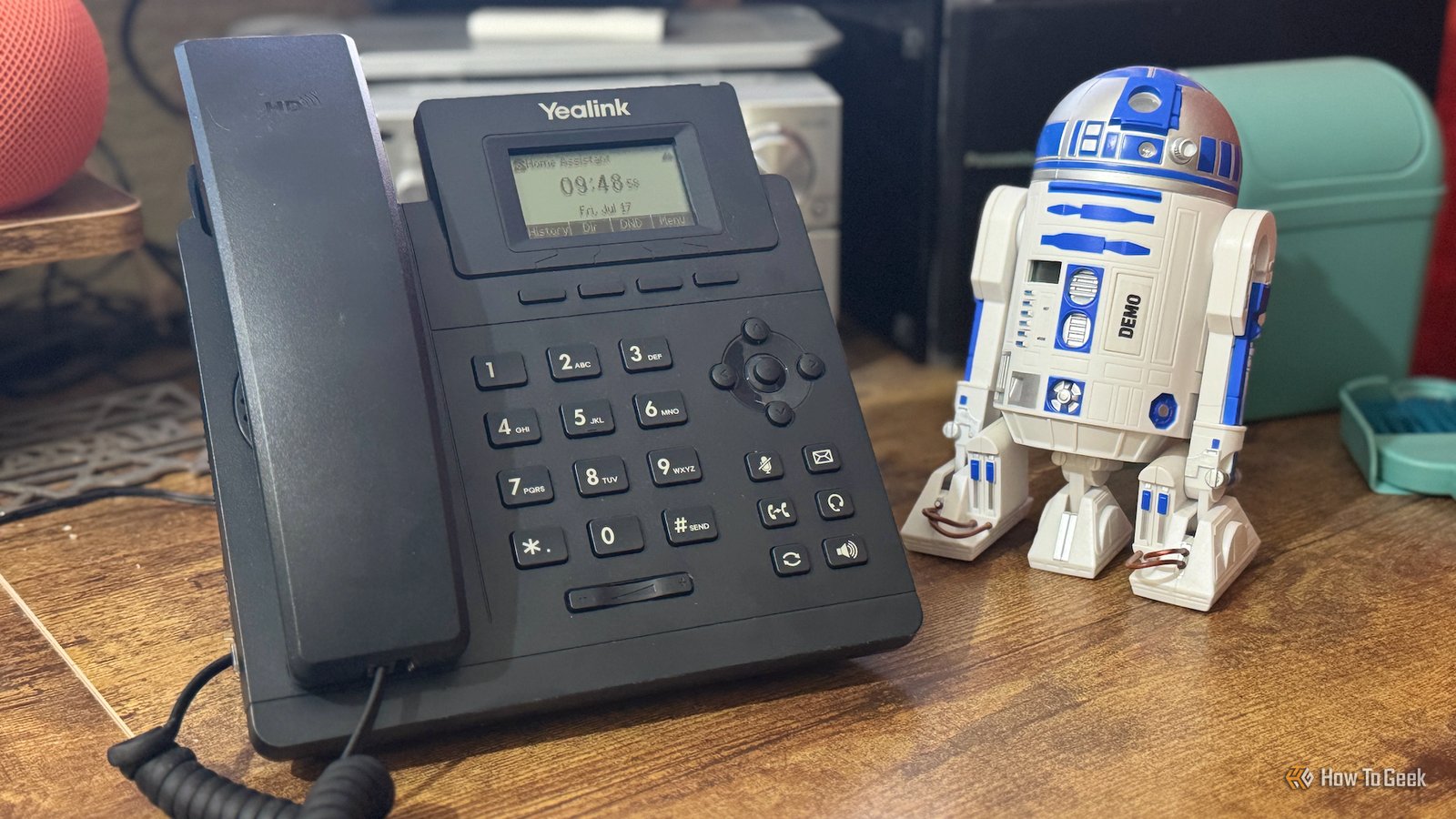
Published Jul 18, 2026, 10:15 AM EDT Adam has a degree in Engineering and has a life-long interest in technology. He has been writing for over a decade for various print and online publications, with a focus on consumer tech. He joined How-To Geek in 2024 while working at Pocket-lint. As well as being a long-term fan of Apple products, he also has a strong interest in smart home tech, running a Home Assistant server at home to automate all his smart home devices. He believes that the ideal smart home should work with minimal interaction from the user, with automations running as if by magic rather than requiring you to push buttons on a control panel. You can find more of his work on Muck Rack. I spend a lot of time at my desk in my home office, and I use my smart speaker multiple times during the day. I wanted a more reliable way to interact with my voice assistant, so I decided to go old school and add a phone to my desk. Wake words are great—when they work I wanted my voice assistant to be reliable Credit: Adam Davidson / How-To Geek I have several smart speakers in my home office. I have an Echo Show 5 that I've jailbroken to display Home Assistant dashboards. I have a HomePod mini, and I have a custom smart speaker that I built using a ReSpeaker Lite. I use them all in different ways on a daily basis. The problem is that using wake words with these devices isn't always perfect. My Echo Show 5 often struggles to respond to the wake word, and the HomePod mini and Respeaker Lite both sometimes trigger even when I haven't said the wake word. While they're far from unusable, there is usually at least one occasion per day when one of the devices won't behave like it's supposed to, which gets annoying over time. I wanted to find a way to speak to a voice assistant with more reliability. There must be a setup that would allow me to speak to the voice assistant on demand without it ever triggering accidentally. reSpeaker Lite Brand Seeed Studio CPU ESP32-S3R8 The reSpeaker Lite Voice Assistant Kit includes a two-mic array, a pre-soldered XIAO ESP32-S3 controller, and an XMOS XU316 audio processor with onboard natural language understanding, interference cancellation, acoustic echo cancellation, noise suppression, and automatic gain control. Hooked up a 5W speaker, you can create your own local voice assistant that you can connect to Home Assistant via ESPHome. A cheap SIP phone seemed like a cool solution There were Home Assistant integrations that could work After a little thought, I hit on an idea. A voice assistant is really just a virtual version of a real personal assistant. In a office environment, I might have a secretary in the office whom I could speak to just by picking up the phone, like the Moneypenny to my James Bond. Would it be possible to recreate that setup for my voice assistant? I'd seen a video in the early days of Home Assistant's voice assistant where someone had set up an old analog phone to work with Assist, using an analog telephone adapter that converted the phone’s analog audio into digital voice data that could be passed to Home Assistant. I'd seen some great-looking retro phones online, but the analog adapters were $40 or $50, which felt like too much to spend on this experimental project. While a retro phone would have looked cool, I really just wanted to know if I could make this work, so I took a look for a used SIP phone that could use Voice over IP (VoIP) directly without the need for an adapter. While these phones may not look as cool as a retro model, I managed to find a used one for just $10. I can pick up the phone and instantly speak to my voice assistant No need to dial The setup is surprisingly simple, although it took some figuring out. I installed the Asterisk add-on in Home Assistant. Asterisk is a free and open-source Private Branch Exchange (PBX) that manages incoming and outgoing calls. Using Home Assistant's Voice over IP integration, I registered the SIP phone with Asterisk and configured Asterisk to route calls to Home Assistant. When I pick up the handset, Asterisk connects the call to Home Assistant's voice assistant, and I can speak directly to Assist. The beauty is that with a little configuration, I don't even need to dial an extension: I can pick up the phone and start talking to Assist. It was a genuine thrill the first time I picked up the phone, asked the assistant to turn the light off, and my office light turned off. With my voice assistant setup, I can control smart home devices, check the status of devices in my smart home, get the weather, start timers, or even ask general questions, all just by picking up the phone. My smart home can call me if it has something to say Important notifications are harder to ignore Credit: Sony Pictures Entertainment Once I'd got the phone working as a way for me to speak to my voice assistant, the final stage was to enable the voice assistant to call me. This took a lot more fiddling, as it would sometimes work and sometimes fail, so there was a fair amount of troubleshooting. Eventually, however, I got it working. Now, instead of notifications playing through my smart speakers, I can have them call my phone. When I pick up, the spoken notification plays, and I can even carry on the conversation if necessary. It's a real joy when the phone rings, and I pick it up to hear the carefully chosen British female voice that's as close as I could find to Moneypenny telling me that the washing machine has finished or that I've been sitting for too long and should go and stretch my legs. The ringing phone is much harder to ignore than a short, spoken notification, so it makes the important stuff harder to miss. If I set a timer, for example, the phone will ring when the timer is up, and when I answer, it will tell me the name of the timer I set, which is perfect for using as a Pomodoro timer. Sometimes, the old ways are still the best Smart speakers are great, but there's something wonderful about the tactile sensation of picking up a phone and speaking to my smart home. It's quickly become second nature, and now that I have it working, I'm considering biting the bullet on a retro analog phone and adapter and setting one up in the living room for all the family to use.
I hooked up a phone to Home Assistant—now my smart home calls me when something’s wrong
Full Article
Original Source
Read the full article at Howtogeek →KhanList aggregates and links to publicly available news content. We do not host full articles from third-party sources. Always verify important information with original sources.