
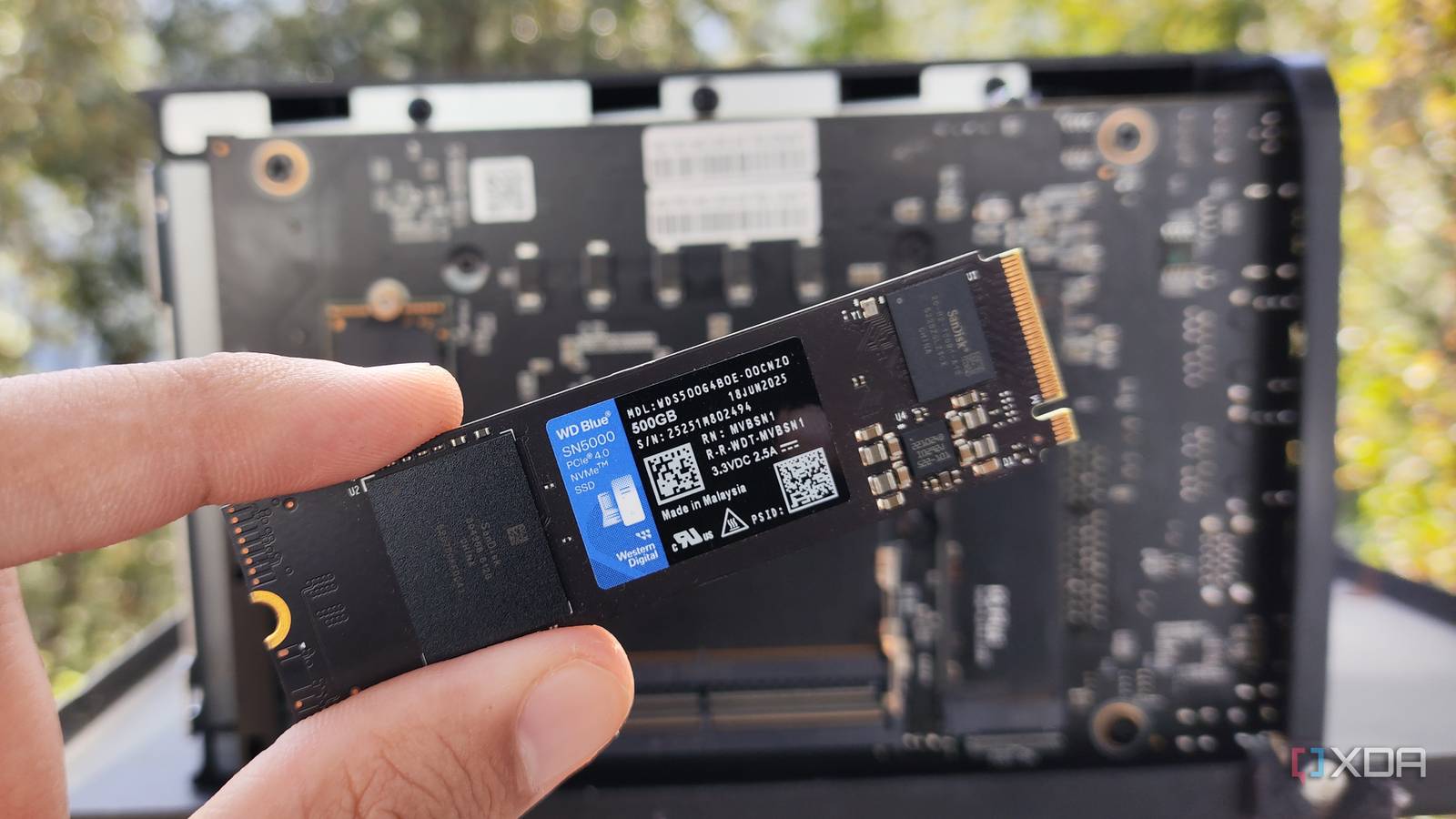
Published Oct 2, 2026, 1:00 PM EDT A seasoned mechanical design engineer turned tech reporter and reviewer, Chandraveer brings more than four years of consumer tech journalism experience to the table, with bylines at Android Police and iPhoneHacks. He's written about everything from UI and UX changes across various apps to emerging software and AI trends. At XDA, he showcases his versatility in the tech reporting space with articles rooted in personal experiences and frustrations. Chandraveer's passion for consumer tech spills over into hobbies such as mechanical keyboards, photography, and 3D printing. With an academic background in design and manufacturing, his insatiable curiosity spans beyond the digital domain. Chandraveer's downtime is an eclectic mix of reading fiction, practicing calligraphy, conceptualizing new products, and enjoying an expansive FLAC audio library. Microsoft disables hibernation by default in Windows 11, and my five-year testing finally revealed why that might be a good thing. My 250GB boot drive, a Samsung 970 EVO Plus, sits at exactly 90 percent health today despite hibernation after work every weekday. To the average home user, that's perfectly acceptable wear on a five-year-old drive, but for demanding power users, dropping below 90% could prove detrimental to system stability. Despite the robust wear-leveling algorithms and handsome warranties every modern SSD carries, there's more than one reason hibernating a Windows 11 machine is best avoided in favor of regular shutdowns. The test results aren't cause for concern by themselves Hibernation has a negligible impact on drive health, but it's noticeable nonetheless By design, hibernation writes the system status currently stored in the RAM to a temporary file called hiberfil.sys on your boot drive. So, each hibernation write shouldn't exceed the total installed RAM capacity on your machine, which is 32GB in my case. Drive wear metrics from CrystalDiskInfo revealed my boot drive has been powered on for 16,040 hours, while the storage controller endured 53,341 gigabytes of total host writes. Sure, all that isn't from hibernation alone, but it equates to around 4.6 years of daily hibernation with 32GB written each time. That massive daily memory dump consumes 7.79 percent of the drive's endurance limit each year from sleep states alone. Samsung guarantees my specific NVMe drive for 150 terabytes written over a five-year limited warranty period, which was class-leading for its time and a big reason why the drive health still registers at 90%. Regular usage eats into this limit too, meaning you might hit the endurance wall and physically kill the drive long before the warranty expires. Certain use cases, such as heavy concurrent tasks, running VMs with heavy write activity, or compiling software frequently, also degrade service life. My personal daily routine involves running Windows Subsystem for Linux instances and dedicating system resources to VMware Workstation. These virtual machines generate massive amounts of background write activity, rapidly chewing through the remaining write endurance of the flash memory. I also use the PC for stacking massive astrophotography frames in tools like DeepSkyStacker that utilize enormous scratch disks. Writing 64 gigabytes or 128 gigabytes of system memory state to the physical disk every single evening drastically accelerates the flash degradation, and PCs running low-capacity, budget drives face the highest risk, as those cheaper components feature significantly lower write endurance ratings. In some cases, keeping your browser tabs open overnight might not be worth the hardware health. Cold booting is faster Most software has handy resume features too Because of how manufacturers build modern NVMe drives, waking the system often takes longer than a cold boot. PCIe storage architecture optimizes heavily for rapid, sequential reads during boot, but waking a hibernated computer entails reading a compressed memory state, which is relatively suboptimal. In its current state, my PC boots to the lock screen in seven seconds, but waking from hibernation takes 12. Stringing together a series of wake-hibernate-wake cycles completely prevents the operating system from flushing out inevitable memory leaks. Applications like modern web browsers and background utilities slowly hoard system resources, and each wake feels slower than the last. Meanwhile, rebooting or booting afresh clears volatile memory and resumes the snappy operation you'd expect from SSDs. While heavy daily usage might burn through the limit on total bytes written faster than hibernation, the latter can be the straw that breaks the camel's back. Replacement costs alter the equation Treating NAND flash wear is more important than ever because prices have skyrocketed over the past couple of years. We can attribute the rise to increased demand for high-grade flash used to make RAM that's in great demand for AI data center applications. Replacing a burnt-out boot drive is no longer the cheap afternoon errand it once was. Manufacturers increased component pricing across the entire market, making premium drives a significant financial investment once again. powercfg /hibernate on powercfg /hibernate off Spending premium cash on a replacement solid-state drive makes the minor convenience of resuming a stagnant workspace a terrible financial trade-off. I've stopped hibernating and disabled it from the power options as well, which you can do using the above PowerShell command in a panel with administrator-level privileges. I've switched to full daily shutdowns, even though my SSD should last well beyond its advertised warranty period, because when it dies, the replacement won't be cheap.
I hibernated my PC every day for five years, and my SSD paid the price
Full Article
Original Source
Read the full article at Xda-developers →KhanList aggregates and links to publicly available news content. We do not host full articles from third-party sources. Always verify important information with original sources.