
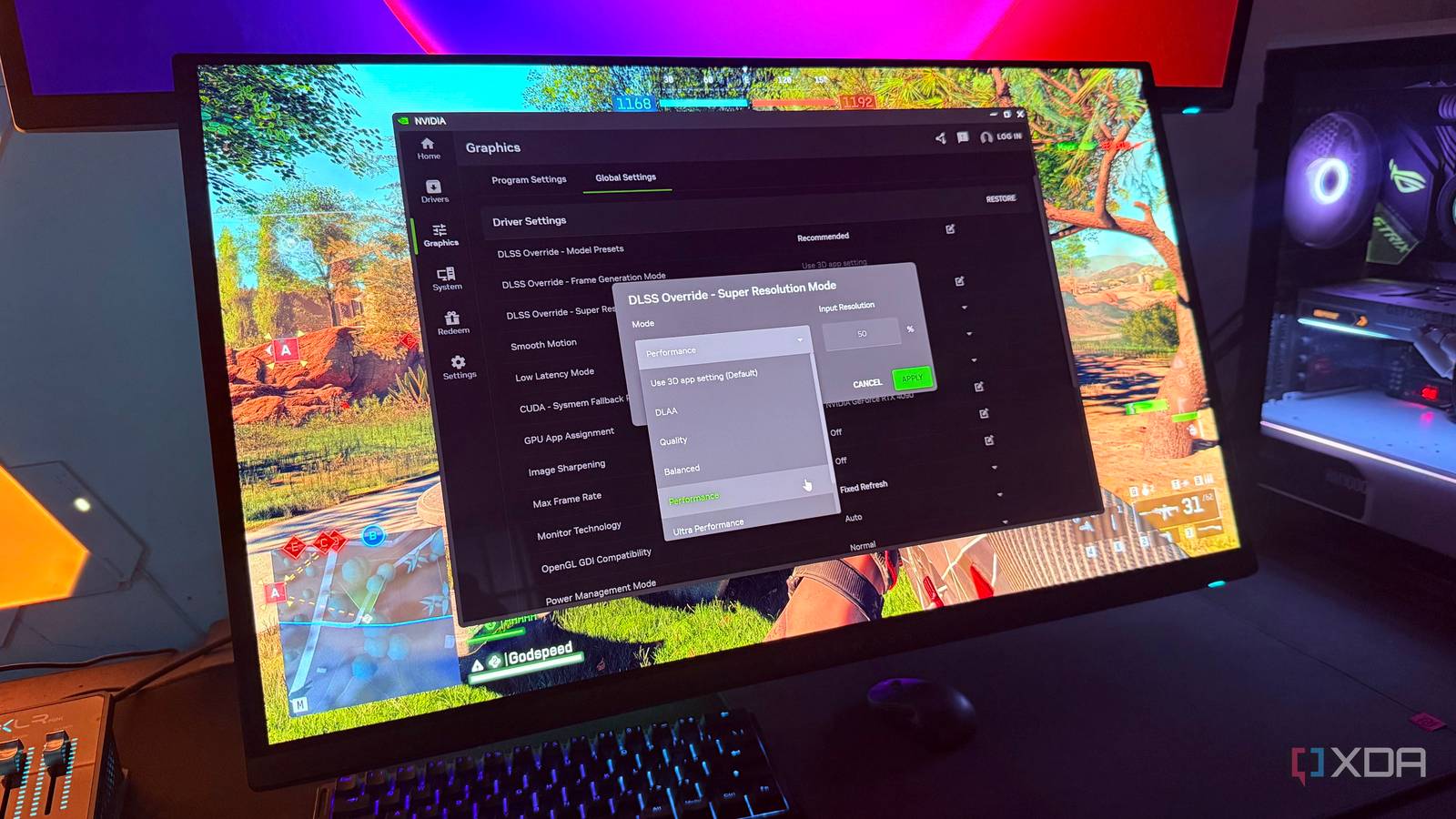
Published Sep 13, 2026, 10:00 AM EDT Hamlin has been in the tech field for over nine years. Since 2017, his work has appeared on MakeUseOf, Android Police, OSXDaily, Beebom, and more. He served as the Senior Editor at Valnet's MakeUseOf for over two years before joining XDA. He uses a high-end gaming rig for desktop use and a MacBook for traveling, but dislikes some of the quirks of macOS. You're more likely to catch him at the gym or on a flight than anywhere else. Ever since I bought my RTX 4090 four years ago, I've had no major trouble playing the latest games at native 4K, especially once I took ray tracing out of the equation. Even today, it still has enough raw horsepower to push past 60FPS, with only a few exceptions I can count on one hand. So you'd think that I'd have almost no reason to turn on DLSS unless I actually decided to enable ray tracing for that extra eye candy and needed to make up for the performance hit. But here's the thing. I don't see DLSS as a feature that I only rely on for better frame rates. Yes, I'll admit it's a big part of why I still turn it on, but image quality matters just as much. And DLSS has come a long way in that regard over the last couple of years. In fact, I now use DLSS in almost every game that supports it, regardless of my frame rate. Right now, it's more about how native 4K looks than whether I have enough GPU power to run it. TAA is what ruins native 4K for me It's still everywhere in modern games, and DLSS is my way around it Native 4K isn't really as "native" as the name makes it sound once you factor in TAA, or temporal anti-aliasing. Most games these days rely on some form of temporal anti-aliasing to get rid of jagged edges and shimmering that you'd typically notice without anti-aliasing. TAA combines information from multiple frames to smooth out rough edges and keep fine details stable in motion. But that blending of information is also why the image looks softer, especially when you start moving around in the game. Now, DLSS also uses temporal information for anti-aliasing, but the AI model does a much better job of resolving fine detail without introducing the same level of softness. That's why Nvidia is so confident in claiming that DLSS looks better than native 4K. And in my experience with DLSS 4.5, I do believe that's the case. Sure, you could argue MSAA preserves more of that sharpness, but that's hardly an option these days. If anything, I've seen some games, like 007: First Light, force TAA when you're playing at native resolution. So if I'm going to have to use a temporal anti-aliasing technique either way, I'd much rather use DLSS. That FPS boost is just a nice bonus. 60FPS isn't what I'm after I want to make the most of my 160Hz monitor now Before I bought the RTX 4090, I just wanted a GPU that would let me play the newest AAA titles at 4K/60FPS. The RTX 3090 I had back then got me close in many games, but there were still plenty of times I had to turn down a few settings. The RTX 4090 pushed well beyond that 60FPS target when it was new, but games have become more demanding over the last two years. Yes, I could get the RTX 5090, but spending over $4000 for a mere 30% performance improvement is the last thing on my mind. More importantly, I have a 4K/160Hz monitor now, so 60FPS isn't what I'm chasing. In fact, I've gotten so used to playing competitive games at triple-digit frame rates on my 1440p/360Hz OLED that I'd much rather be somewhere around 100FPS in AAA titles. Of course, I'm not expecting a four-year-old GPU to consistently hit that target at native 4K. But DLSS helps me get there, and I'm now more comfortable using it because it looks just as good as native 4K. It's so good that even when I'm gaming on my 1440p OLED, I tend to use DLSS just for that extra performance. For me, using DLSS is more of a preference than a need. Native 4K with DLAA is visually better But DLSS gives me the best of both worlds DLSS isn't really my only option if I don't want to put up with TAA. I could technically use DLAA, which essentially uses the same anti-aliasing technique as DLSS, but at native resolution without upscaling. That means I can get an even sharper image since the game isn't internally rendering at 1440p or a lower resolution. If image quality was the only thing I cared about, then native 4K with DLAA would be the obvious choice for me. The problem with DLAA, though, is that it comes with another 5-10% performance hit, and that's the last thing I want when I'm gaming at 4K. I'm already trying to push closer to 100FPS whenever possible, so it's not just about image quality for me. DLSS removes TAA blur and gives me a meaningful FPS boost, so there's virtually no downside. I still rank it above native 4K with TAA in terms of clarity, so that edge DLAA has isn't enough to convince me to sacrifice even more performance. At 1440p, I do actually use DLAA often because I have the headroom to spare, but it's a different story at 4K. I'll gladly take DLSS even when I don't need it A few years ago, I would be the first to avoid upscaling unless I absolutely needed that extra performance because enabling DLSS almost made games look like someone smeared Vaseline all over my screen. Things couldn't be more different now. These days, sticking with TAA feels the same, while DLSS instantly makes the image sharper. The solid FPS uplift is enough to make me stop chasing native 4K altogether. I don't think I'd stop using DLSS even if I upgrade to a more powerful GPU down the line, and that says a lot about how good it has become over the years.
I have enough GPU power for native 4K, but I still turn on DLSS
Full Article
Original Source
Read the full article at Xda-developers →KhanList aggregates and links to publicly available news content. We do not host full articles from third-party sources. Always verify important information with original sources.