
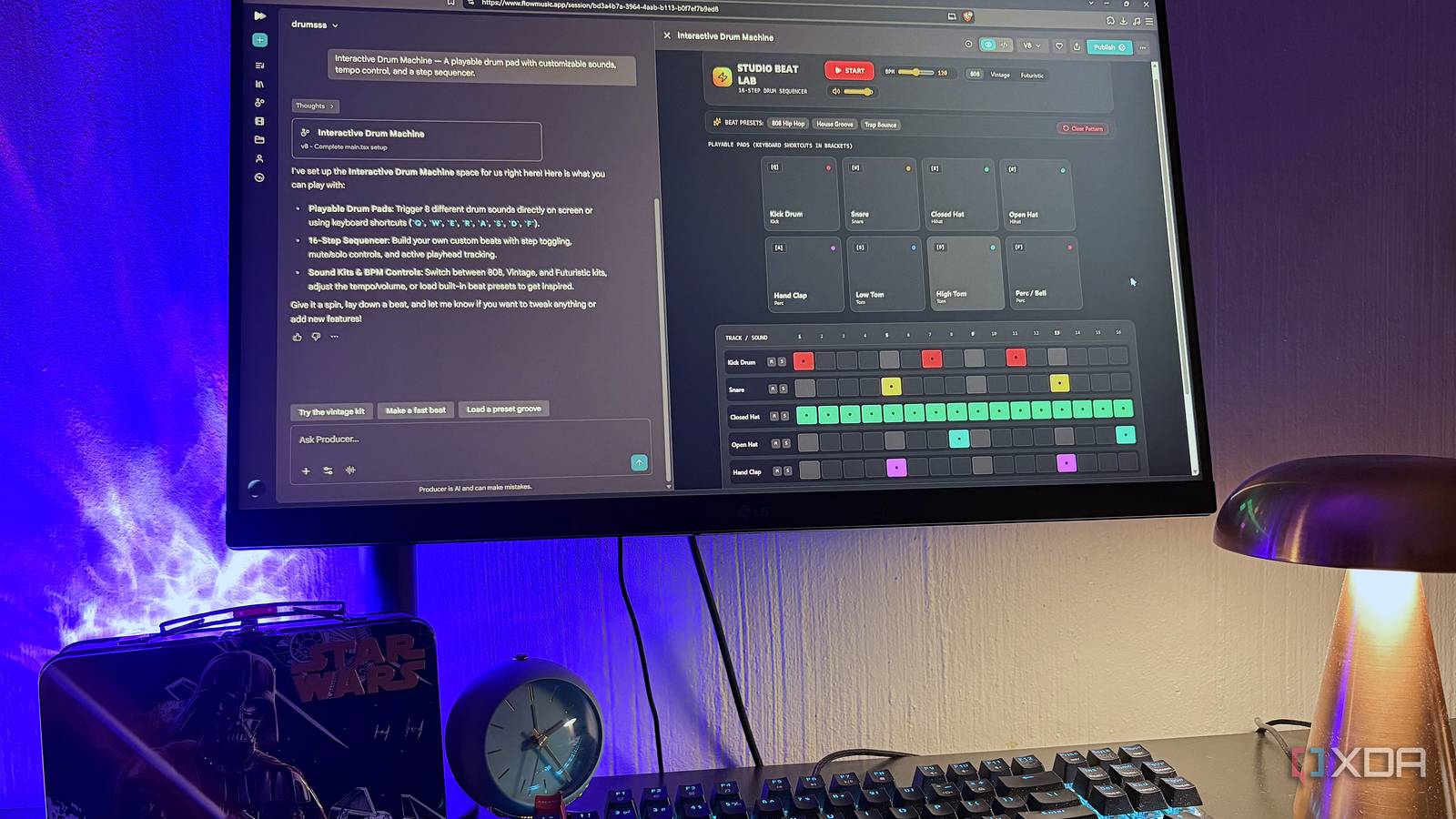
Published Sep 17, 2026, 10:31 AM EDT Nolen began their writing career in 2019, with three years dedicated to editing the Creative section at MakeUseOf. Their expertise lies at the crossroads of technology and creativity, covering areas like photography, video editing, and graphic design. Outside of work, you'll often find Nolen diving into a good book, writing their own stories, or playing video games. Every AI company is now competing for our attention, and more importantly, our subscriptions. But I'm not the type to "just try it out" very easily, which has probably saved me more than I realized. If the free version of a tool gets the job done, that's what I'm sticking to. In order for me to subscribe, the software's paywalled features would have to be a necessity where going with it wouldn't make sense. That's exactly what happened with NotebookLM. I needed more usage and some of the caps lifted, so I got Google AI Plus. Then I realized the benefits it was giving me beyond NotebookLM and into the rest of the Google AI ecosystem. I actually recently upgraded from Plus to Pro, and the jury is still out on whether this specific upgrade will be worth it, but either way, it's expanded my AI stack way more than I realized… Want to stay in the loop with the latest in AI? The XDA AI Insider newsletter drops weekly with deep dives, tool recommendations, and hands-on coverage you won't find anywhere else on the site. Subscribe by modifying your newsletter preferences! The NotebookLM upgrade that dragged Gemini along with it The subscription I thought I had, versus the one I actually got Google AI Plus was purely for NotebookLM. I hit the source ceiling on a research notebook again, and the extra headroom was worth $5 to me. Within a few days of subscribing though, my Gemini chats felt different. Longer sessions stayed coherent, Deep Research reports came back with more depth, and I stopped getting downgraded to a lighter model halfway through a chat. Which turns out to be exactly what's happening. Paid tiers give you a much bigger allowance of Gemini 3.1 Pro, the actual heavy-lifting model, before Google drops you down to Flash-Lite. Free accounts get bumped down fast, but Plus keeps you on 3.1 longer, and Pro keeps you there even longer. This is essentially what pushed me to upgrade from Plus to Pro too. Pro unlocks the full 1M token context window (Plus caps at 128k) and 4x the free-tier usage limits overall. So my "just NotebookLM" subscription had already turned into an everyday Gemini upgrade before I really noticed. Google Antigravity is practically handling my PC for me now This upgrade was the most welcomed surprise Google Antigravity is Google's agentic development platform and a VS Code fork where AI agents plan and execute tasks across your editor, terminal, and browser instead of just autocompleting code. On the free tier, you get a weekly rate limit that resets slowly and gates how much work the agent can actually do for you in a given stretch. Google AI Pro replaces that with quotas that refresh every five hours, plus access to a flexible AI credit pool for overages once you hit the ceiling. I used to skate by on the free version, but since agentic tools have become a bigger part of my workflow lately, I'm not complaining one bit about the Antigravity upgrade. I predominantly use Antigravity for computer admin and productivity tasks - Antigravity handles that as agent tasks, running the commands itself and reporting back. The five-hour refresh window is what made this actually usable for me. On the free tier I'd start a batch job in the morning but sometimes hit a wall by the afternoon - now I can simply chain them together in a session and keep working without worry. I also use it to experiment with vibe-coding, vibe-designing, and trying to understand how coding workflows are shaped. In fact, I've got it hooked up to Figma via MCP so it can turn my design files into working prototypes in minutes and explain the framework underneath them to me. The setup that made it stick was writing a GEMINI.md rules file at my workspace root. The agent reads it in every session, so I don't have to re-explain my folder conventions, my "don't touch these" rules, or my preferences every time. AI Studio and Flow were waiting for me Google AI Studio is the one that took me by surprise. I try to stay current on AI design and prototyping tools, and somehow this one slipped past me completely (or I might have just forgotten about it to be completely honest, given how many AI tools I juggle). It's Google's browser-based Gemini prototyping environment, and Pro subscribers get much higher usage limits inside it, plus access to Gemini 3.1 Pro and Nano Banana Pro models. I actually only started playing with it around the time I pitched this article - it wasn't on my radar until I started doing research for this piece. Build mode is powered by the Antigravity agent underneath, so it maintains project context across multiple files and verifies its own work. It also deploys to Cloud Run and GitHub, or you can pick Android from the platform picker and get a Kotlin project you can preview in a browser-based emulator and push straight to your phone via ADB. This is an absurd amount of capability sitting inside a subscription I initially bought for research. I've covered Flow's video side before, but somehow missed that Flow Music is a separate thing. It's Google's AI music workspace built on the Lyria 3.5 model, and it does full songs, stems, custom instruments, and matching AI music videos. Free tier gives you 500 daily credits (roughly 20 songs a day), and paid Google AI plans bump that further. This has definitely been a fun one to experiment with. One subscription got me further than I realized I think the real lesson is just to poke around your subscriptions, regardless of whether it's with Google or Anthropic or something else. Google is bundling a lot into these plans and I'd argue they're perhaps not doing the best job at communicating what's actually in the box. I signed up for just one tool and walked away with a whole suite of tools and upgrades that I didn't even know were there. Not a bad problem to have.
I got a Google AI subscription for NotebookLM, and keep finding features I didn't know I was paying for
Full Article
Original Source
Read the full article at Xda-developers →KhanList aggregates and links to publicly available news content. We do not host full articles from third-party sources. Always verify important information with original sources.