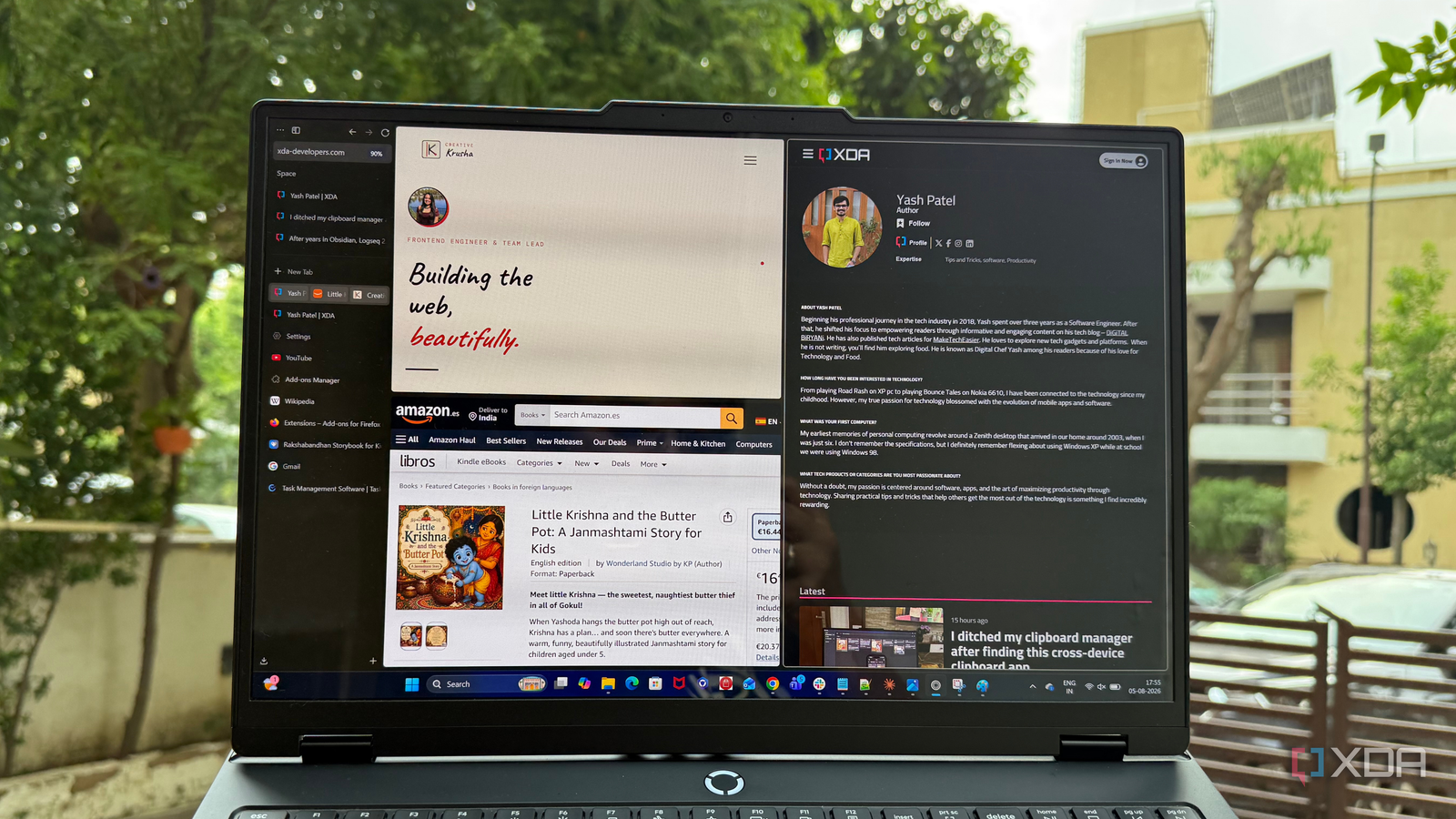
Published Aug 6, 2026, 3:30 PM EDT Beginning his professional journey in the tech industry in 2018, Yash spent over three years as a Software Engineer. After that, he shifted his focus to empowering readers through informative and engaging content on his tech blog – DiGiTAL BiRYANi. He has also published tech articles for MakeTechEasier. He loves to explore new tech gadgets and platforms. When he is not writing, you’ll find him exploring food. He is known as Digital Chef Yash among his readers because of his love for Technology and Food. Firefox had been my default browser for so long that I never really thought about replacing it. Whenever I tried another browser, I always ended up coming back. That changed when I decided to give Zen Browser a try. I expected it to be another Firefox alternative that I'd use for a few days before uninstalling. Instead, it slowly became the browser I open for everything. Before I realized it, Firefox was no longer my default choice. Here's what made Zen Browser stand out and why I think it's one of the most underrated browsers you can use today. Zen Browser feels like it is designed for how I actually browse It fits the way I work instead of making me adjust The first thing I noticed after switching to Zen Browser wasn't a single feature. It was how comfortable the whole browsing experience felt. It seemed to match the way I already use my browser every day. My usage is tab-heavy, where multiple tabs are opened for weeks. With Firefox, I had gotten used to putting in extra effort to keep everything under control. Zen made things feel much simpler. The browser also has a clean layout that doesn't get in the way. Everything feels easy to find, and I never felt like I had to change the way I worked just to use the browser. After a few days, using it became second nature because I could focus on my work instead of thinking about the browser itself. That's what impressed me the most. Zen Browser didn't force me to adjust to my workflow. It simply worked the way I already did, making my daily browsing smoother, easier, and more enjoyable from the very beginning. Vertical tabs completely changed how I manage dozens of tabs I finally stopped losing track of what I had open I always have a lot of tabs open. While writing an article, I might have documentation, research papers, YouTube videos, AI tools, and several blog posts open at the same time. With the usual horizontal tab bar, everything quickly became cramped. After a point, I couldn't even read the tab titles, so finding the right one meant clicking through several tabs. Zen Browser's vertical tabs completely changed that. Since the tabs are listed down the side, I can actually see their names without them shrinking. Finding the page I need takes just a quick glance instead of guessing which tiny tab to click. It also feels much more natural on a widescreen monitor. Most websites don't use the full width of the screen anyway, so using that extra space for tabs makes a lot of sense. I didn't think changing the position of tabs would make such a big difference, but it has easily become my favorite part of Zen Browser. Going back to horizontal tabs now feels surprisingly limiting. The quality-of-life features make it more productive The little features added up to a much better experience What kept me using Zen Browser wasn't just the vertical tabs. It was all the small features that made my daily browsing easier. Split View lets me keep two pages open side by side, which is great when I'm researching while writing. Glance helps me quickly preview links without opening a new tab, saving me from filling my browser with pages I only need for a few seconds. I also like the compact interface because it gives more space to the webpage itself. The sidebar makes it easy to access important tools without switching tabs, while pinned tabs keep the websites I use every day within reach. Better tab management also means I spend less time searching for the page I need. On top of that, smooth animations make the browser feel polished, and customizable layouts and keyboard shortcuts let me set things up the way I like. None of these features are huge on their own, but together they make Zen Browser feel faster, smarter, and much more enjoyable to use every day. The customization goes much further than I expected I could make the browser feel like my own Zen Browser offers great control over the interface. Instead of being stuck with a single layout, I can change different parts of the browser to match the way I like to work. I didn't have to spend hours tweaking settings, but it was nice knowing I could adjust things whenever I wanted. I changed a few layout options, cleaned up parts of the interface I didn't use, and arranged everything in a way that felt comfortable. The browser lets me keep the tools I use close by while hiding the ones I don't need. It feels personal instead of looking exactly the same as everyone else's browser. A better way to browse Switching from Firefox wasn't something I expected to do, but Zen Browser made the decision surprisingly easy. It offers a browsing experience that feels modern, thoughtful, and built around how I actually use the web every day. After spending enough time with it, I don't see myself going back anytime soon. Firefox is still a great browser, but Zen has become a better fit for my needs. Zen Browser For a browser focused on a beautiful UI, extensive user modification, and privacy, look no further than Zen Browser.
I gave up on Firefox for a browser nobody talks about, and it's the best I've ever used
Full Article
Original Source
Read the full article at Xda-developers →KhanList aggregates and links to publicly available news content. We do not host full articles from third-party sources. Always verify important information with original sources.