
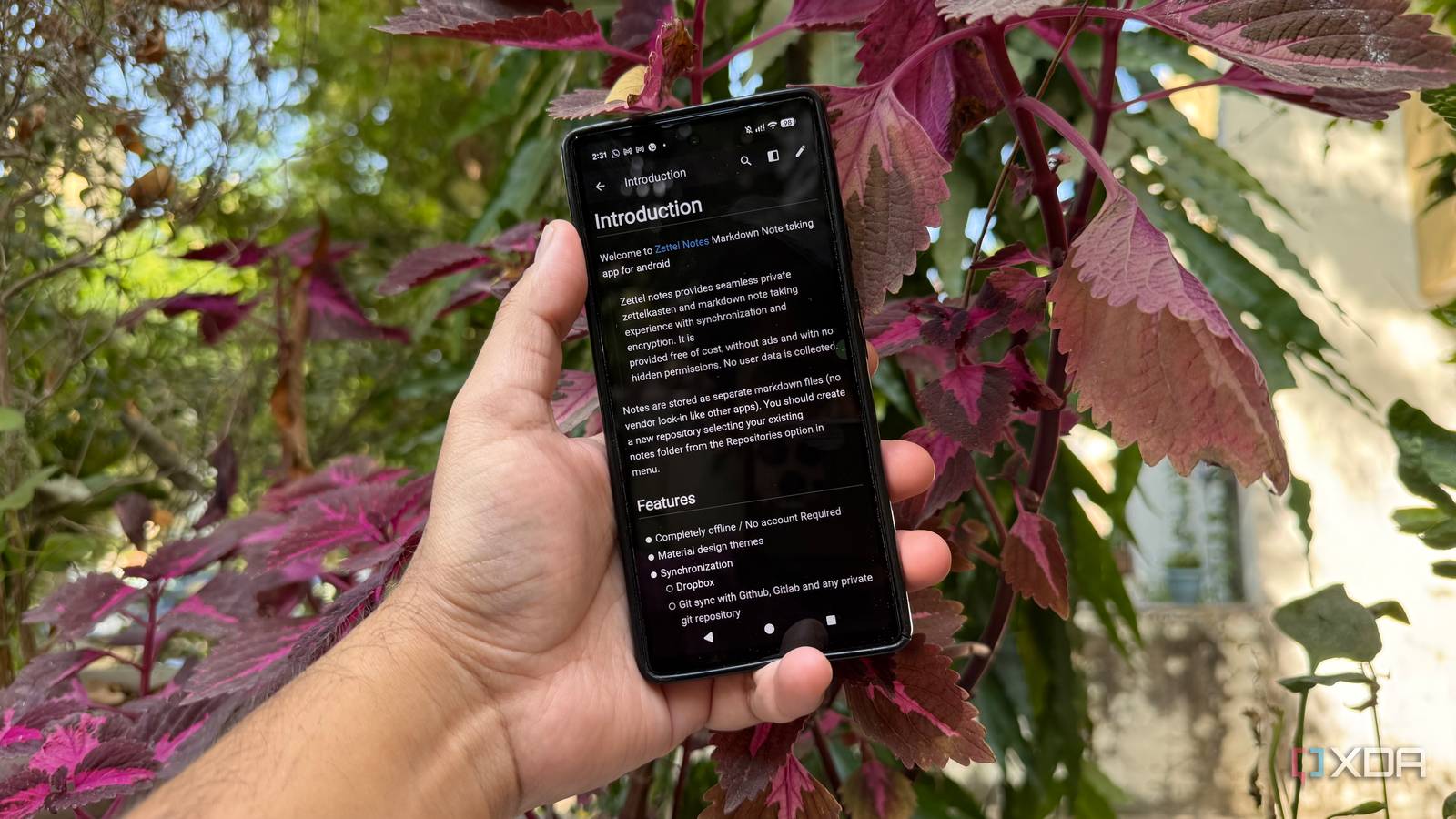
Published Nov 27, 2026, 6:00 AM EST Beginning his professional journey in the tech industry in 2018, Yash spent over three years as a Software Engineer. After that, he shifted his focus to empowering readers through informative and engaging content on his tech blog – DiGiTAL BiRYANi. He has also published tech articles for MakeTechEasier. He loves to explore new tech gadgets and platforms. When he is not writing, you’ll find him exploring food. He is known as Digital Chef Yash among his readers because of his love for Technology and Food. Note-taking apps have become an important part of my productivity workflow. I've tried everything from simple text editors to feature-packed workspaces, each promising a better way to capture ideas and stay organized. But sometimes, the apps with the longest feature lists aren't necessarily the ones I enjoy using every day. Recently, I came across Zettel Notes, an app I hadn't paid much attention to before. After spending some time with it, I found a few reasons to keep coming back. What is Zettel Notes? It combines simple notes with a connected knowledge system Zettel Notes is an Android note-taking app built around Markdown and the Zettelkasten method, a way of organizing information by linking related notes. You can create individual notes, arrange them into folders, and link related entries to build a personal knowledge base. It lets you write in Markdown, add links between notes, and use tags to make entries easier to find later. I like the idea of keeping individual thoughts in separate notes instead of collecting everything in a handful of lengthy documents. It makes it easier to revisit an idea later, add more information, and connect it with something I've written before. There are some surprisingly convenient features It handles more than just text-based notes Zettel Notes supports several note types beyond regular text entries, including task lists, drawings, audio recordings, bookmarks, and logs. Audio notes let you capture ideas when typing isn't convenient, while drawing notes provide space for quick sketches and diagrams. Log notes are useful for maintaining timestamped records of daily activities. I like having different note types for different purposes. I often jot down small reminders while working on something else, and task-list notes give me a convenient place to keep track of them without mixing everything into my regular notes. Log notes are another useful option for recording quick updates throughout the day. Templates save time when creating similar notes. A format can be prepared once and reused with dynamic variables that automatically insert details such as the note title, filename, or current date. The app also includes a citation manager with BibTeX and CSL JSON support for organizing research references. My notes stay on my device, and I get to choose how they sync It gives me control over storage and synchronization Zettel Notes works offline, so you don't need an internet connection to create or edit notes. It stores entries as individual Markdown, TXT, or Org files rather than keeping everything in a proprietary database. You can add an existing folder as a repository and continue working with those files directly. Synchronization is another area where Zettel Notes stands out. It supports Git, Dropbox, WebDAV, and SSH/SFTP, giving you several ways to sync notes based on your existing setup. For example, WebDAV works with a Nextcloud server, while Git maintains a version history of your files. The app also offers control over synchronization conflicts, letting you prioritize local or remote changes or attempt to merge them automatically. Background synchronization can run at scheduled intervals, or based on conditions such as Wi-Fi connectivity, charging status, and battery level. You can even encrypt individual repositories with a password or PGP key. The app also includes automatic backups, though these cover files in its own app folder rather than every external repository. It's not perfect for everyone A few rough edges keep it from being perfect Since Zettel Notes is designed for Android, it may not suit people who regularly switch between their phone and computer. There's no native desktop version, which means you'll need another Markdown editor to work with your notes on Windows or macOS. Although the notes are stored in standard file formats, you'll have to manage that cross-device workflow yourself. Zettel Notes also has a learning curve, particularly if you're unfamiliar with Markdown or managing notes through repositories. Its settings and customization options take some time to understand, so beginners may need a little patience before settling into a comfortable workflow. Setting up Git or WebDAV synchronization also requires some configuration, which may feel less convenient than automatic cloud syncing. More importantly, the developer warns that editing two notes simultaneously in split-screen mode or Samsung DeX can cause one note to overwrite another. It's a limitation worth knowing if you often multitask on your phone or tablet. A little less complexity goes a long way Zettel Notes reminded me that a useful app doesn't need a flashy interface or endless features to earn a place in your daily routine. It just needs to make everyday tasks easier without getting in the way. It may take some time to get comfortable with, but the flexibility it offers makes that effort worthwhile. If you're tired of complicated note-taking tools and want something that stays out of your way, Zettel Notes is well worth trying. Zettel Notes Zettel Notes is a free, offline-first Markdown note-taking app for Android designed around the Zettelkasten note-linking method.
I gave this underrated notes app a chance, and it earned a spot on my phone
Full Article
Original Source
Read the full article at Xda-developers →KhanList aggregates and links to publicly available news content. We do not host full articles from third-party sources. Always verify important information with original sources.