
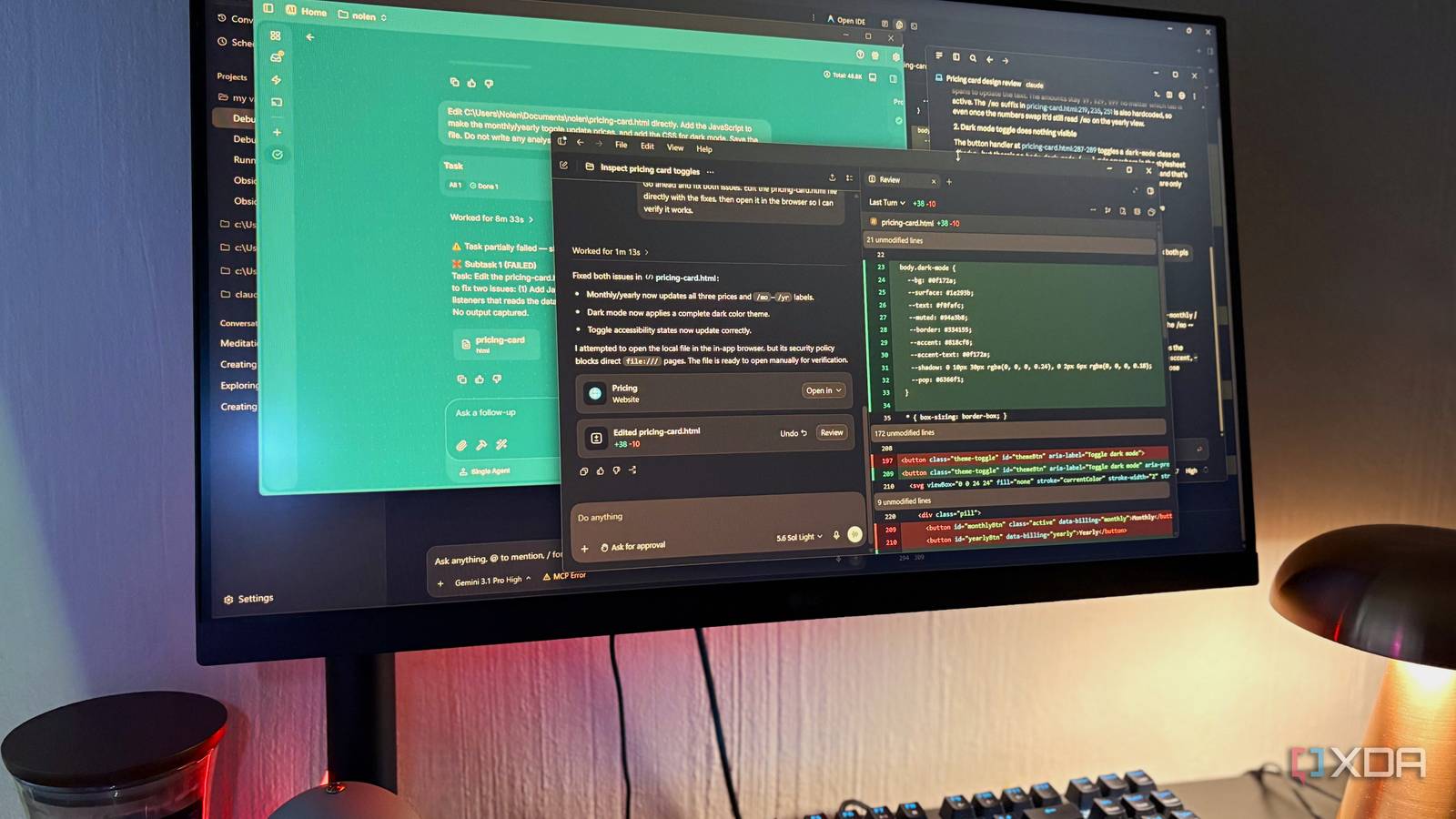
Published Aug 25, 2026, 5:30 PM EDT Nolen began their writing career in 2019, with three years dedicated to editing the Creative section at MakeUseOf. Their expertise lies at the crossroads of technology and creativity, covering areas like photography, video editing, and graphic design. Outside of work, you'll often find Nolen diving into a good book, writing their own stories, or playing video games. AI coding tools have made it much easier for non-developers to spin up small projects, and vibe coding a working prototype is much more accessible now than it was even just a year ago. The problem is what happens when something breaks in one of those files. You can see it when you're rendering the code, but you don't know what's actually wrong underneath. For me, at least, this is simply because I'm not a developer but a designer, and only just starting to learn my way around code. So, I wanted to test which of these tools would have my back in such an event. I took a small HTML file with three working features and deliberately broke two of them. A toggle at the top that visually flips but the content on the page never actually updates. And a mode switcher in the corner that does nothing when it's clicked. You can see both symptoms if you open the file, but neither is obvious if you look in the code. I handed the exact same file and the exact same prompt to Claude Code, Codex, Antigravity, and Eigent running a local model. In this case, I didn't only want to see if they would catch the issue, but also how deeply they'd read the file, how they'd deliver the fix, and whether they'd get there on the first try. Want to stay in the loop with the latest in AI? The XDA AI Insider newsletter drops weekly with deep dives, tool recommendations, and hands-on coverage you won't find anywhere else on the site. Subscribe by modifying your newsletter preferences! Claude Code caught more than I asked for It caught a bug I didn't know was hiding inside the bug I asked about I started with Claude Code and I had it running on Opus 4.7 with reasoning turned to high. The diagnosis came back tight, both bugs called out with exact line numbers, and it also named the actual variables and attributes at play in each one. It pointed to the active class, the billing variable, and the data attributes sitting on the price spans. So it clearly hadn't just pattern-matched off my description of the problem. It also caught something I hadn't mentioned. Apparently the "/mo" suffix I was using for pricing is hardcoded in three separate spots in the HTML, so even if the prices swapped correctly when the toggle fired, the "/mo" text would still show up on the yearly view. Basically a bug hiding inside the bug I was already asking about. For the mode switcher, it correctly figured out that the button toggles a class on the body element but there's no matching rule anywhere in the stylesheet for that class, so nothing on the page actually knows what to do when the toggle is switched. Then it came time to ask for the fix and it handled it very swiftly, as expected. It put a helper function wired into both click handlers for the toggle, and a new block redefining the color tokens for the mode switch. Both worked on the first try, as I expected. Codex did the deepest read It fixed what I asked and then some Next up was Codex, which I had running on GPT 5.6 Sol also on high reasoning. This one produced the deepest read of any of the four. It caught both main bugs with the same root causes Claude Code found, which was already a good sign, and then it kept going. For starters, it flagged that the billing variable in the JavaScript is assigned but never actually used to render anything. Then it noticed the "yearly" figures I'd set weren't monthly-equivalent prices but annual totals, so displaying them next to a "/mo" label would still be misleading even after the toggle worked properly. It suggested either switching to a "/yr" suffix or converting the whole thing to monthly-billed-yearly. And on top of all that, it pointed out that the toggle buttons don't expose their selected state to assistive tech, so screen reader users would have no way of knowing which billing mode is currently active. The mode switch icon not swapping when the mode changes got flagged too, but it suggested that as something more cosmetic than functional. When I asked for the fix, it did everything I asked and also added the accessibility attribute it had flagged during diagnosis, unprompted. It tried to open the file in its own browser but hit a security policy blocking direct local file access, and told me to open it manually. Antigravity got there in the end I was a bit disappointed, not going to lie I've been relying on Antigravity a lot lately, it's the perfect tool for vibe-coding and computer admin. But it's far from perfect, and it got pretty messy early on. I started on Gemini 3.1 Pro Low and the diagnosis itself was fine: it called out both bugs and the reasons for them. The explanations were thinner than Claude and Codex gave me though. The issue came when I gave it the go-ahead to make the fixes. Instead of editing the file, it pasted code snippets into the chat and admitted "the full file keeps getting cut off." That sort of undermines the whole reason for using an agent that's supposed to edit files directly. So I tried again with Claude Sonnet 4.6 Thinking, and it hit a hard "Agent execution terminated due to error" after one second. That run was completely dead. Third attempt, I went back to Gemini but bumped the reasoning up from Low to High, started a fresh conversation, and used the same file and prompt. This one worked. The diagnosis was similar to its first attempt, and when I asked for the fix I specifically told it to edit the file in place and open the browser afterwards, which it finally did this time. The edits were fine, it got there eventually - but I may be starting to doubt relying on it so heavily for my UI/UX projects. Eigent ran a full workforce on a small job The most thorough report, but the messiest fix Eigent was the one I was most curious about because it was the local open-source option. I've been having a great time with it lately - the UI is very intuitive and it hooks up to any AI you want. I had it running Qwen 3.5 9B via LM Studio, and Eigent then feeds that into its own multi-agent workforce, so you get this whole orchestration layer sitting on top of the local model. The diagnosis took just over six minutes. It spun up a Document Agent, a File Toolkit, and a Terminal Toolkit, planned the task out, checked the file existed a few times through terminal calls, and then wrote a separate markdown file with the diagnosis in it instead of just replying in the chat. That report is genuinely impressive as a document though. It's got sections for each feature with status labels next to them (Grid Layout: PASSING, and the two broken features marked FAILING), line numbers, expected vs actual behavior, and inline code snippets showing what's correct and what's missing. So same bugs as all the others caught, sure, but it definitely delivered the most thorough artifact of them all. It did start to unravel with the fix though. The first attempt took nearly six minutes again and involved so many planning steps and skip prompts that the input box ended up locking up on me. I had to stop the task entirely, saw that no file changes had even happened yet, and then reprompted. At this point I was at 65k tokens, and this is running on my measly 8GB VRAM. This time it went through Subtasks Planning, decided the task was "straightforward" and didn't need decomposition, spawned a Developer Agent, and then reported Subtask 1: FAILED with no output captured. Third attempt with a more explicit prompt finally edited the file. Well over 15 minutes across three runs, and most of that time went to planning that never actually touched the code. I got a fixed file eventually, but it started to feel like it was more than it's worth. Three of them fixed the file, one of them read it properly first Codex is the one I'd reach for first next time, honestly. All four eventually got the toggles working, and because the colors and values were already baked into the file, they landed on visually identical fixes. But Codex did the job I asked and then found more things worth fixing on top of it that I hadn't even thought to ask about. Claude Code is a close second and I'd trust it for anything time-sensitive. Antigravity got there eventually, and Eigent actually surprised me with its in-depth analysis.
I gave the same bug to Claude Code, Codex, Antigravity, and their open-source rival — only one handled it like a pro
Full Article
Original Source
Read the full article at Xda-developers →KhanList aggregates and links to publicly available news content. We do not host full articles from third-party sources. Always verify important information with original sources.