
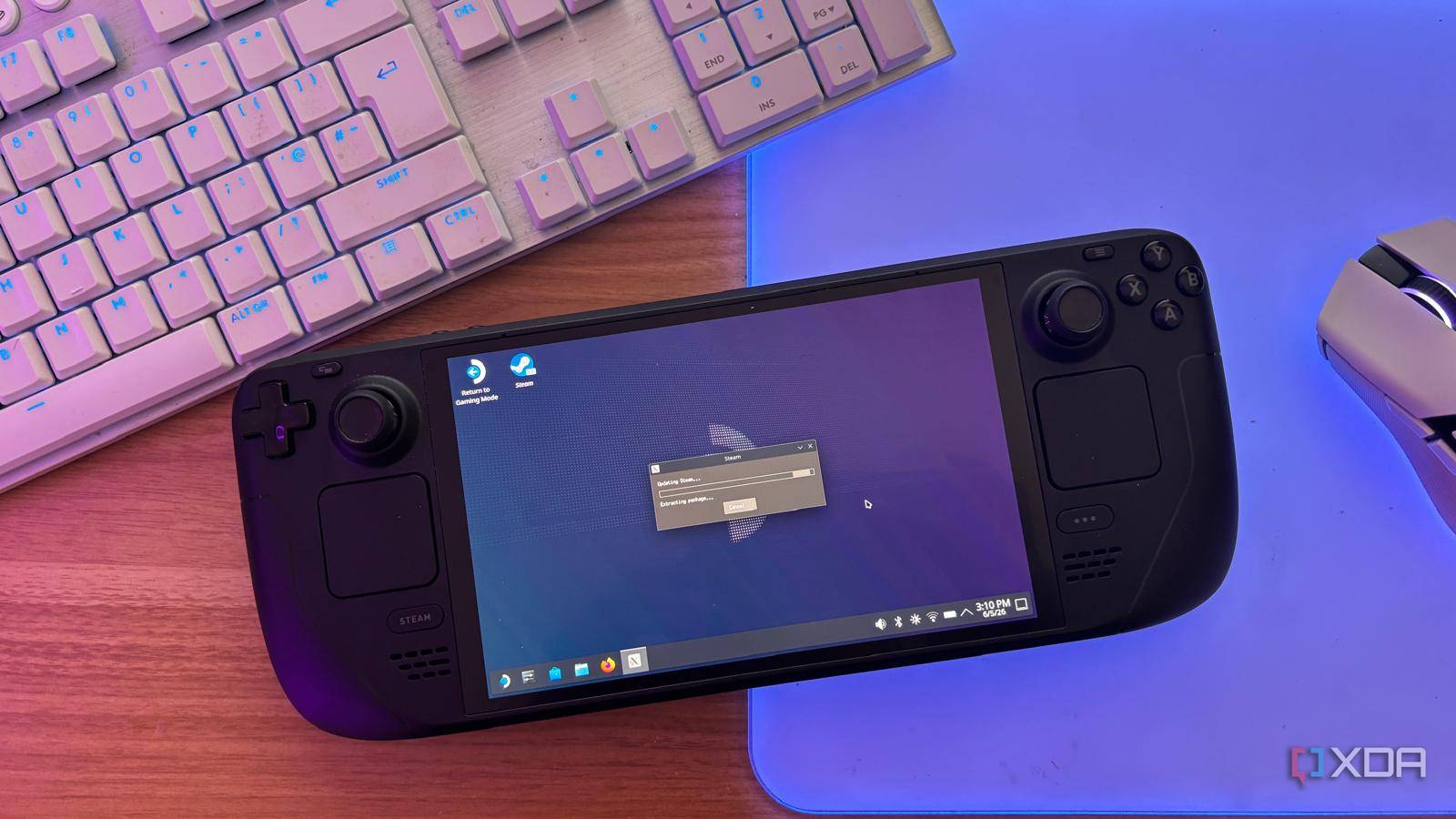
Published Oct 16, 2026, 8:00 PM EDT Abhinav pivoted from a career in banking to pursue his first love in writing. Even while working full-time, he continued contributing as an editor-at-large, a role he has held for more than 7 years. A lifelong tech enthusiast who has built three gaming and productivity powerhouse PCs since 2018, his passion for technology keeps him closely following the semiconductor industry, from NVIDIA and AMD to ARM. His MSc dissertation explored how artificial intelligence will reshape the future of work, reflecting his curiosity about the wider social impact of emerging technologies. The Steam Deck is a powerful device, and I'm not talking about the frames it can push in AAA gaming at all, at least not here. I've previously argued that the Deck beats a budget gaming laptop on long-haul trips, and most of what I argued came down to the form factor, since the handheld was the clear winner in situations where I couldn't find a desk to house the laptop. What's more to it, though, is that not only does the Deck keep me busy on an 8-hour-long flight, it also keeps me productive in the leg that follows it, in a way that's easier on the eyes, snappier for my workflow, and a little more grand for all of my entertainment needs. All it needs to do all of that is the addition of a dock that sells for $40. Here's why I think the Deck is better for my travel computing needs than my old Lenovo Legion 5 Pro. An entire desktop setup can fit in my carry-on A $40 dock, a mouse, a keyboard, and a portable monitor if I need it Most of my travel setup can fit inside my carry-on. I have a 7-in-1 USB-C dock in there that cost me $40 on Amazon. It's considerably smaller than Valve's official dock, costs less than half as much, and offers a spec sheet that's better suited to my needs. With it, I can get 4K output at 60 Hz over HDMI, three USB-A 3.2 ports rated for 10Gbps, and 100W power delivery pass-through. I'm willing to bet that you could get a dock with similar specs for a similar or lower price online. The rest of the kit consists of a Bluetooth mouse that conveniently comes with a 2.4GHz USB dongle, a slim wireless keyboard, and when the situation calls for it, a USB-C 1080p portable monitor. The Deck's 45W charger handles power through the dock as well, so there's no second power brick to pack. That's something I appreciate after years of hauling a 5-pound charger for my Lenovo Legion 5, which felt like it weighed as much as the Deck itself. My hotel desk turns into a full office in less than a minute SteamOS handles my browser tabs, Slack pings, and emails without complaint Setting everything up is something that I'd argue takes perhaps less time than finding a comfortable spot for my bulky laptop (which needs to be conveniently placed next to a power outlet to last more than an hour). I can just drop the Deck into its dock, pull the portable monitor out, wake the keyboard, and plug the mouse's receiver into the dock. Within a moment, I'm looking at a rather comfortable desktop rather than the 7-inch screen. Fascinatingly enough, I'd even go as far to say that Valve intended this exact use-case for SteamOS's Desktop Mode. The feature essentially enables me to access the Linux desktop that's complete with a taskbar, file manager, Firefox, and the Discover Software Center. Now, one might argue that the lobby and conference room PCs that you can find in most hotels can do all of this too, but the problem is the friction associated with using them. They don't have my bookmarks, my signed-in sessions, or my Google Drive access. The Deck pulls off a trick my laptop never learned Suspend a game on the big screen, resume it later on the smaller one Once the workday is over, the Steam Deck can be what I primarily bought it for, which is a dedicated entertainment system. Because I can seamlessly switch back into Gaming Mode and have the entirety of my Steam library available on the hotel TV, it's easy to just kick back, pair whatever controller I packed, pair it over Bluetooth, and turn the setup into something that looks like my living room. Because I get to carry my browser data with it, Netflix and my YouTube accounts come with me, which means I don't have to type my login credentials into a hotel smart TV and remember to log out when I'm done. There's also an underrated luxury that I have that I otherwise don't on my Legion laptop. Whenever a long gaming session concludes, I can press the power button, and the Deck will suspend the session instead of closing it. The next morning, I can just pull it out of the dock, pack it into my bag, and pick up exactly where I left off on its display at the departure lounge. It's an effortless transition between the docked and handheld use that I've never managed with Windows, and it's one that makes owning the Deck a fluid, comprehensive experience rather than owning just another handheld gaming console. It's shaped like a console, but it's as powerful as a PC Most users who would purchase a Steam Deck would be led to believe that it's a gaming console, like a Nintendo Switch or the PSP, and sure enough, when I first purchased it, that's what I bought it for. However, over time, the Deck made me realize the difference between what a handheld gaming console and a handheld PC is. While the Deck is certainly shaped like it's designed for gaming, it's a device that can bear the weight of my workload on the road and still be the gaming handheld I bought when the work is done.
I gave my Steam Deck a proper desktop mode with a dock and a mouse, and it replaced my travel laptop
Full Article
Original Source
Read the full article at Xda-developers →KhanList aggregates and links to publicly available news content. We do not host full articles from third-party sources. Always verify important information with original sources.