
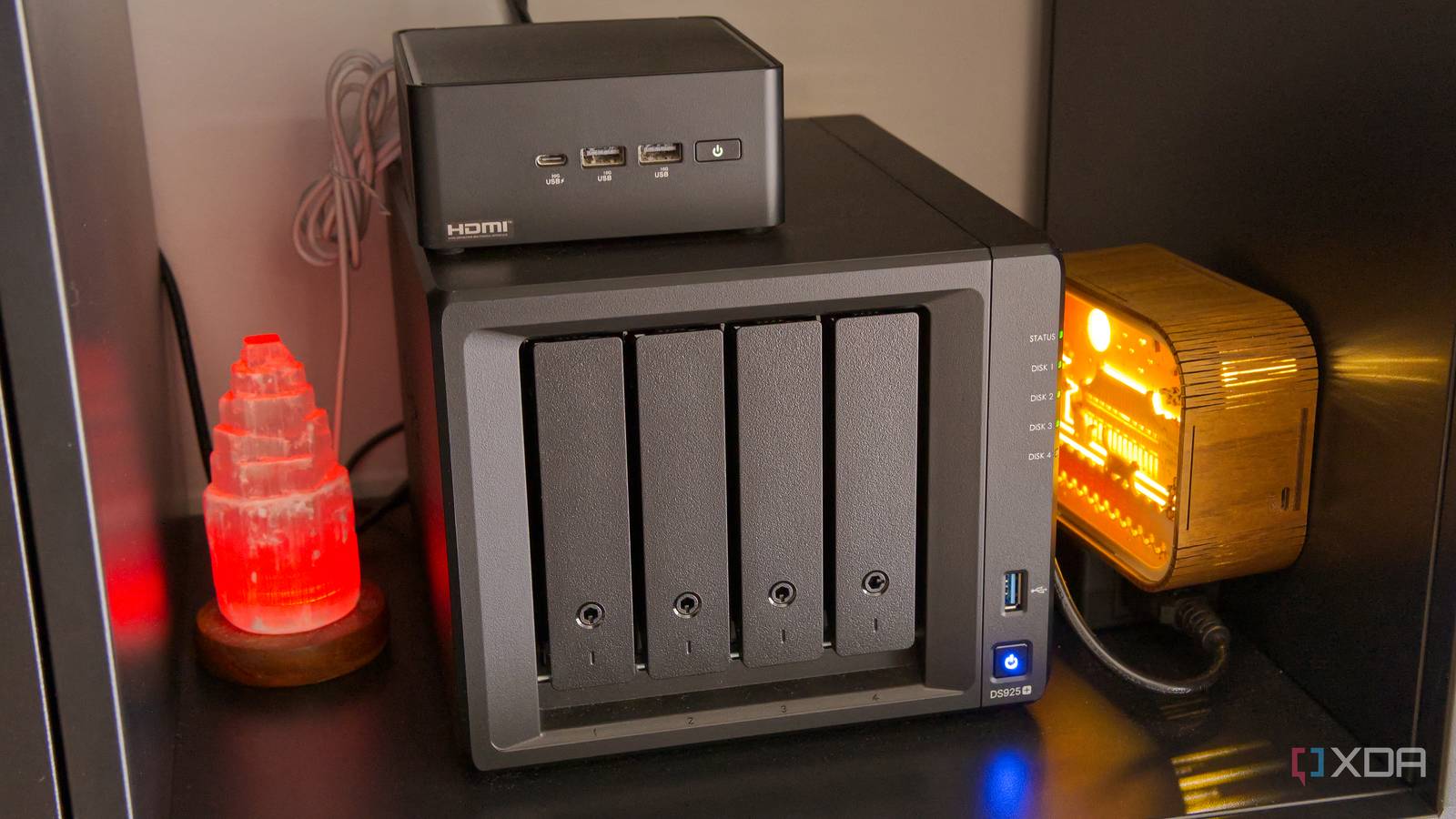
Published Aug 28, 2026, 5:00 PM EDT João has been covering the tech world for over 7 years, with a heavy focus on laptops and the Windows ecosystem. I also love all things tech and videogames, especially Nintendo, which he's always happy to talk about. Prior to joining XDA in 2021, he worked at Neowin: https://www.neowin.net/news/poster/jo%C3%A3o-carrasqueira/ For over a year, my home lab and NAS were a single mini PC, and I loved it. It was how I learned the basics of both NAS systems and self-hosting servers, and it unlocked a world of possibilities for my home. But recently, I finally made the move to add a dedicated NAS to my setup, and it's been an upgrade in more ways than one. It's not just about having more storage, but also having a system that feels far more reliable. My NAS feels more secure A purpose-built solution has benefits Using a mini PC as a NAS was a great way to repurpose some hardware I had lying around and get acquainted with the idea of a NAS unit, but I never felt fully comfortable with it for a couple of reasons. Because it was running inside my mini PC, there were lots of things that could have broken everything. If my Proxmox host broke, I would have a harder time accessing the data on the TrueNAS VM. Likewise, TrueNAS itself could run into issues, and since most of my apps were also running inside TrueNAS, those would also be affected. On top of that, a single mini PC only has one HDD slot, which meant my NAS had no redundancy. I was backing up the most important data to the cloud, but for everything related to my running apps or the content in my Jellyfin library, I had nothing that could serve as a safety net. My NAS enclosure has four bays for hard drives (plus some NVMe slots if I want to fill them), which means I have a lot more space for extra storage, but crucially, I now have redundancy. I'm using Synology's proprietary SHR approach to RAID, which means I have just one drive for fault tolerance, but that's already much better than no redundancy at all. I can sleep much more peacefully knowing that the odds I'll lose all my data in one go are far slimmer. I just feel more confident in this setup. My self-hosted apps are faster And my home lab is quieter When my home lab and NAS were one device, I opted to deploy most of my self-hosted services within TrueNAS, and it was mostly because I was a relative newcomer, and it felt much easier to have a dedicated UI that simplified the installation process. Self-hosted services just felt like apps, which is immediately more friendly. However, this added a lot of overhead. TrueNAS itself was already a VM inside Proxmox, and each app was a Docker container. And on top of that, they were installed on the HDD where TrueNAS was installed, which made things even slower. Since splitting the NAS portion from the home lab, things have felt much faster. I notice it the most with Nginx Proxy Manager, which often took at least five minutes to boot up inside TrueNAS. Running on Proxmox directly, it starts up much faster, and that means far less downtime for my services. That goes for all the services I have running on Proxmox. Everything just boots quickly. It also feels more reliable. Proxmox has built-in snapshots that let you roll things back easily if your self-hosted services ever break, so I don't have to worry about an update going wrong. I can keep multiple copies of a backup if needed for extra safety, and I can even export those files onto my NAS if I'm worried about the Proxmox drive dying at some point. And that's not all. Since I stopped running TrueNAS inside Proxmox, my home lab mini PC has become much quieter. It used to spin up the fans seemingly at random and it was a bit of a disturbance, but now my mini PC is dead quiet. That's somewhat offset by the noise coming from the NAS enclosure, but even then, that's a low rumble that easily becomes unnoticeable. My mini PC was much more distracting before. Connected where it matters My home lab and NAS still work together The beautiful thing about this solution is that my NAS and home lab are still connected in the ways that matter. Because I can add SMB and NFS shares in Proxmox, it's easy to make my NAS data available to my services in Proxmox. That's primarily true for two services, Nextcloud and Immich. In Nextcloud, I've mapped two SMB shares, one for my wife's files and one for mine. It's mapped as external storage inside Nextcloud, which is actually kind of beneficial. If I ever need to uninstall or do anything to the VM running it, I don't have to worry about my data stored in it at all. Nextcloud itself doesn't hold those files, so I can uninstall the app and do anything I want without losing the most important part. For Immich, I had to mount an NFS share instead, since SMB shares didn't really work. Again, this has a similar benefit in that I can uninstall Immich and not have to worry about my years of photos and videos being lost or inaccessible. They're always there through my NAS. This also means I can update these apps and still browse those files easily through Synology DSM. I'm sure I could do that in TrueNAS to some extent, but the default TrueNAS UI never felt tailored to file browsing, so this is much better. There's actually another benefit when it comes to Nextcloud, too, though it has more to do with my specific setup. I back up my files to the cloud through Backblaze, and when I did it in TrueNAS, I was backing up the entire dataset for Nextcloud, which included Nextcloud itself, something I don't really need a backup of. With this setup, I can back up just the actual files, which saves me a couple of gigabytes in cloud storage. For other services, because everything is on the home lab itself, there's no need for the NAS. I can update and restart the NAS and all my services keep working just fine. An SSD may eventually die, too, but there's such a minute amount of data being written to it persistently that I don't expect problems for a long time. My home lab feels better than ever If you've been into self-hosting and running your home server for some time, you probably already know this, but as a relative newcomer to this world, I'm somewhat surprised at just how great this solution turned out to be. I have more storage (with more reliability to boot) and all my self-hosted services work just as well if not better. Nothing really broke in my home lab, and I absolutely love how it all works now. If you've been living out of an improvised NAS like I was, just know that it can still get much better.
I gave my home lab and NAS separate hardware, and now I actually trust my backups
Full Article
Original Source
Read the full article at Xda-developers →KhanList aggregates and links to publicly available news content. We do not host full articles from third-party sources. Always verify important information with original sources.